Shopify SEO Health Audit

Scan your store for broken links, meta issues, and page speed problems with a trackable health score.

See What's Holding Your SEO Back

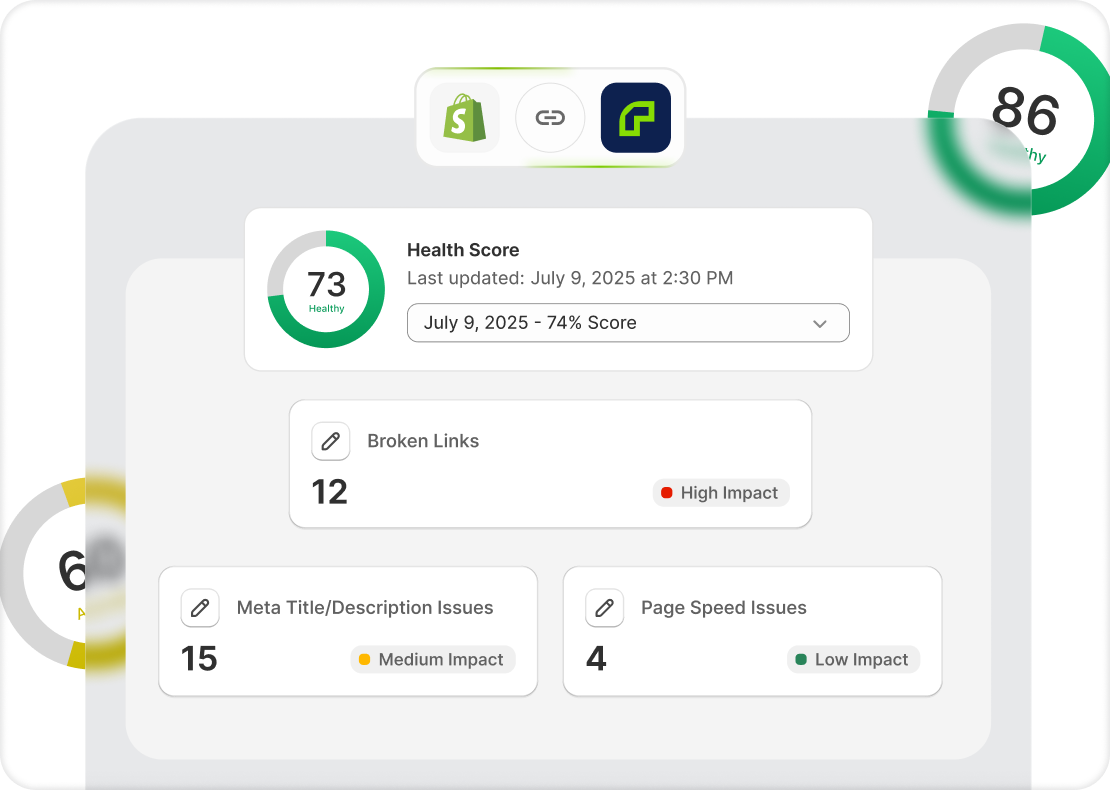
Broken links, missing meta tags, and slow pages hurt your rankings without you knowing. Risify scans your store, flags the problems, and gives you a health score so you can track improvement over time.


See What's Holding Your SEO Back

Three Critical Checks, One Audit

icon

Broken Links

Find internal and external links that return errors so you can fix or remove them. 

icon

Meta Issues

See which products and collections have missing, incomplete, or too-long meta tags 

icon

Page Speed

Identify pages with speed problems that affect user experience and search rankings. (12 words)


Every Issue Comes with a Fix

The audit doesn't just list problems. Each flagged item tells you what's wrong, why it matters, and what to do about it.

  • Issues are ranked by impact so you fix the highest-priority items first
  • Each item includes a clear recommendation, not just a warning
  • Work through the report as a checklist until your store is clean
  • Related issues are grouped together so you can fix them in batches


Track Progress with Health Score

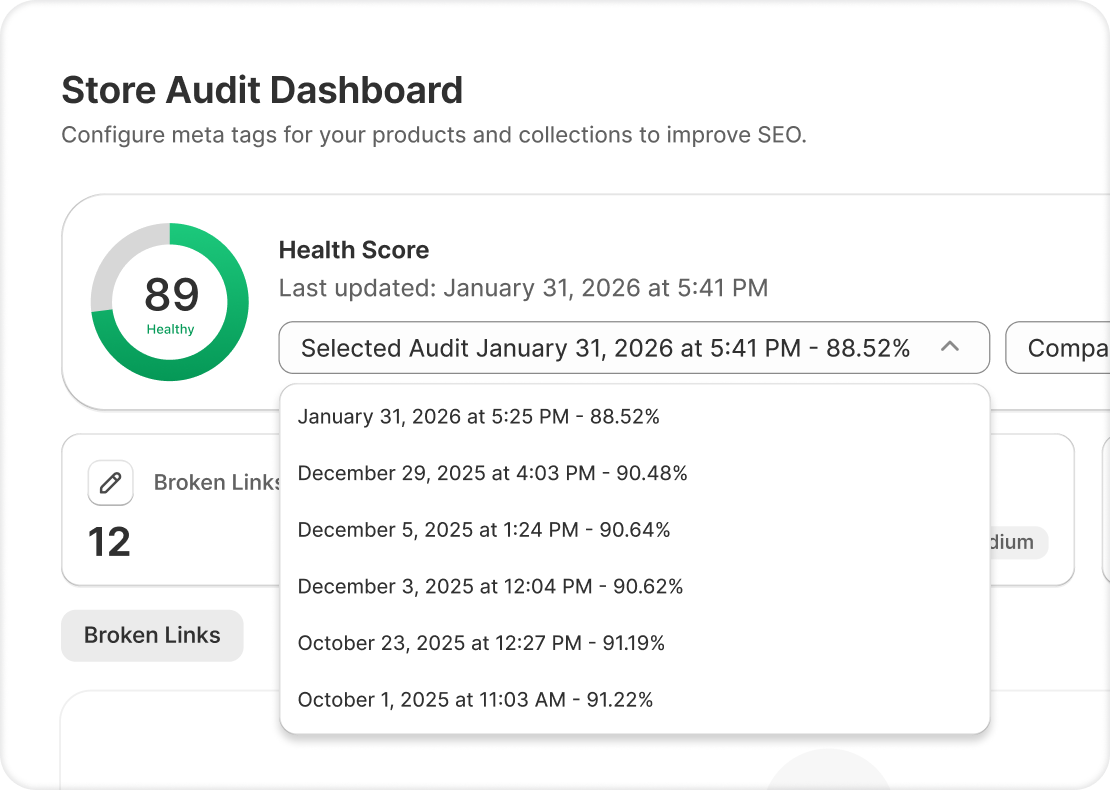
Each scan produces a health score. Run audits regularly to see whether your fixes are making a difference.

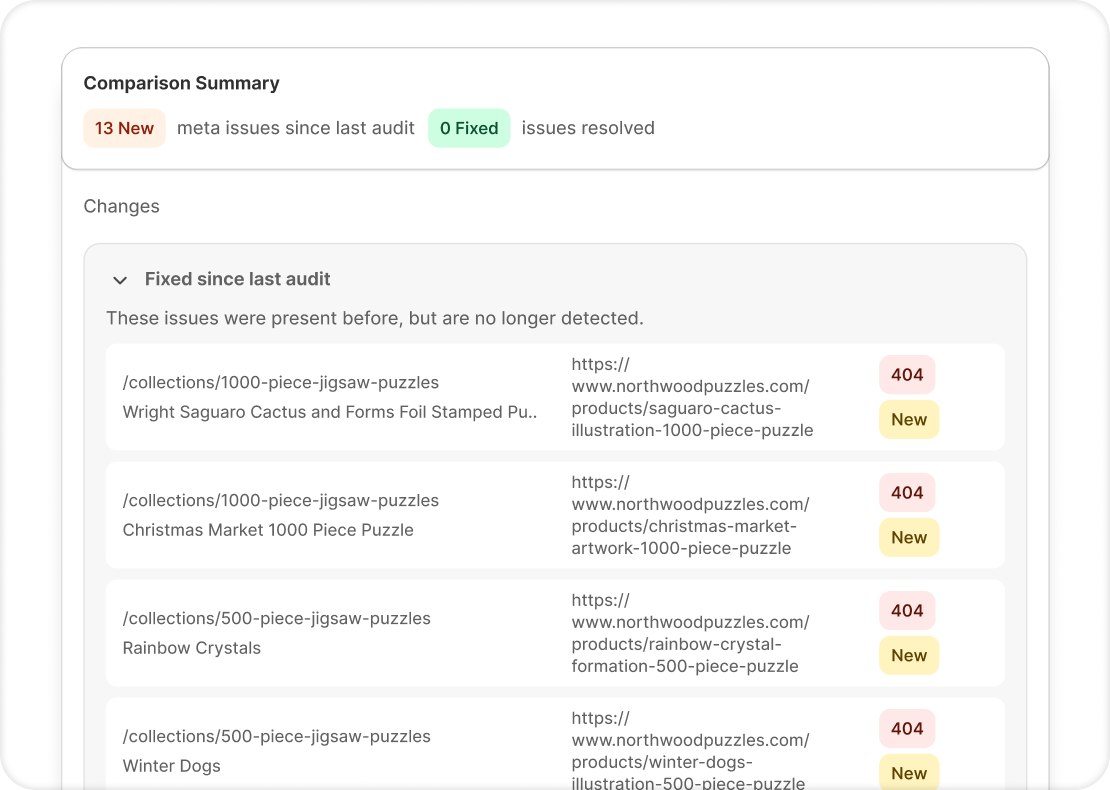
  • Compare current results to previous audits
  • See which areas improved and which still need work
  • Use the score as a baseline in conversations with your team or agency
  • Health score updates with every new scan


risify logo

How Risify Audit Works

What happens when you run a store audit?

You trigger audits from the Risify dashboard whenever you want. Each scan generates a fresh report with an updated health score. 

Every completed audit is saved inside Risify. You can go back to any previous report and compare results across scans.


The audit reads your store data through Shopify's API. It doesn't inject scripts, slow down your pages, or affect your front-end in any way.


Risify Audit vs Manual Checking

Problems like broken links, missing meta tags, and slow pages are hard to track manually. Risify audits them together in a single report. 

Manual Checking

close icon
Check pages one by one
close icon
Separate tools for each problem
close icon
No way to measure overall health
close icon
No prioritization
risify icon

Risify Audit

check icon
Automated scan from your dashboard
check icon
Runs inside Shopify admin
check icon
Health score tracks progress
check icon
Issues prioritized by impact
cta mask

Run a full SEO audit on your Shopify store and get fix recommendations

Install on Shopify Install on Shopify  icon