AI Visibility

See whether ChatGPT, Claude, and Google AI Mode recommend your store when shoppers ask where to buy, and build the structure they need to find your products.

Know Whether AI Tools Are Recommending You

Risify helps you see whether your store appears on AI tools when shoppers ask the buying questions that matter to your business.


  • - Monitor the questions behind product, category, and use-case searches
  • - See when your store is named, when it gets a link, and who else appears
  • - Keep checks running three times a week without repeating the work by hand
Know Whether AI Tools Are Recommending You

See Where You Stand in
AI Shopping Answers

icon

Measure Your Presence

Know how often your store makes the answer. Track mentions across the buying questions you care about.

icon

Find the Links to Your Store

See which questions lead to a source link, giving shoppers a route from an AI answer to your store.

icon

Understand Who Gets Named

See the brands and marketplaces appearing alongside your store or taking its place in the answer.

See Where Your Store Is Showing Up

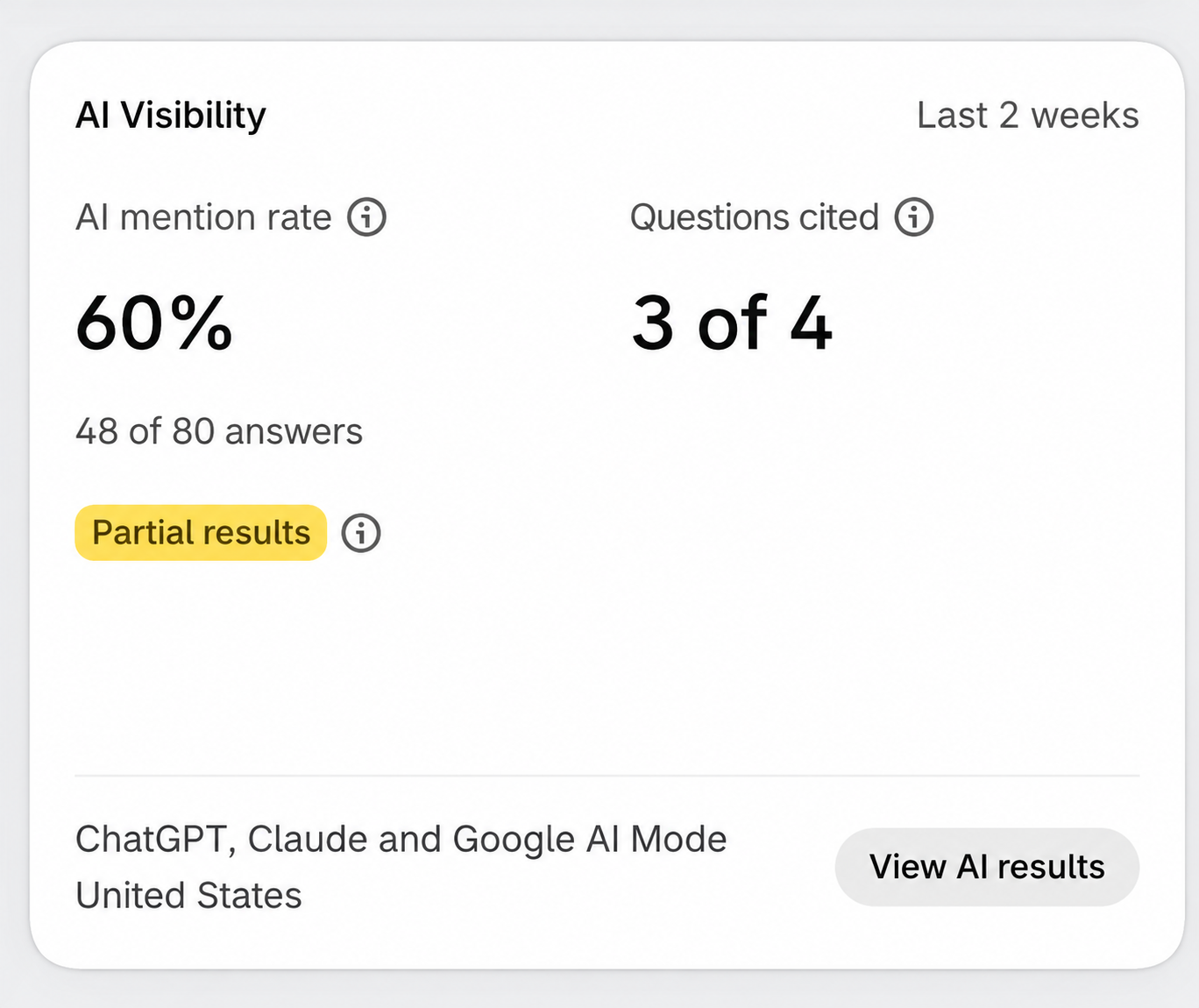
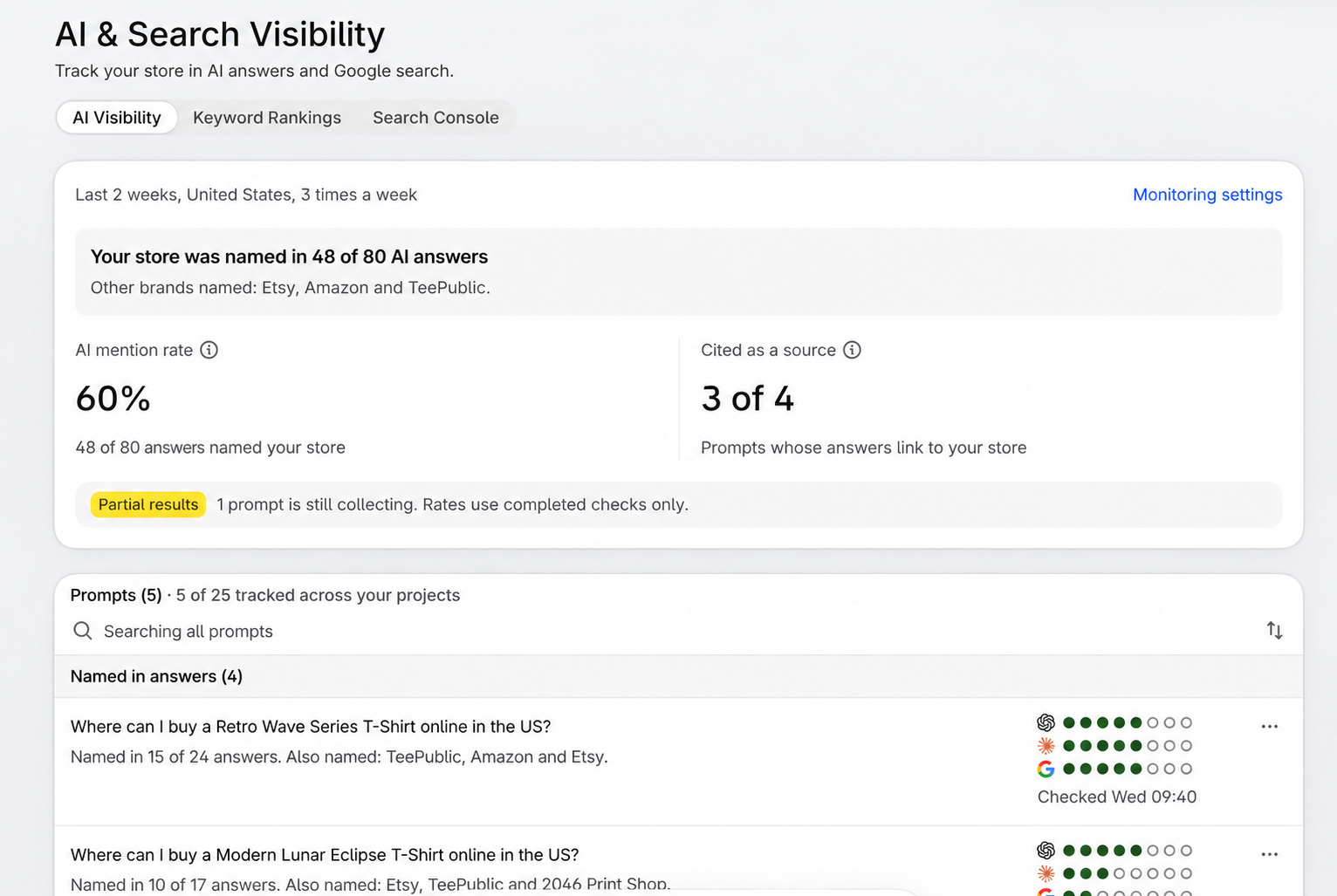
Bring your AI visibility into one view. See how often your store is named, which questions generate source links, and where you need to take a closer look.

  • Review your AI mention rate across completed answers from the last two weeks
  • See how many tracked questions have answers that link to your store
  • Spot questions where your store is missing and inspect the brands named instead

Compare the Same Question Across Three AI Tools

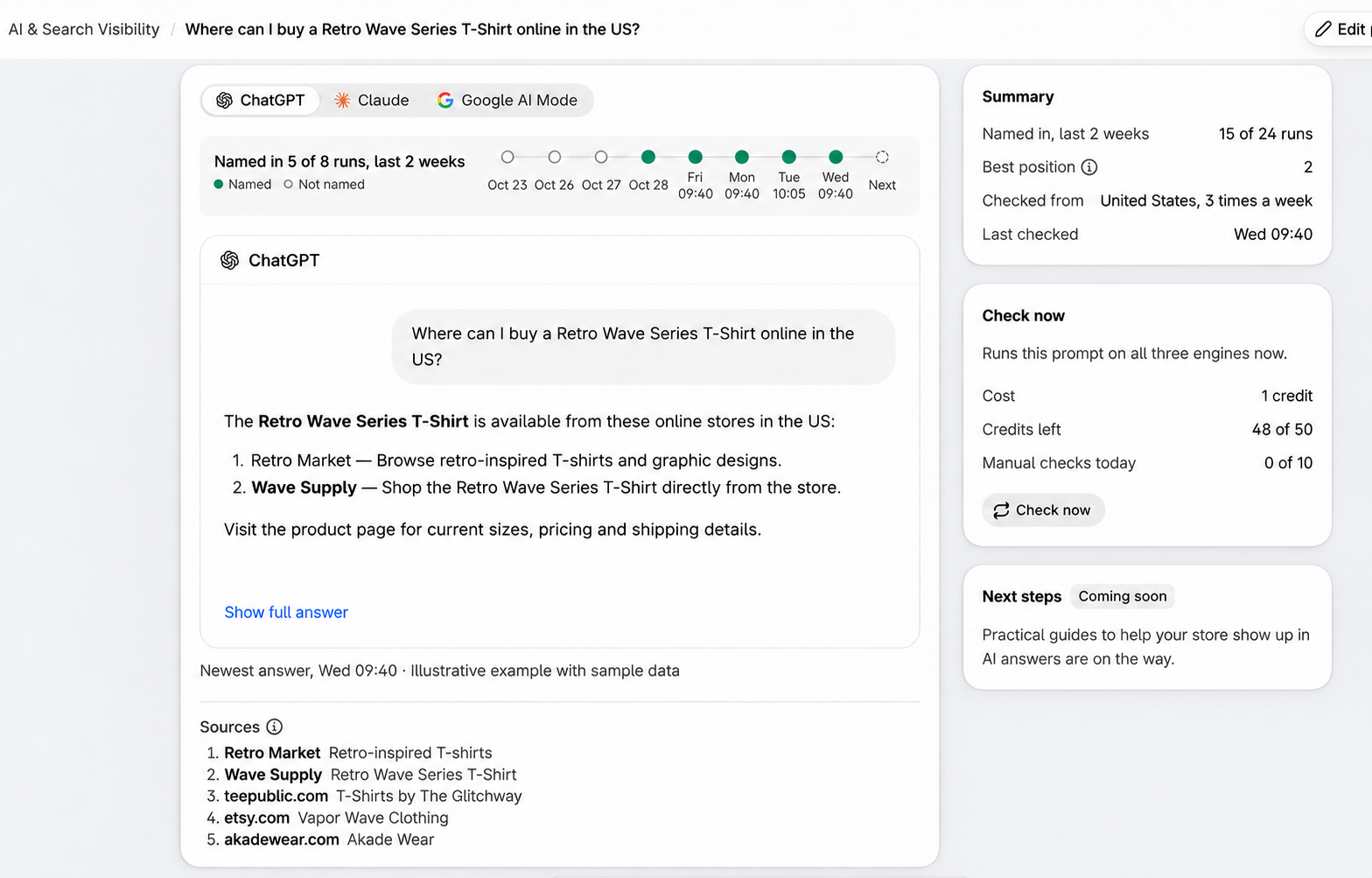
Your store may appear in one tool’s answer and be absent from another. See those differences without switching between tools and keeping your own notes.

  • Move between ChatGPT, Claude, and Google AI Mode for each question
  • Follow the run history to see how consistently each engine names your store
  • Review total mentions and your best position when included

See Which Brands Get Named Instead

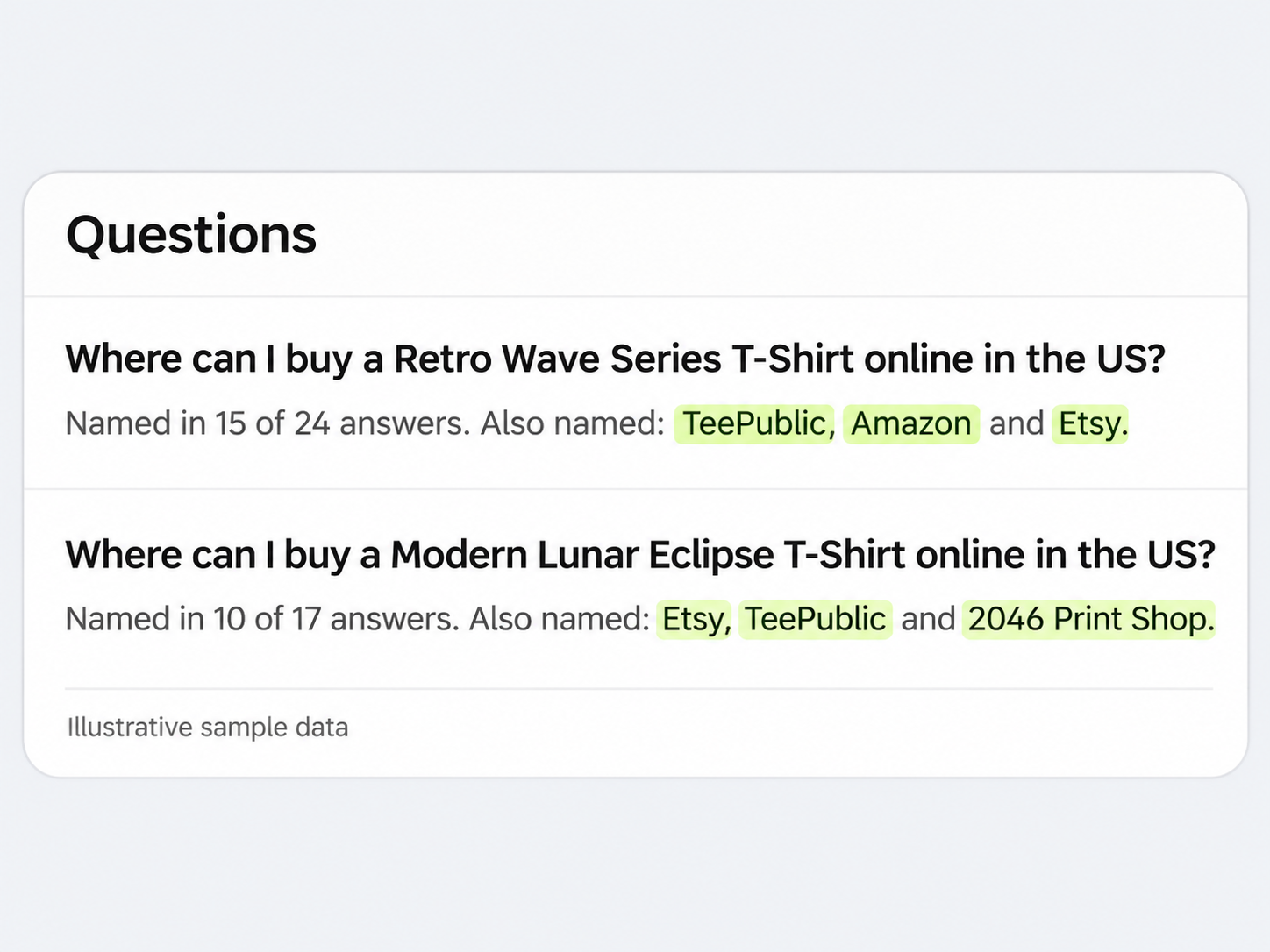
When your store is missing, the answer still tells you something useful. See which retailers, marketplaces, and brands appear for the questions your customers could be asking.

  • Identify the names appearing for product and category questions
  • Read the surrounding answer to understand the context of each mention
  • Choose which product and collection pages deserve a closer review

Understand the Answer Behind Every Mention

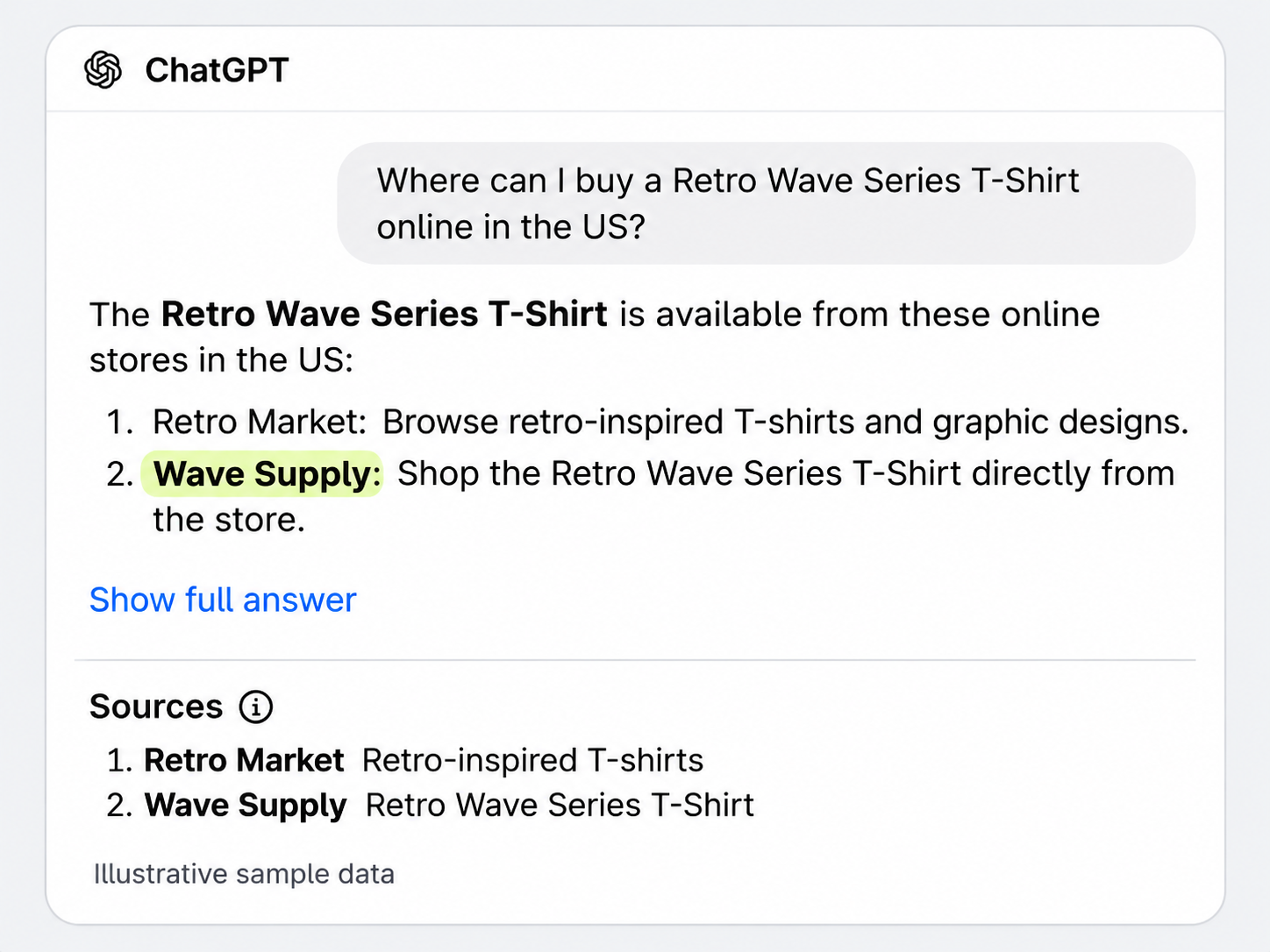
A visibility metric tells you whether you appeared. The answer shows how your store was presented, and the sources show where shoppers can go next.

  • Read the newest response and expand the full answer when you need more context
  • Distinguish a store mention from a citation that links to your site
  • Inspect cited pages to see which information is represented in the answer

Turn Visibility Gaps Into a Focused Store Review

Use the questions and answers to decide where to look next. Then use Risify’s content, schema, and navigation tools to improve the information available on your store.

  • Clarify product details and publish structured data such as price and availability
  • Answer relevant buying questions with product and collection FAQs
  • Connect related pages through breadcrumbs, collection menus, and internal links
risify logo

How AI Visibility Tracking Works

From shopper questions to answers you can inspect inside Shopify.

Start with the products, collections, and buying situations you want to be discovered for. Add questions a shopper might ask, such as “Which online stores sell warm hoodies for winter?” Your available question allowance is shown in the app and counts across your projects.

Risify checks your questions on ChatGPT, Claude, and Google AI Mode three times a week. New questions may show Still collecting while checks build up. The overview identifies partial results and uses completed checks to calculate rates.

Start with the overview, then open a question to inspect the response from each engine. See whether your store is named, whether an answer links to it, and which other brands and source pages appear.

Use Check now to run a question across all three engines. Before running it, review the credit cost, remaining credits, and daily manual-check usage shown in the app.

Edit, pause, or remove questions when your priorities change. Keep a consistent core set to make results easier to interpret, and review repeated checks rather than treating one answer as a lasting result.

AI-Visible Store vs Invisible Store

Checking Manually

close icon
Repeat the same questions across AI tools
close icon
Record store mentions and links by hand
close icon
Piece together results from separate checks
close icon
Remember to repeat the checks each week
risify icon

With Risify

check icon
Three AI tools checked three times a week
check icon
Store mentions and citations in one view
check icon
Question history, answers, and sources together
check icon
On-demand checks with usage shown upfront
cta mask
See Whether AI Names Your Store When Shoppers Ask
Install on Shopify Install on Shopify  icon