





In Guide 1, we looked at AI shopping tools from the shopper’s side - what happens when someone asks ChatGPT, Perplexity, or Google for a product recommendation. Every one of those systems follows the same pattern: crawl your pages, extract structured information, use it to generate an answer.
This guide flips the perspective. Instead of looking at what AI tools produce, we’re looking at what they consume - the specific data on your store that these systems read, extract, and use to decide whether your products get recommended.
Your store has five data layers that AI systems pull from. Most Shopify stores are missing three or more of them - and Shopify’s default setup is the reason.
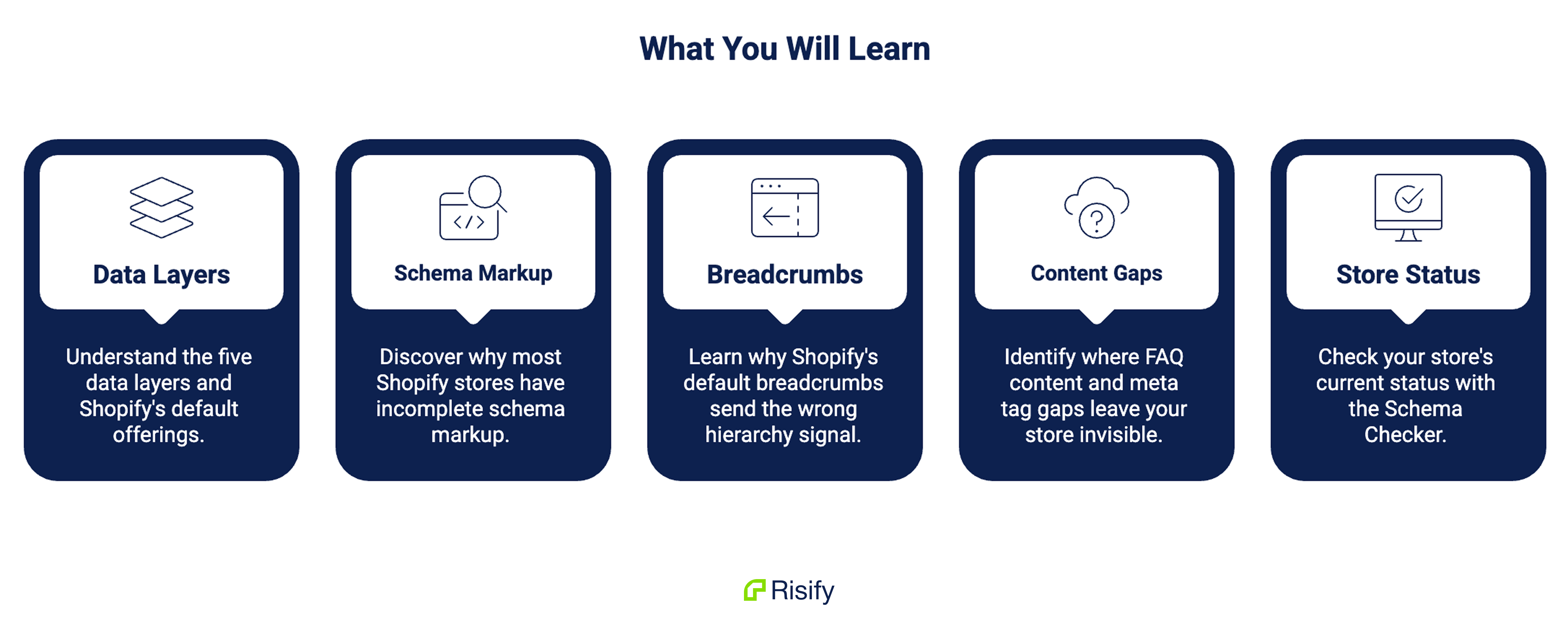
Five things you’ll learn in this guide:
- What the five data layers are and what Shopify gives you for each one out of the box
- Why most Shopify stores have incomplete or missing schema markup - and which fields matter most
- Why Shopify’s default breadcrumbs send the wrong hierarchy signal to AI crawlers
- Where FAQ content and meta tag gaps leave your store invisible to AI
- How to check your store’s current status with the Schema Checker at risify.net
What Shoppers See vs. What Crawlers See
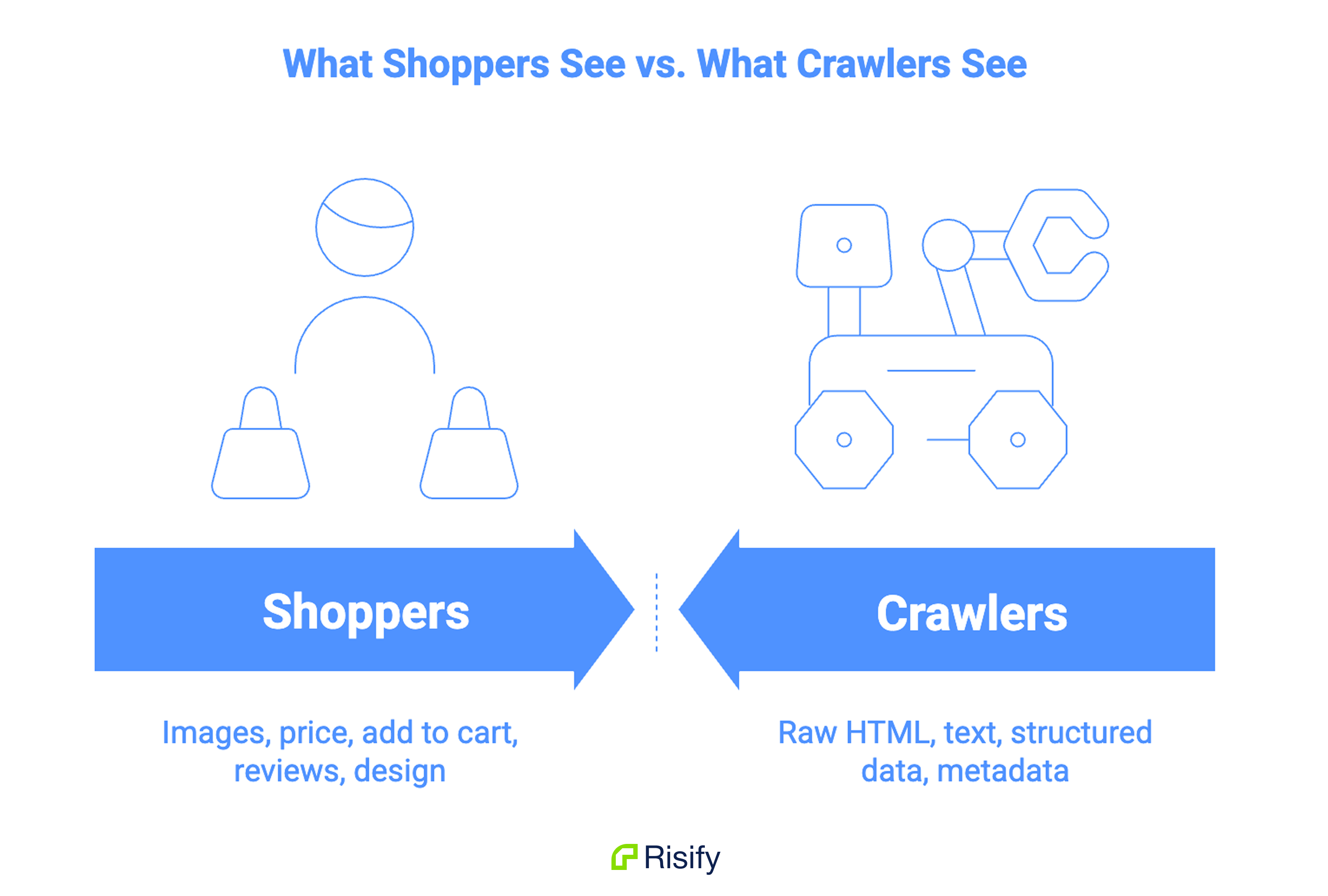
When a customer visits your product page, they see images, a price, an “Add to Cart” button, maybe some reviews. The layout, the colors, the typography - all of it designed for a human browsing your store.
An AI crawler sees none of that.
When ChatGPT’s OAI-SearchBot or Google’s crawler hits the same page, they read the raw HTML source code. No images rendered, no buttons clickable, no layout visible. They see text, code blocks, and metadata.
The product information that matters to AI is embedded in specific, structured formats within that source code. If the information only exists in the visual layout - in a pretty product card or a styled FAQ accordion - but isn’t also present in a structured format a crawler can parse, it’s invisible to AI.
Your store has two audiences: humans and crawlers. The human-facing version might look great. The crawler-facing version might be nearly empty.
The five data layers below are what crawlers need to find on your pages - and where Shopify’s defaults fall short for each one.
Schema Markup
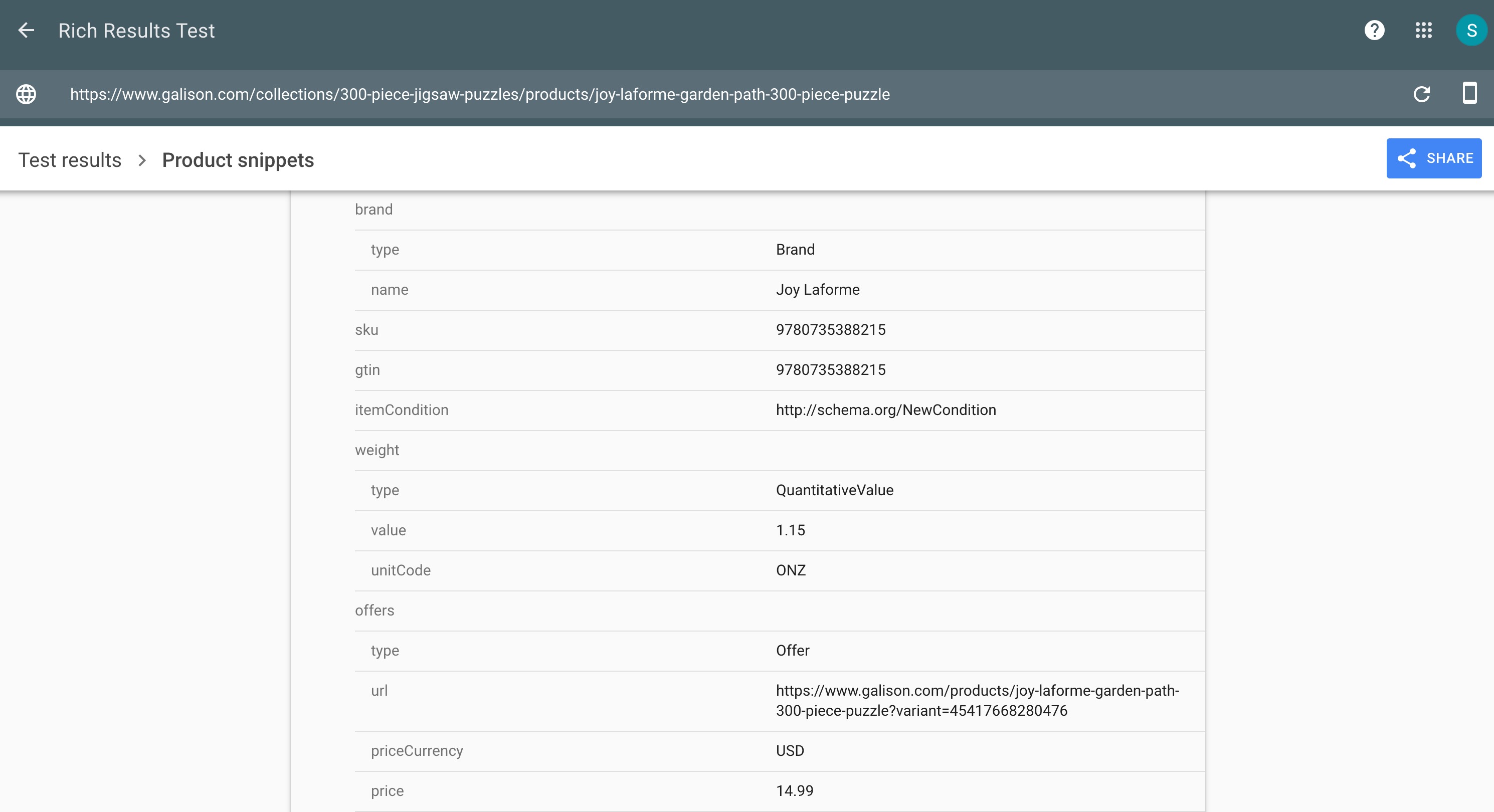
Schema markup is the most important data layer for AI visibility.
It’s a block of structured code (called JSON-LD) that sits in your page’s HTML source. It doesn’t appear anywhere on the visible page - shoppers never see it. But it tells AI systems and search engines exactly what’s on the page in a format they can read instantly.
Think of it like a label on the back of a product box. The customer looks at the front of the box - the design, the photos, the brand name. The retailer’s inventory system reads the barcode and data label on the back. Schema markup is that back-of-box label for your web pages.
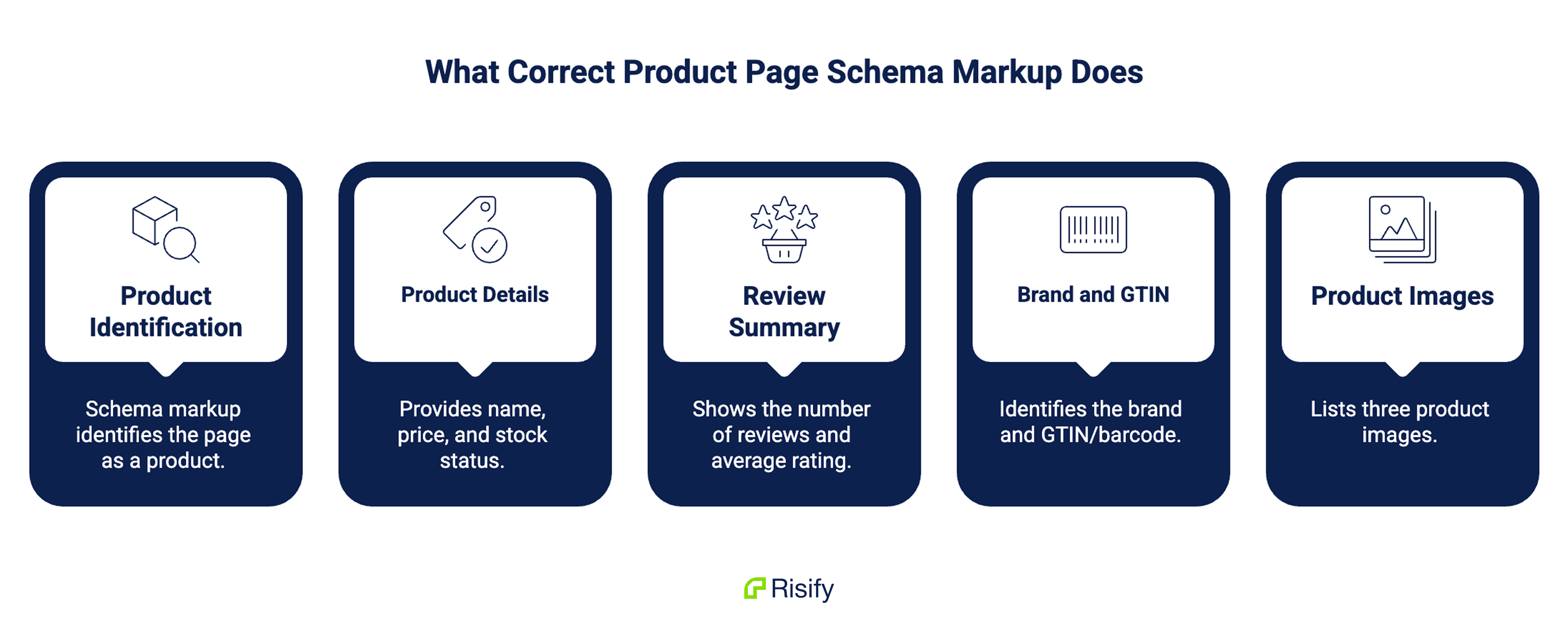
A product page with proper schema markup tells AI systems:
- This is a product (not a blog post, not a category page)
- The name is X, the price is Y, it’s in stock
- It has 47 reviews with an average rating of 4.6
- The brand is Z, the GTIN/barcode is this number
- Here are three product images
Without schema markup, the AI crawler has to guess all of this by scanning the visible text on the page. Sometimes it guesses right. Often it doesn’t, or it skips the page entirely.
As we covered in Guide 1, a Search Engine Land experiment found that the page with well-implemented schema was the only one to appear in Google’s AI Overviews. The page with no schema was never indexed.
What Shopify Gives You
A fresh Shopify store with a standard theme usually includes basic Product schema on product pages - the product title, description, price, and sometimes images. The quality varies by theme. Some include more fields, some barely cover the minimum.
Collection pages, your homepage, and other page types typically get no schema at all.
What’s Missing
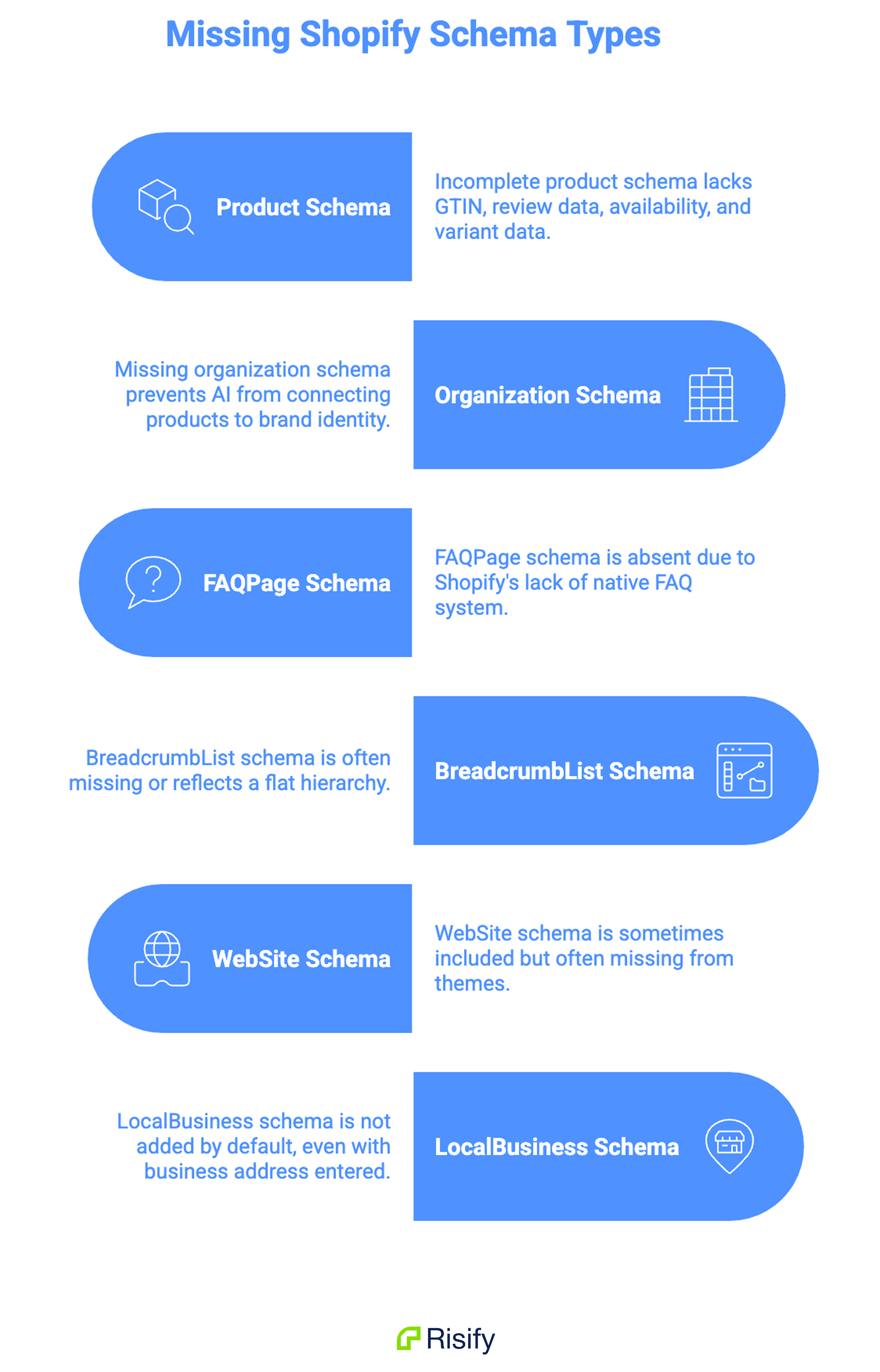
Several schema types are directly relevant for Shopify stores. Most default setups only partially cover one of them:
Product schema is usually present but incomplete. The fields AI systems rely on most - GTIN/barcode, review data (aggregateRating), availability status, and variant data - are often missing. Your review app might display star ratings to shoppers, but unless it also injects that data into Product schema, AI crawlers can’t access it. GTIN is almost always blank because most merchants don’t fill in the barcode field in Shopify admin.
Organization schema tells AI systems who you are as a business - your company name, logo, contact information, social media profiles. Without it, AI systems have no structured way to connect your product pages to your brand identity. Shopify doesn’t add it.
FAQPage schema wraps question-and-answer pairs so AI systems can extract them directly. Shopify has no native FAQ system at the product or collection level, so this schema type is entirely absent.
BreadcrumbList schema communicates where a product sits in your catalog hierarchy. Most Shopify themes display breadcrumbs visually but don’t include the corresponding schema in the page source. Even when the schema is present, it typically reflects Shopify’s flat breadcrumb structure (Home > Products > Item) rather than a real hierarchy.
WebSite schema identifies your store at the site level and enables features like the sitelinks search box in Google results. Some themes include it, most don’t.
Article and Person schema help AI systems understand your blog content and connect it to specific authors. These are relevant if you publish content marketing alongside your product catalog.
Beyond these, LocalBusiness schema is relevant if you have a physical store location - it communicates your address, hours, and coordinates for “near me” queries. Shopify doesn’t add it by default, and Risify doesn’t generate it either, but it’s worth implementing manually if you have a brick-and-mortar presence.
Risify activates seven schema types - Product, Organization, FAQPage, BreadcrumbList, WebSite, Article, and Person - from the Schema settings page. No code editing, no theme modifications. Risify’s Product schema pulls directly from your Shopify product fields - including GTIN, availability, review data, and variants - so fields you’ve already filled in get mapped into the schema automatically.
Schema Conflicts
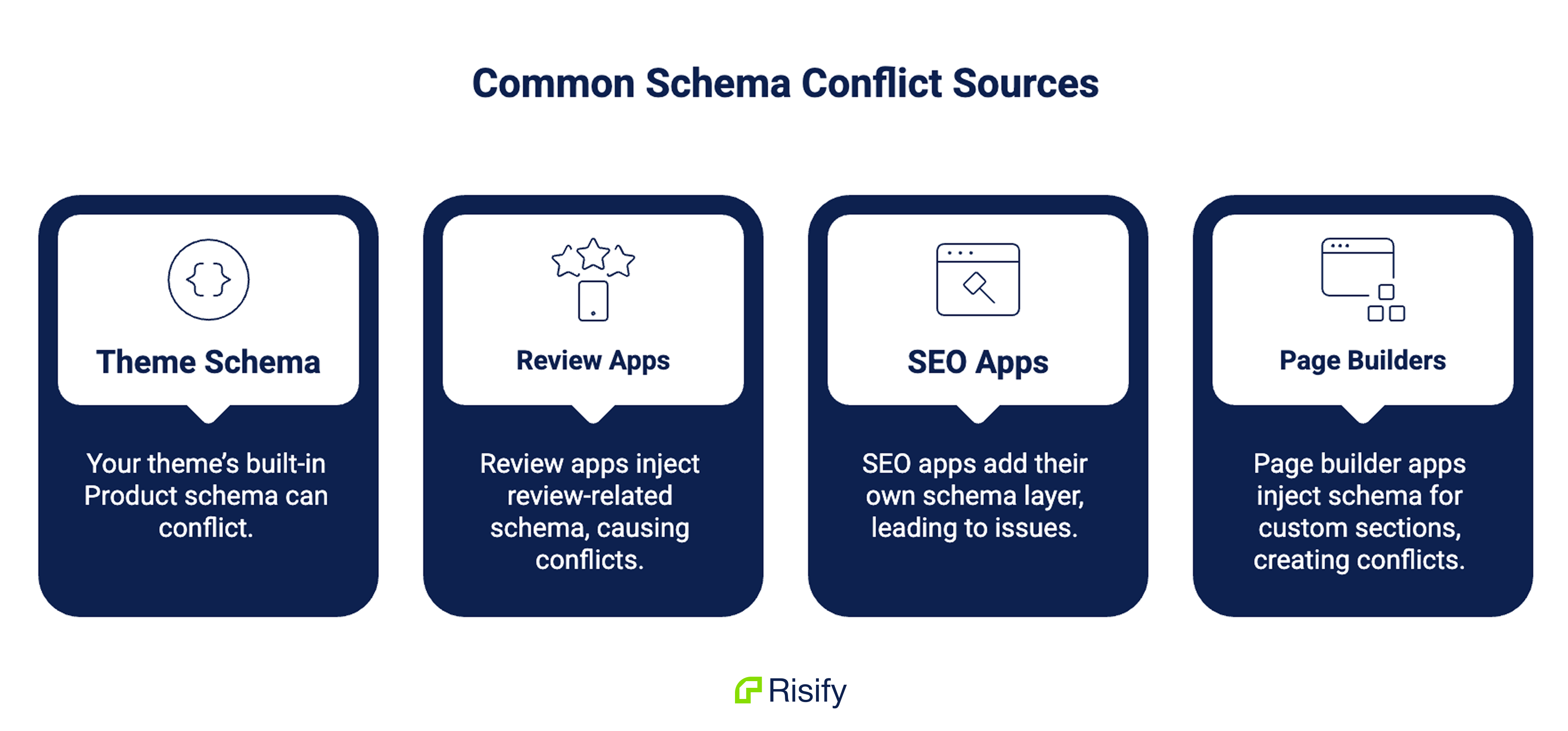
Many Shopify stores run multiple apps that inject schema markup - a review app that adds Product schema with review data, an SEO app that adds its own Product schema, and a theme that adds a third version. The result is two or three competing Product schema blocks on the same page, often with conflicting data.
Google’s documentation says conflicting schema on a single page can cause all of it to be ignored. AI systems face the same problem - when they find multiple Product schema blocks with different prices or availability values, they can’t determine which is correct.
Common conflict sources:
- Your theme’s built-in Product schema
- Review apps (Loox, Judge.me, Stamped) that inject review-related schema
- SEO apps that add their own schema layer
- Page builder apps that inject schema for custom sections
Risify’s Schema Markup feature includes built-in conflict detection that identifies duplicate schema from other apps and your theme, so you can clean up competing markup from one place.
Breadcrumb Paths
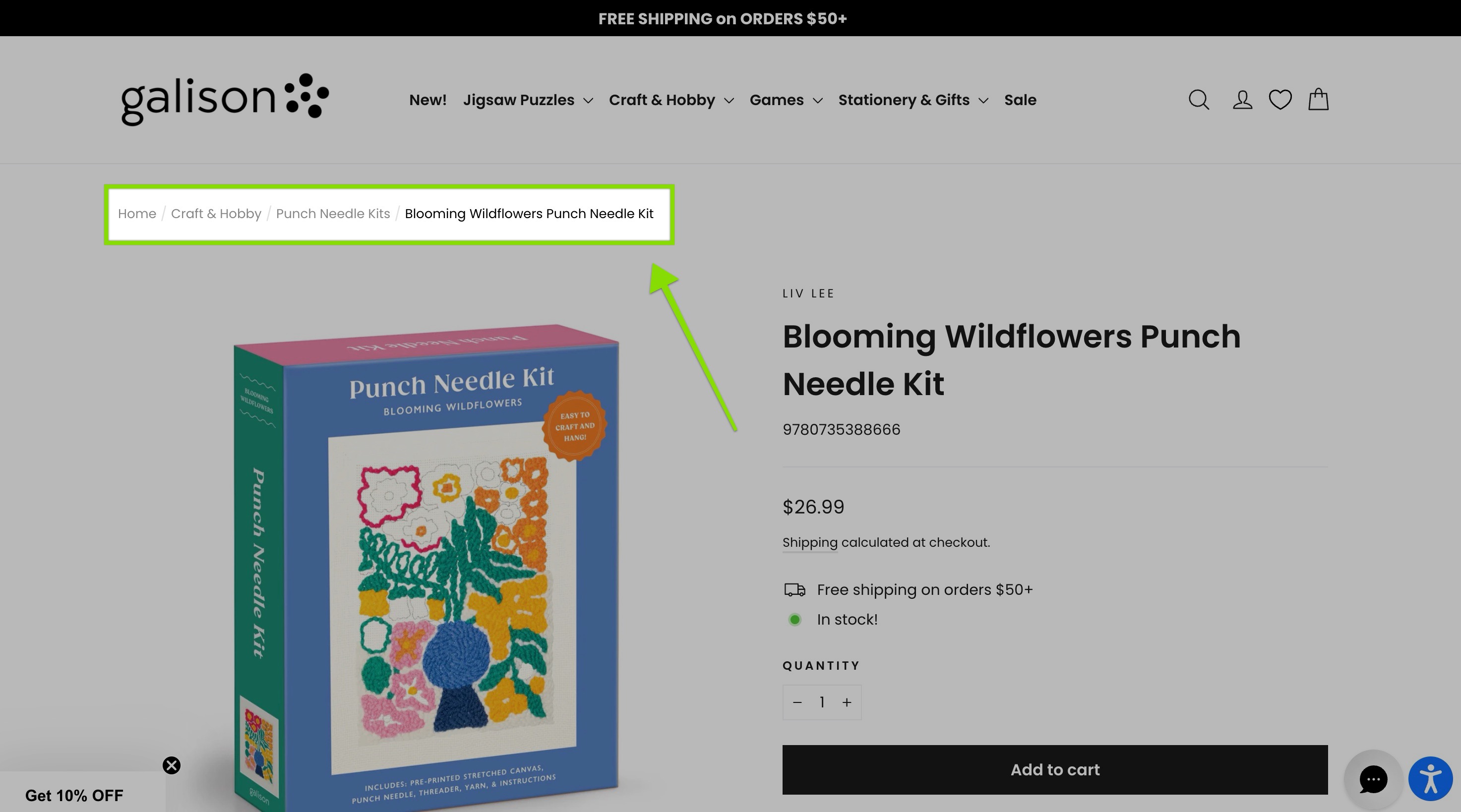
Breadcrumbs tell AI systems where a product sits in your catalog hierarchy.
When a crawler lands on a product page and sees a breadcrumb path like Home > Women’s Footwear > Running Shoes > Nike Air Zoom Pegasus, it immediately understands the product’s category, subcategory, and position in your store’s structure. This hierarchical signal helps AI systems categorize your product accurately when generating recommendations.
Why this matters for AI recommendations specifically: When someone asks an AI tool “what are the best women’s running shoes?”, the AI needs to identify which products belong to that category. Breadcrumbs with proper schema are the clearest category signal your store can provide.
Shopify’s Breadcrumb Limitation
This is one of Shopify’s most well-known structural problems.
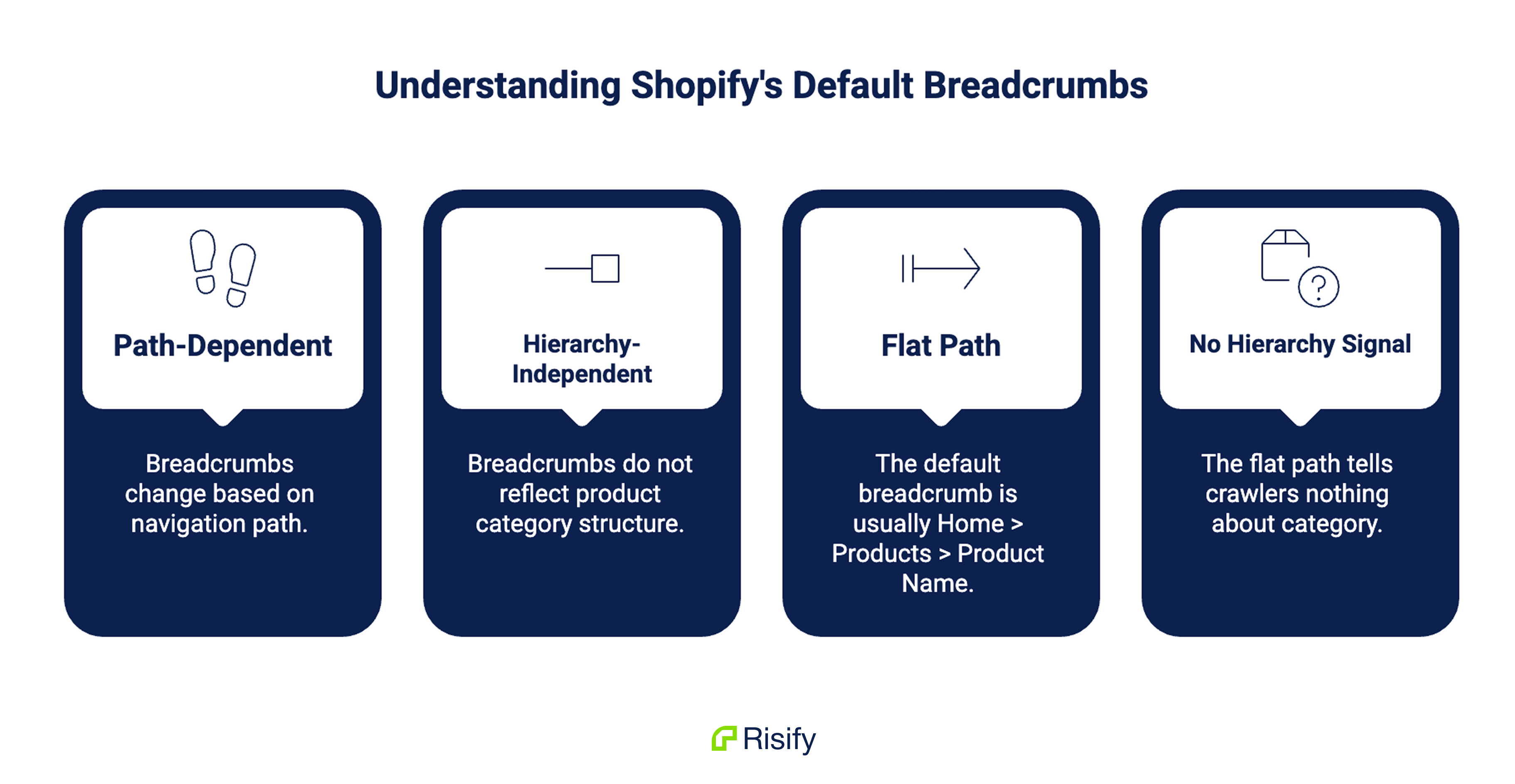
When a shopper navigates from your homepage to a collection to a product, they see a breadcrumb trail. But if the same shopper reaches that product page through a different path - a search, a direct link, or a different collection - the breadcrumb changes. Shopify breadcrumbs are path-dependent, not hierarchy-dependent.
AI crawlers don’t browse your store the way shoppers do. They land on a product page directly through its URL. The breadcrumb they see is whatever Shopify generates as the default path - which is usually the flat Home > Products > Product Name.
That flat path tells the crawler nothing about which category the product belongs to. A running shoe and a coffee maker get the same breadcrumb structure. The AI system has no hierarchy signal to work with.
What correct breadcrumbs look like:
A product should always show its real position in your catalog:
Home > Women’s Footwear > Running Shoes > Nike Air Zoom Pegasus
This path is fixed - it doesn’t change based on how the visitor arrived. It reflects your actual collection hierarchy. And when it’s paired with BreadcrumbList schema, it gives AI systems a clear, structured category signal.
What about products in multiple collections?
A single product might belong to “Running Shoes,” “Women’s Footwear,” and “Sale Items.” The breadcrumb needs to pick one primary path. The right choice is usually the deepest, most specific category path rather than a promotional or temporary collection.
Risify’s Store Structure feature overrides Shopify’s path-dependent behavior with fixed, hierarchy-based breadcrumbs that include BreadcrumbList schema automatically. Guide 3 covers how to set this up in practice.
FAQ Content
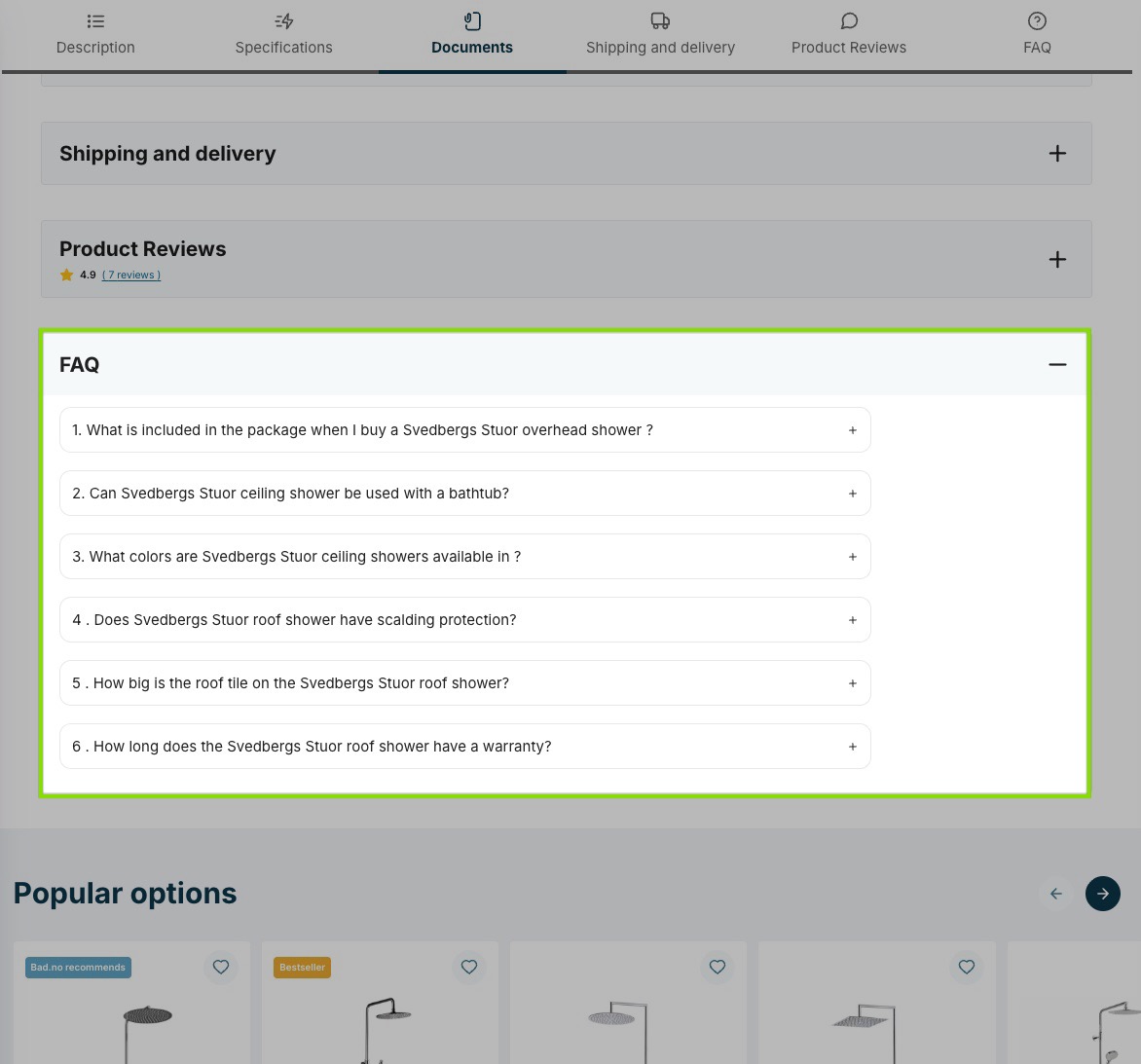
FAQ content is one of the highest-value data layers for AI because the format matches exactly how AI systems generate answers.
When someone asks ChatGPT “Is the Osprey Atmos 65 good for long hikes?”, ChatGPT is looking for a direct answer to a direct question. If your product page has an FAQ entry that says “Is this backpack suitable for multi-day hikes?” with a detailed answer, ChatGPT can extract that Q&A pair and use it almost verbatim in its response.
FAQ content gives AI systems pre-formatted answers they can pull directly.
This only works when the FAQ content is structured with FAQPage schema. Without schema, the FAQ text on your page is just another paragraph of content the crawler has to interpret. With FAQPage schema, each question-and-answer pair is clearly labeled and instantly parseable.
The types of questions that work best for AI extraction:
- Pre-purchase questions (“Is this waterproof?”, “What sizes does this come in?”)
- Comparison questions (“How does this compare to [competing product]?”)
- Use-case questions (“Can I use this for trail running?”)
- Specification questions (“What’s the battery life?”, “How much does this weigh?”)
What Shopify Gives You
Shopify has no native FAQ system for product or collection pages. Even if you manually add FAQ-style content to a product description, it won’t have FAQPage schema unless you add it separately.
Most Shopify stores have zero FAQ content on product pages. The ones that do usually have it on a single store-wide FAQ page that covers shipping and returns - which is useful for customer service but does nothing for product-level AI visibility.
Collection-level FAQs are equally important. When a shopper asks an AI tool a category-level question (“What should I look for in a hiking backpack?”), a collection page with FAQ content can serve as the answer source. Most Shopify stores have collection pages with nothing but a product grid - no description, no FAQs, no content for AI to extract.
Risify’s FAQ Management lets you create FAQs in a centralized library, assign them across hundreds of products and collections, and generate new ones in bulk with the AI Content Agent. Every published FAQ gets FAQPage schema automatically. Risify is the first Shopify app to support FAQ display and schema at both product and collection level.
Meta Tags
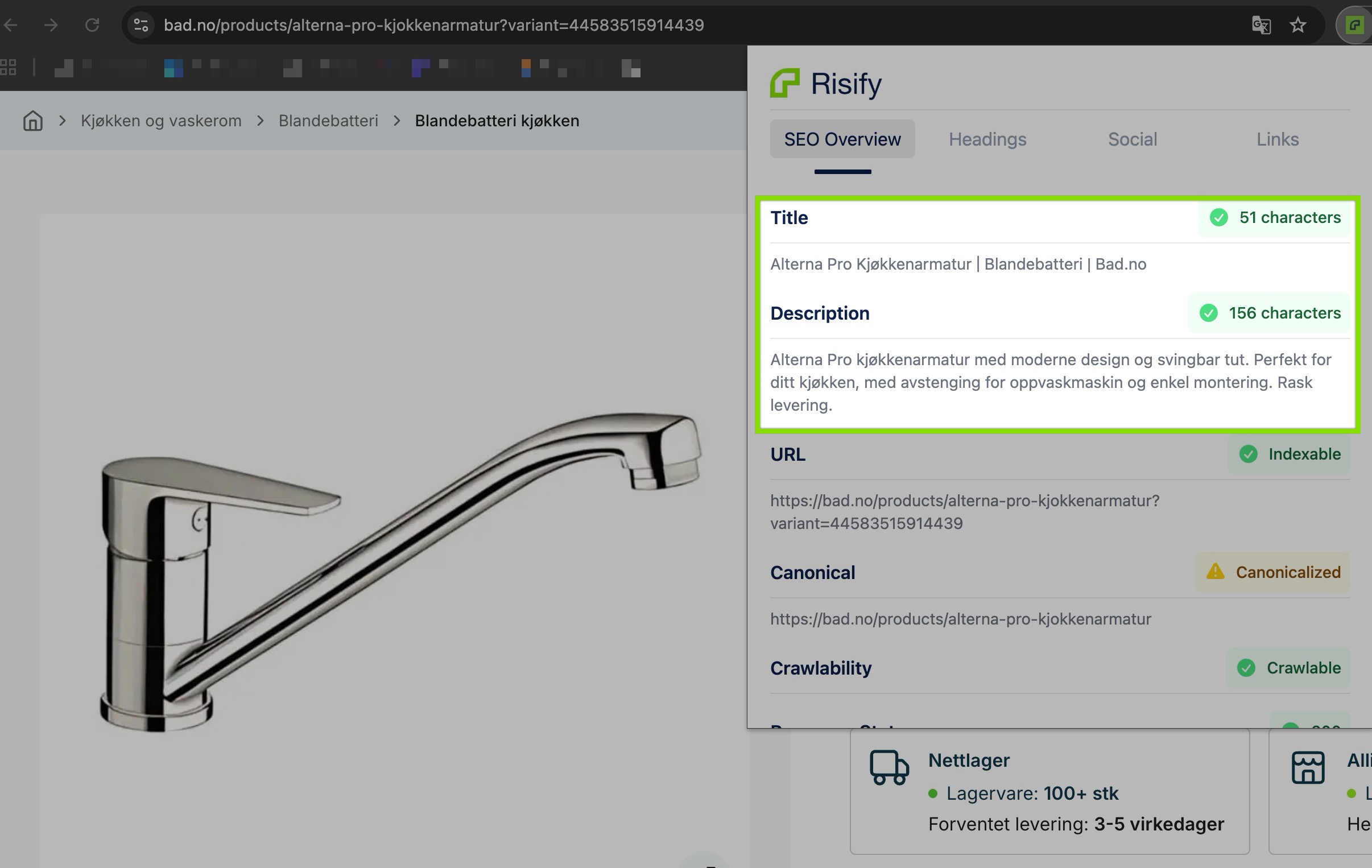
Meta tags are the two lines of text that appear when your page shows up in Google search results - the blue title link and the gray description below it.
When AI crawlers visit your page, meta tags act as a summary. They tell the crawler what this page is about in one sentence (the title) and a brief description (the meta description). AI systems use this to decide whether the page is relevant to the shopper’s query before processing the full content.
A missing or generic meta title tells AI systems nothing useful about what’s on the page.
If your product page has a meta title like “Product - My Store” instead of “Waterproof Hiking Boots for Men - Vibram Sole, 200g Insulation | BrandName,” the AI system has far less information to work with when deciding whether to include your product in an answer.
What Shopify Gives You
Shopify auto-generates meta titles from your product names and meta descriptions from the first lines of your product descriptions. These auto-generated tags are functional but generic - they rarely include the keywords or product attributes that AI systems filter by.
If you have 500 products and 40 collections, that’s 540 pages that each need a unique, descriptive meta title and meta description. Shopify’s auto-generated versions often result in truncated, generic, or duplicate meta tags across your catalog.
Checking your meta tag coverage manually means opening each product in Shopify admin and checking the SEO fields one by one. Risify’s Meta Tags Manager puts every product’s meta status in a single dashboard - filter by missing or problematic tags and fix them without clicking into each product. The AI Content Agent can also generate optimized meta titles and descriptions in bulk.
Product Attributes
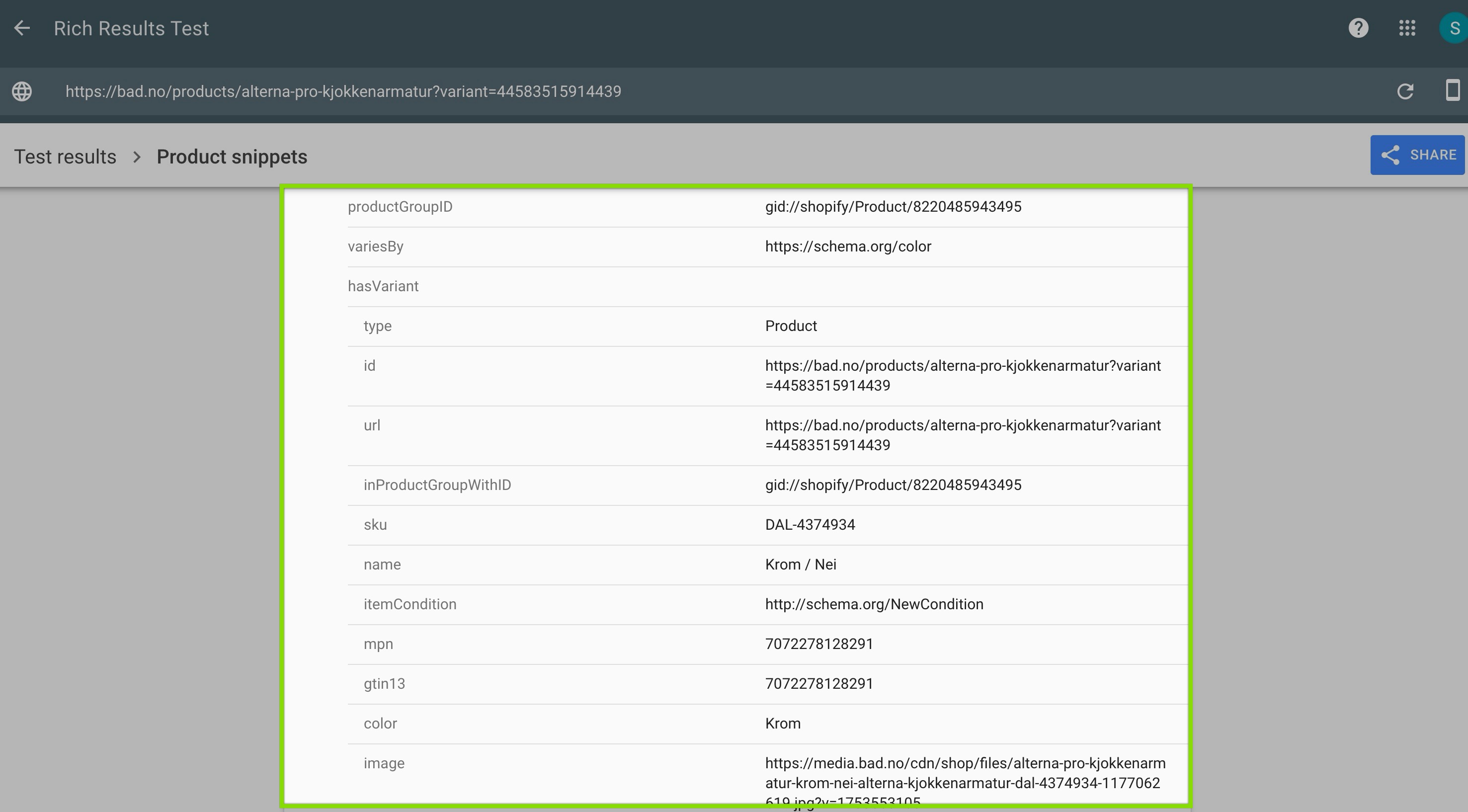
Product attributes are the individual data fields attached to each product - price, availability, images, variants, SKU, GTIN/barcode, and review data.
These feel obvious, but the gap is usually in completeness.
AI systems don’t just need a product price. They need price, currency, availability status, condition (new/used), brand name, GTIN, review count, and average rating - all in structured format. When a shopper asks ChatGPT “best wireless earbuds under $100 with good reviews,” ChatGPT needs price data, review data, and product category data to generate that answer. Missing any one of those fields means your product gets skipped for one that has them.
Your Shopify admin already has fields for most of these. The issue is whether those fields are filled in and whether they’re being pulled into your schema markup correctly.
How to Check Your Store Right Now
Everything above - schema markup, meta tags, FAQ content, breadcrumbs, product attributes - can be checked on your store without any technical knowledge.
Risify includes built-in tools to verify your schema is working:
Schema Debugger: Enable this toggle in Risify’s Schema settings. It floats a debug widget on your storefront that shows the exact JSON-LD being generated on each page. Visit any product page, collection page, or your homepage to see which schema types are active and what data they contain.
JSON-LD Preview: Each Schema settings page in Risify includes a real-time preview panel showing the structured data output. You can check each schema type’s output without leaving the app.
Google Rich Results Test: Risify includes a button that opens Google’s Rich Results Test pre-filled with your store URL. This lets you validate your schema against Google’s requirements directly.
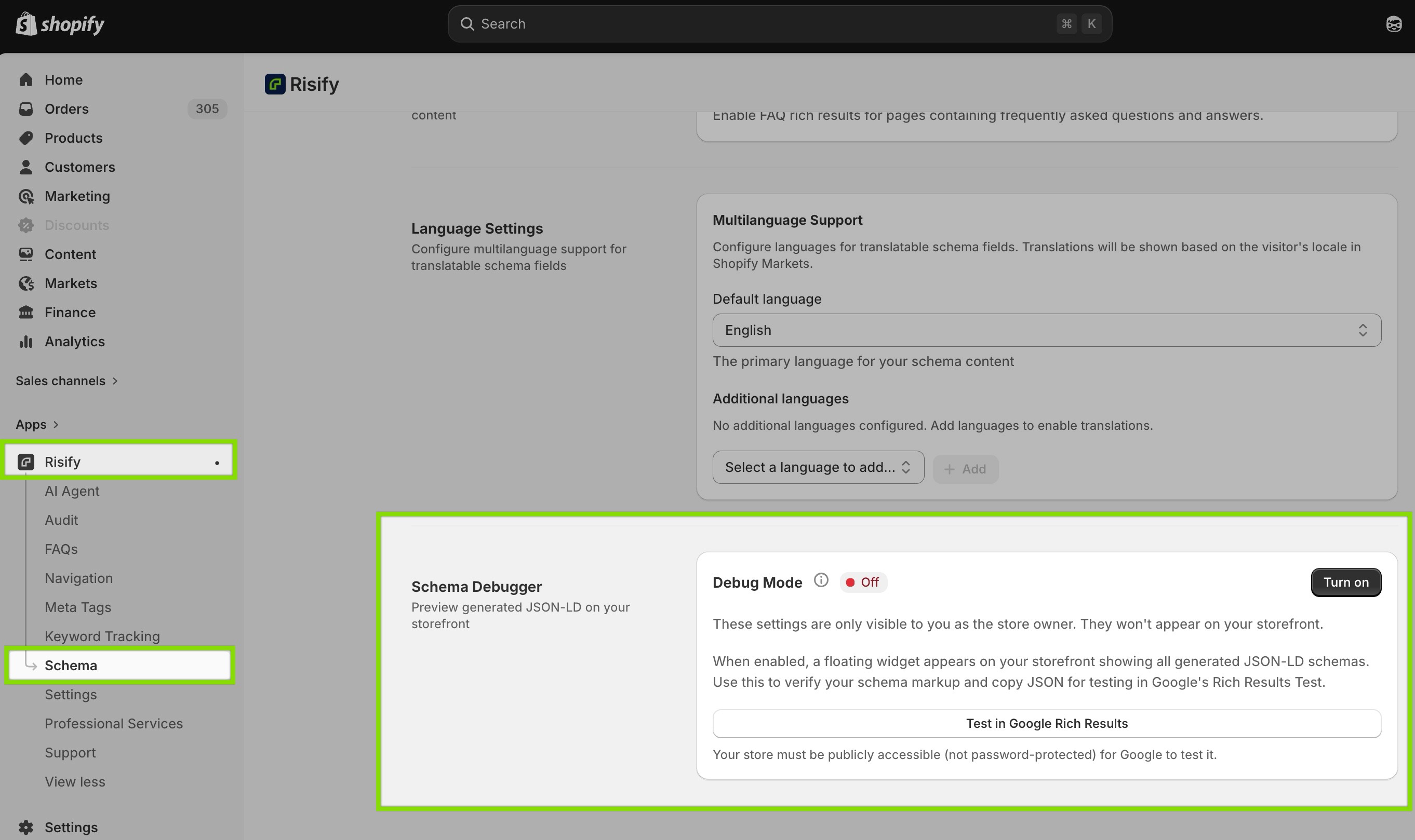
Start with a product page, then check a collection page and your homepage. Each page type carries different schema, and the gaps are often different across page types.
What to Fix First
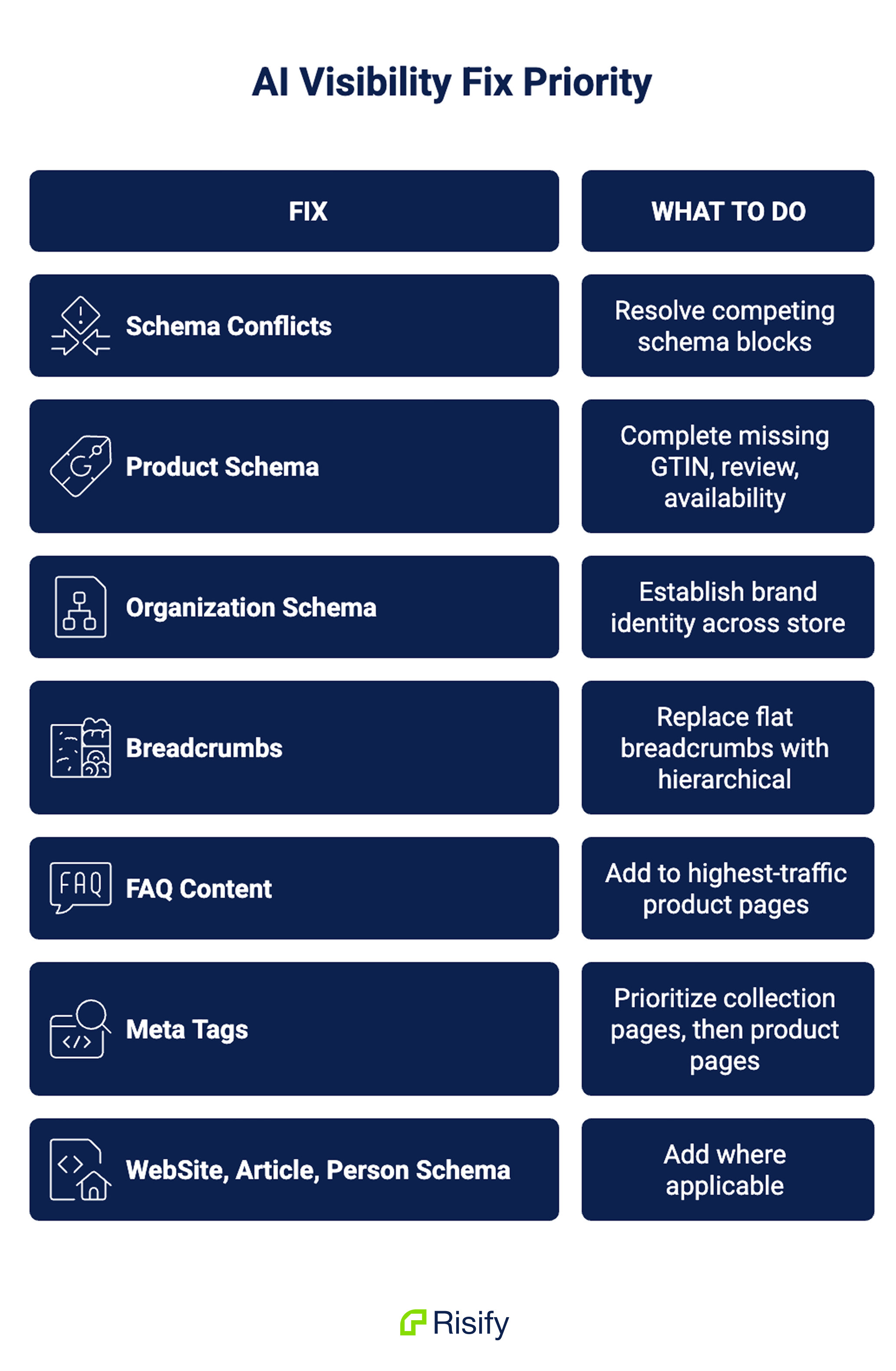
Not every gap has equal impact. Here’s the priority order based on what moves the needle most for AI visibility:
1. Fix schema conflicts. If you have competing schema blocks from multiple apps, resolve those first. Everything else you add will be undermined if conflicting schema causes the whole markup to be ignored.
2. Complete your Product schema. Fill in missing GTIN/barcode fields in Shopify admin. Make sure review data is included in the schema (not just displayed visually). Verify availability status is in the markup.
3. Add Organization schema. This is a one-time setup that establishes your brand identity across your entire store. It applies site-wide, so one activation covers every page.
4. Fix your breadcrumbs. Replace Shopify’s flat, path-dependent breadcrumbs with fixed hierarchical breadcrumbs tied to your collection structure. Include BreadcrumbList schema.
5. Add FAQ content to your highest-traffic product pages first. Start with your top 10-20 products by traffic. Create relevant Q&A pairs with FAQPage schema. Expand from there.
6. Fix meta tags. Prioritize collection pages (which often have no meta description at all), then address product pages with missing or auto-generated meta tags.
7. Add WebSite, Article, and Person schema where applicable.
This sequence focuses on fixing what’s broken before adding what’s new. Conflicts and incomplete data are more damaging than missing optional schema types, so they come first.
Risify handles every item on this list. Schema activation, conflict detection, breadcrumb hierarchy, FAQ generation, and bulk meta tag management - all from one Shopify app. Install Risify or book a demo to see how it works on your store.
How do you actually implement each of these fixes?
That’s what Guide 3 covers: Getting Your Products Into AI Recommendations - activating schema types, building FAQ content, structuring product pages, and using collection pages as category-level answers.
Summary
AI systems read five data layers from your store: schema markup, meta tags, FAQ content, breadcrumb paths, and product attributes. Shopify’s default setup provides basic Product schema (often incomplete), flat breadcrumbs, auto-generated meta tags, and no FAQ content or FAQ schema. Five schema types - Organization, FAQPage, BreadcrumbList, WebSite, and LocalBusiness - are entirely absent. Schema conflicts from multiple apps can cause all markup to be ignored.
You can verify your schema using Risify’s Schema Debugger, JSON-LD Preview, and the Google Rich Results Test. The fix priority is: resolve conflicts first, complete Product schema, add Organization schema, fix breadcrumbs, then build FAQ content and fix meta tags.

