



Shopify’s Knowledge Base app gives your store a direct line to ChatGPT and Microsoft Copilot. It feeds your FAQs and store policies into Shopify’s AI pipeline so AI shopping agents can answer customer questions about your store. That’s a real, functional channel worth setting up.
But it’s one channel. And AI discovers your store through two fundamentally different paths.
Five things worth knowing upfront:
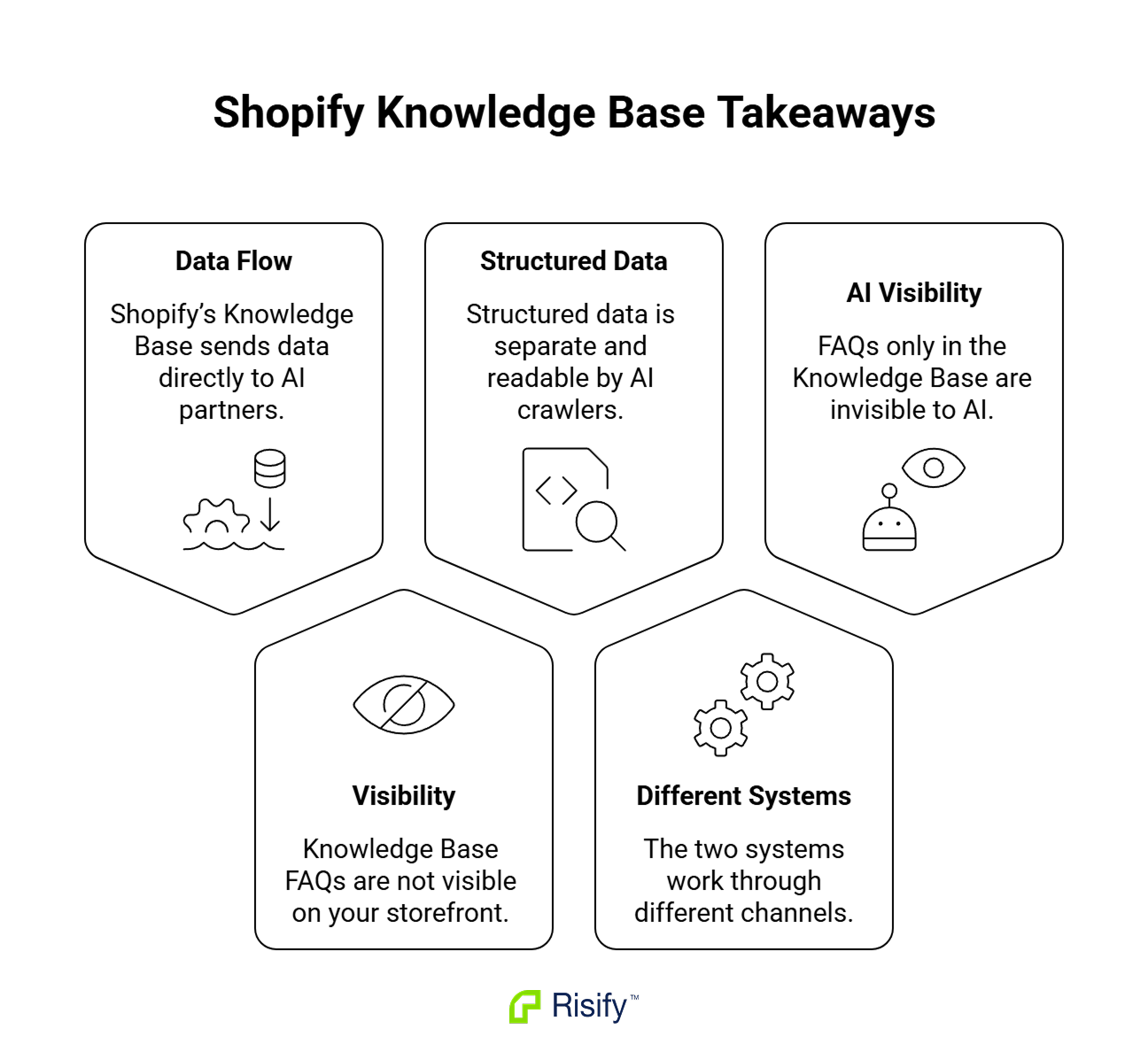
- Shopify’s agentic commerce system sends your product and FAQ data to partnered AI platforms through a proprietary backend pipeline. The data never touches your storefront’s HTML.
- The Knowledge Base app’s FAQs are stored as metaobjects inside Shopify’s admin. They are not visible to your store visitors and not readable by search engines.
- Google, Bing, Perplexity, AI Overviews, and every other web-crawling AI system discover store information by reading your site’s actual HTML - specifically structured data markup (JSON-LD schema).
- These two paths use different technical mechanisms, reach different AI platforms, and require separate setup. They complement each other.
- Structured data covers a wider scope than the Knowledge Base app - not just FAQs, but product details, breadcrumbs, collection hierarchy, and the entity relationships between your pages.
How Shopify’s AI pipeline works
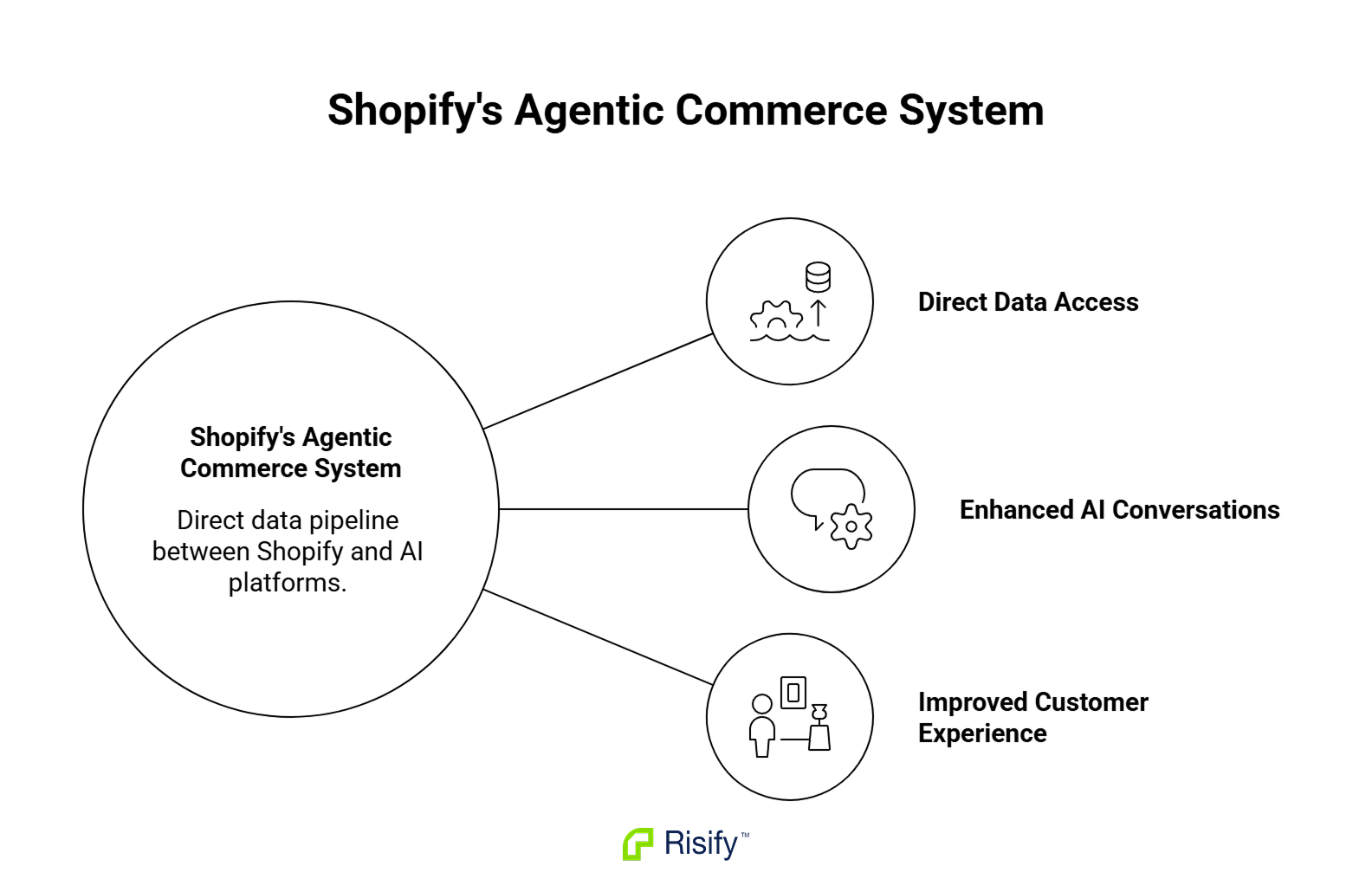
Over the past year, Shopify has built a direct data connection between its platform and external AI models. The system has two parts.
The Agentic Catalog
Shopify aggregates product data from stores across its platform into a Global Catalog hosted at catalog.shopify.com. When a user asks ChatGPT something like “find me trail running shoes under $150,” the AI queries this catalog and returns matching products with:
- Pricing and availability
- Product images
- A direct link to the store’s checkout page
The technical backbone is UCP (Universal Commerce Protocol) - an MCP server that AI agents connect to directly. The data moves from Shopify’s backend to the AI platform’s backend. It does not pass through your store’s public-facing pages.
One detail worth noting: in-chat checkout inside ChatGPT was pulled back as of April 2026. Product recommendations still happen inside the chat, but the actual purchase opens the store’s checkout in a new browser tab.
The Knowledge Base app
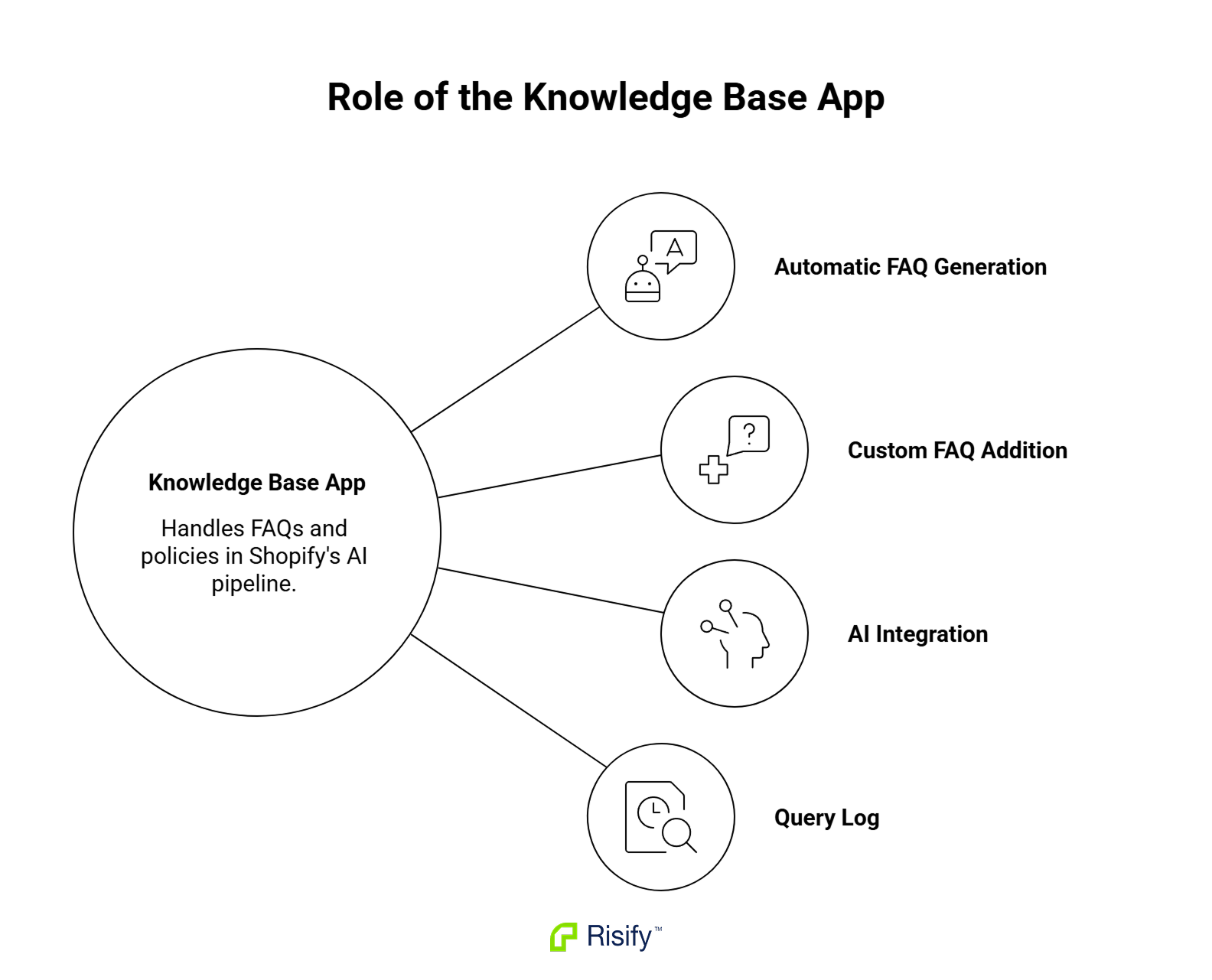
The Knowledge Base app handles the non-product side - store policies, shipping details, return rules, and custom FAQs. It’s free and takes minutes to install.
When you set it up, the app scans your store settings and auto-generates default FAQ entries based on:
- Your shipping zones and return policies
- Your language settings and customer account configuration
You can edit any of these or add your own custom FAQs (Shopify recommends keeping answers to 1-2 sentences). All FAQs are stored as metaobjects in your Shopify admin.
Once saved, the data feeds into Shopify’s AI pipeline through your store’s MCP endpoint at yourdomain.com/api/mcp. When an AI agent receives a question like “do you offer free returns?”, it calls the search_shop_policies_and_faqs tool, matches the query against your stored answers, and responds.
The app also logs every question AI agents ask about your store - which were answered, which went unanswered, and which AI platform asked them. The unanswered questions are the most useful part. They show exactly where your store has gaps in this channel.
Where the pipeline stops
The Knowledge Base app was built specifically for Shopify’s internal AI pipeline. Its reach is limited to the AI platforms Shopify has partnership agreements with - currently ChatGPT and Microsoft Copilot (Gemini has been announced but is not confirmed as live).
The FAQs do not render anywhere on your storefront. A customer browsing your site will never see them. They also do not generate any structured data markup in your store’s HTML - no JSON-LD, no FAQPage schema, no microdata.
Google’s search engine, including AI Overviews, does not read from these metaobjects. Neither does Perplexity, Brave Search, or any other AI system that discovers information by crawling websites.
The following is also entirely outside the app’s scope:
- Breadcrumbs and breadcrumb schema
- Collection hierarchy and site architecture
- Related searches and internal linking
- Product-level structured data beyond Shopify’s standard taxonomy
How AI discovers stores through the open web
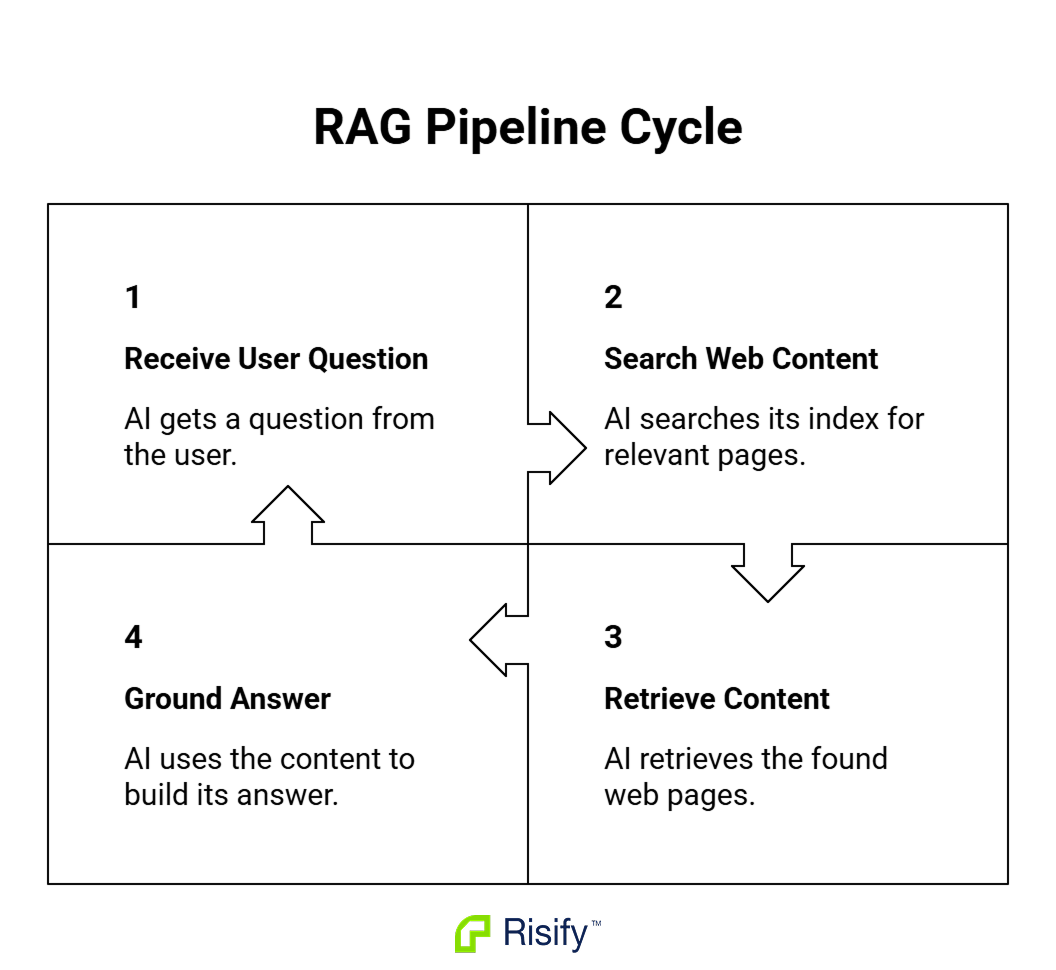
Every AI system that generates answers from web content - Google’s AI Overviews, Bing/Copilot’s web-grounded responses, Perplexity, Brave AI Search, voice assistants - works by crawling and indexing publicly accessible pages. The pattern is called RAG (Retrieval-Augmented Generation): the AI receives a question, searches its index for relevant pages, retrieves the content, and uses it to build an answer.
Structured data markup (JSON-LD schema) gives these systems a shortcut.
Instead of parsing your page’s visual layout and trying to extract meaning from headings, paragraphs, and navigation elements, the AI can read a clean, machine-formatted layer of facts directly from your HTML. Product names, prices, availability, FAQ pairs, breadcrumb paths, organization details - all declared explicitly in a format designed for machine consumption.
What Google and Microsoft have said about this
At SMX Munich in March 2025, Fabrice Canel (Principal Program Manager at Bing) confirmed that schema markup directly helps Microsoft’s LLMs understand content. Both Bing search results and Copilot’s web-grounded answers benefit from it.
Google’s Ryan Levering (Software Engineer for Structured Data) said at Google Search Central Live in March 2025 that Google’s systems “run much better with structured data” because it is “computationally cheaper than extracting it.”
Google’s official position is that no special schema is required for AI features. But their own engineers consistently confirm that structured data helps their systems understand pages more accurately - and understanding a page accurately is how it gets selected as a source for AI-generated answers.
Experimental results
A controlled experiment by Search Engine Land put this to the test. Three identical single-page sites were created with different levels of schema:
- Well-implemented schema: Appeared in AI Overviews. Achieved Position 3.
- Poorly implemented schema: Ranked for 10 keywords, peaked at Position 8. Zero AI Overview appearances.
- No schema: Not indexed despite being crawled. Zero rankings.
Same content, same design, same hosting. The only variable was structured data quality.
Two channels, side by side
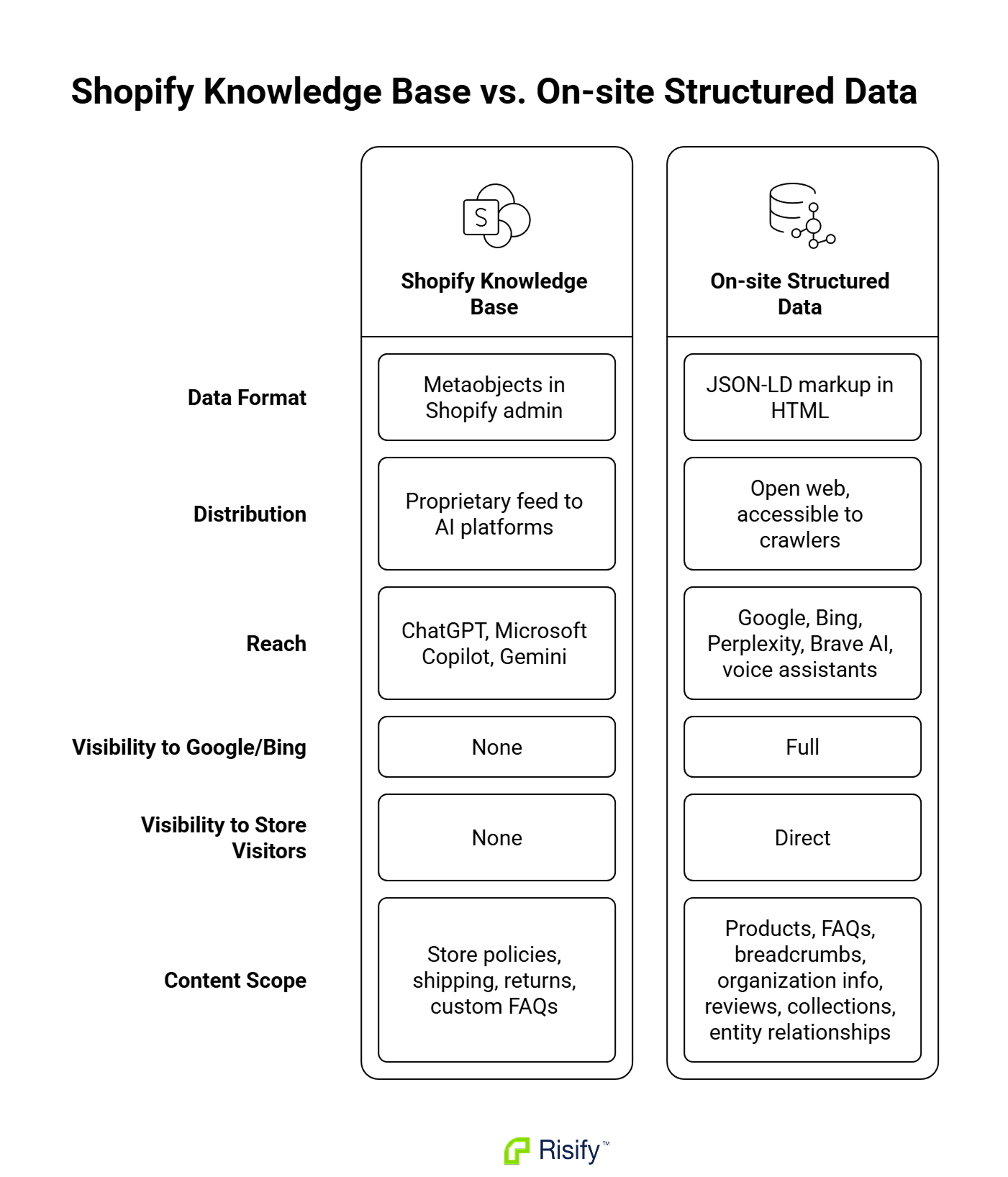
The Knowledge Base pipeline and on-site structured data are different systems solving different parts of the same problem. A quick comparison:
Shopify’s Knowledge Base pipeline:
- Data format: Metaobjects in Shopify admin
- Distribution: Shopify’s proprietary feed to partnered AI platforms
- Reach: ChatGPT, Microsoft Copilot (confirmed), Gemini (announced)
- Visible to Google/Bing crawlers: No
- Visible to store visitors: No
- Scope: Store policies, shipping, returns, custom FAQ pairs
On-site structured data (JSON-LD schema):
- Data format: JSON-LD markup rendered in the store’s HTML
- Distribution: The open web
- Reach: Google (including AI Overviews), Bing (including Copilot’s web-grounded RAG), Perplexity, Brave AI Search, voice assistants, any future web crawler
- Visible to Google/Bing crawlers: Yes
- Visible to store visitors: Yes (rich results, breadcrumbs, FAQ sections)
- Scope: Products, FAQs, breadcrumbs, organization info, reviews, collections, entity relationships
A store using only the Knowledge Base app has its FAQ content in ChatGPT and Copilot but invisible to every web-based AI discovery system. A store with only on-site structured data is fully visible across the open web but not feeding Shopify’s direct pipeline.
The strongest setup covers both.
How Risify covers the open-web channel
Risify is a Shopify app built for the structured data side - the open-web channel that the Knowledge Base app does not touch.
When you create content through Risify, it renders directly into your store’s HTML in two forms: as visible on-page elements your customers can see and interact with, and as JSON-LD schema markup that search engines and AI crawlers can read.
FAQs
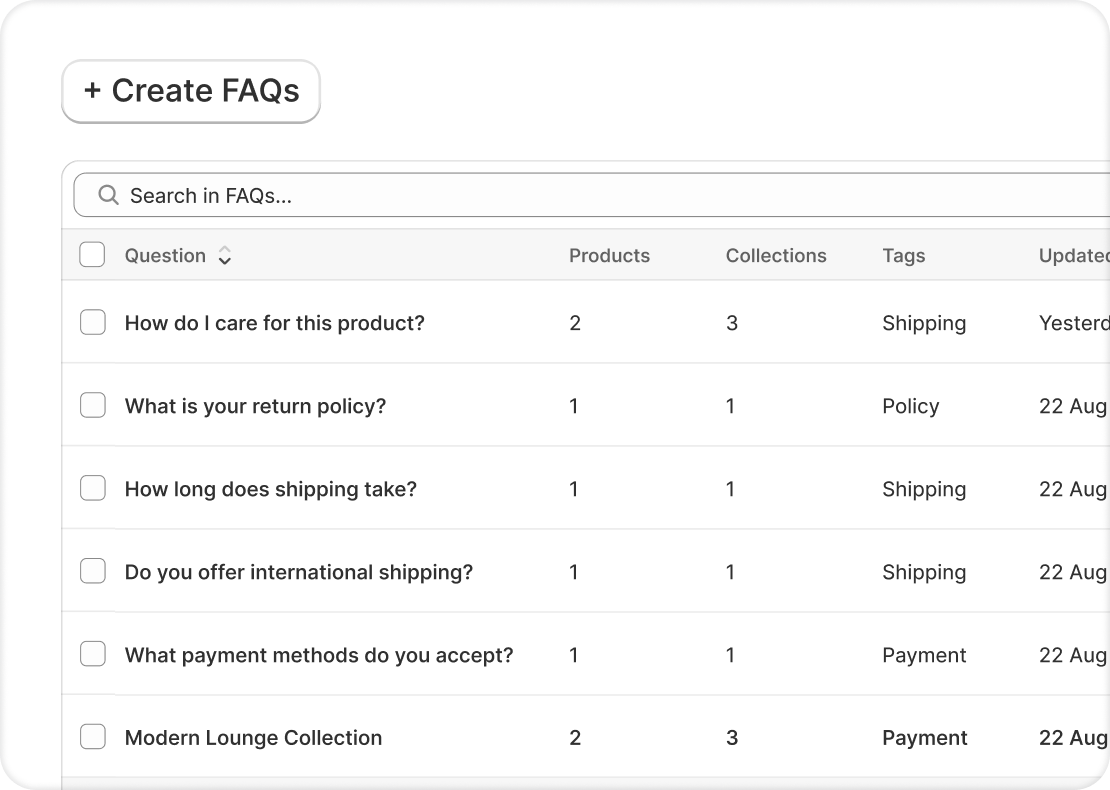
FAQs added through Risify appear as visible sections on your collection and product pages, and simultaneously output as FAQPage schema in the page’s HTML. The FAQ content itself can be identical to what you add in the Knowledge Base app - the difference is the distribution channel. Using both means the same answers reach both Shopify’s AI pipeline and the open web.
Breadcrumbs and collection hierarchy
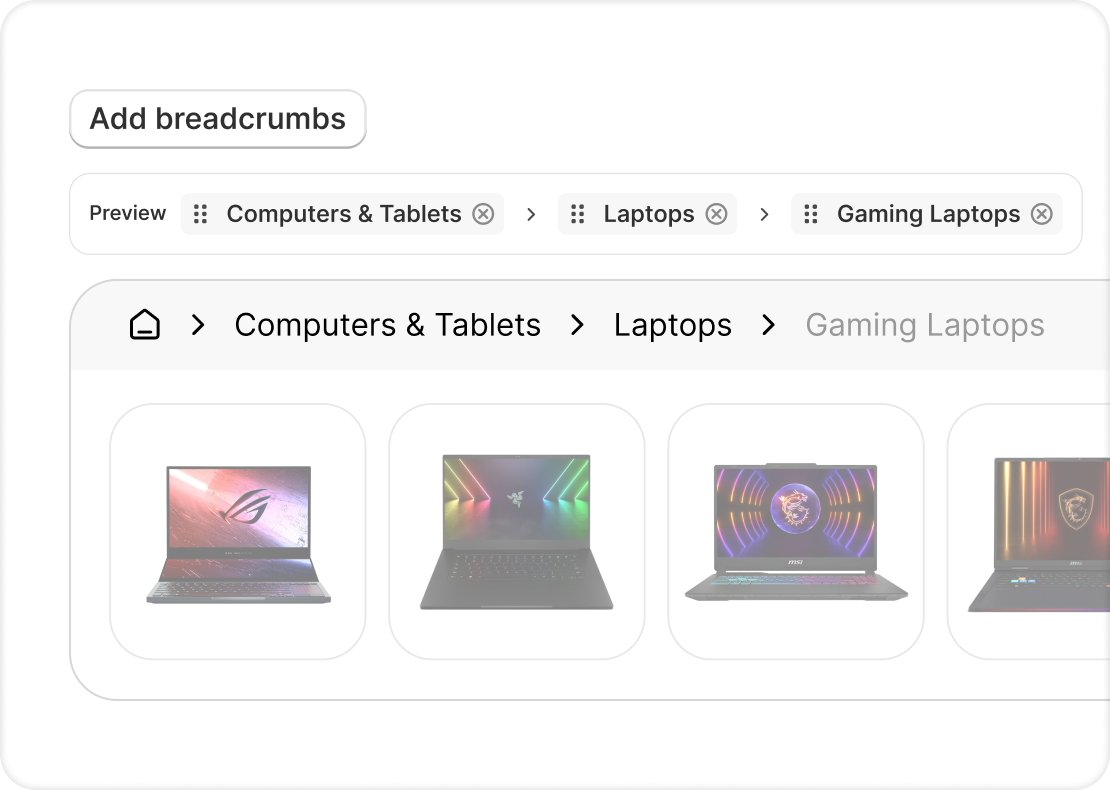
Risify generates BreadcrumbList schema and visible breadcrumb navigation based on your store’s collection structure.
Breadcrumbs do more than help users navigate. They communicate entity relationships to AI systems. A product sitting inside “At-Home DNA Tests > Paternity DNA Test” tells an AI exactly how that product relates to the rest of your catalog. Without declared breadcrumb paths, the AI has to infer those relationships from page content alone - slower, less reliable, and more likely to produce inaccurate citations.
Collection menus and related searches
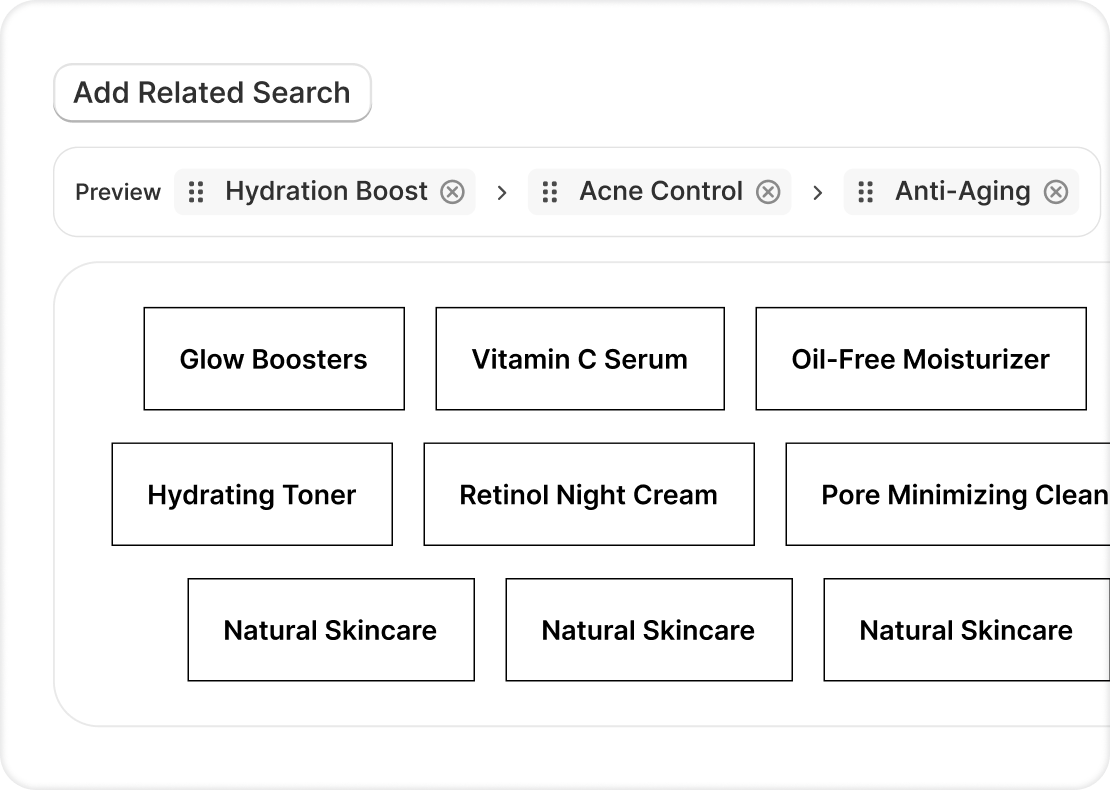
Internal linking structures and contextual navigation that map out the topical relationships across your site. For AI systems using RAG, clear signals about how your pages relate to each other make it easier to confidently cite your store as a source.
Product schema
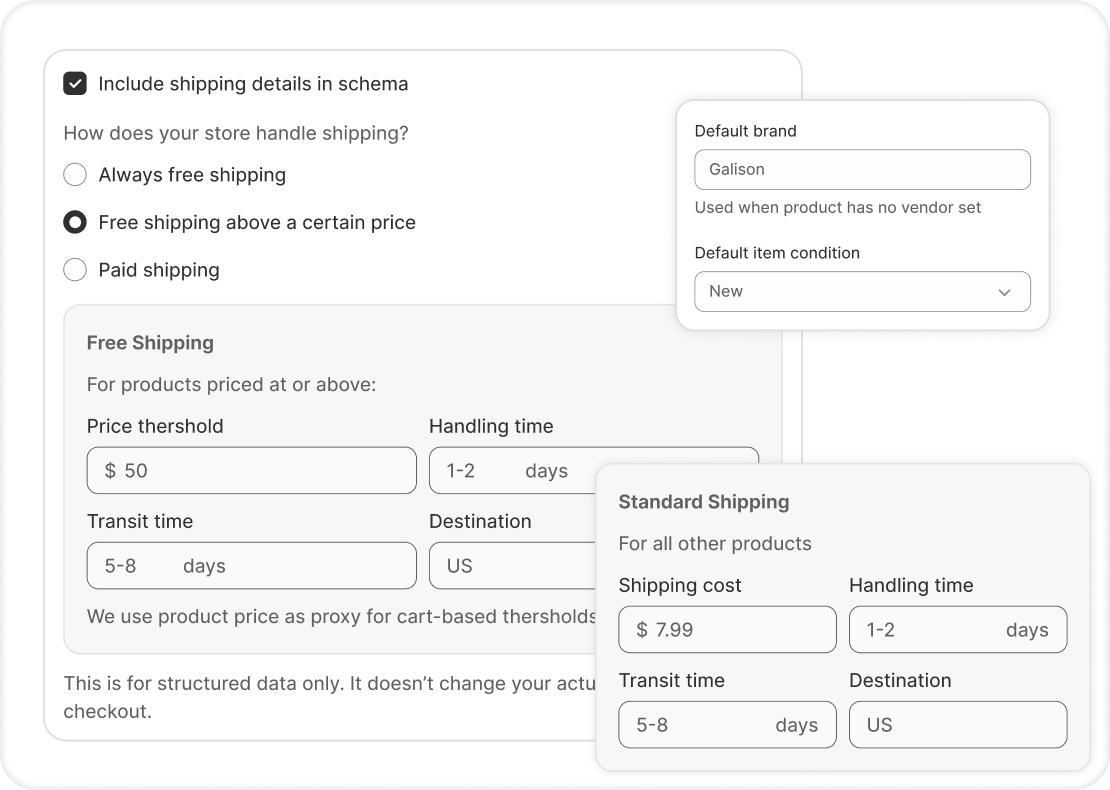
Product-level structured data - pricing, availability, reviews, variants - rendered as JSON-LD in your HTML. This makes the same type of product information available to web crawlers that the Agentic Catalog delivers through Shopify’s backend pipeline.
AI-generated content
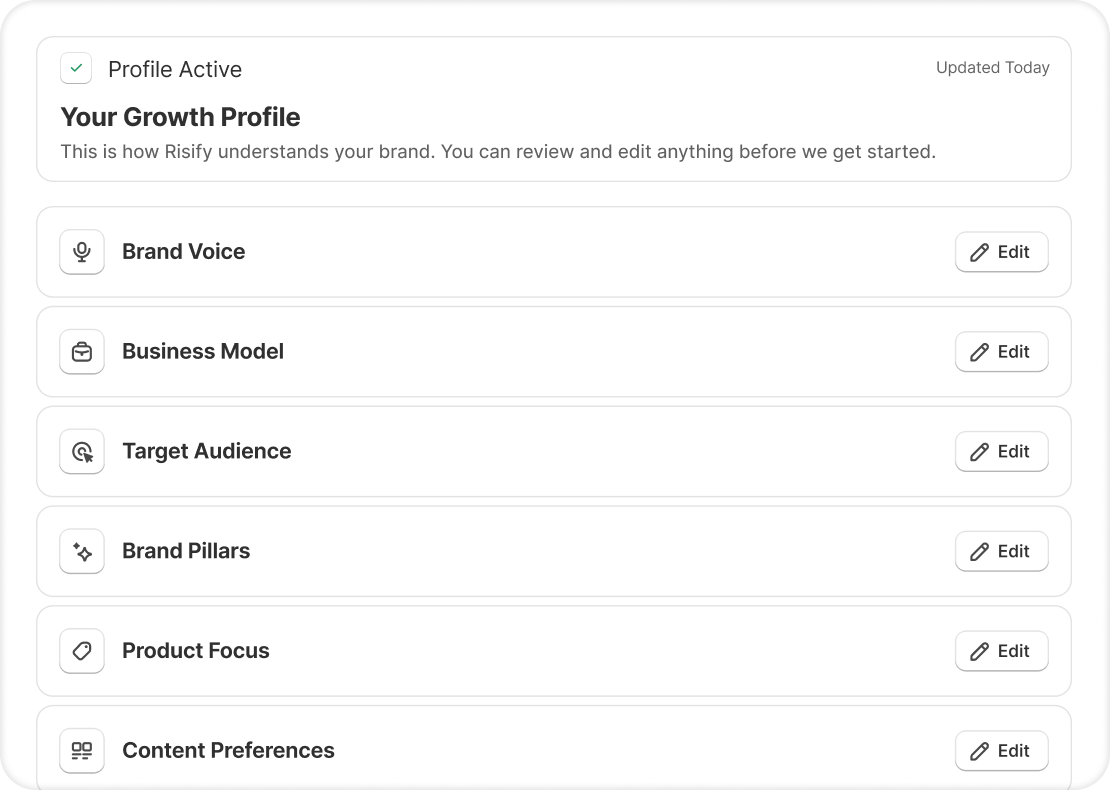
Collection descriptions and supporting content that give crawlers more topical context about your store’s product range and how items relate to each other. More relevant page content means more material for AI systems to ground their answers in.
What to do with this
Set up the Knowledge Base app
It’s free. Install it, review the auto-generated FAQs, fix anything inaccurate, and add custom entries for the questions your customers ask most often. Check the query log periodically and fill in gaps when unanswered questions show up.
That covers the ChatGPT and Copilot channel.
Set up on-site structured data
Your FAQs, product details, breadcrumb hierarchy, and entity relationships need to exist as JSON-LD in your store’s HTML to be discoverable through the open-web channel.
If you’re already using Risify, your FAQs are being output as structured data, your breadcrumbs are generating BreadcrumbList schema, and your product pages carry proper Product schema.
If you’re not using any structured data tool, you have a gap in AI discoverability that the Knowledge Base app was not designed to fill.
Recognize where the two systems don’t overlap at all
Breadcrumbs, collection hierarchy, related searches, product schema, entity relationships - none of these exist in the Knowledge Base app. There is no Shopify-native alternative for delivering this type of architectural information to search engines or web-crawling AI systems.
Closing
Shopify’s agentic commerce system and the Knowledge Base app solve a specific problem well: getting your store’s information into a direct feed for ChatGPT and Copilot.
The open web operates on a different system entirely. Google, Bing, Perplexity, AI Overviews, voice assistants, and every future AI crawler that reads websites - they all rely on your store’s actual HTML and the structured data inside it. That channel has broader reach and no dependency on any single platform’s partnership deals.
Both channels exist. Both are functional. The question is whether your store is set up for one or for both.