




Your collection pages are probably among your highest-traffic landing pages from organic search.
They rank for broad, category-level queries like “leather sofas” or “outdoor lighting,” pulling in visitors who are still researching and comparing.
But what happens when someone lands on one of those pages and doesn’t find what they need?
In most Shopify stores, nothing.
The page shows a product grid, maybe some filters, and then it ends. No suggestion for a related category. No link to a narrower subcollection.
The visitor either opens the main menu, tries the search bar, or leaves. That’s a dead end on the exact pages that bring in your broadest organic traffic.
It’s also a gap that affects more than user experience. Without direct links between related collections, search engines see isolated pages instead of connected category groups.
AI tools have to guess how your collections relate to each other instead of reading explicit connections.
Related searches on collection pages fix this. They guide shoppers forward, they strengthen internal linking for SEO, and they give AI tools the signals to understand your catalog.
This post covers why they matter and how to add them to a Shopify store without writing code.
Key takeaways:
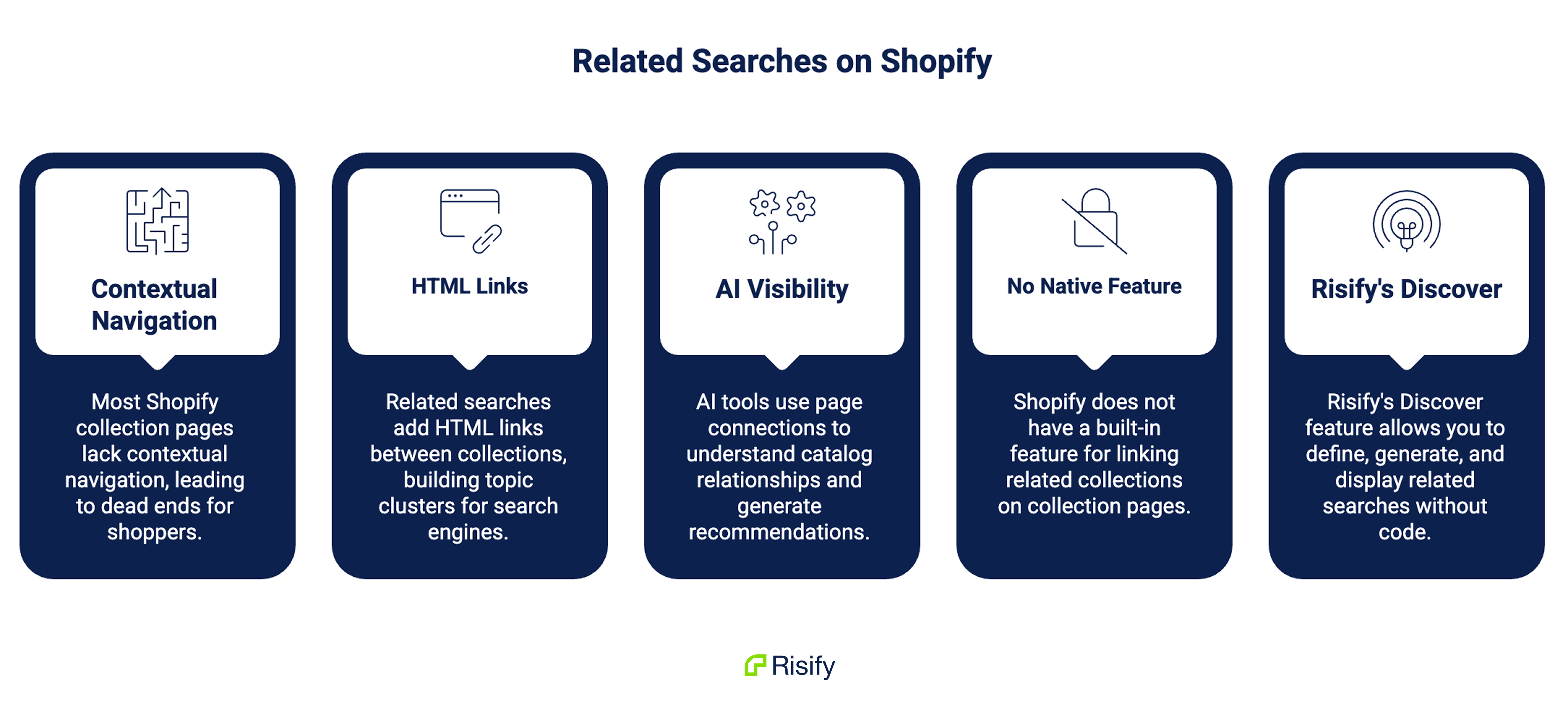
- Most Shopify collection pages offer no contextual navigation beyond the product grid, which creates dead ends for shoppers
- Related searches add real HTML links between collections, building topic clusters that search engines can follow
- AI tools like ChatGPT, Gemini, and Perplexity use page connections to understand catalog relationships when generating recommendations
- Shopify has no native feature for linking related collections on collection pages
- Risify’s Discover feature lets you define, generate, and display related searches across your store without code
Why Most Shopify Collection Pages Are Dead Ends
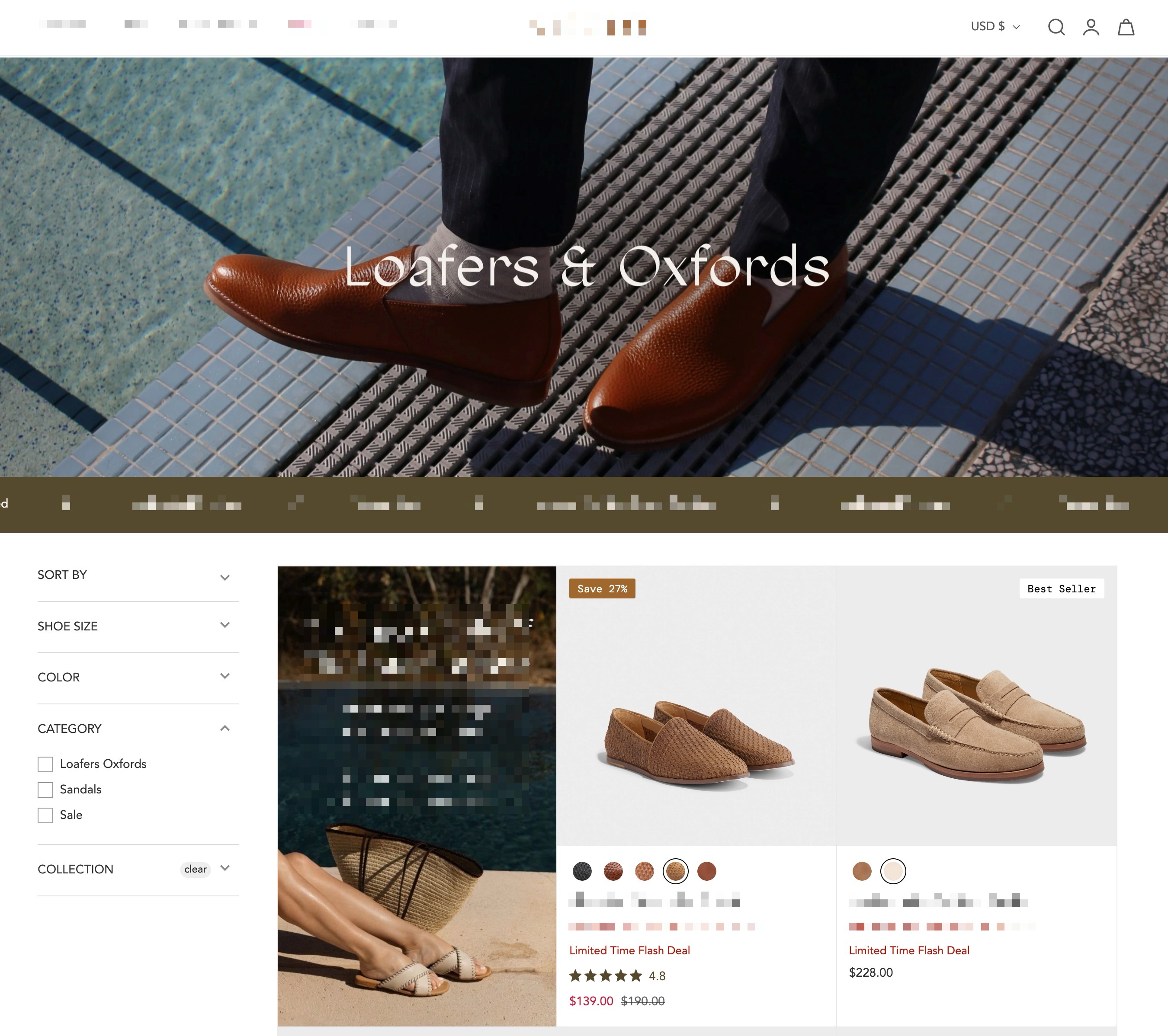
A typical Shopify collection page has a title, an optional description, filters, a product grid, and a footer. That works fine when the shopper finds what they want in the grid.
When they don’t, the page gives them nothing.
No row of related categories. No pointer toward a narrower subcollection or a different product type. The only ways out are the main menu, the search bar, or the back button.
This is a problem specifically because collection pages attract your broadest traffic. Someone searching “loafers and oxfords” typically lands on a collection page, not a product page.
If that collection doesn’t match what they’re looking for, they need a path forward. Most Shopify stores don’t provide one.
Below the surface, the problem gets worse. Without direct links between related collections, search engines treat each collection page as a standalone entity.
AI tools trying to understand your catalog have to infer which collections are related instead of reading it from the page.
The hierarchy you built in your navigation menu exists only as a visual layer. It doesn’t communicate anything to the systems that determine where your products show up.
What Related Searches Do for Collection Pages
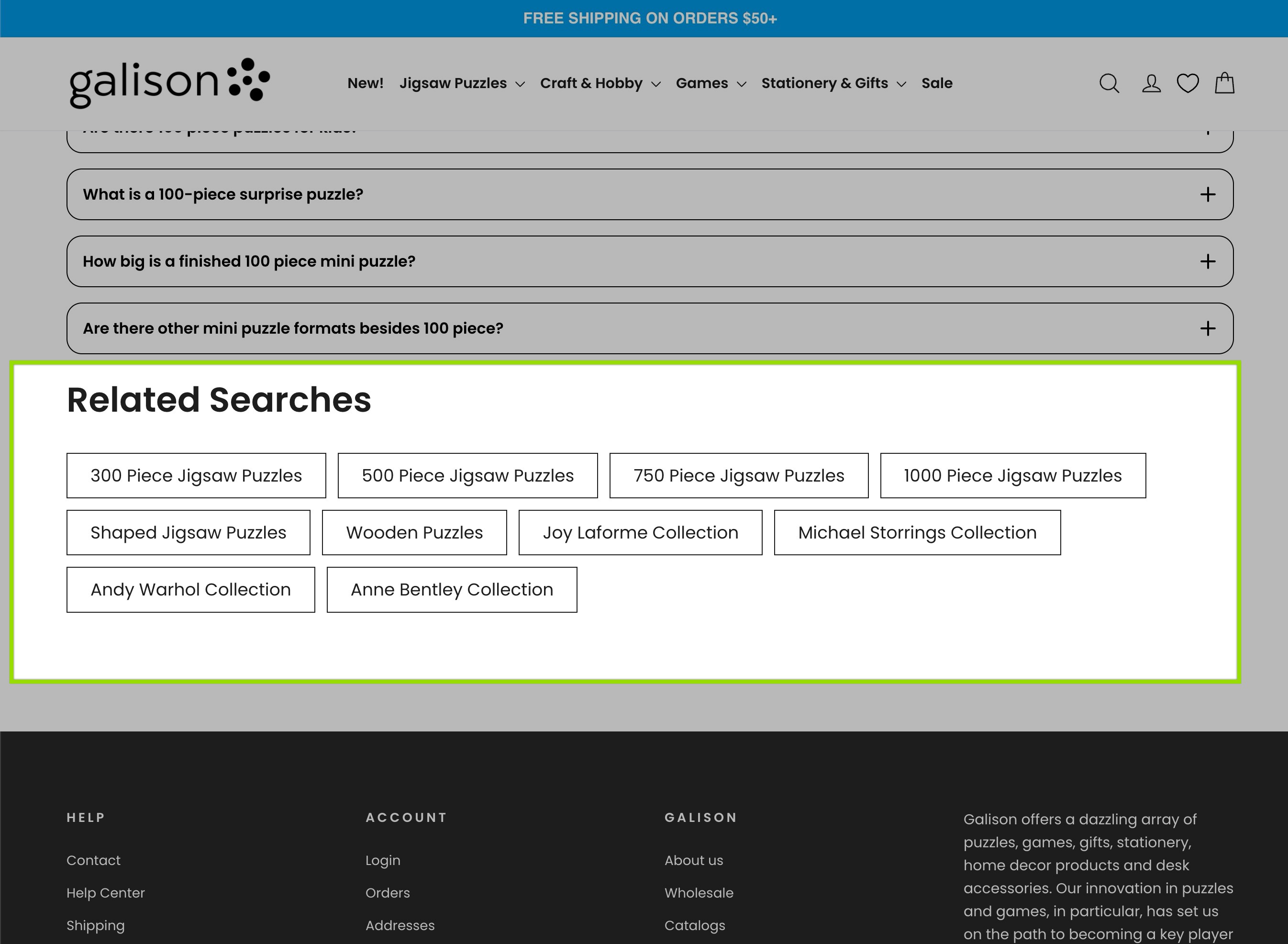
Related searches are clickable suggestion rows on collection pages that link to other collections or products.
They are a pattern you have likely seen on major retail sites, though most Shopify stores haven’t implemented them.
The value runs across three layers.
Better Shopping Experience
When someone browsing “Corner Sofas” sees links to “Two-Seater Sofas,” “Sofa Beds,” and “Fabric Sofas,” they can switch categories without going back to the menu.
The browsing session keeps going instead of stopping at the bottom of a product grid.
This matters most for stores with large catalogs. A broad collection with dozens of products can be overwhelming for someone who is still figuring out what they want.
Related searches give them a shortcut to something closer to what they’re actually after.
Stronger Internal Linking for SEO
Each related search link is a real HTML link between two collection pages. Search engines follow these links when crawling your store.
When your “Sofas” collection links to “Corner Sofas,” “Leather Sofas,” and “Sofa Beds,” and those pages link back or sideways to each other, you create a topic cluster.
Search engines can see that these pages are part of the same subject area. That helps distribute link authority across your catalog and strengthens your relevance for category-level searches.
Internal linking between collections is one of the most underused SEO levers in Shopify. Most stores rely entirely on the main menu to connect collections, which is a single layer of links.
Related searches add a second layer, directly on the pages where it matters.
For more details, please take a look at how to improve your store structure and navigation on Shopify.
Clearer Signals for AI Tools
AI search tools like ChatGPT, Gemini, and Perplexity don’t browse your store the way a person does.
They read signals from your pages, including the links between them, to figure out how your catalog is organized.
When your collection pages link to related collections, these systems can map your category relationships with more accuracy.
A “Standing Desks” collection that links to “Sit-Stand Desks,” “Desk Accessories,” and “Ergonomic Chairs” tells an AI tool how those categories connect.
Without those links, the AI tool guesses. Guessing produces less reliable results when it comes to recommending your products or citing your store.
Both Google and Microsoft have confirmed that well-connected, structured content helps their AI systems process web pages more accurately. Related searches are part of that structural layer.
Where Related Searches Belong in Your Store
Related searches are designed for collection pages.
Collection pages pull in broader, research-phase queries. The shopper is still exploring. They need lateral navigation: paths to similar categories, narrower subcollections, different product types.
Product pages pull in narrower, purchase-intent queries. The shopper already picked a specific item. Their questions are about that item: dimensions, compatibility, variants.
The dead-end problem is worst on collection pages because that’s where shoppers are most likely to need an alternative path.
Someone on a product page already found what they clicked on. Someone on a collection page is still looking.
Many stores place related searches near the top of the collection page, right below the hero section, so visitors see their options before scrolling.
Others put them below the product grid to catch people who scrolled through without finding a match.
The right spot depends on your layout, but the idea is the same: give collection page visitors somewhere to go next.
How to Set Up Related Searches on Shopify
Shopify doesn’t have a native feature for linking related collections on collection pages. If you want this, you either build it with custom theme code or use a dedicated tool.
Risify’s Discover feature does this.
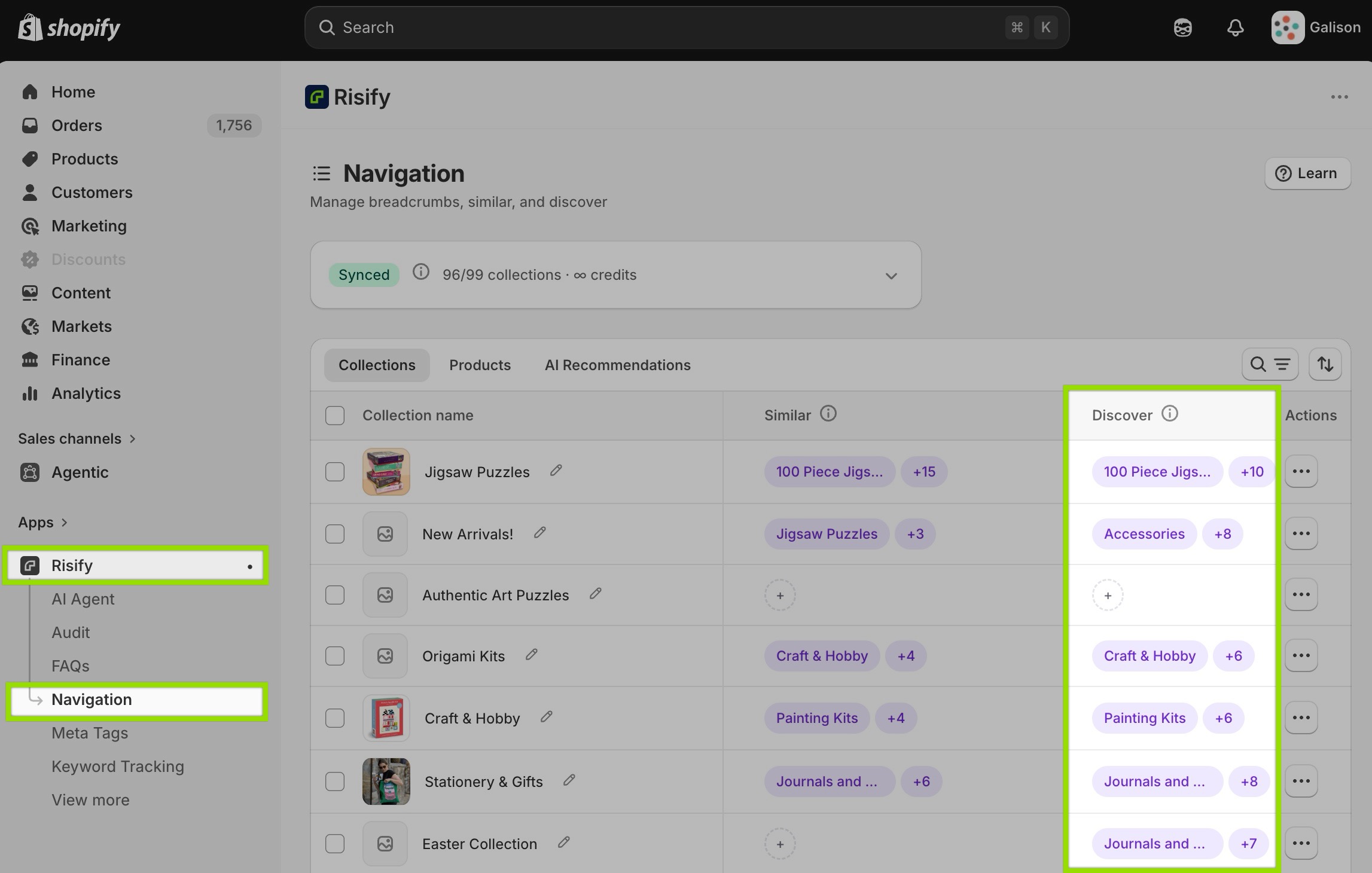
Inside the Risify admin, under the Navigation tab, you pick which collections should appear as related searches for each collection page. Search for collections by name, select them, drag to reorder, and save.
The workflow is simple for individual collections and works well at scale.
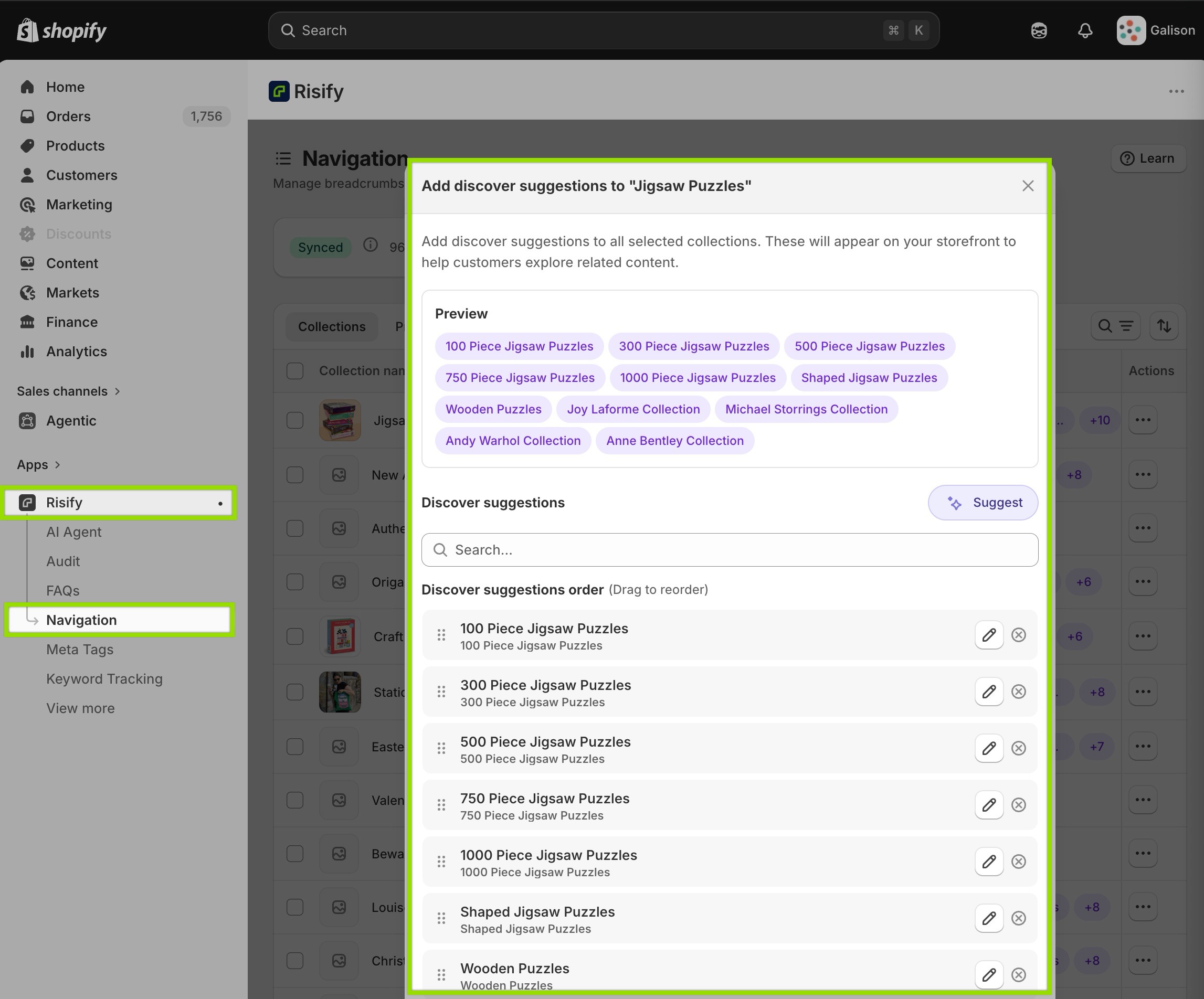
Also, Risify’s AI agent can generate related search suggestions automatically based on your collection structure, which saves a lot of time if you’re working with dozens or hundreds of collections.
Once the relationships are set in the admin, you add the Discover section to your collection template through Shopify’s Theme Editor. Drag it into position, adjust the styling to match your store, and save. No code editing required.
The output is a customizable suggestion row on every collection page where you’ve defined related searches. These are real HTML links that search engines and AI tools can follow.
Discover works alongside Risify’s Similar (collection menu feature), which shows subcollection tiles on parent collection pages.
The Similar handles vertical navigation, guiding shoppers deeper into a category. The Discover handles lateral navigation, guiding them across to related categories.
Together they turn a standard collection page into a proper navigation hub.
Related Searches as Part of a Larger Navigation System
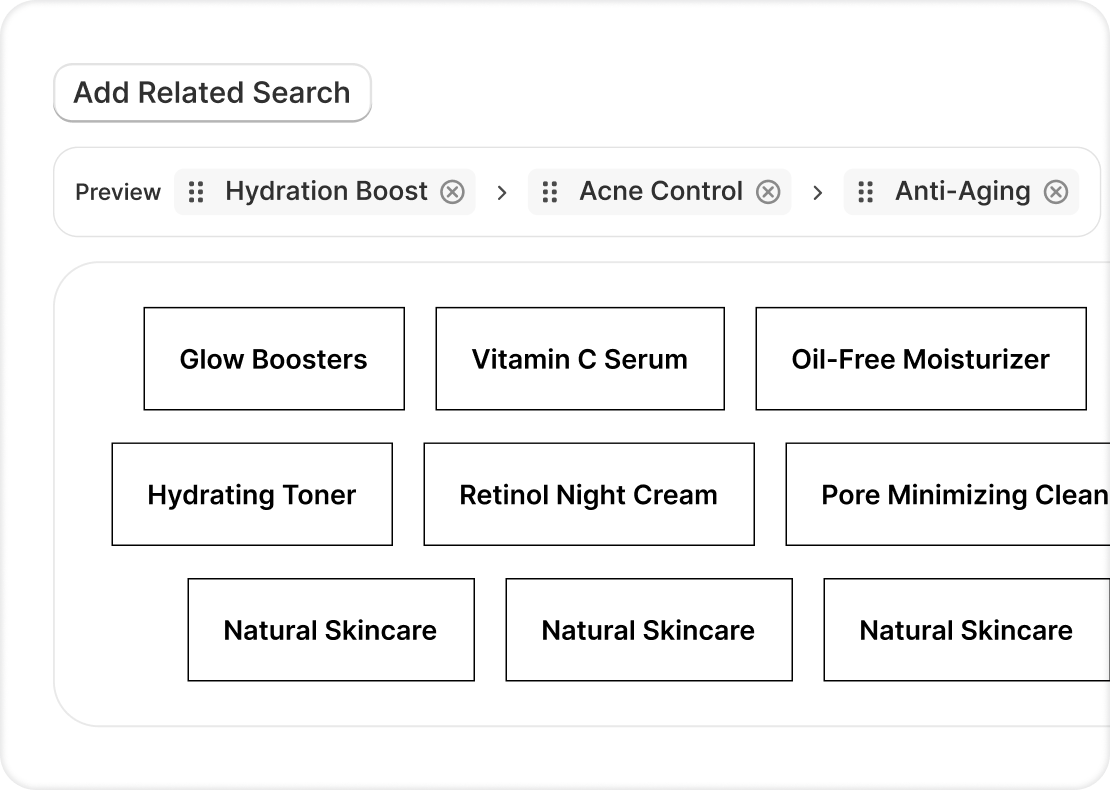
Related searches work best when they’re part of a wider structural setup.
Consistent breadcrumbs show your catalog hierarchy on every page. Collection menus let shoppers narrow their focus within a category.
Related searches connect adjacent categories so shoppers can move sideways. All three turn collection pages from static product grids into connected entry points across your catalog.
For search engines, this means more crawlable paths and clearer topic signals. For AI tools, it means explicit relationships between your pages instead of ones they have to guess at.
For shoppers, it means a store that keeps them moving instead of leaving them stuck. That structural layer is the difference between a catalog that machines can read accurately and one they have to approximate.
Conclusion
Collection pages carry most of the organic weight in a Shopify store, but they rarely give visitors anywhere to go when the product grid doesn’t match what they had in mind.
That’s a missed opportunity on three fronts: shoppers leave, search engines miss the links between your categories, and AI tools can’t map how your catalog fits together.
Related searches fix that gap with something simple: a row of clickable links to related collections, right on the page. If you want to add them without custom code, Risify’s Discover feature lets you set them up easily inside your admin panel.
Combined with breadcrumbs and collection menus, they give your store the structural layer that search engines, AI tools, and shoppers all need to move through your catalog with confidence.