




Here’s a test worth running on your store right now:
Open a product page by clicking through one of your collections. The breadcrumb probably looks fine:
Home > Collection > Product
Now copy that product URL, open a new incognito tab, and paste it directly.
In most Shopify stores, the breadcrumb either disappears entirely or collapses to something like Home > Product Name with no category in sight.
That’s how Shopify’s default breadcrumb system works.
Let’s see why it happens, what it costs you, and how to fix it properly.
Key takeaways:
- Shopify’s default breadcrumbs depend on how a visitor arrives, not on your store’s actual structure
- Product pages accessed directly are the most likely to have missing breadcrumbs
- Shopify’s collection system is flat. Google cannot read the hierarchy you see in your navigation menu
- Missing or broken BreadcrumbList schema means search engines and AI tools can’t understand your catalog structure
- Risify defines static breadcrumb paths per product and collection, outputs valid schema automatically, and works regardless of how visitors arrive
Importance of Breadcrumbs for Shopify Stores
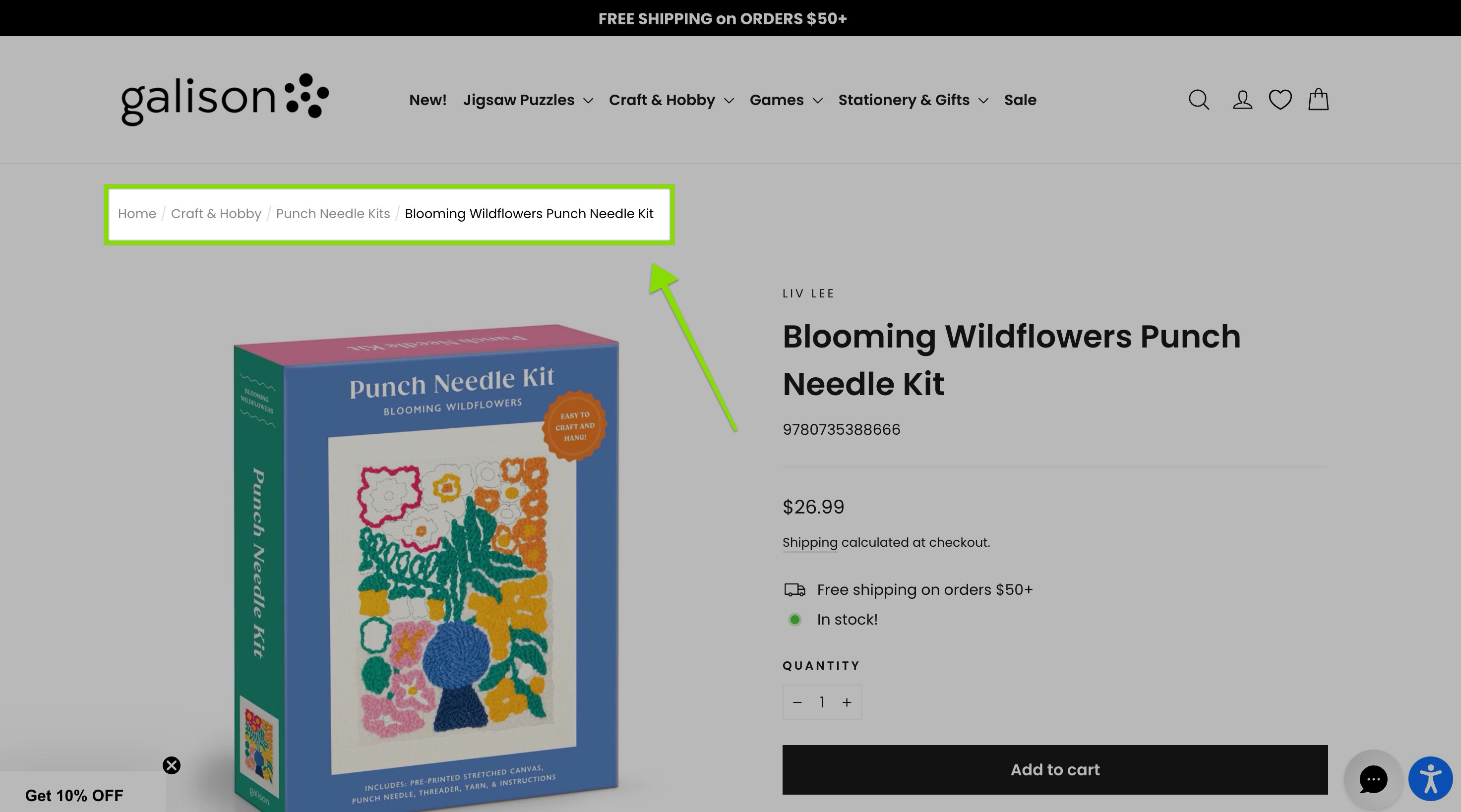
Breadcrumbs serve two distinct purposes that are easy to underestimate:
For Visitors
Breadcrumbs provide a clickable navigation path showing where a product sits in your catalog.
A shopper who lands on a product page from Google can see, and click through, the parent categories above it.
Without breadcrumbs, that same page is a dead end. The only way out is the main menu or the back button.
For Search Engines and AI Tools
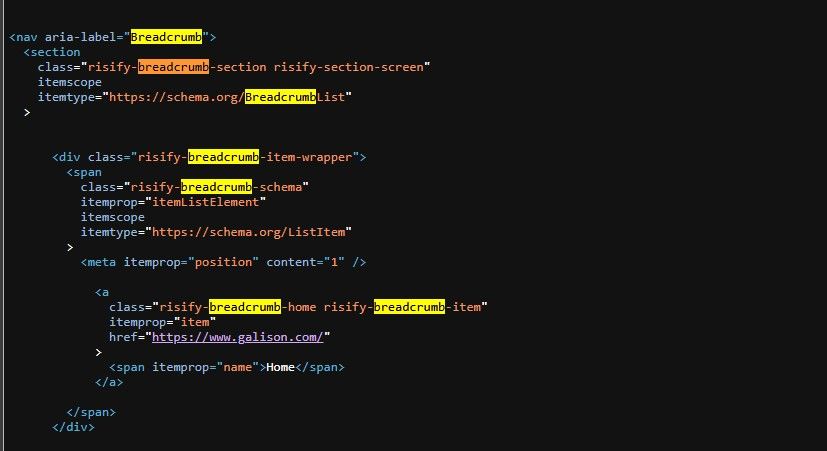
Breadcrumbs communicate your catalog structure.
When Google crawls a product page with valid BreadcrumbList schema, it understands that this product belongs to a specific category, which belongs to a broader one. That hierarchy is explicit rather than implied.
AI tools like ChatGPT and Gemini rely on the same signals when generating product recommendations. Structured data makes your catalog easier for AI tools to interpret accurately.
Both purposes depend on the same thing: a breadcrumb that actually renders on the page with valid markup behind it.
Understanding Shopify’s Default Breadcrumbs
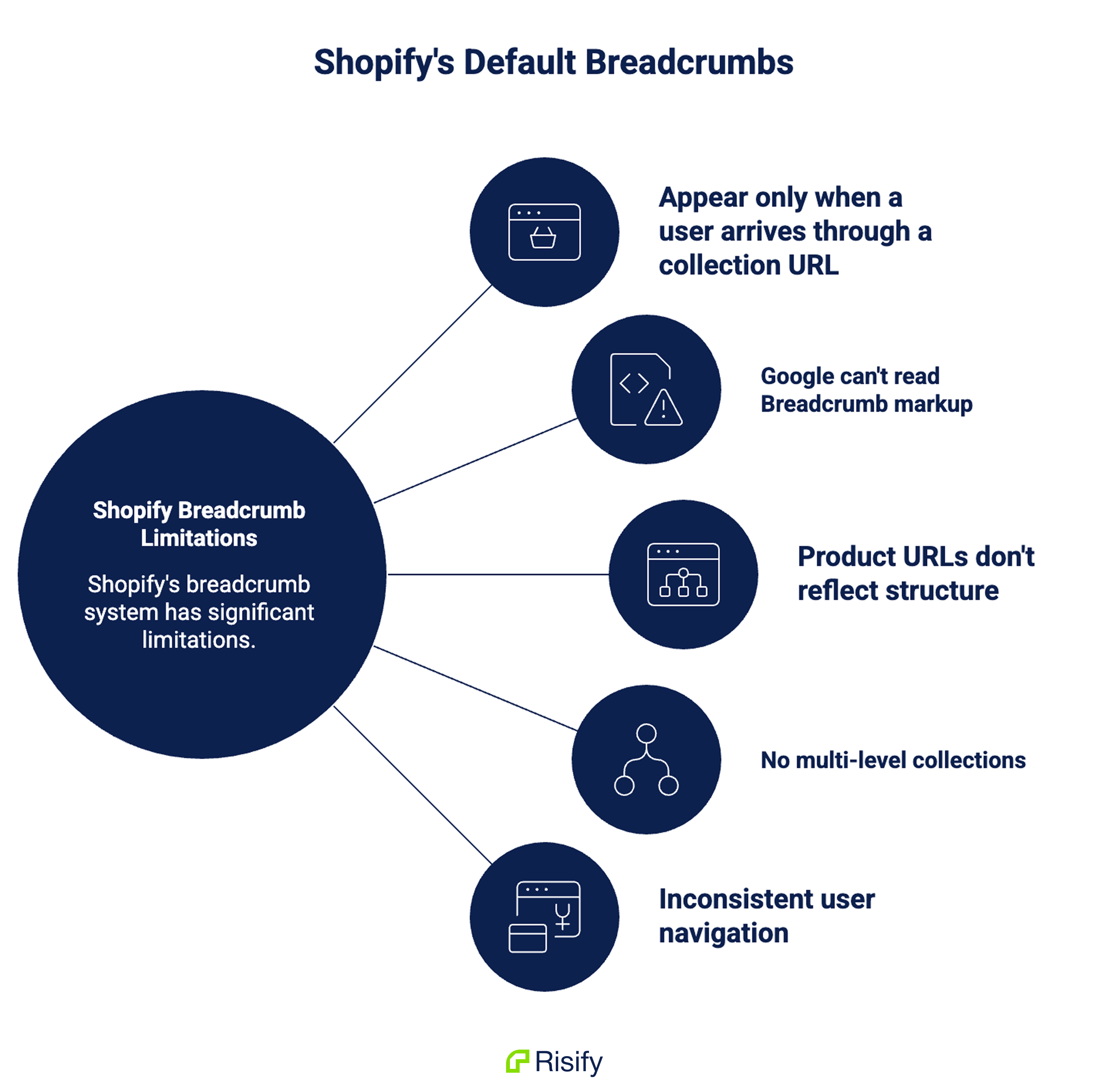
Here is a technical look at how Shopify’s default breadcrumbs work:
Breadcrumbs Depend on URL Structure
Most Shopify themes build breadcrumbs using the URL structure.
When a visitor clicks through a collection to a product, the URL includes the collection handle:
/collections/mens-jackets/products/wool-overcoat
The theme reads that context and builds: Home > Men’s Jackets > Wool Overcoat.
When the same product is accessed directly, the URL looks like this:
/products/wool-overcoat
No collection context. Depending on the theme, the breadcrumb may show up incomplete, fall back to something generic like Home > Wool Overcoat, or not appear at all.
The product is identical. The page is identical. Only the URL changed and that’s enough to create an inconsistency.
This is where it becomes a real problem.
Google, paid ads, and email campaigns typically link to the canonical product URL, the short version without the collection handle.
Most of your external traffic lands on exactly the URL where breadcrumbs are most likely to be missing or incomplete.
Some themes try to fix this using session history, reconstructing a breadcrumb based on where the visitor navigated before arriving.
It sounds like a reasonable workaround, but it only helps returning visitors who browsed through your store manually.
Anyone landing for the first time from Google or a direct link has no session to reconstruct from, so the breadcrumb still falls back or disappears.
There’s also a schema reliability issue. If the breadcrumb is built using JavaScript after the page loads, Google may process the page before that script runs.
The breadcrumb looks fine in your browser but the BreadcrumbList schema may be missing or incomplete in what Google actually crawls. You can’t tell just by looking at the page.
Shopify Collections Have No Hierarchy
The second problem is less visible but equally significant.
Shopify’s collection system is flat. Every collection exists at the same level in the database, regardless of how you intend them to relate to each other.
There is no field in Shopify where you can define that “Wool Overcoats” is a child of “Jackets,” which belongs under “Men’s Fashion,” which falls under “Clothing.”
Those four collections are stored as four independent, unrelated entities.
The navigation menu you build creates the visual appearance of hierarchy for visitors. But that nesting only affects what people see on the front end.
It does not change how Shopify stores the collections or how external systems read them.
To Google, your carefully organized catalog looks like a flat list of disconnected pages. The parent-child relationships you built exist only in your menu, not in your data.
This weakens two things that matter for search performance.
First, topical relevance: a clear hierarchy signals to Google that your store has organized, in-depth coverage of a product category. A search for “wool overcoats” may favor a store that clearly demonstrates expertise across jackets, men’s fashion, and clothing broadly. Flat structure removes that signal.
Second, internal linking value: links between pages carry more meaning when the relationship between them is defined. Without hierarchy, a link from a parent category to a child category is indistinguishable from any other internal link. The contextual value is lost.
What Broken Breadcrumbs in Shopify Cost
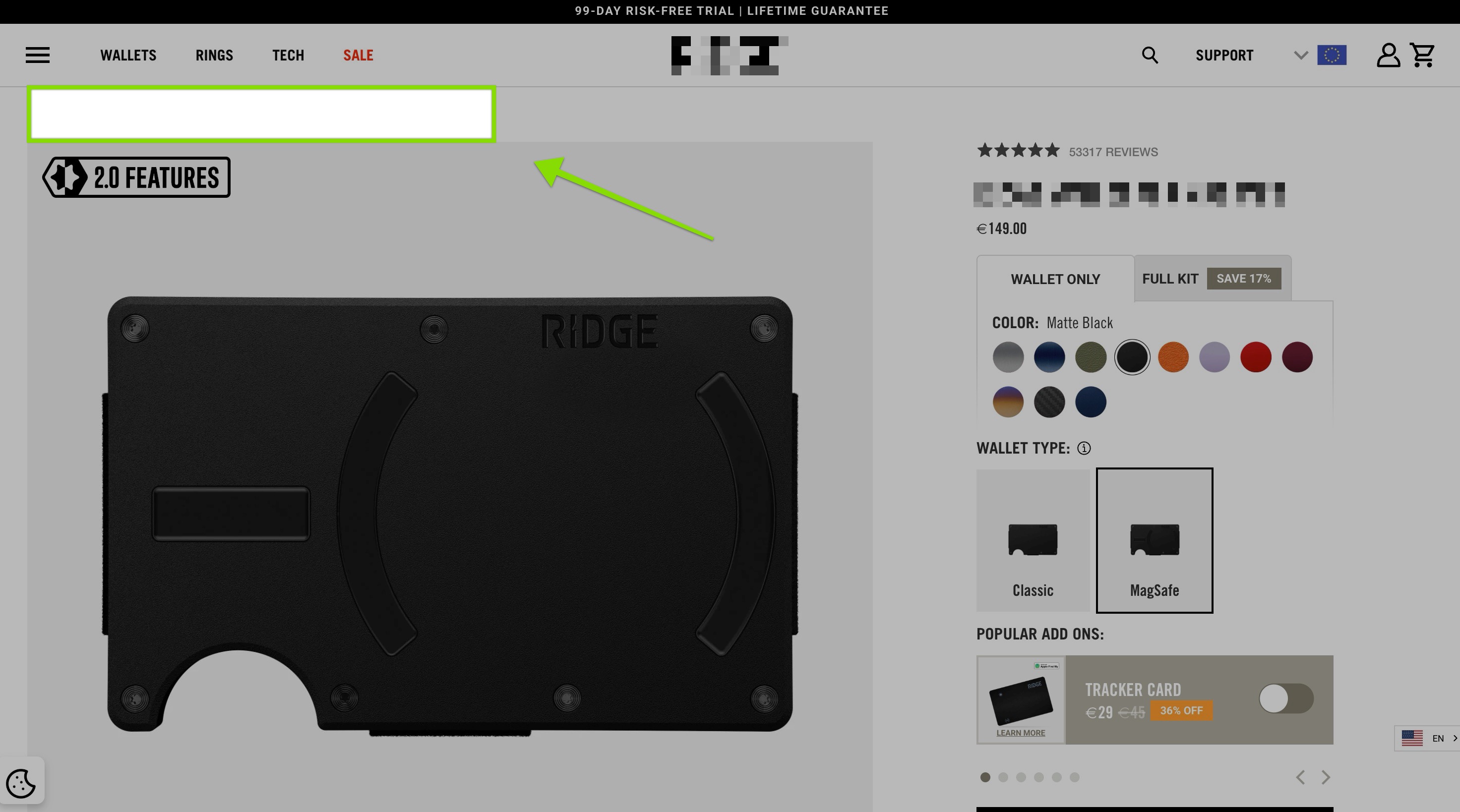
The impact of missing or broken breadcrumbs splits into two areas.
For visitors, a product page without a breadcrumb is a dead end. A shopper who lands from Google has no visible path to browse related products or explore the parent category.
There is no way to move up to “Men’s Jackets” or “Men’s Fashion” without starting over from the main menu. That friction increases bounce rate on your organic landing pages.
For search engines and AI tools, missing BreadcrumbList schema means your catalog hierarchy is invisible.
Google cannot read which categories your products belong to or how those categories relate to each other.
Your store’s topical depth, the thing that signals expertise and relevance across a product cluster, goes uncommunicated.
AI tools generating product recommendations face the same problem: without explicit hierarchy signals, they’re interpreting your catalog structure rather than reading it, which produces less accurate and less consistent results.
Both problems compound as your catalog grows.
More products, more collections, more pages where the breadcrumb either doesn’t render or renders incorrectly, and more signals that Google and AI tools can’t read.
How to Check If Your Shopify Store Has Breadcrumb Problem
Two checks give you a complete picture.
Step 1: Check the page source directly
Open an incognito browser window and paste a direct product URL: [yourstore.com/products/product-handle]
Right-click the page and select View Page Source. Use Ctrl+F to search for “BreadcrumbList.”
If you find it, the markup exists in the initial page load. If you don’t, the schema is either missing entirely or injected later via JavaScript, which means Google may not be reading it.
Step 2: Run Google’s Rich Results Test
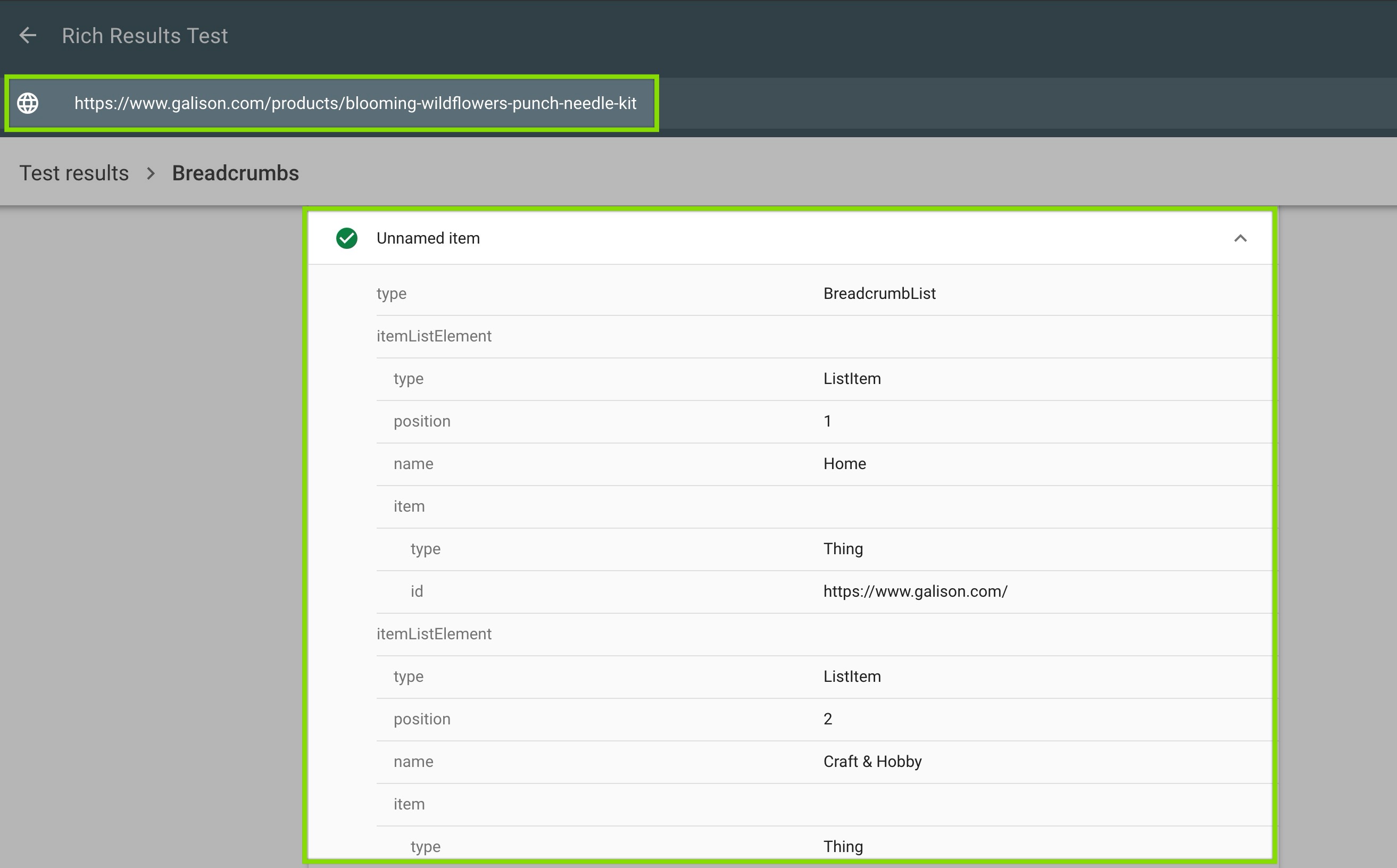
Go to Google’s Rich Results Test and enter the same product URL. It simulates how Googlebot crawls the page and reports whether it can read BreadcrumbList schema.
If the test shows valid BreadcrumbList data, Google can read your breadcrumbs. If it shows no breadcrumb data or errors, Google cannot - regardless of what you see visually in your browser.
Running both checks matters because they answer different questions:
Step 1 tells you whether the markup exists on the page. Step 2 tells you whether Google can actually validate it. A page can pass Step 1 but fail Step 2 if the schema has structural errors.
Fixing Breadcrumb Issues in Shopify
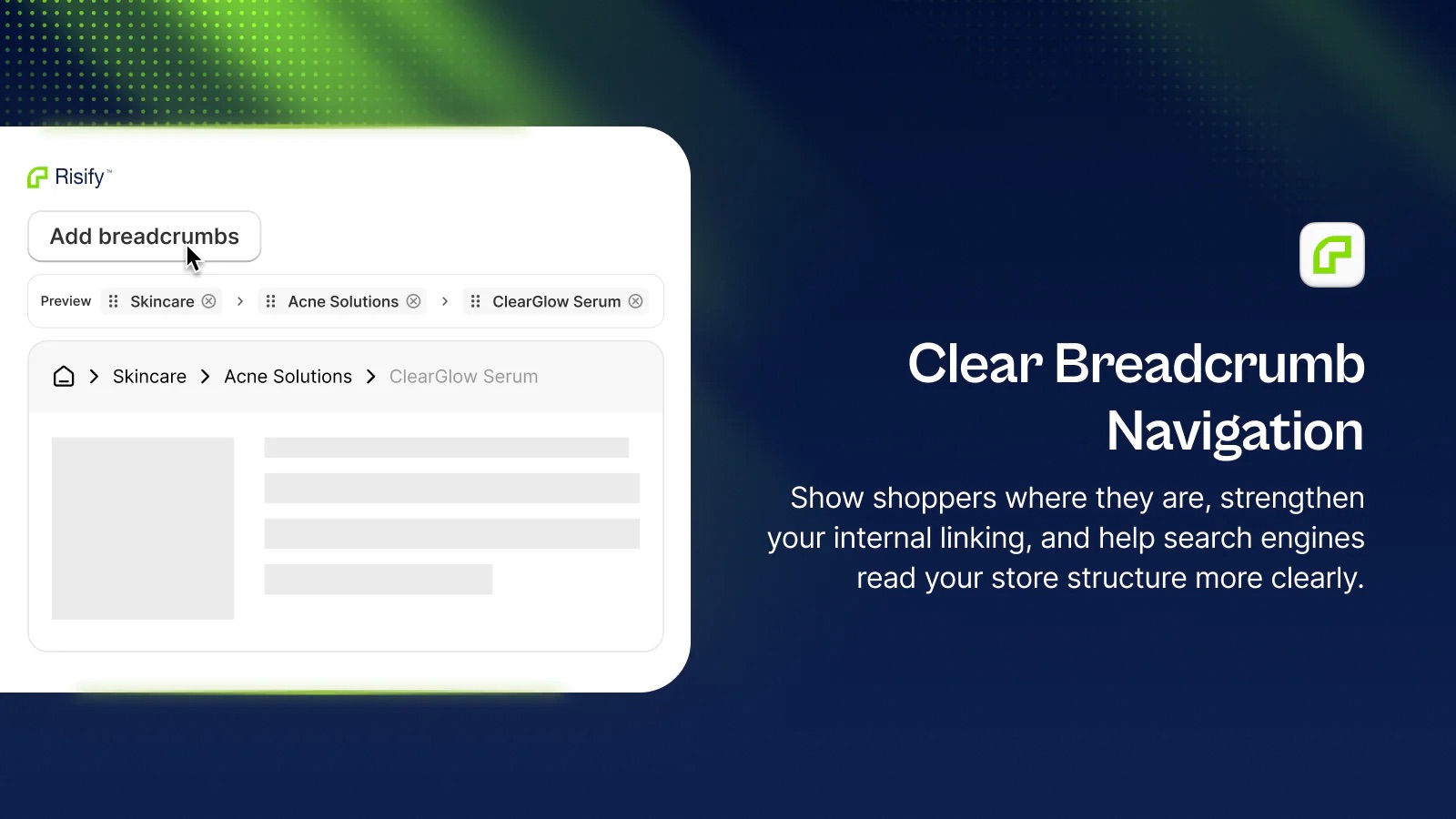
To fix your breadcrumbs, Risify approaches the problem differently from Shopify’s default system:
Instead of reading the URL to determine what to show, Risify stores a defined path for each product and collection and outputs that path on every page load regardless of how the visitor arrived.
Setting Up Static Paths
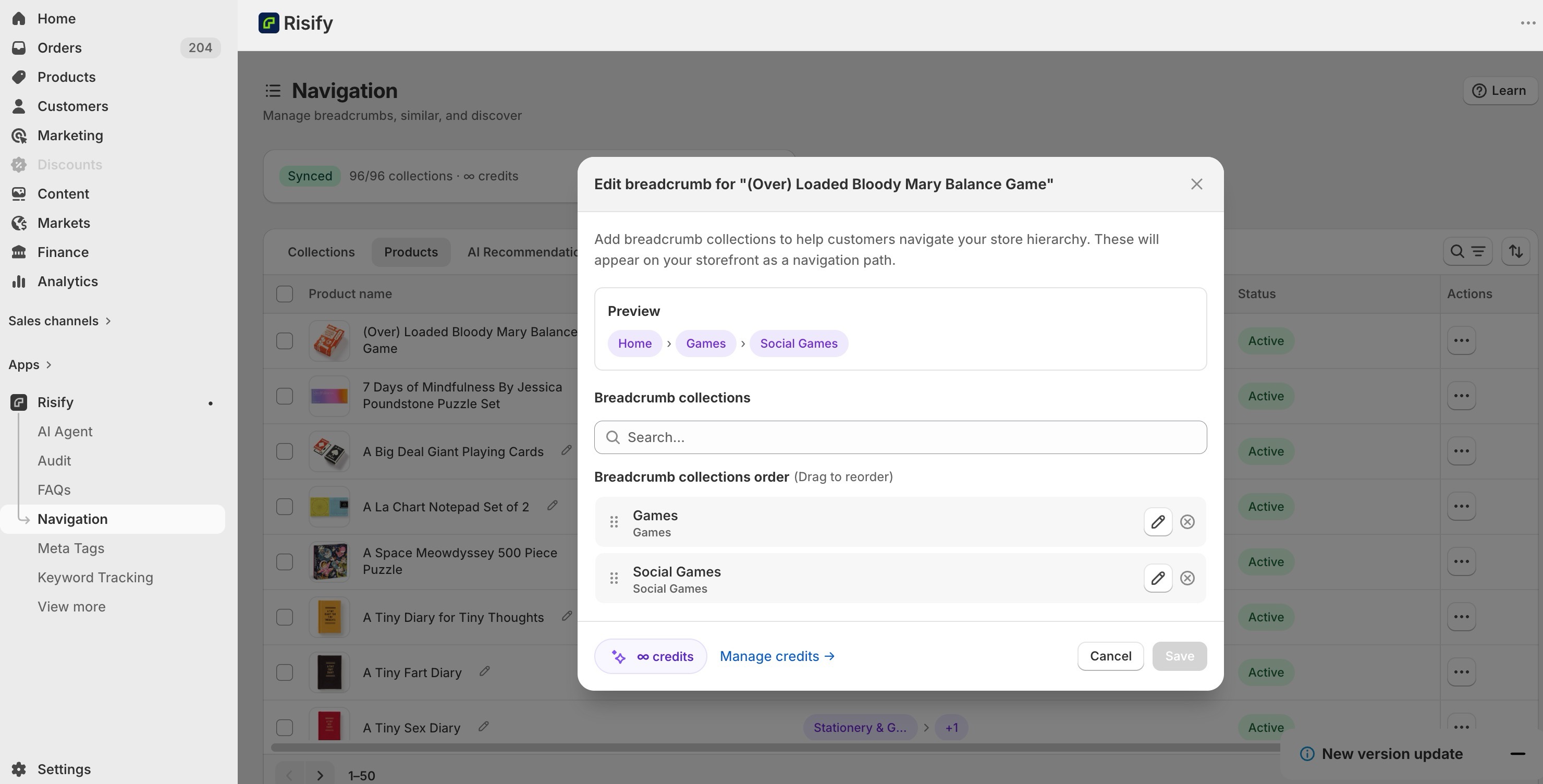
You define the breadcrumb path for each product and collection inside the Risify admin: select the collections that make up the hierarchy, arrange them in order, and save.
From that point on, every visitor to that page sees the path you defined whether they arrived from a collection, a Google search, a paid ad, or a direct link.
No missing breadcrumbs for organic traffic. No generic fallbacks. No variation based on referrer URL.
Multi-level Collection Hierarchy
Risify supports the full parent-child hierarchy that Shopify’s flat collection system cannot represent.
A product in your Wool Overcoats collection can have the path Home > Clothing > Men’s Fashion > Jackets > Wool Overcoats, with each level clickable, taking visitors directly to the relevant collection.
This is the hierarchy that most Shopify stores have never been able to implement without custom development.
Generating BreadcrumbList Schema Automatically
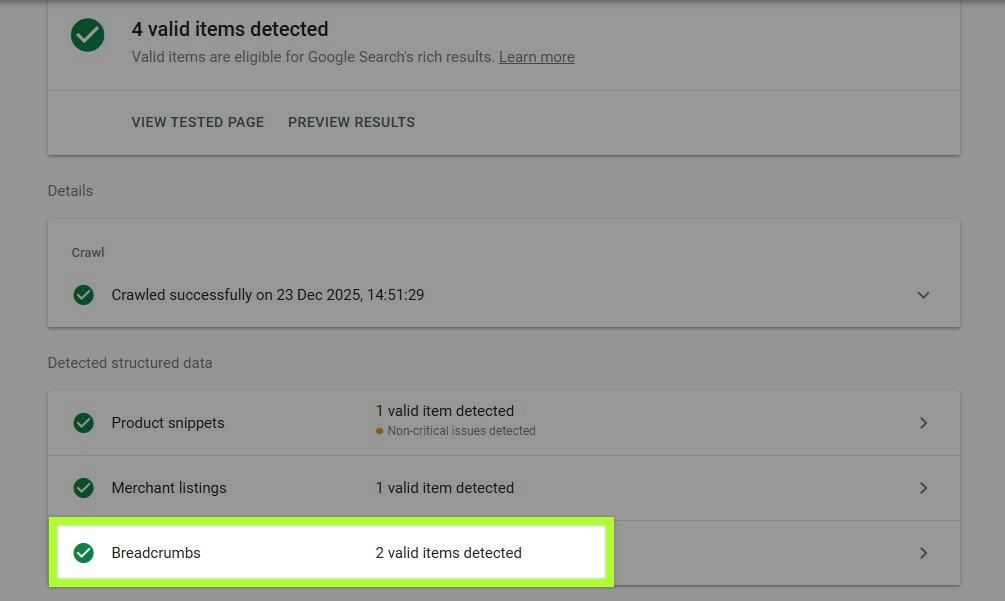
When you define a breadcrumb path in Risify, it automatically outputs valid BreadcrumbList schema on that page.
The schema contains each level of your defined path with its correct URL - the same path that visitors see.
Both outputs come from the same source, so there is no drift between what users see and what Google reads.
This schema passes Google’s Rich Results Test and gives Google and AI tools the explicit hierarchy signals that Shopify’s flat collection system doesn’t provide natively.
Data Stored in Shopify Metafields
Risify stores breadcrumb data in Shopify’s metafields.
Your breadcrumb paths remain in your store even if you uninstall the app. The content is native to Shopify, not dependent on Risify’s continued presence.
📌 Learn more: How to create breadcrumbs with Risify easily
 Help search engines and AI tools read your structure more clearly
Set Up Clear Breadcrumb Navigation
Set up your breadcrumbs in a few clicks and generate schema markup automatically.Conclusion
Breadcrumbs look like a minor navigation detail. In practice they carry real weight, for visitors trying to find their way through your catalog and for search engines trying to understand how your products and categories connect.
Shopify’s default system ties breadcrumbs to the referrer URL, which works during internal testing and breaks for the traffic that actually matters. The pages that rank in Google are the pages most likely to have missing breadcrumbs and invalid schema.
The fix is straightforward: define your breadcrumb paths once, output them consistently on every page, and let the schema communicate your catalog hierarchy to Google and AI tools automatically.
That’s what Risify does, so your breadcrumbs work for every visitor, not just the ones who arrived the right way.