



Most Shopify merchants spend hours perfecting their product photos, writing compelling descriptions, and fine-tuning their homepage design.
But when a potential customer searches Google and sees the results page, none of that work is visible yet.
What they see instead is a title and a short paragraph of text called meta tag.
And for a large portion of Shopify stores, those two small pieces of text are either poorly written, generic, or missing entirely.
This post covers what meta tags are, the impact they have, and why managing them properly becomes one of the biggest overlooked challenges as your catalog grows.
Key Takeaways:
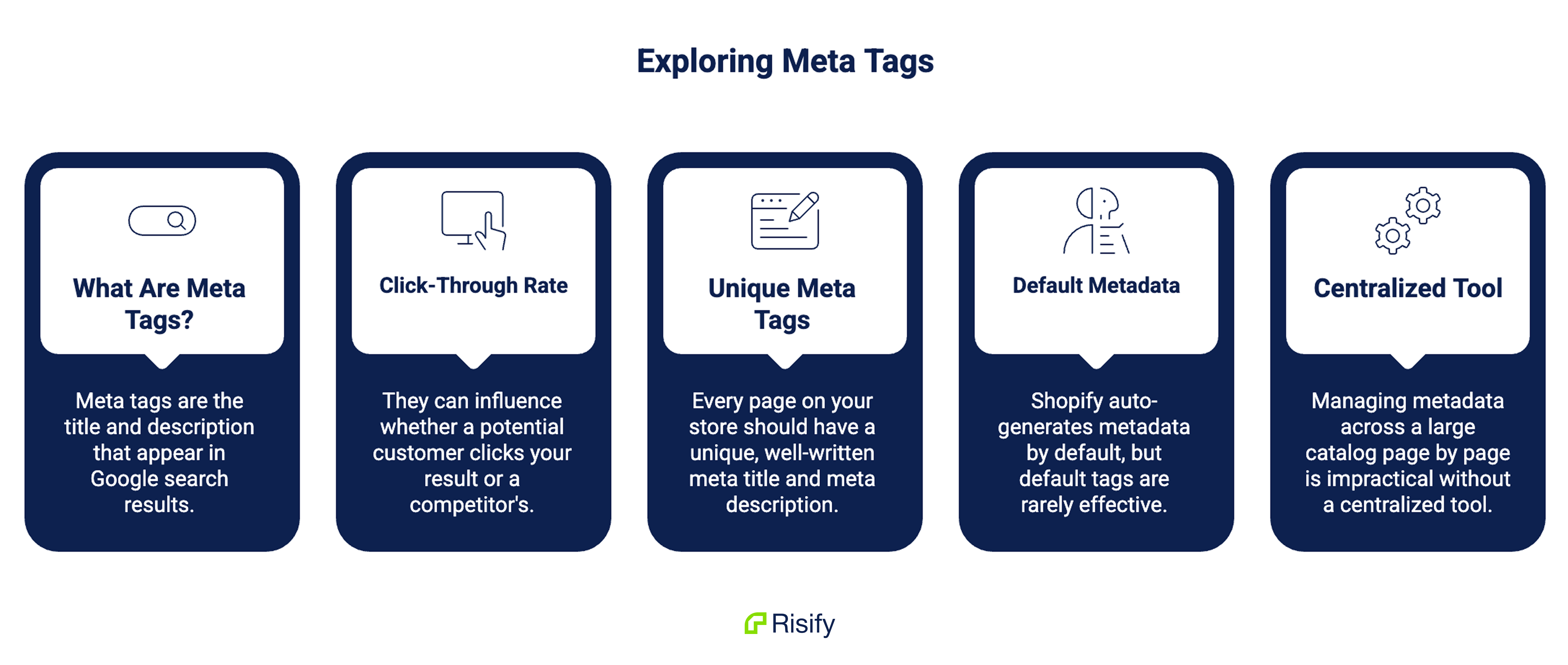
- Meta tags are the title and description that appear in Google search results before anyone visits your store
- They can influence whether a potential customer clicks your result or a competitor’s
- Every page on your store should have a unique, well-written meta title and meta description
- Shopify auto-generates metadata by default, but default tags are rarely effective
- Managing metadata across a large catalog page by page is impractical without a centralized tool
What Meta Tags Are and Where They Appear
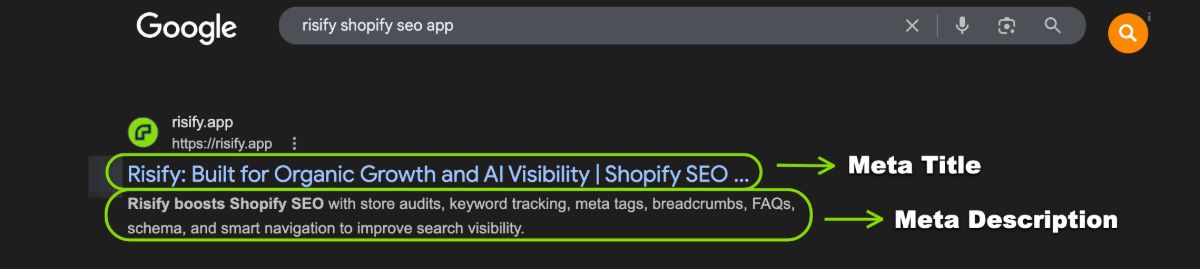
A meta title, also called a title tag or SEO title, is the clickable headline that appears in search results. It is the first thing a searcher reads when your page shows up on Google.
A meta description is the short paragraph beneath the title. It does not determine your ranking position, but it summarizes your page and gives the searcher a reason to click through.
Together, these two elements form what is commonly called a search snippet. It is your store’s presence on the results page before anyone has landed on your site.
Think of it this way: a shopper types “leather wallet for men” into Google. Ten results appear. Before they click anything, they read the titles and descriptions of whatever catches their eye.
Your product page could be perfectly designed, but if the title is cut off and the description is a generic sentence pulled from a product page, that shopper clicks elsewhere.
Meta tags are not a direct ranking factor in the traditional sense, but they have a measurable effect on your click-through rate.
A higher click-through rate signals to Google that your page is relevant and useful, which can improve your position over time. The relationship is indirect but real.
Why You Need Consistent Meta Tags Across Your Store
A single well-written meta title on your best-selling product is a good start. But it is not enough.
Every page on your store that appears in search results is an opportunity.
Collection pages rank for category-level searches. Product pages rank for specific item queries. Blog posts can capture research-phase traffic.
If those pages have weak, duplicate, or missing metadata, each one becomes a missed opportunity.
Consistency matters for a second reason as well. When every page has a properly written title and description, your store projects a clear, professional identity in search results.
When some pages are well-optimized and others show generic text or blank descriptions, your store looks uneven. Shoppers notice, even if they cannot explain why.
Learn more: How to Fix Shopify SEO and AI Visibility Gaps
What Makes a Meta Tag Work
Before writing anything, it helps to understand the practical constraints that determine whether your tags display correctly.
Meta Title Guidelines
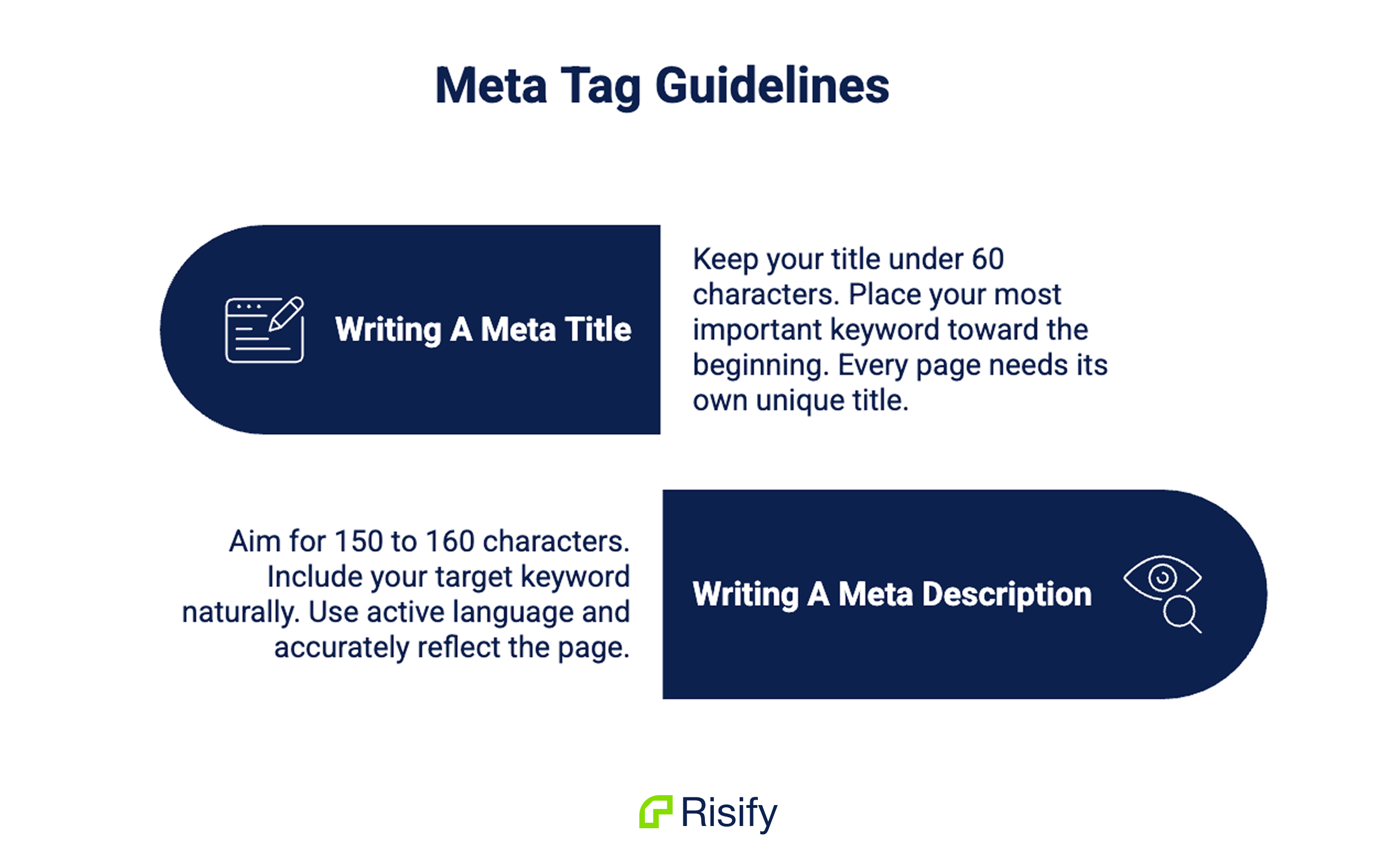
Keep your title under 60 characters. Google shortens titles longer than this, cutting off your message mid-sentence in search results.
Place your most important keyword toward the beginning of the title, as Google gives more weight to words that appear early.
Every page needs its own unique title, and it should read naturally rather than feel like a list of keywords.
Meta Description Guidelines
Aim for 150 to 160 characters for your description. Anything longer gets cut off. Include your target keyword naturally within the text, since Google bolds matching terms in the description, which draws the reader’s eye.
Use active language: “shop,” “browse,” “discover,” “compare.” The description should accurately reflect what the page contains. A misleading description might get a click, but it will also get an immediate bounce.
You can use this free SERP simulator to see if your meta title and description abide by the rules.
How to Write Meta Tags for Different Page Types
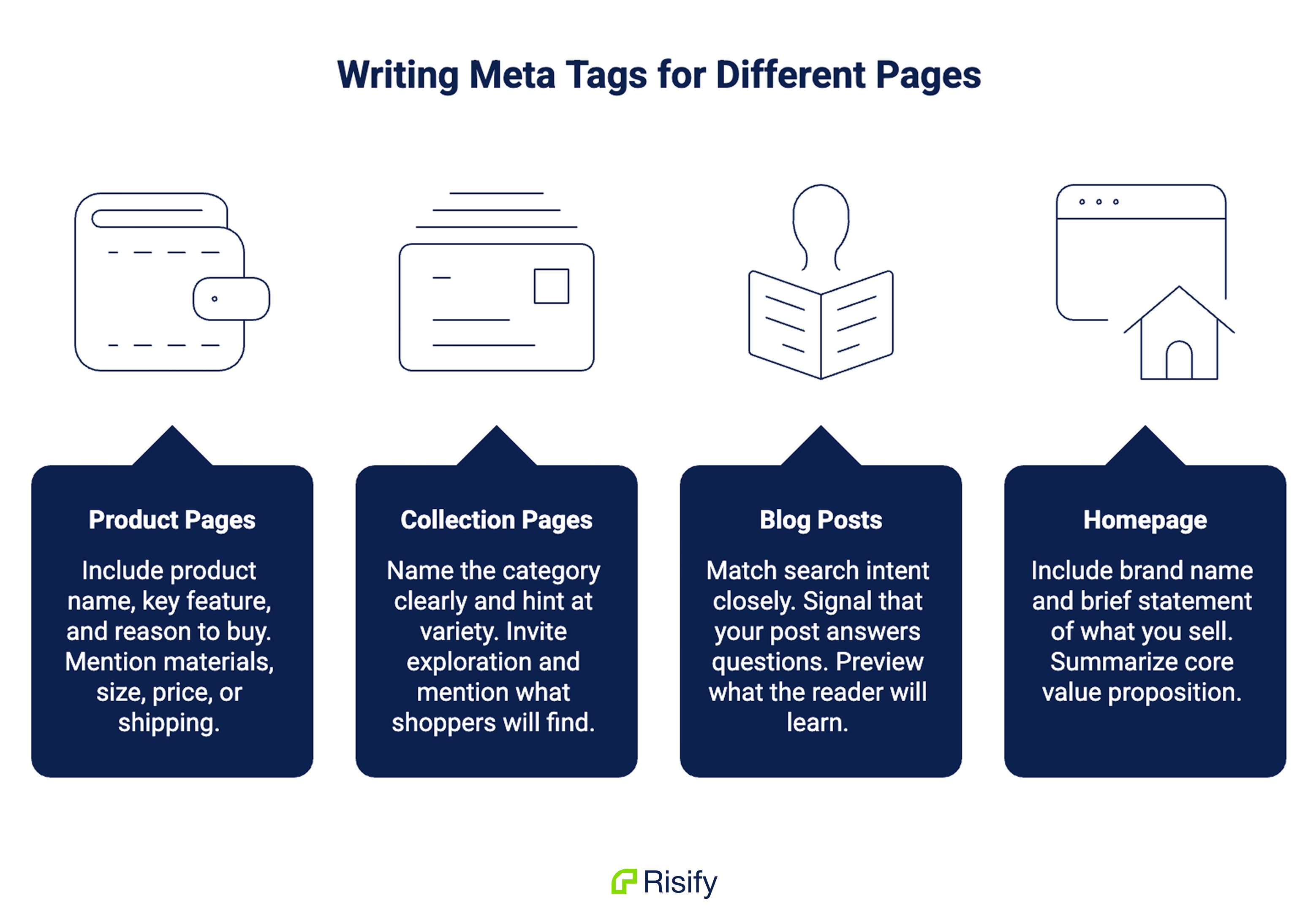
Not every page on your Shopify store serves the same purpose. Your meta tags should reflect the intent behind each page type.
Product Pages
Product page metadata should be specific. Include the product name, a key feature or benefit, and something that gives a reason to buy.
Mentioning materials, size range, price point, or a shipping benefit can make the difference between a click and a scroll-past.
A practical format to follow: [Product Name] | [Key Feature or Benefit] - [Store Name]
The description should reinforce specifics. If you sell a leather wallet, mention the number of card slots, the leather type, or the fact that it ships free. Vague descriptions do not convert.
Collection Pages
Collection pages target broader searches. Someone searching “men’s leather wallets” is browsing, not ready to buy a specific item yet.
Your title should name the category clearly and hint at the variety available. The description should invite exploration and mention what the shopper will find inside.
Blog Posts
Blog metadata should match search intent closely.
If someone searches a question, your title should signal that your post answers it. A description that previews what the reader will learn works better than one that just describes the topic in abstract terms.
Homepage
Your homepage title should include your brand name and a brief statement of what you sell. The description should summarize your store’s core value proposition in one or two clear sentences.
Common Mistakes in Meta Tags
Several patterns appear consistently across Shopify stores that hurt click-through performance.
Leaving meta descriptions blank is the most common. When no description is set, Google pulls a random snippet from the page, which is almost never as effective as a deliberately written summary.
Using the same title or description across multiple pages confuses search engines and makes it harder for Google to understand which page to rank for which query.
Duplicate metadata is treated as a signal of low quality.
Keyword stuffing, repeating the same term two or three times in a title, does not improve rankings and makes the result look untrustworthy to real searchers.
Writing titles that are technically optimized but read awkwardly misses the point. A human being decides whether to click, not an algorithm.
The Scale Problem: Why Most Shopify Catalogs Fall Behind
Here is where theory meets the reality of running a store. Imagine a Shopify store with 300 products and 40 collections.
Some products were added three years ago with no metadata at all.
Others were imported in bulk and arrived with Shopify’s default auto-generated titles. Some have descriptions written by different team members following different formats. A handful were carefully optimized at some point but never revisited.
This is not a hypothetical. This is what the average growing Shopify catalog actually looks like.
The problem is checking and editing metadata in Shopify requires opening each product or collection individually. With hundreds of pages, that is not a workflow, it is a project that never gets finished.
The result is a store where some pages compete well in search and others are invisible because their metadata was never set properly.
Most merchants do not even know which pages fall into which category, because they have never been able to see all their metadata in one place.
Learn more: Shopify SEO Audit: How to Find and Fix Issues Before They Hurt Growth
Managing Meta Tags Across Your Entire Catalog
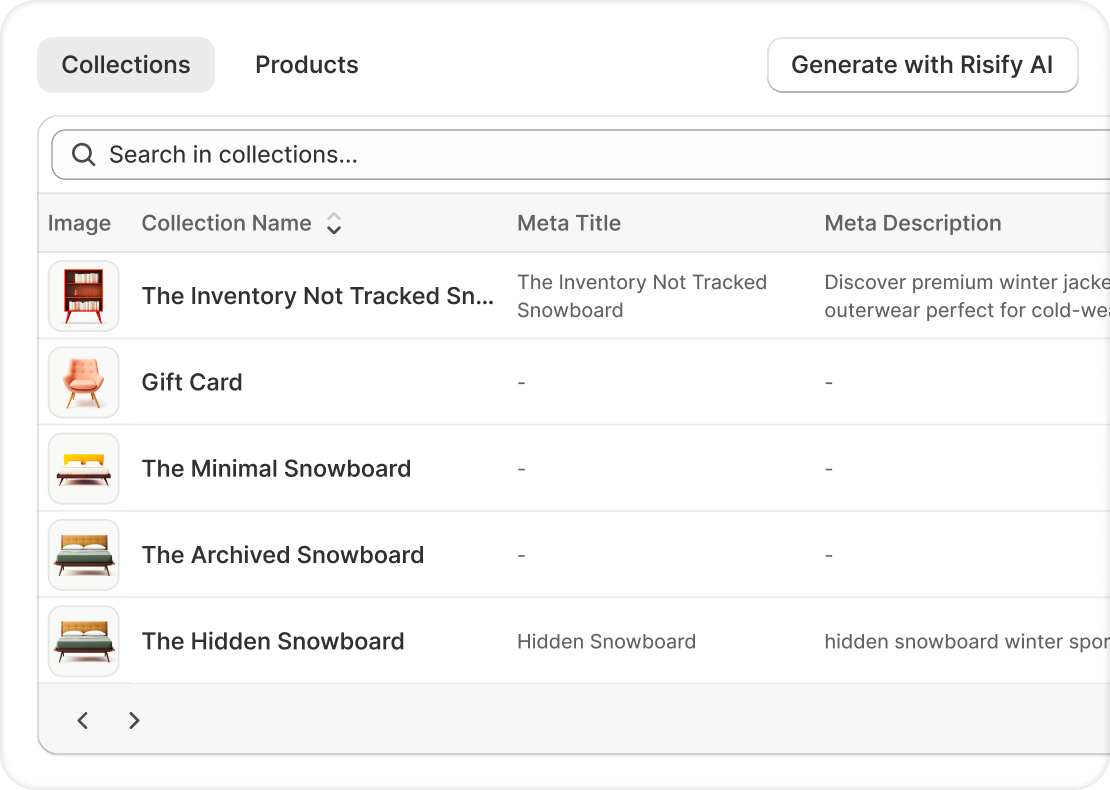
The solution to the scale problem is visibility. Once you can see all your metadata in a single view, gaps become obvious and fixing them becomes a focused task rather than a scattered one.
Risify’s Meta Tags Manager addresses this directly. It lists every product and collection with their current meta titles and descriptions visible at a glance.
You can see immediately which pages have custom metadata, which are using Shopify defaults, and which have empty fields that are costing you clicks.
Editing works directly from the dashboard without navigating to each product in Shopify admin.
A live search result preview updates as you type, so you can see exactly how your title and description will appear in Google before saving. Changes apply to Shopify’s native SEO fields immediately.
For stores with large catalogs, Risify’s AI Generator can produce optimized meta tags in bulk based on your actual product data.
It helps you create unique meta tags that know your brand and products, so you never have to train an AI tool from scratch to learn your brand.
Learn more: Create Store Content at Scale With a Brand-Trained AI Agent
You review and publish rather than writing from scratch across hundreds of pages.
Risify’s Store Audit also flags pages with missing, too-short, or too-long meta tags, so you always know where the gaps are as your catalog grows.
 Structure your store for organic growth. No technical knowledge required.
Manage meta tags in a centralized dashboard
Get all your meta tags in one dashboard and generate optimized tags in bulk with AI.