




As AI shopping grows alongside traditional online shopping, the structural layer of your Shopify store has become more important than ever.
AI tools like ChatGPT, Google AI Overviews, Perplexity, and Gemini don’t browse your store the way a customer does.
They extract structured signals from your pages and use those signals when recommending your products in AI searches.
Shopify’s default setup covers the basics but these platforms depend on more complete structured data foundations, as confirmed by Microsoft, Google, and OpenAI.
This post maps every gap between Shopify’s default setup and what search engines and AI tools actually need, and shows exactly what Risify provides.
Key takeaways:
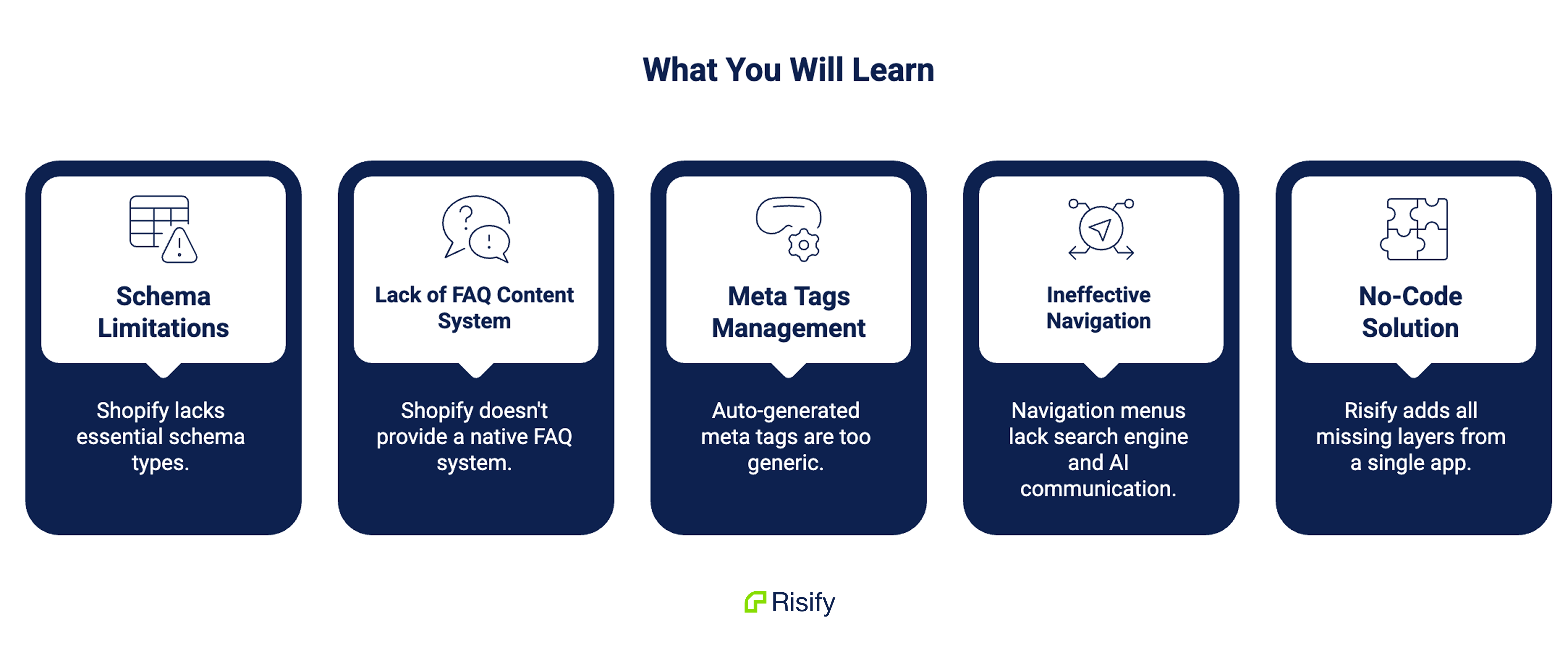
- Shopify provides basic Product schema but leaves out Organization, Website, FAQPage, Article, and complete BreadcrumbList schema
- Shopify has no native FAQ system for products or collections, meaning AI tools can’t extract structured Q&A content
- Meta tags are auto-generated and impractical to manage at scale without a dedicated tool
- Shopify’s navigation menus create visual hierarchy but communicate nothing to search engines or AI tools
- Risify adds every missing layer from a single app inside your Shopify admin
Schema Markup
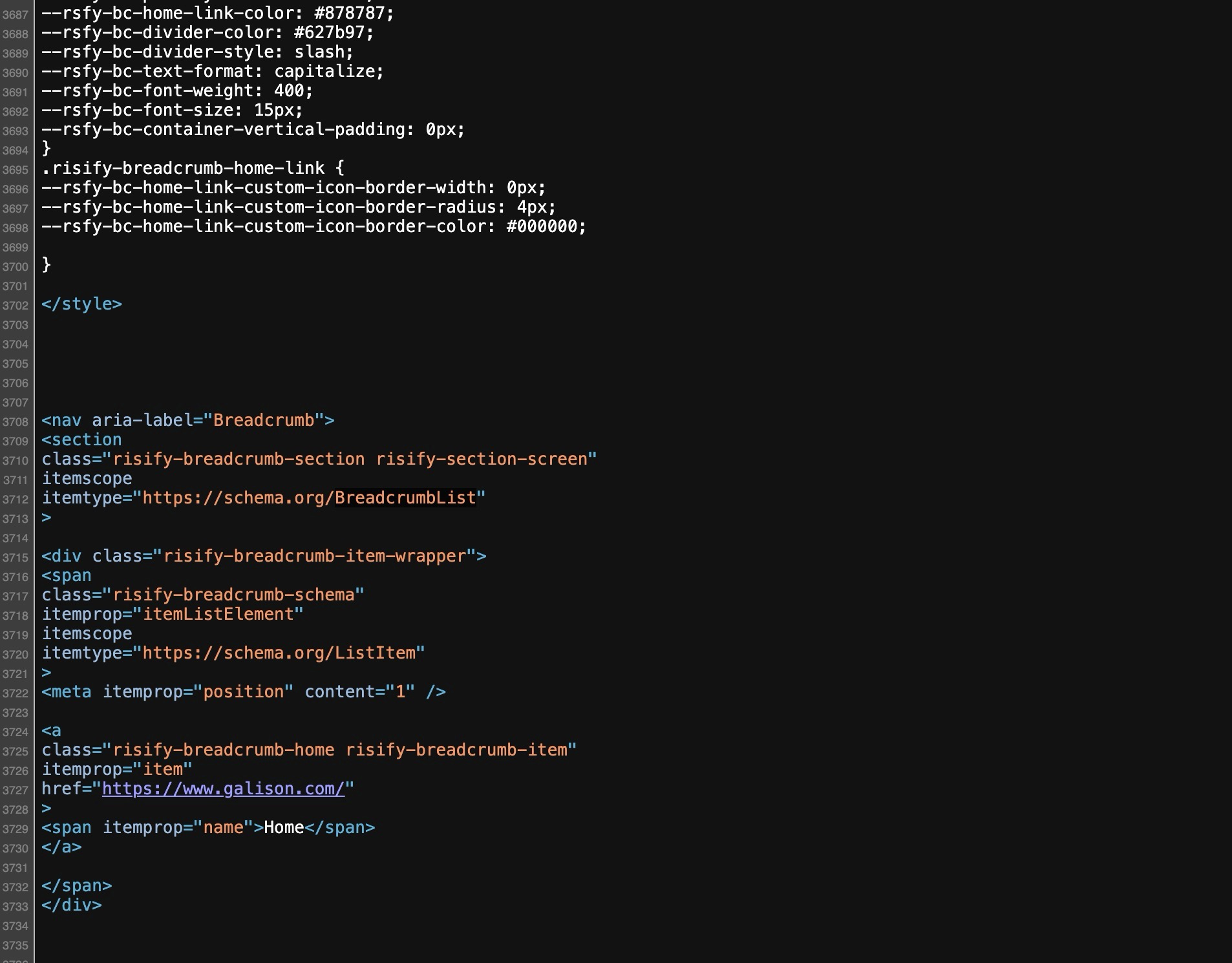
Schema markup is code embedded in your page’s HTML that tells search engines and AI tools exactly what your content means.
When Google or an AI crawler lands on your page, schema is what lets them read it accurately rather than interpret it.
Without correct schema markup, AI tools are guessing and it produces less reliable, less consistent results for your store.
What Shopify Gives You by Default
A standard Shopify store with a modern theme typically includes basic Product schema (name, price, and description). The coverage varies by theme. Collection pages, your homepage, and most other page types get no schema at all.
What’s missing
Five schema types that directly affect your visibility are absent from Shopify’s default setup:
- Organization schema: establishes your brand identity. Without it, search engines and AI tools have no structured way to connect your product pages to your business.
- Website schema: enables features like the sitelinks search box in Google results and identifies your store at the site level.
- FAQPage schema: marks up question-and-answer content so AI tools can extract and cite your answers directly.
- Article schema: adds publication date, author, and metadata to blog content so it’s classified correctly.
- Complete BreadcrumbList schema: communicates your catalog hierarchy. Shopify’s default breadcrumb schema, when present, typically outputs a flat path that tells crawlers nothing about your collection structure.
There’s also a conflict problem. Many Shopify stores run multiple apps that each inject their own version of Product schema. A review app, an SEO app, and the theme itself can all generate competing markup on the same page.
When Google finds two Product schema blocks with different prices or availability values, it discards both. Conflicting schema is often worse than no schema at all.
How to Get Correct Schema Markup for Shopify
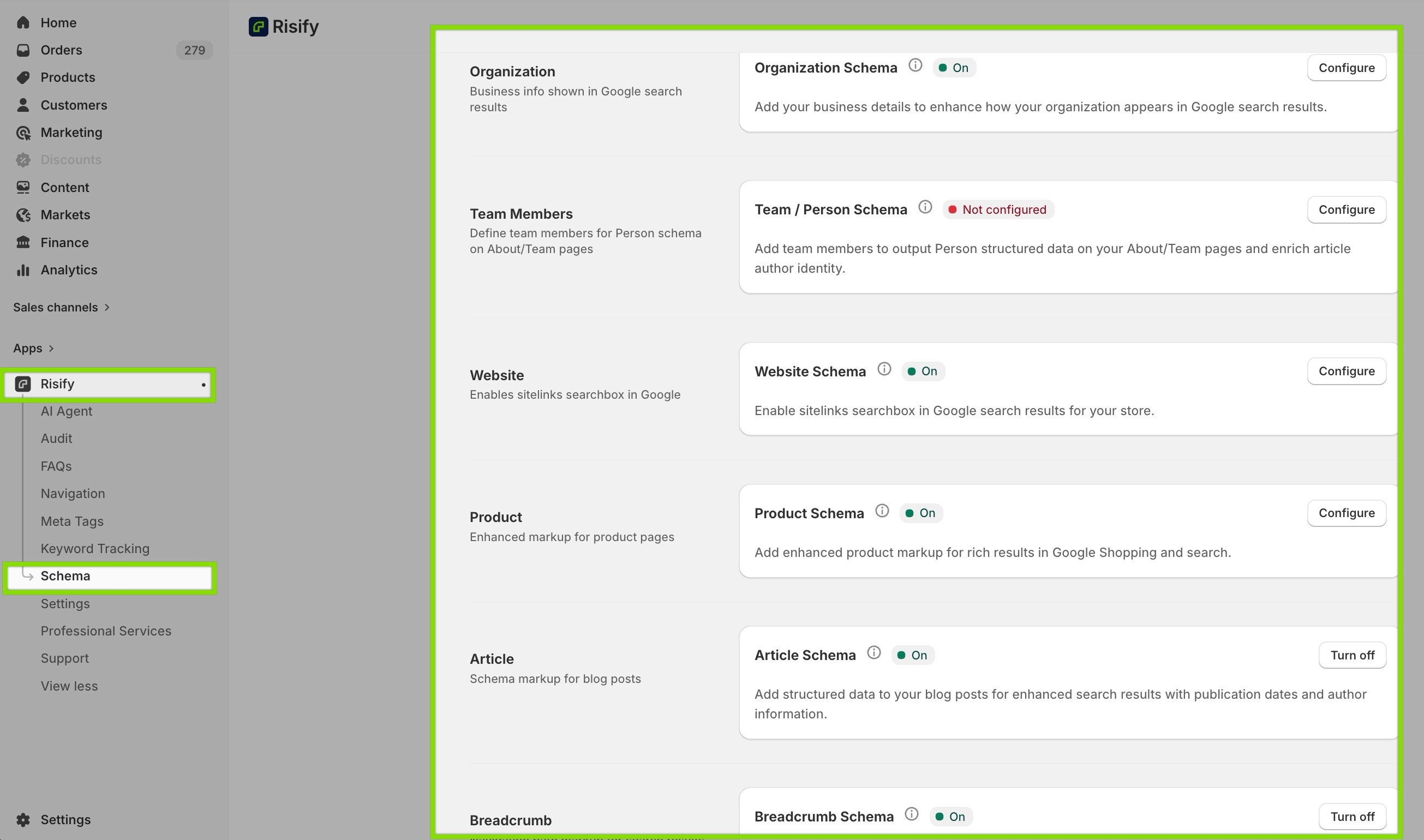
Risify activates all schema types (Product, Organization, Website, FAQPage, Article, and BreadcrumbList) from a single settings page.
You toggle each type on, fill in the required fields, and add one theme block to your layout. From that point, valid schema is generated automatically on every relevant page.
Risify also includes built-in conflict detection. It identifies competing schema from other apps and your theme so you can resolve duplicates and let clean markup do its job.
📌 Explore more about setting up correct schema markup.
Breadcrumbs
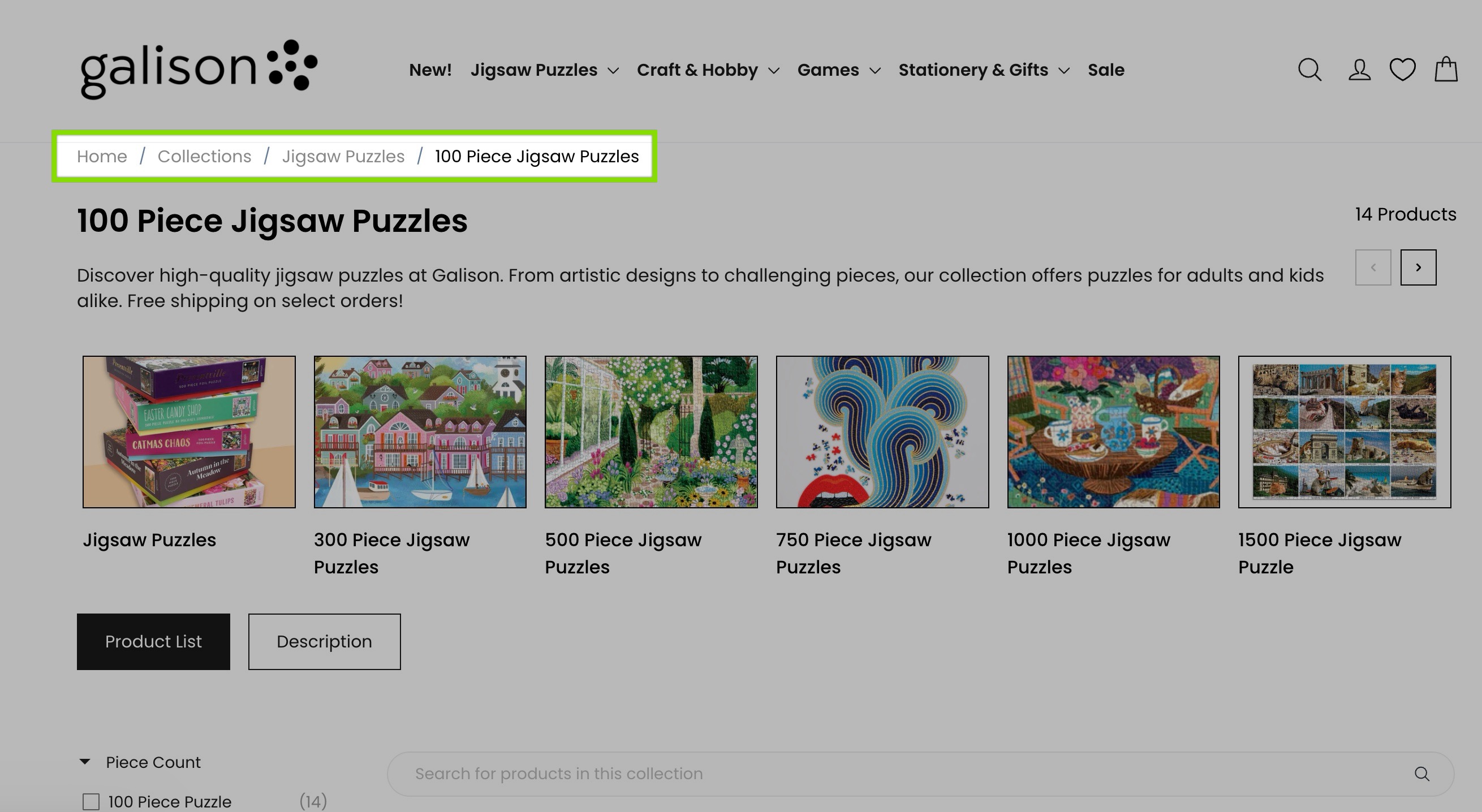
Breadcrumbs serve two purposes: they show visitors where they are in your catalog, and they communicate your site hierarchy to search engines and AI tools through BreadcrumbList schema.
Shopify’s Default Breadcrumbs
Shopify builds breadcrumbs by reading the URL. When a visitor clicks through a collection to a product, the URL includes the collection handle and the breadcrumb appears.
When the same product is accessed directly (from a Google search, a paid ad, or a shared link) the URL contains no collection reference, and the breadcrumb either disappears or collapses to a generic path with no category context.
This matters most for organic traffic. Google indexes direct product URLs, the short versions without collection handles. The pages that rank in search are exactly the pages most likely to have missing breadcrumbs and no BreadcrumbList schema.
Shopify’s collection system adds a second problem: it stores all collections at the same level in its database.
For example: Home Office, Desks, Standing Desks, and Electric Standing Desks are four independent entities with no defined connection to each other.
The hierarchy you see in your navigation menu exists only on the front end. It communicates nothing to search engines or AI tools.
Setting Up Breadcrumbs with Risify
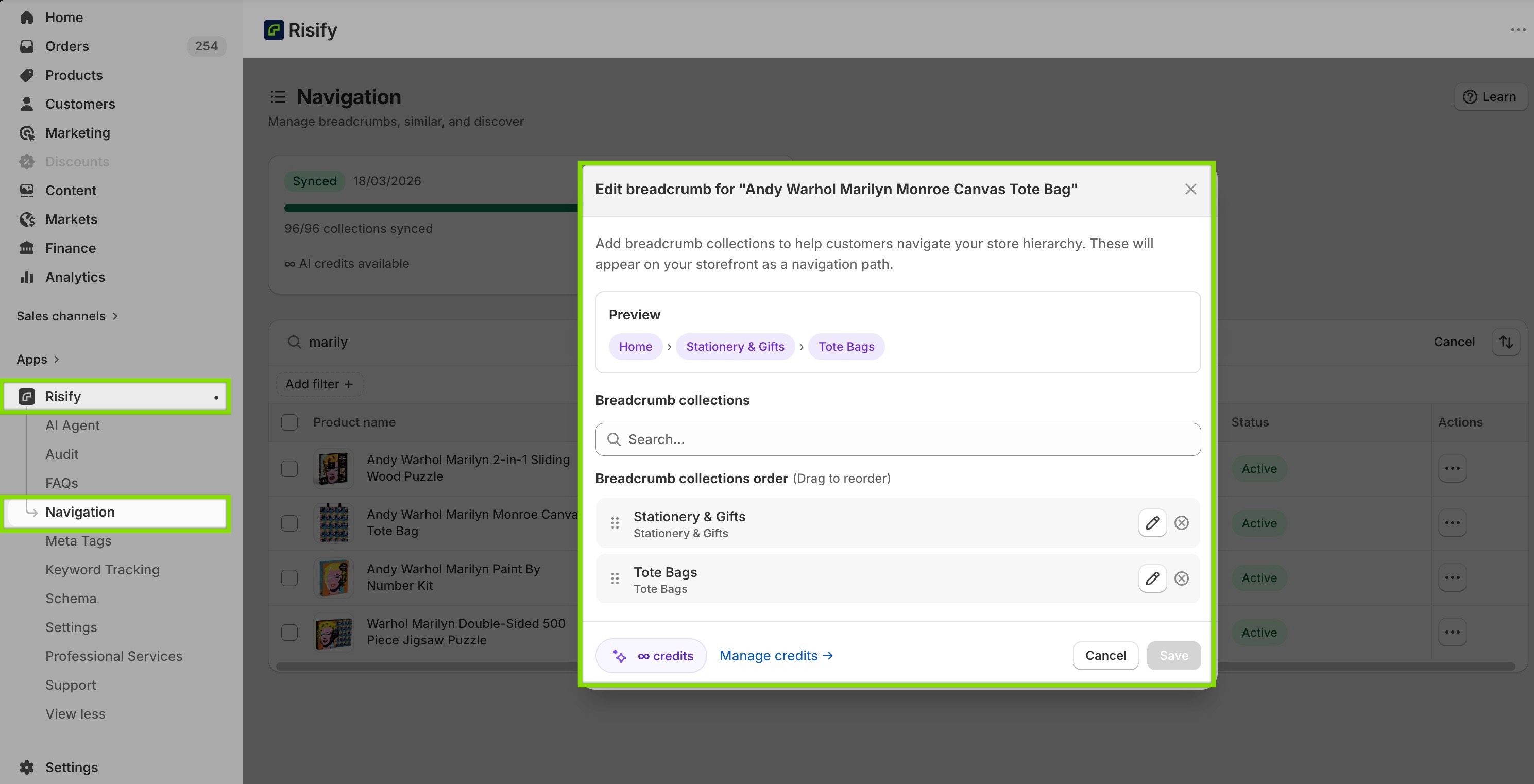
Risify lets you define a static breadcrumb path for each product and collection. That path displays on every page load regardless of how the visitor arrived.
It also supports full multi-level hierarchy. A product can carry a path like Home > Home Office > Desks > Standing Desks > Electric Standing Desks, with each level declared in BreadcrumbList schema and clickable for visitors.
This is the hierarchy signal that Shopify’s flat collection system cannot produce natively, and the one that tells AI tools exactly where your products fit in your catalog.
📌 Learn more about improving breadcrumb setup in Shopify.
FAQ Content and Schema
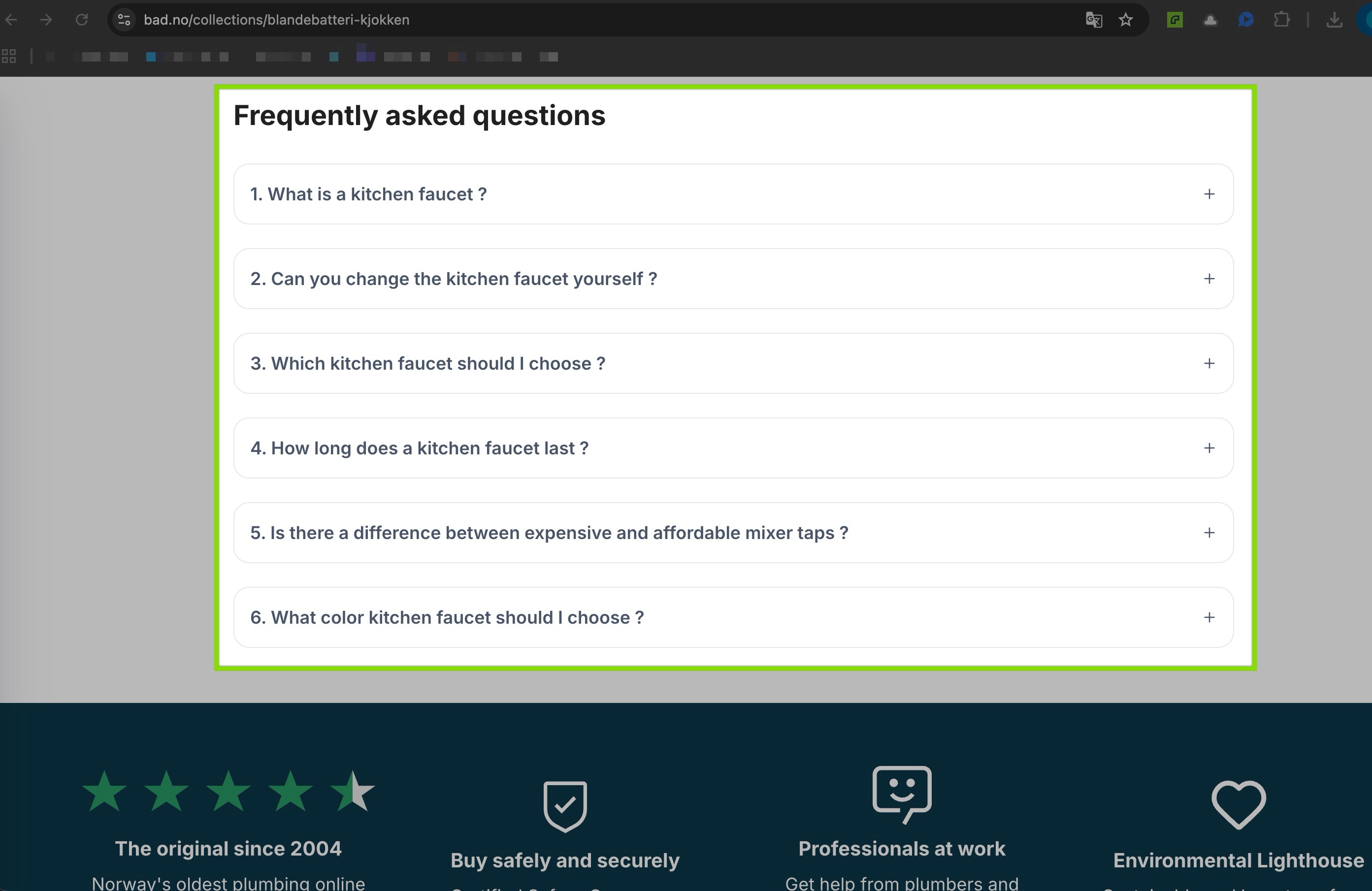
FAQ content is one of the most valuable data layers for AI visibility.
When a user asks an AI tool a question that matches content on your page, structured Q&A pairs are what allow the AI to extract and cite your answer directly.
Without FAQPage schema, your FAQ text is just another block of unstructured content the crawler has to interpret.
Default FAQ Content System
Shopify has no native FAQ content system or schema markup for products or collections.
If FAQ content exists on your store, it’s typically written into product descriptions as unstructured text, which means it’s readable by customers but invisible to machines as structured data. Collection pages almost universally have no FAQ content at all.
This creates two gaps. At the product level, AI tools can’t reliably extract answers to pre-purchase questions. At the collection level, where shoppers and AI tools are asking category-level questions like “what should I look for in a standing desk?”, there’s nothing for them to find.
FAQ Management with Risify
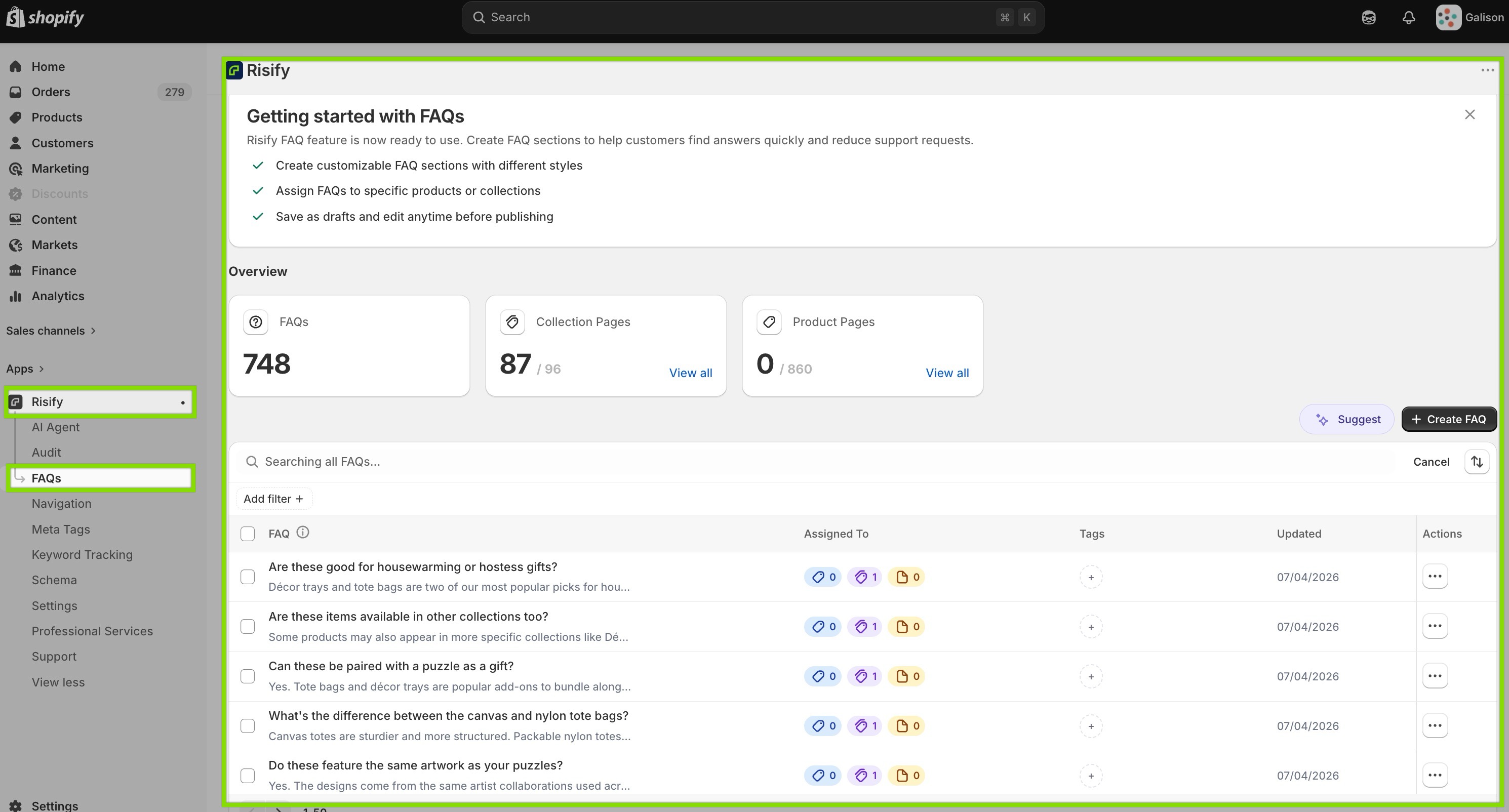
Risify’s centralized FAQ library lets you write each question and answer once, then assign it to any combination of products, collections, or pages. Update the answer in one place and it applies everywhere that FAQ is assigned. No hunting through pages, no inconsistency.
Every published FAQ automatically carries valid FAQPage schema. The visible Q&A content and the structured data come from the same source, so there’s no risk of mismatch.
Risify’s AI agent can also generate relevant FAQs in bulk based on your actual product data. You just review, edit, and publish rather than writing from scratch.
Critically, FAQs can be assigned to collection pages as well as product pages. For example, a collection page for Standing Desks can carry FAQ content answering category-level queries (the questions shoppers ask before they’ve chosen a specific product) which is where AI tools are most likely to pull answers for broad recommendation queries.
📌 Discover easy FAQ management in Shopify
Meta Tags
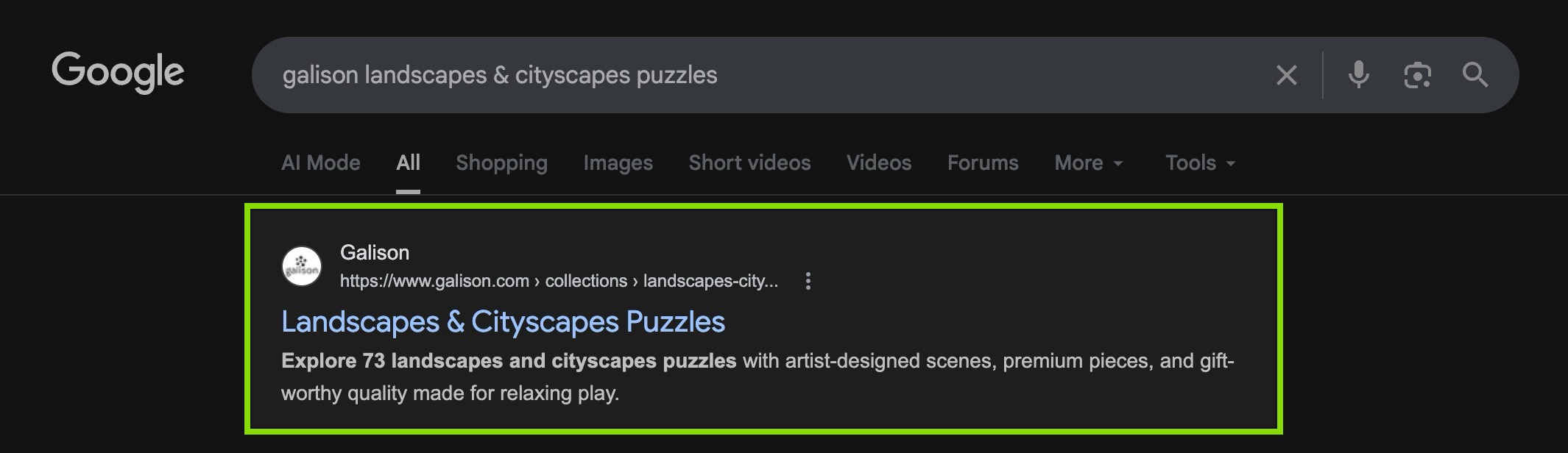
Meta titles and meta descriptions are the text that appears in Google search results.
They influence click-through rate directly. For AI tools, they serve as a page summary that helps crawlers determine relevance before processing the full content.
Shopify’s Automatic Meta Tags for Products
Shopify auto-generates meta titles from product names and meta descriptions from the first lines of product descriptions. The results are functional but generic.
They rarely include the keywords, attributes, or differentiators that would make a search result compelling or help AI tools categorize the page accurately.
The management problem is equally significant. A store with 500 products and 50 collections has 550 pages that each need a unique, optimized meta title and description.
Shopify’s native interface requires opening each product or collection individually. At scale, this is impractical, which means most pages stay with auto-generated tags indefinitely.
Managing Meta Tags in Risify
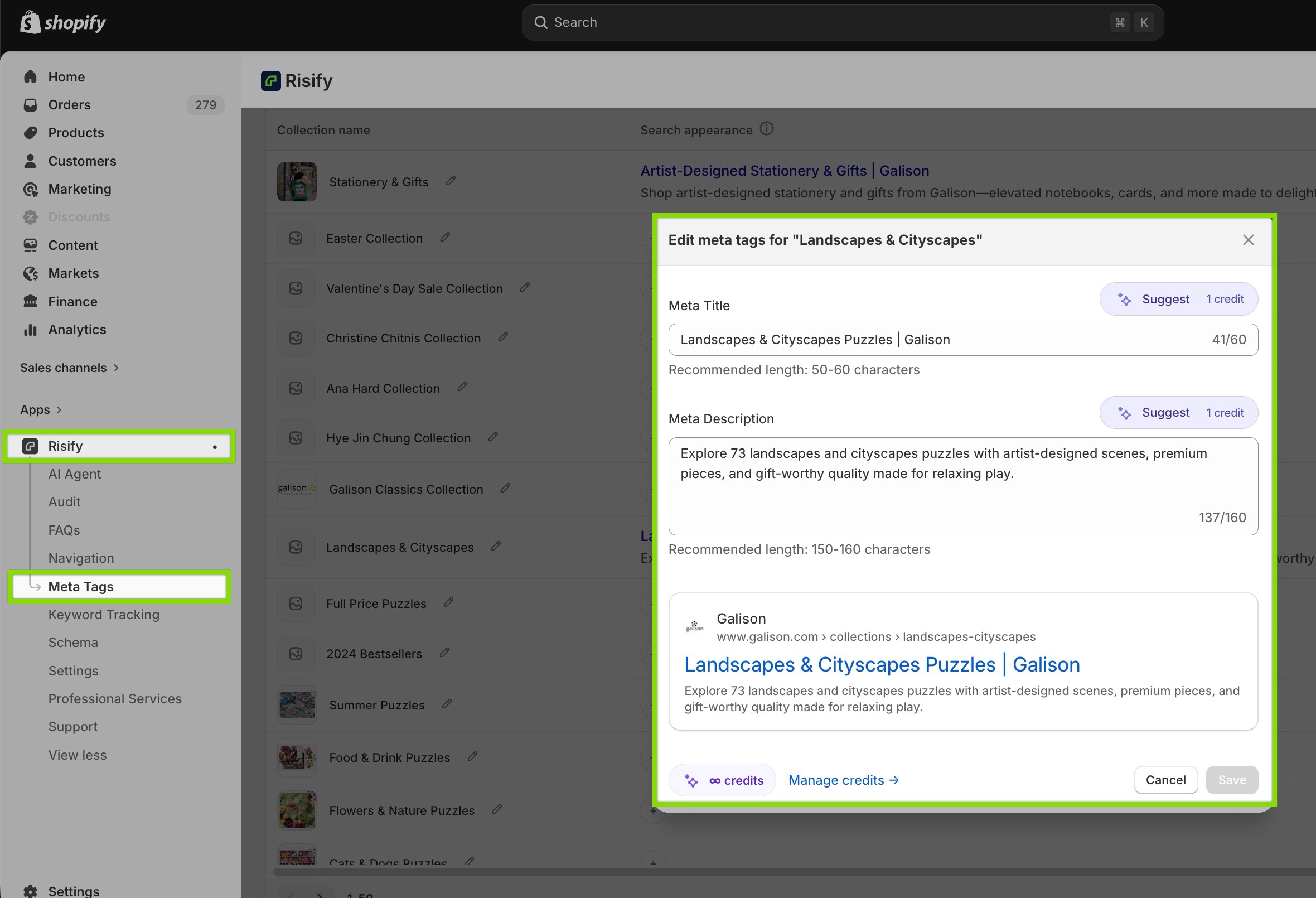
Risify’s Meta Tags manager lists every product and collection on a single screen. You can filter by missing tags, tags that are too long, or tags that are too short so you know exactly which pages need attention.
Editing any item opens a live SERP preview that updates as you type, showing exactly how your title and description will appear in search results.
For large catalogs, Risify’s AI agent generates optimized meta titles and descriptions in bulk. You select the products that need tags, the AI reads each product’s data, and you review and publish.
Changes save directly to your Shopify product fields. No separate sync required.
📌 Learn more about Risify’s Meta Tag Manager.
Store Navigation and Internal Linking
With a default setup, your navigation menu creates a visual hierarchy for human visitors.
However, it doesn’t create the internal linking signals that help search engines and AI tools understand how your collections relate to each other.
What Shopify Provides
A shopper landing on a collection page from Google typically sees a product grid and nothing else. There’s no path to related collections, no signal pointing to what else your store carries in that category.
From an SEO perspective, the links in your navigation menu communicate very little about your catalog’s structure to search engines, and nothing to AI tools trying to understand how your categories connect.
Setting Up Navigation with Risify
Risify’s Similar feature adds a visual navigation bar to collection pages showing links to related collections in the same category.
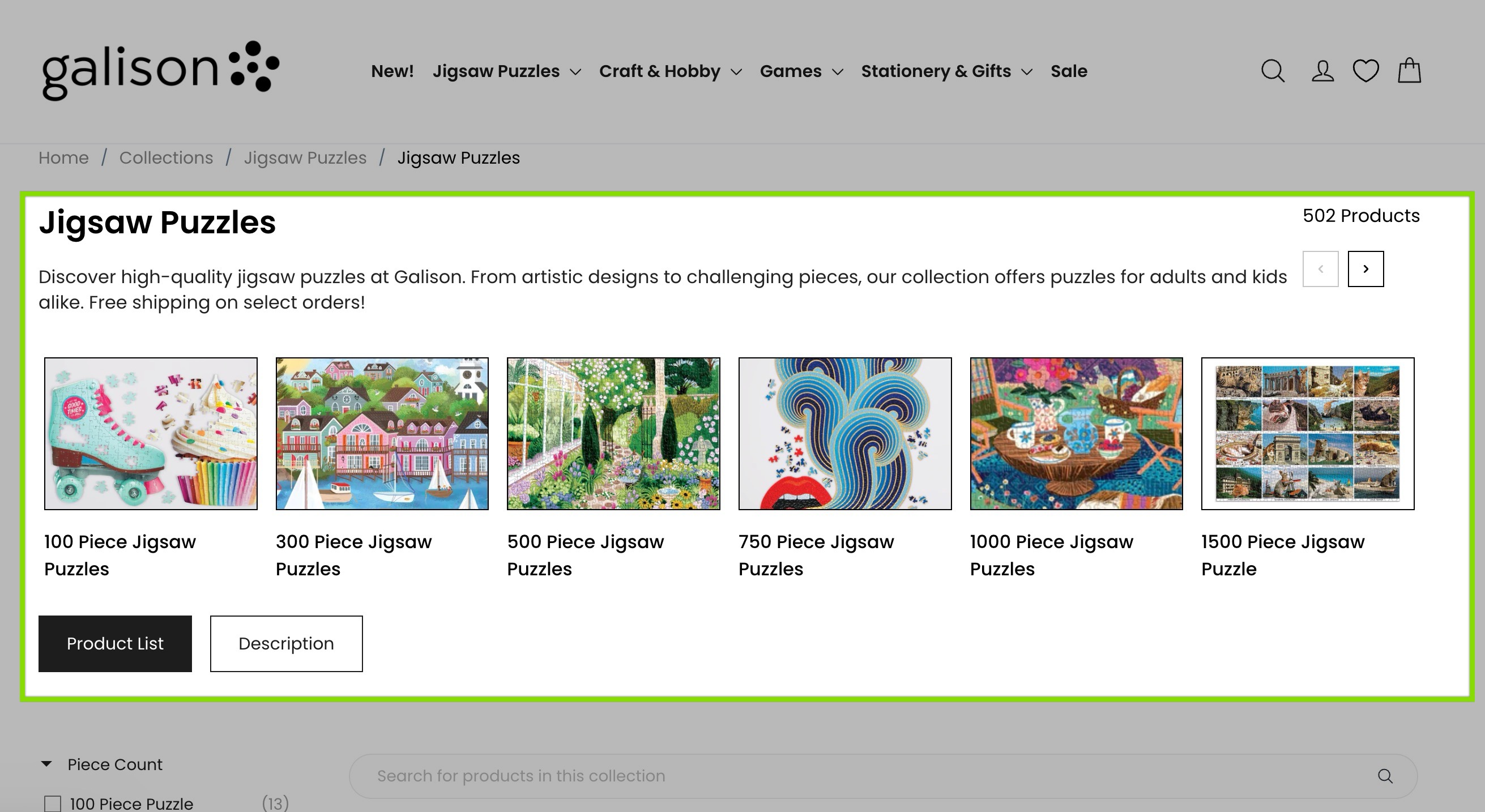
A shopper browsing your Corner Sofas collection sees direct links to Two-Seater Sofas, Sofa Beds, and other related collections without going back to a parent menu.
These are real HTML links, internal linking signals that search engines follow and that reinforce category relationships.
Risify’s Discover feature adds a suggestion row linking to related products and collections you define.
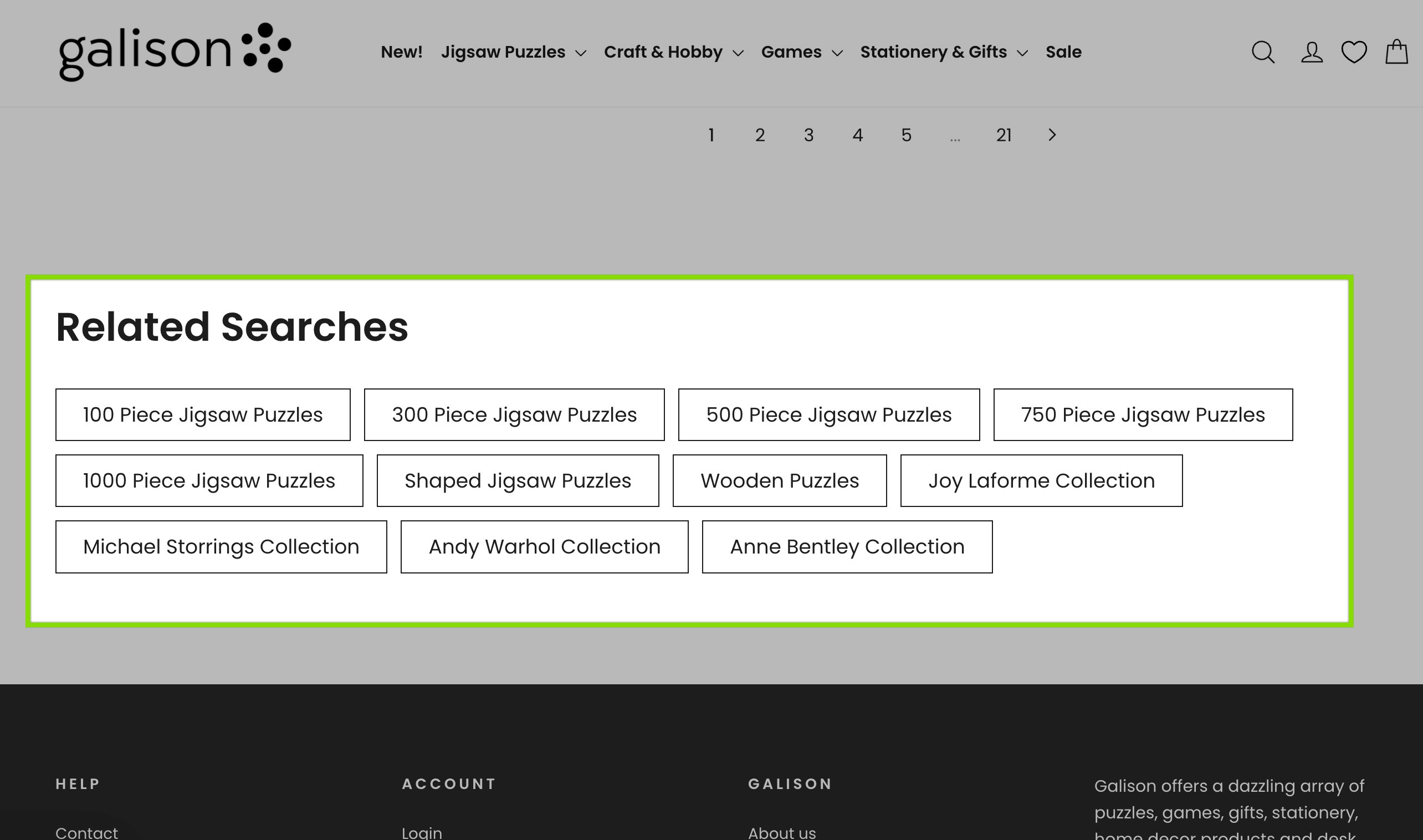
Each collection page can guide shoppers toward complementary items, accessories, or alternatives, reducing bounce rates and creating additional crawlable connections between your pages.
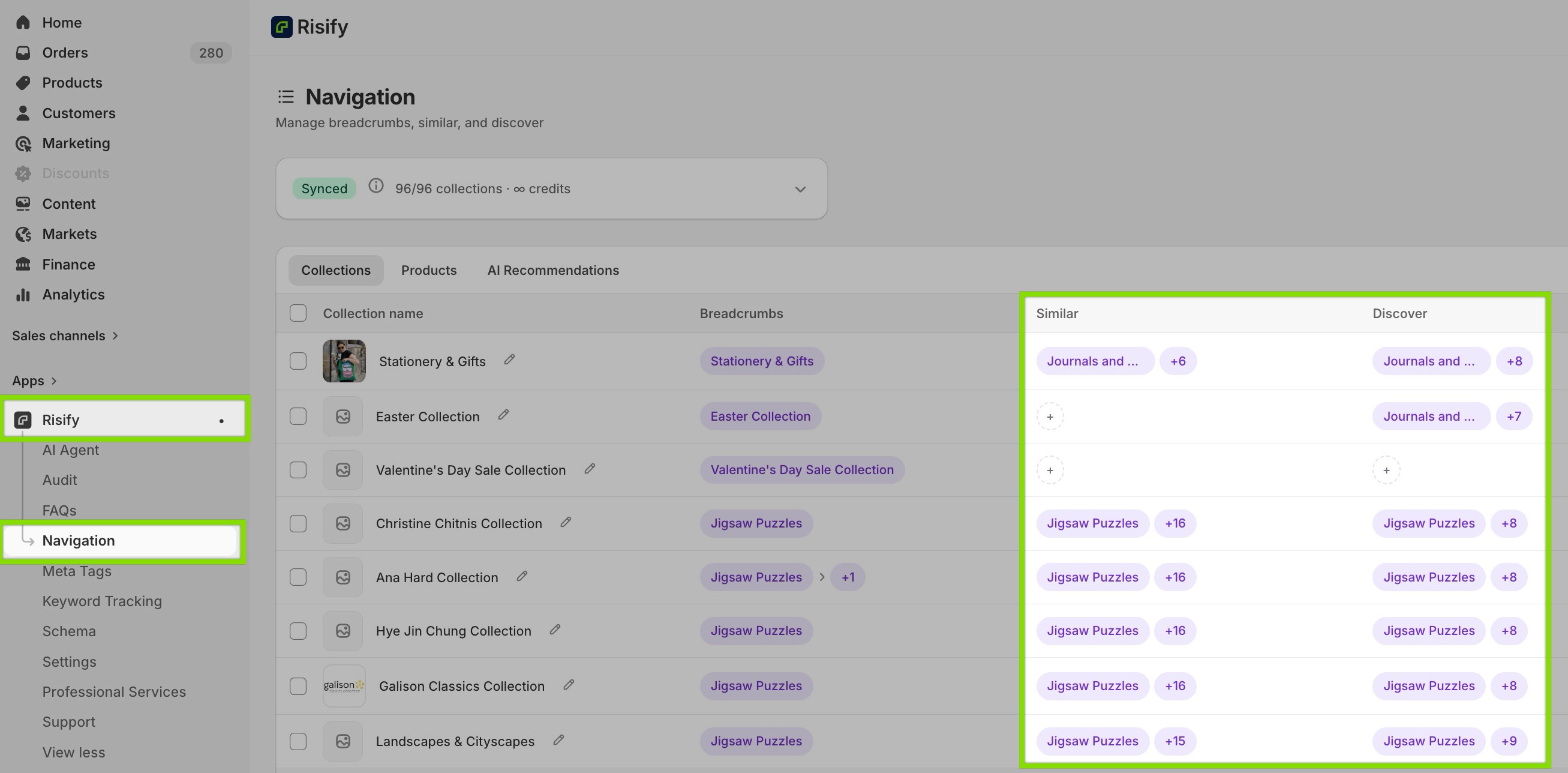
Both features are configured from the same Navigation tab in the Risify admin, alongside breadcrumbs.
Content Generation
Every feature described in this post requires content: breadcrumb paths, FAQ pairs, meta titles, collection descriptions.
For a store with a small catalog, writing all of this manually can be easily manageable but things change if you have a store with hundreds of products and collections.
Creating Content in Shopify
Currently Shopify doesn’t provide any AI content generation. Product descriptions, meta tags, and FAQ content require manual writing for every page.
How Risify Helps
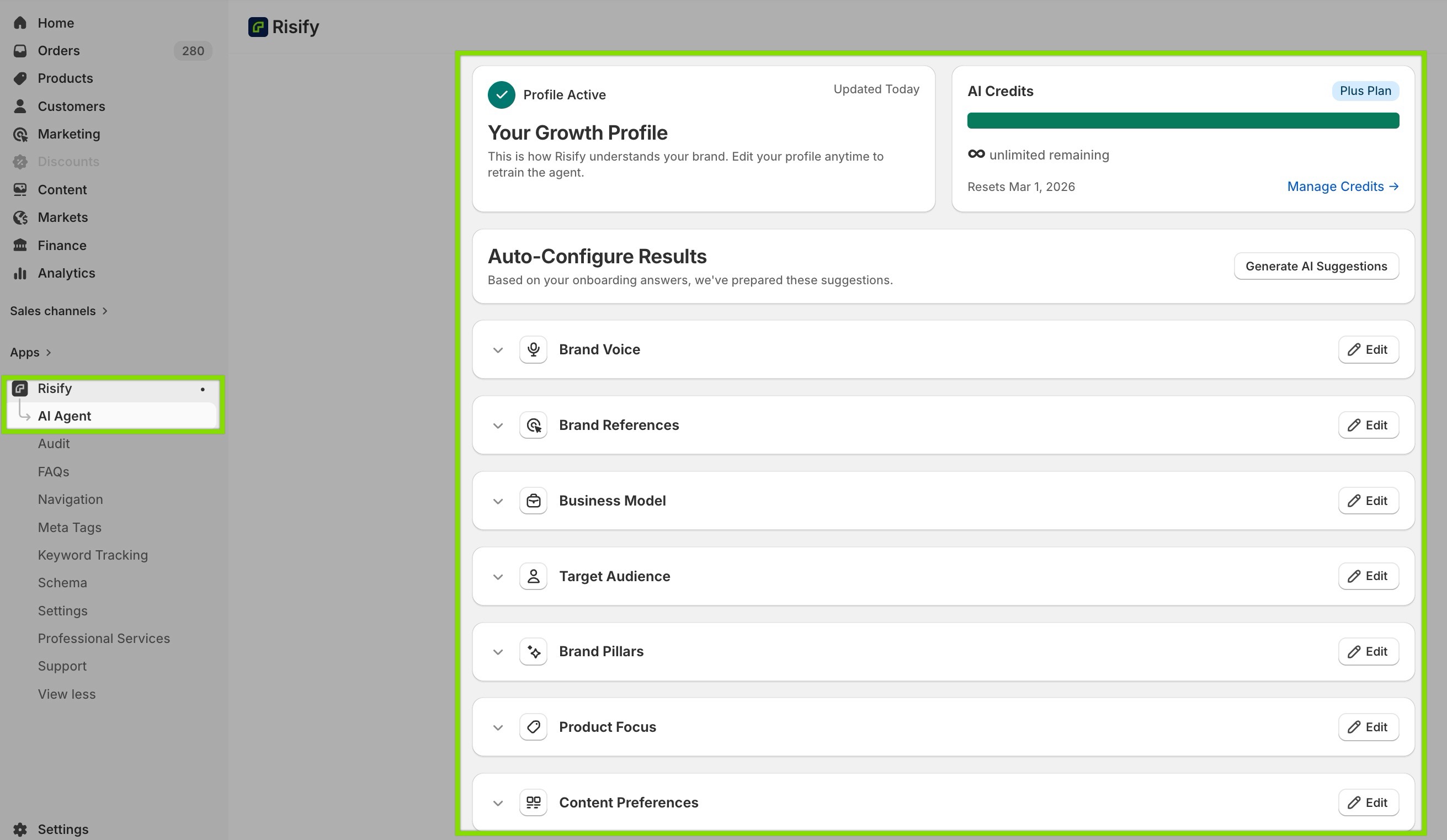
Risify’s AI Agent is a content assistant trained on your brand voice. During a short onboarding process, you define your tone, audience, business model, brand pillars, and content priorities.
This becomes your Growth Profile, which is the reference the AI agent uses to generate content that sounds like your brand rather than a generic template.
From the AI Agent dashboard, you can generate product descriptions, collection descriptions, meta tags, FAQ content, homepage copy, and more.
It also works inline with specific features such as generating breadcrumb paths, FAQ content, similar collection menus, discover suggestions, and meta tags directly from the relevant screens.
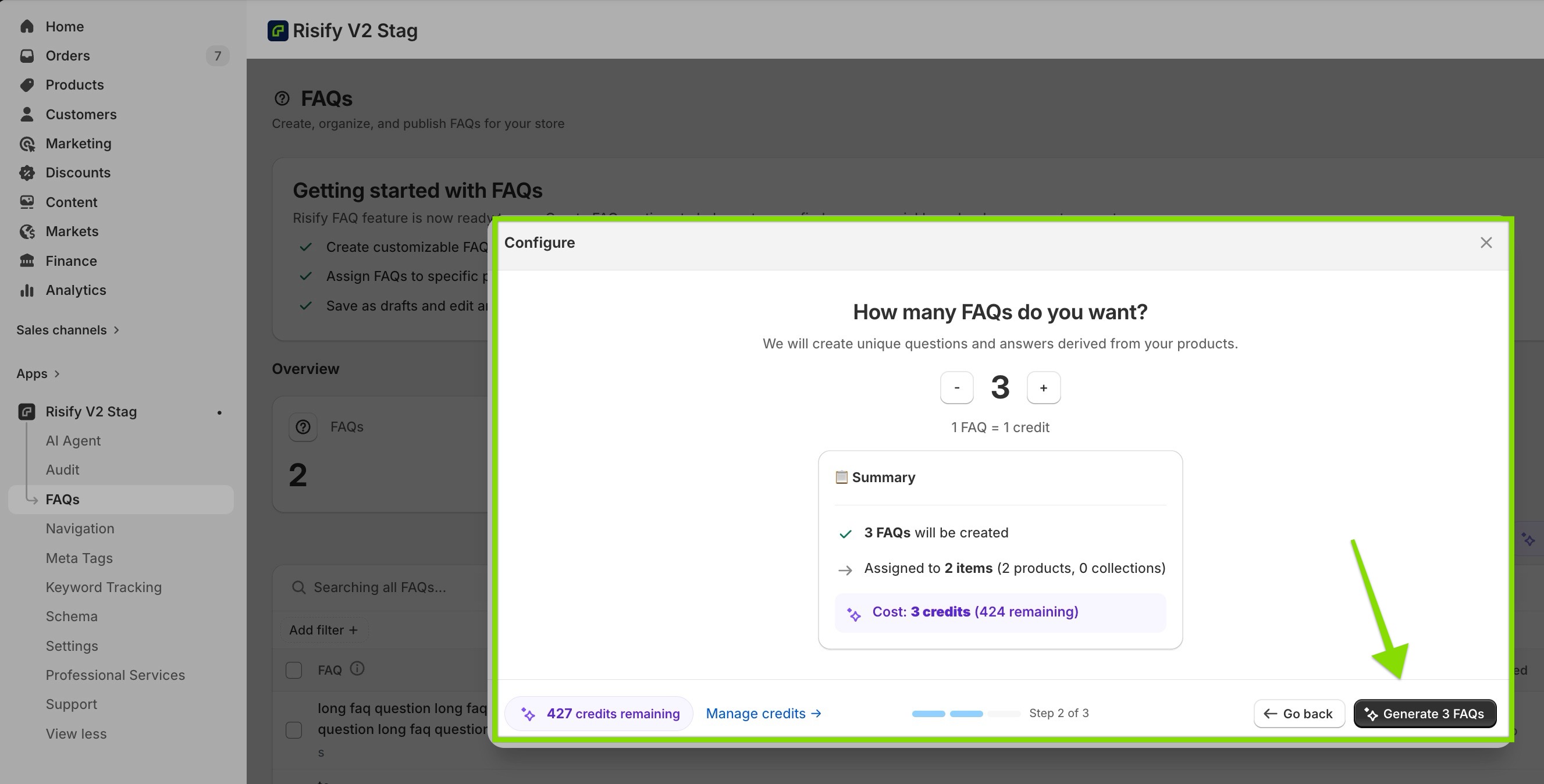
You can review all generated content before publishing. The AI produces a starting point; you approve and edit before anything goes live.
Keyword Tracking and SEO Health
Without a way to audit your store, SEO problems accumulate silently.
A deleted product leaves a broken link. A new collection launches without a meta description. An app update slows page load times. None of these surface on their own. You only find them if you’re looking.
Tracking Performance by Default
Shopify provides almost no native SEO monitoring. There’s no broken link detector, no health score, no keyword ranking visibility. Merchants who want this data need external tools.
Tracking Keywords and Performance with Risify
Risify’s Store Audit scans your store for broken links, meta tag issues, schema errors, and page speed problems, then generates an overall Health Score.
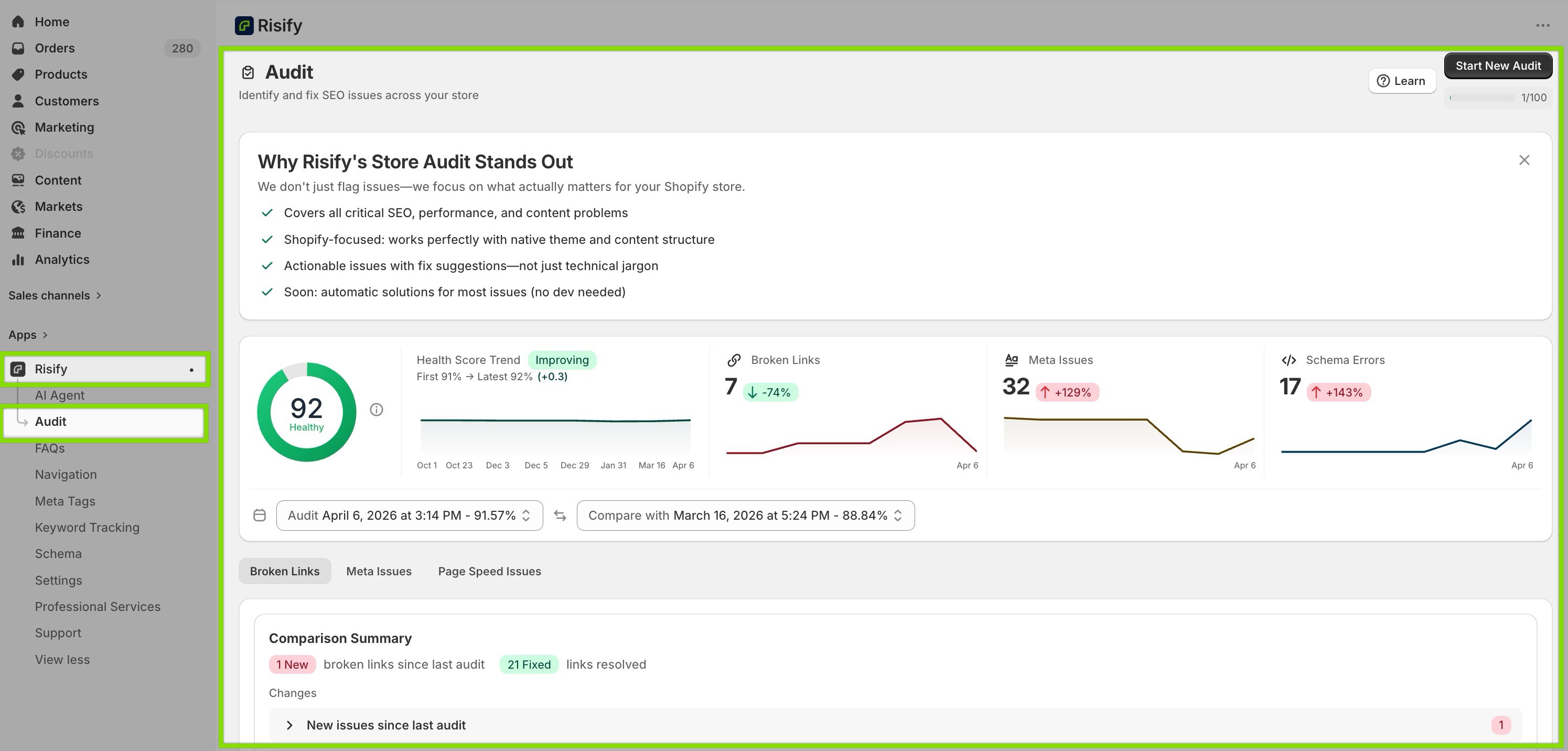
Issues are categorized by severity so you know what to fix first. Running audits regularly and comparing scores across scans gives you a measurable view of your store’s SEO progress over time.
Risify’s Keyword Tracking feature monitors your store’s search rankings for the keywords you choose, across your selected country, language, and device type.
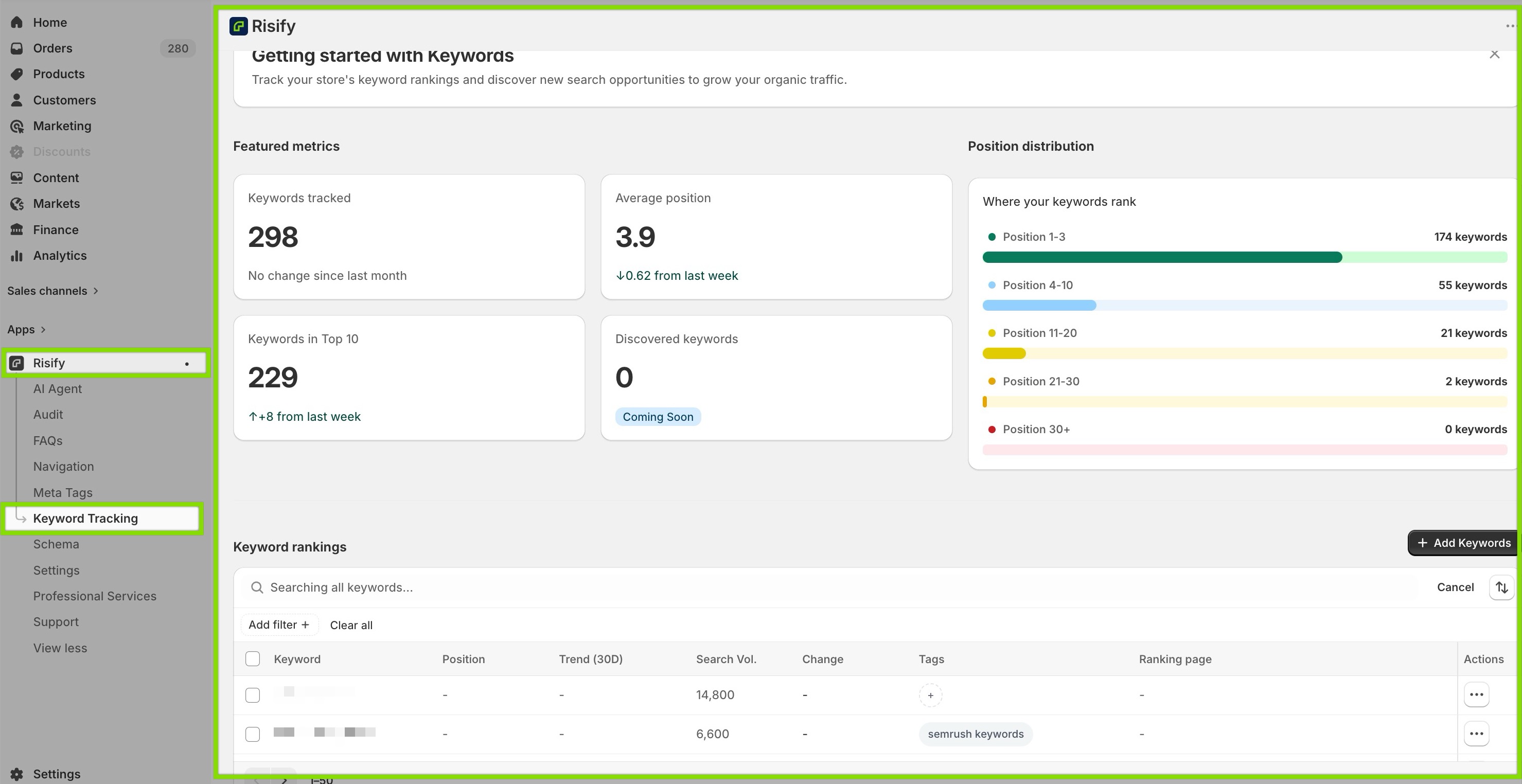
You can track position changes, see how many keywords reach the top 10, and identify which URLs are ranking for each keyword. All inside your Shopify admin without switching tools.
Conclusion
When a search engine or AI tool lands on a well-structured Shopify store, it finds a complete picture: a brand it can identify, products it can describe accurately, a catalog hierarchy it can navigate, answers it can extract and cite, and pages that summarize themselves clearly.
That’s the store that gets recommended. That’s the store that appears in AI-generated answers, ranks for category-level queries, and shows up when shoppers ask ChatGPT or Perplexity what to buy.
Getting there doesn’t require rebuilding anything. It requires adding the structured layer that Shopify doesn’t build by default, and keeping it accurate as your store grows.