




A Shopify store with 300 products and 40 collections needs unique meta titles and descriptions for every page.
It needs FAQ content on product pages and collection pages, each addressing different types of buyer questions for improved AI and search engine visibility.
It needs breadcrumb paths that reflect the actual catalog hierarchy. And all of that content should sound like it came from the same brand.
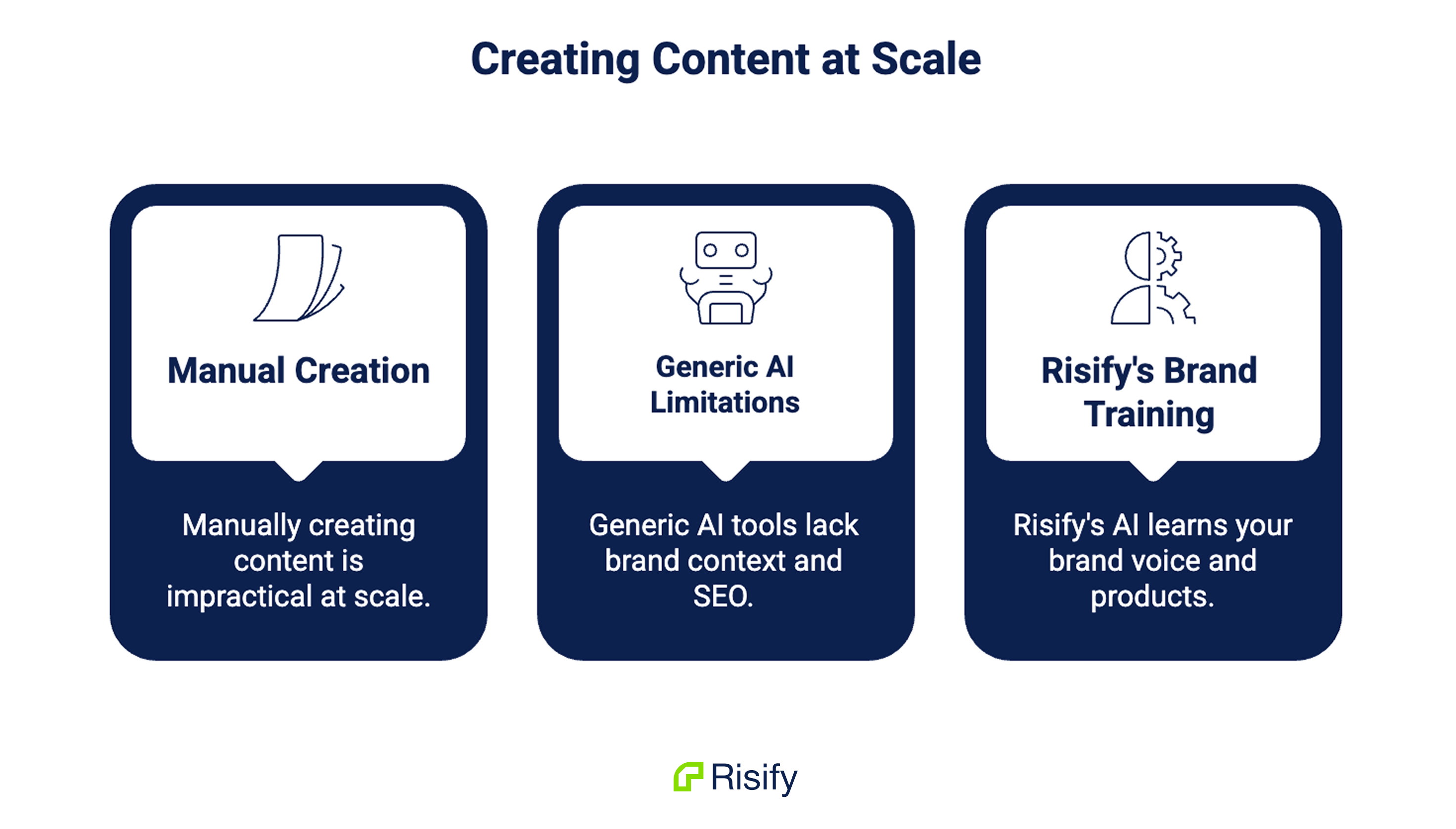
Doing this manually is time consuming. It is also one of the reasons most stores never finish.
The alternative, copying product details into ChatGPT or another generic AI tool, solves the speed problem but introduces new ones.
There is no brand context, no awareness of your product catalog, no SEO formatting, and every piece of content needs to be moved back into Shopify manually.
The output reads like it could belong to any store, because it could.
Risify’s AI Agent takes a different approach: Before it generates a single word, it learns your brand.
Then it applies that understanding across every content type your store needs, directly inside your Shopify admin.
Key takeaways:
- Manually creating meta tags, FAQs, and navigation content across a full catalog is impractical at scale
- Generic AI tools produce content without brand context, product awareness, or SEO formatting
- Risify’s AI Agent learns your brand voice, audience, and products through a Growth Profile before generating anything
- Meta tags and FAQs can be generated in bulk with automatic schema markup
- Navigation suggestions for breadcrumbs and related collections are based on how your collections actually relate to each other
Why Content Creation at Scale Is Hard to Manage
Each content type your Shopify store needs has its own requirements, and each page needs something unique.
Meta Tags Across Hundreds of Pages
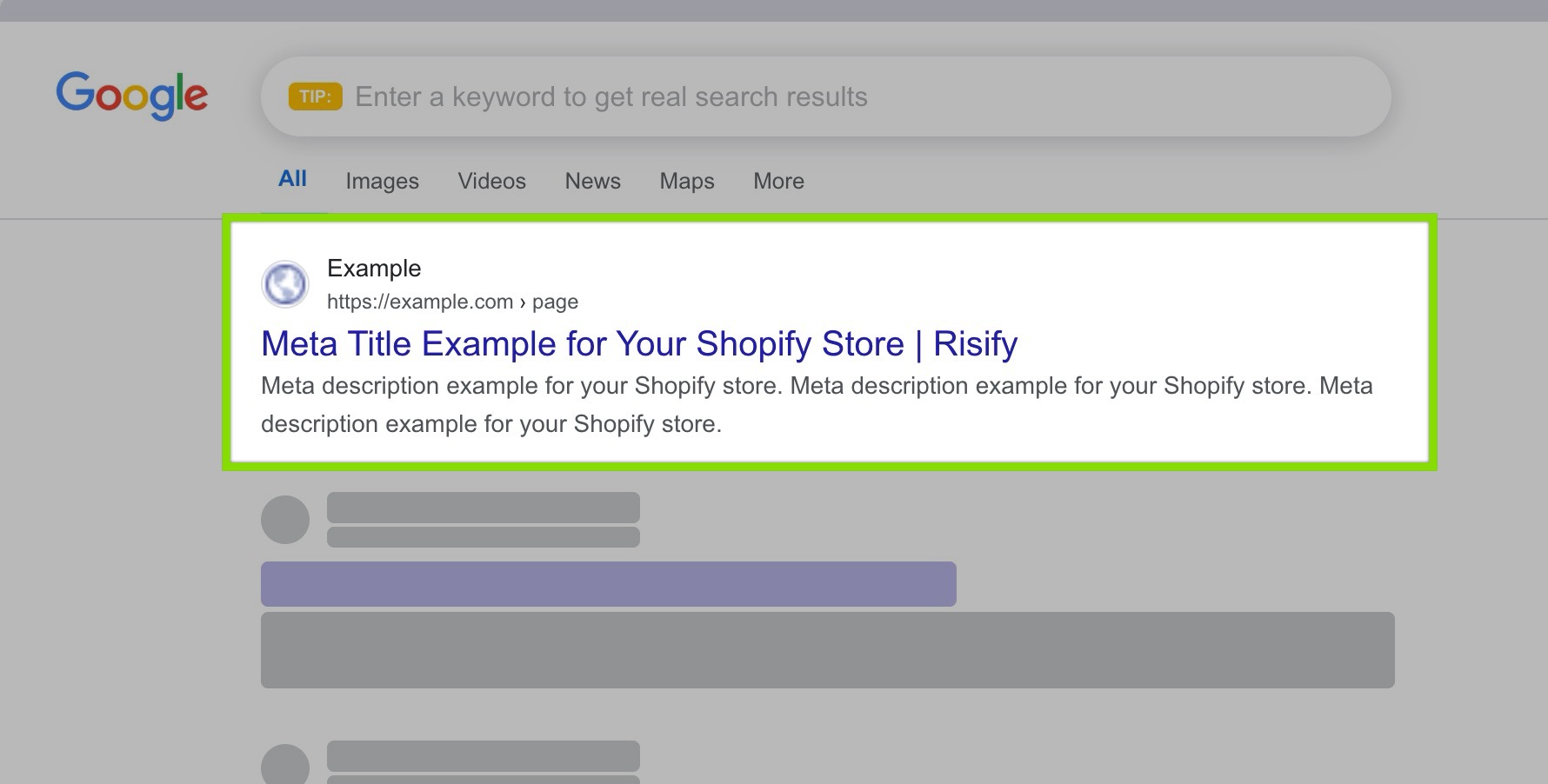
Meta titles and descriptions shape how your pages appear in search results and how AI tools categorize them.
A store with hundreds of products cannot rely on Shopify’s auto-generated tags, which typically pull from the product name and the first lines of the description.
Those defaults are generic, often too long or too short, and rarely include the keywords or differentiators that make a search result worth clicking.
FAQ Content Management
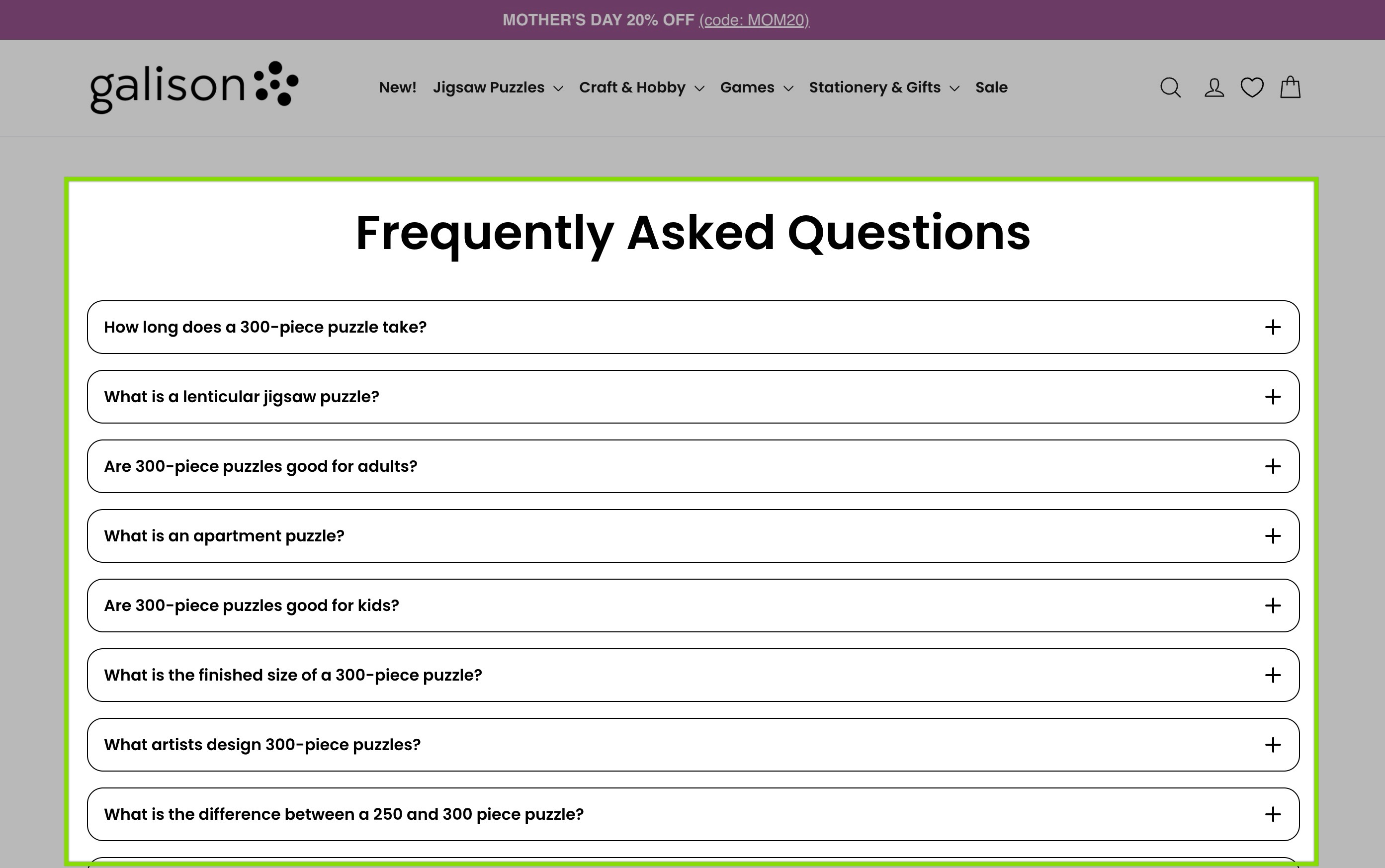
FAQ content needs to be placed on both product and collection pages, with different questions for each.
Product pages need item-specific answers about dimensions, compatibility, or care instructions. Collection pages need category-level content answering comparison and guidance questions.
Shopify has no native FAQ system at either level, and most stores that do have FAQ content have it scattered across product descriptions as unstructured text.
Breadcrumbs and Catalog Hierarchy
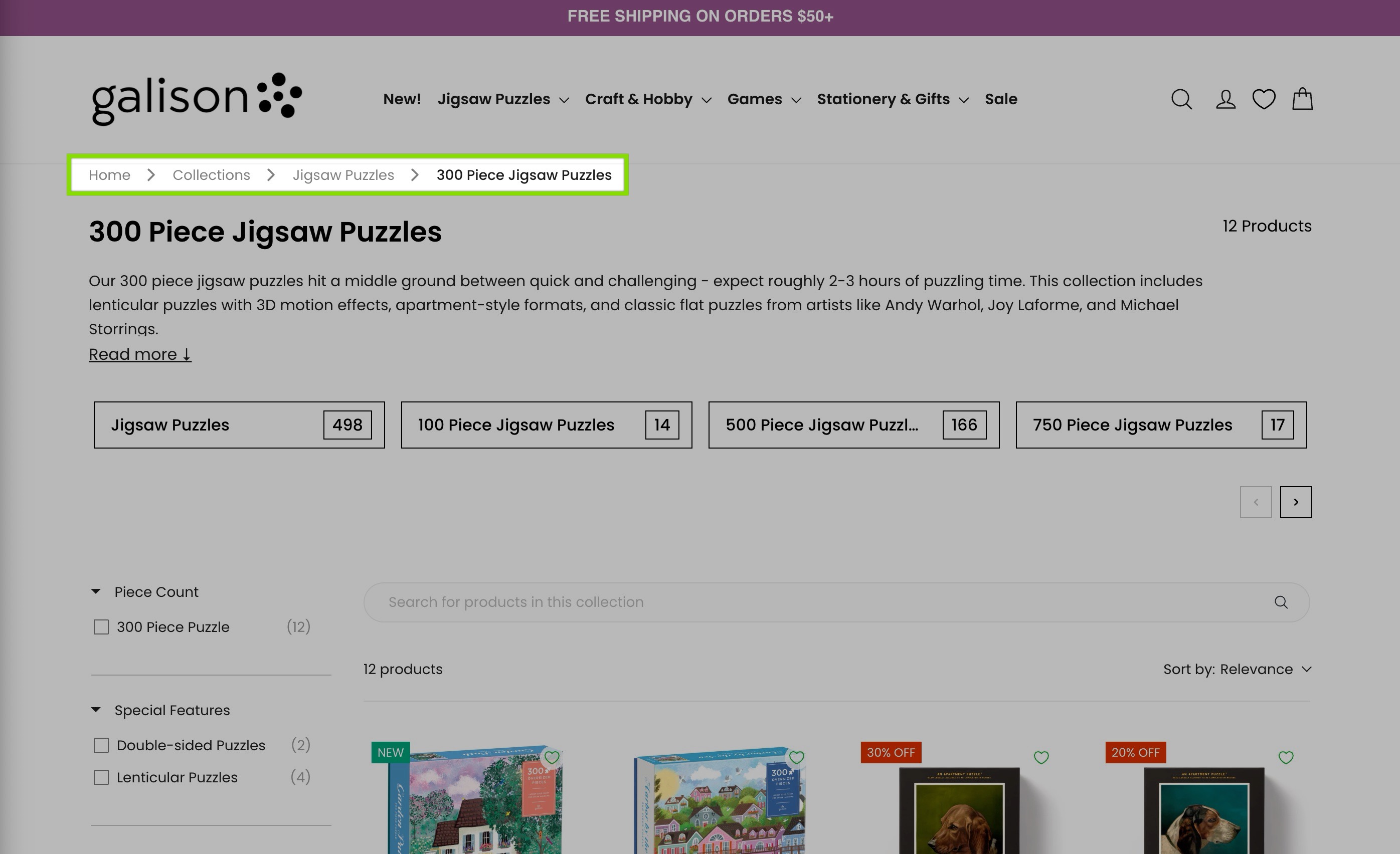
Breadcrumb paths need to reflect your real catalog hierarchy, but Shopify’s flat collection system stores every collection at the same level.
Mapping parent-child relationships across dozens of collections takes time, and getting it wrong means search engines and AI tools cannot read your catalog structure accurately.
Generic Content Falls Short
Each of these is a real task with real SEO and AI visibility implications. Together, they represent a content workload that grows with every product and collection you add.
Generic AI tools can speed up the writing, but they do not solve the underlying problems. You still paste product information one item at a time.
The output has no awareness of your brand voice, your audience, or your store’s structure.
And every generated piece needs to be reformatted, reviewed for SEO requirements, and manually moved into the right place in Shopify.
The bottleneck is not just writing. It is writing the right content, in the right format, for the right pages, at scale.
What Risify AI Agent Does
Risify’s AI Agent is a brand-trained content assistant that works across three core areas of your store.
Bulk Meta Tag Generation
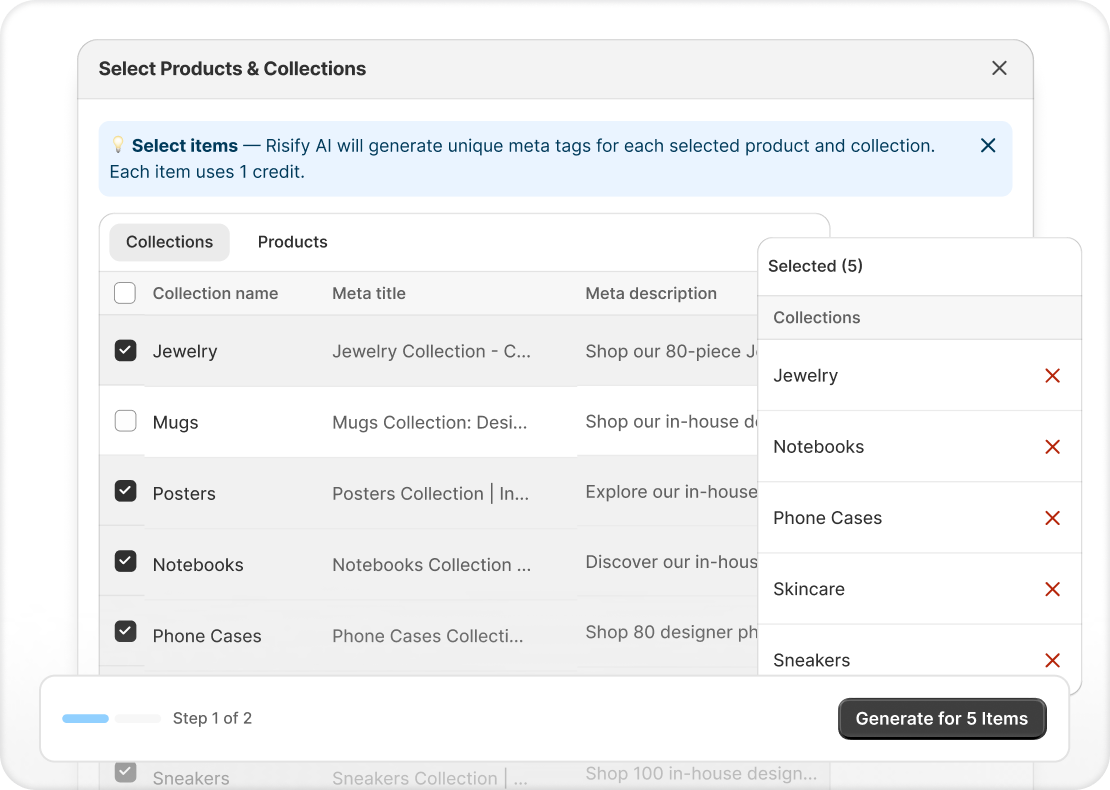
The agent generates unique titles and descriptions for products and collections in bulk.
Each generated tag includes a live Google search result preview so you can see exactly how it will appear before publishing. Changes save directly to your Shopify product fields.
FAQ Content Creation
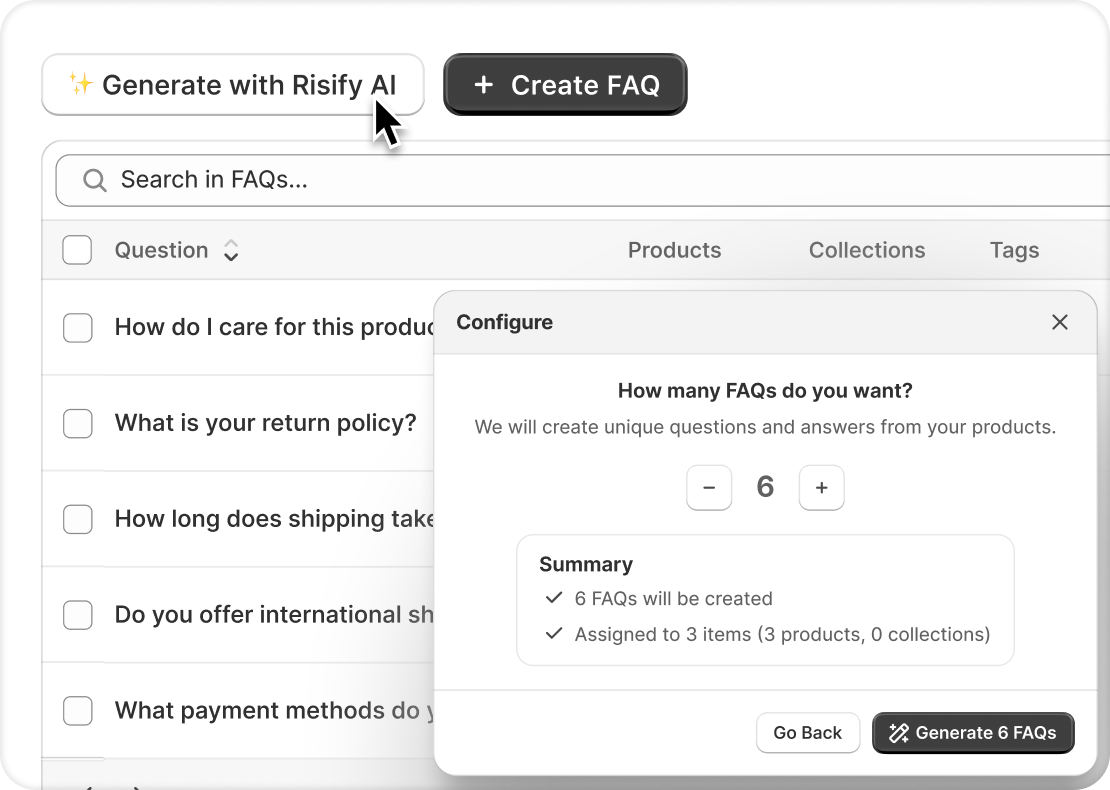
The agent creates relevant question-and-answer pairs based on your actual product data. You choose how many FAQs to generate per product or collection, review the output, and publish.
Every published FAQ automatically carries valid FAQPage schema, making your Q&A content readable by search engines and AI tools.
Navigation Suggestions
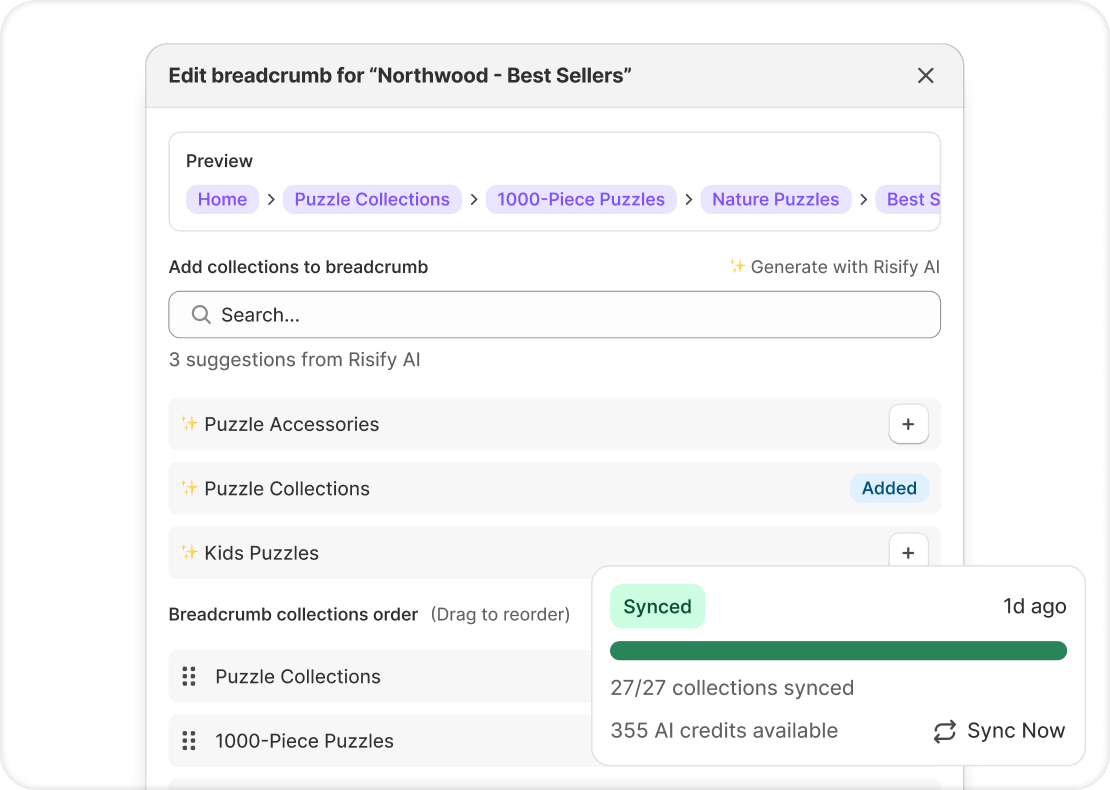
The agent analyzes your collections and recommends logical breadcrumb paths and related collection links.
Instead of manually mapping how your categories connect, the AI identifies relationships based on what your collections actually contain.
The generation buttons appear directly where you work: on the Meta Tags page, the FAQ page, and the Navigation settings.
There is no separate AI interface to navigate to. The content tools are built into the same screens you already use to manage your store.
How Growth Profile Works
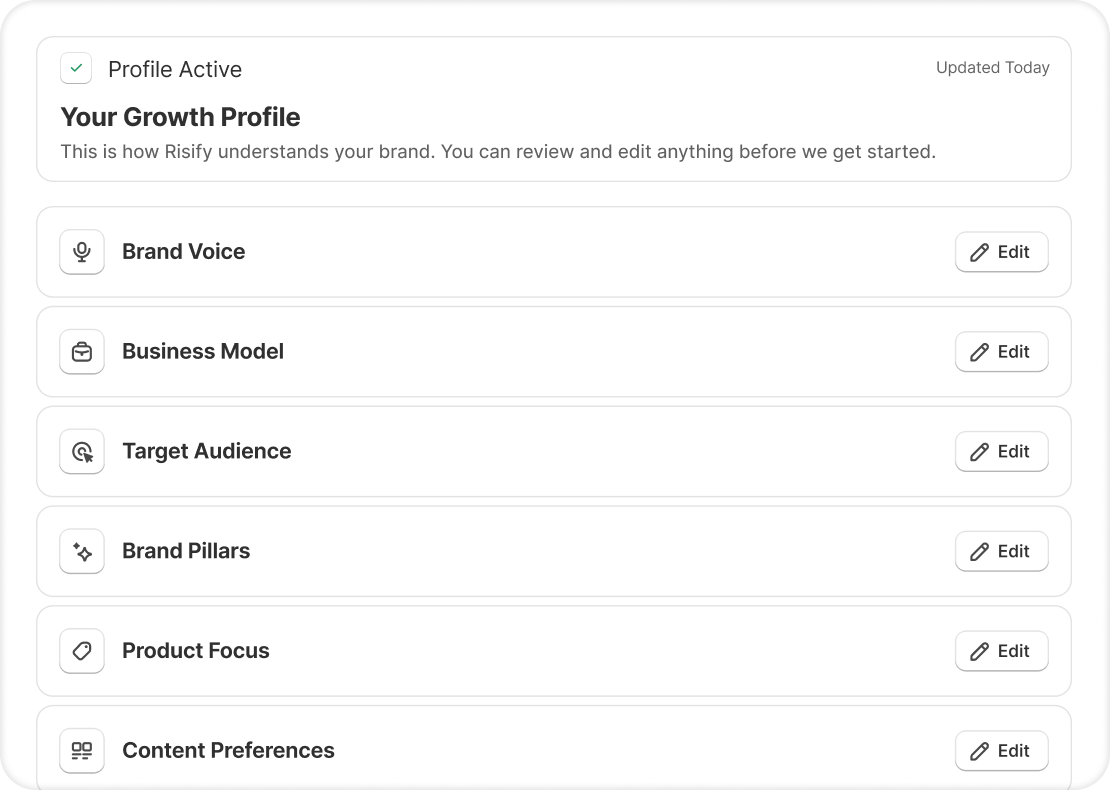
This is what separates a brand-trained agent from a generic text generator.
Before producing any content, Risify walks you through an 8-step onboarding called the Growth Profile. It
takes about 3 minutes and works like a creative brief you would give a copywriter, except the brief stays active for every piece of content the agent creates going forward.
Voice and Identity
You select up to 3 tones that describe how your brand should sound. Options range from professional and minimalist to playful, bold, or warm.
You also pick up to 3 brands whose communication style you admire, regardless of industry. This combination gives the agent a clear picture of the voice you are aiming for.
Business Context
You describe how your store operates: business type, whether you have physical locations, how you fulfill orders, and how you source products.
A direct-to-consumer brand that manufactures in-house sounds different from a curated reseller, and the agent should reflect that.
Audience and Differentiators
You describe your ideal customers, what matters to them, and why they choose your store over alternatives.
You select their primary motivations, whether that is quality, sustainability, price, convenience, or something else. You also highlight your unique selling points and brand values.
Product Focus and Content Priorities
You tell the agent which products or collections to prioritize and what type of content to generate first. You can flag seasonal timing so the agent factors that into its output.
Once completed, you review everything and confirm. The Growth Profile becomes the foundation for all content generation.
Updating as Your Brand Evolves
This profile is not locked after setup.
When you launch new products, shift your messaging, or change your audience focus, you edit the relevant section from the dashboard and the agent adapts immediately.
No need to repeat the full onboarding.
Generating Meta Tags and FAQs in Bulk
The two content types where scale matters most are meta tags and FAQ content.
Both need to be unique per page, both have specific formatting and SEO requirements, and both multiply with every product and collection in your catalog.
Meta Tags at Scale
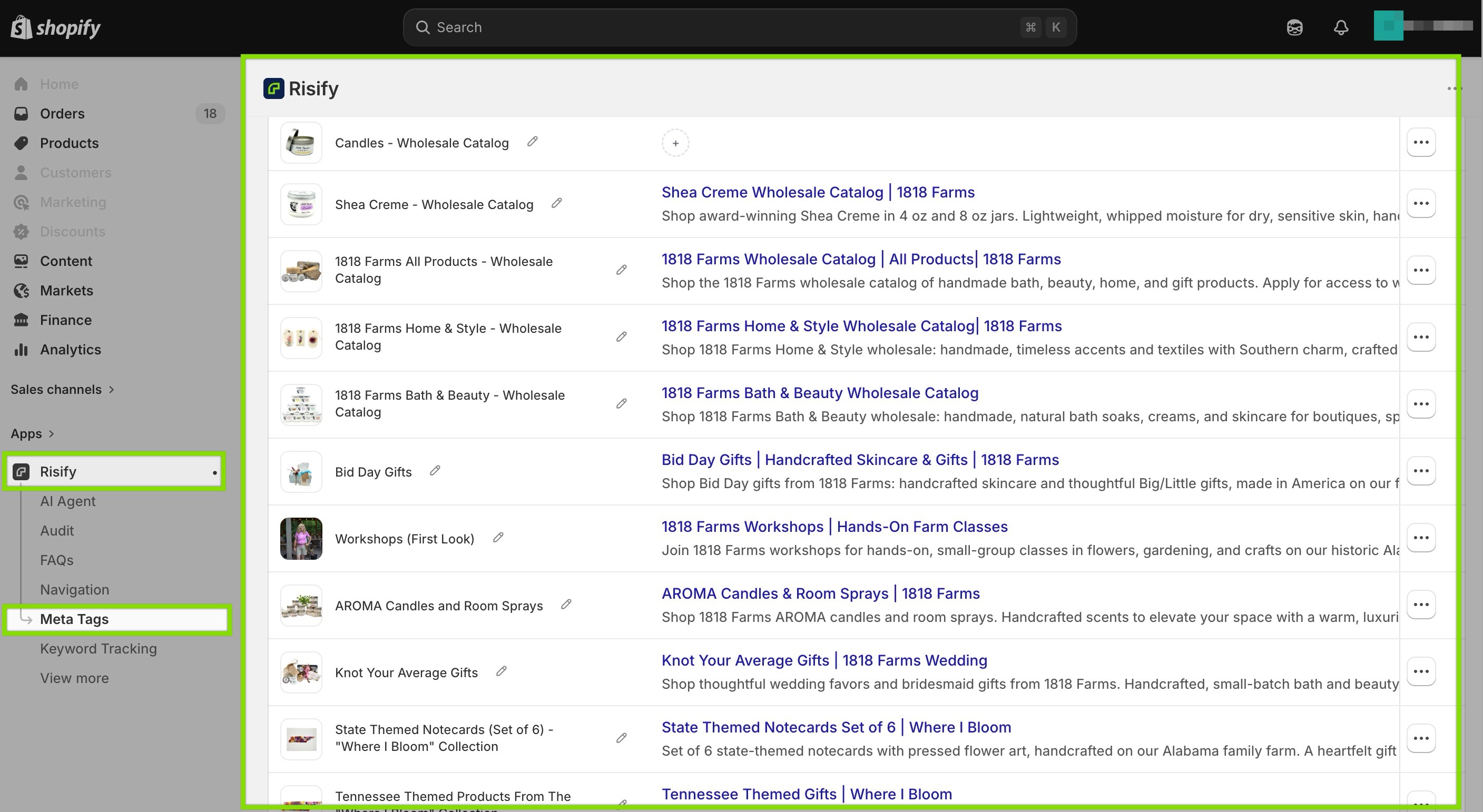
You select the products or collections that need titles and descriptions.
The AI reads each item’s product data, applies your Growth Profile, and generates unique tags in a single batch.
Every generated meta tag shows a live SERP preview that updates as you edit, so you see the exact search result appearance before saving.
Completed tags save directly to Shopify’s product fields without any manual transfer.
For a store with hundreds of products where meta tags have been auto-generated or left blank, this turns a multi-week project into something you can work through in a few focused sessions.
FAQ Content for Products and Collections
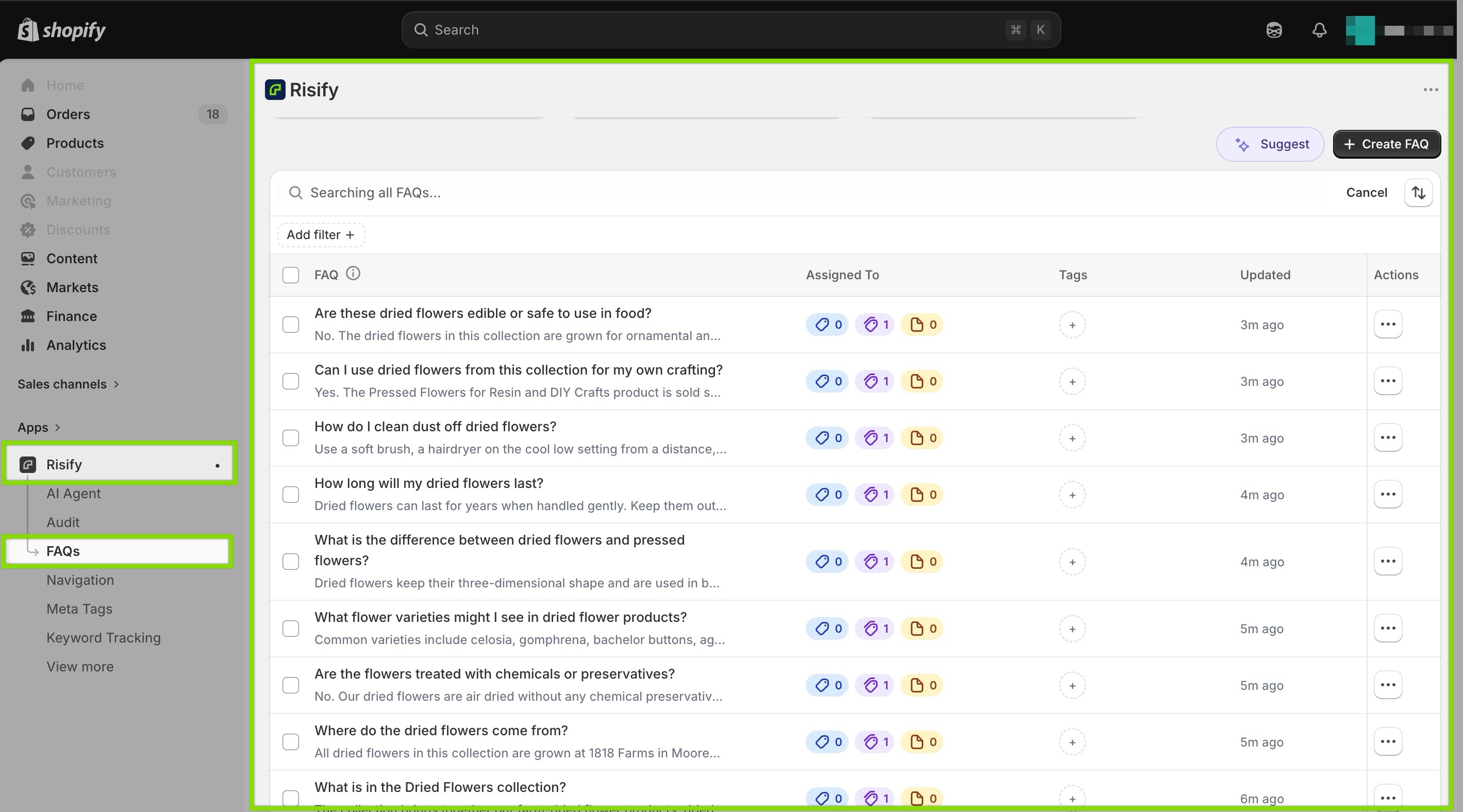
You choose which products or collections need content and how many FAQs to generate per item.
The agent analyzes each product’s title, description, variants, and attributes, then produces relevant question-and-answer pairs.
The output is not published automatically. You review each FAQ, edit the language if needed, and then publish.
Once live, every FAQ automatically carries valid FAQPage schema, which means your Q&A content becomes structured data that search engines and AI tools can extract and cite.
This is especially valuable for collection pages.
Most Shopify stores have no FAQ content on collections at all, which means the pages that rank for category-level research queries have nothing for AI tools to find.
Generating collection-level FAQs in bulk fills that gap across your entire catalog.
AI-Powered Navigation Suggestions
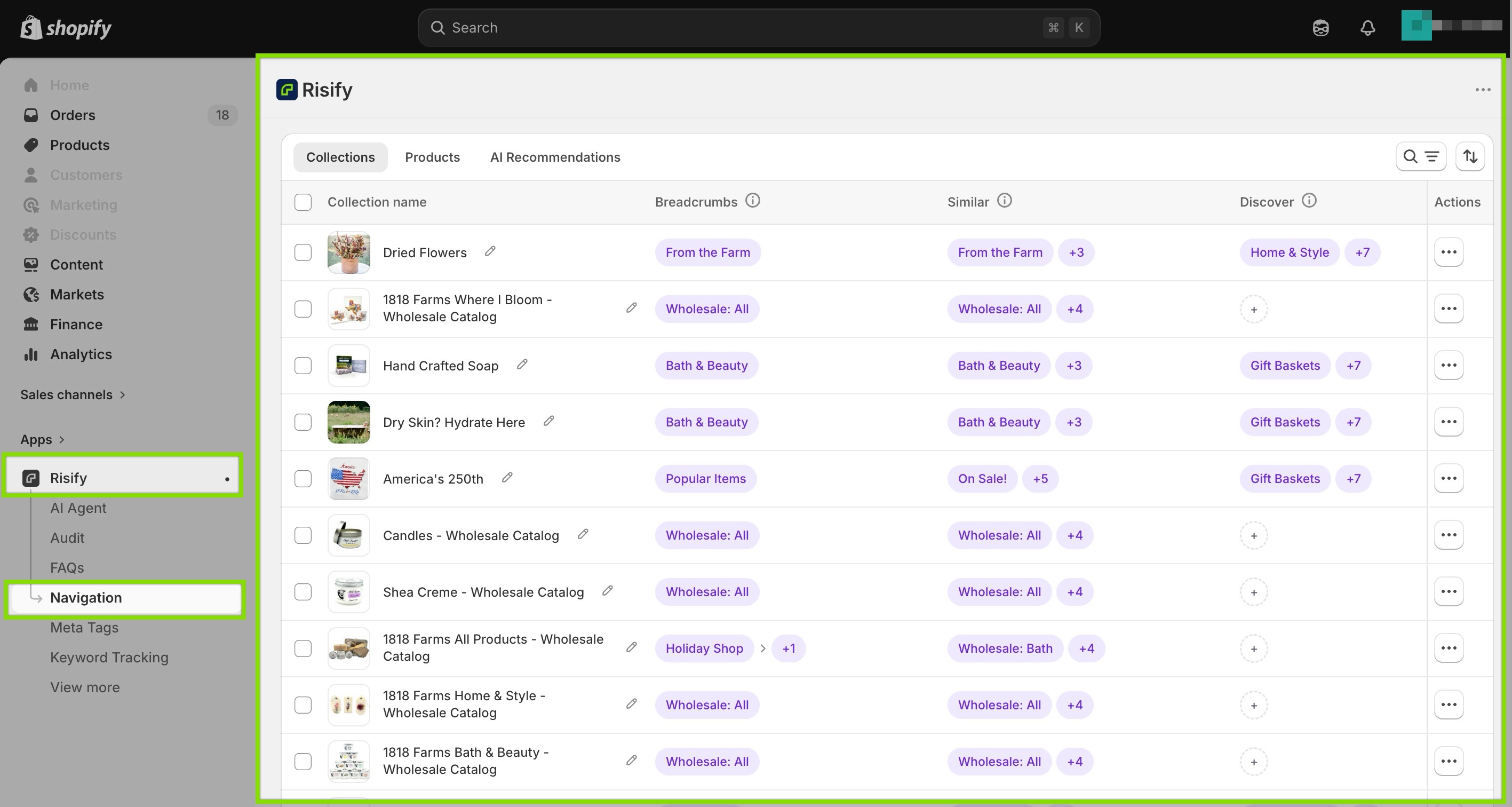
Mapping catalog relationships manually is one of the most time-consuming parts of improving store structure.
Which collection should be the parent of which? What related collections should appear together?
For stores with deep or complex catalogs, answering these questions across every collection takes hours of manual work.
Breadcrumb Path Recommendations
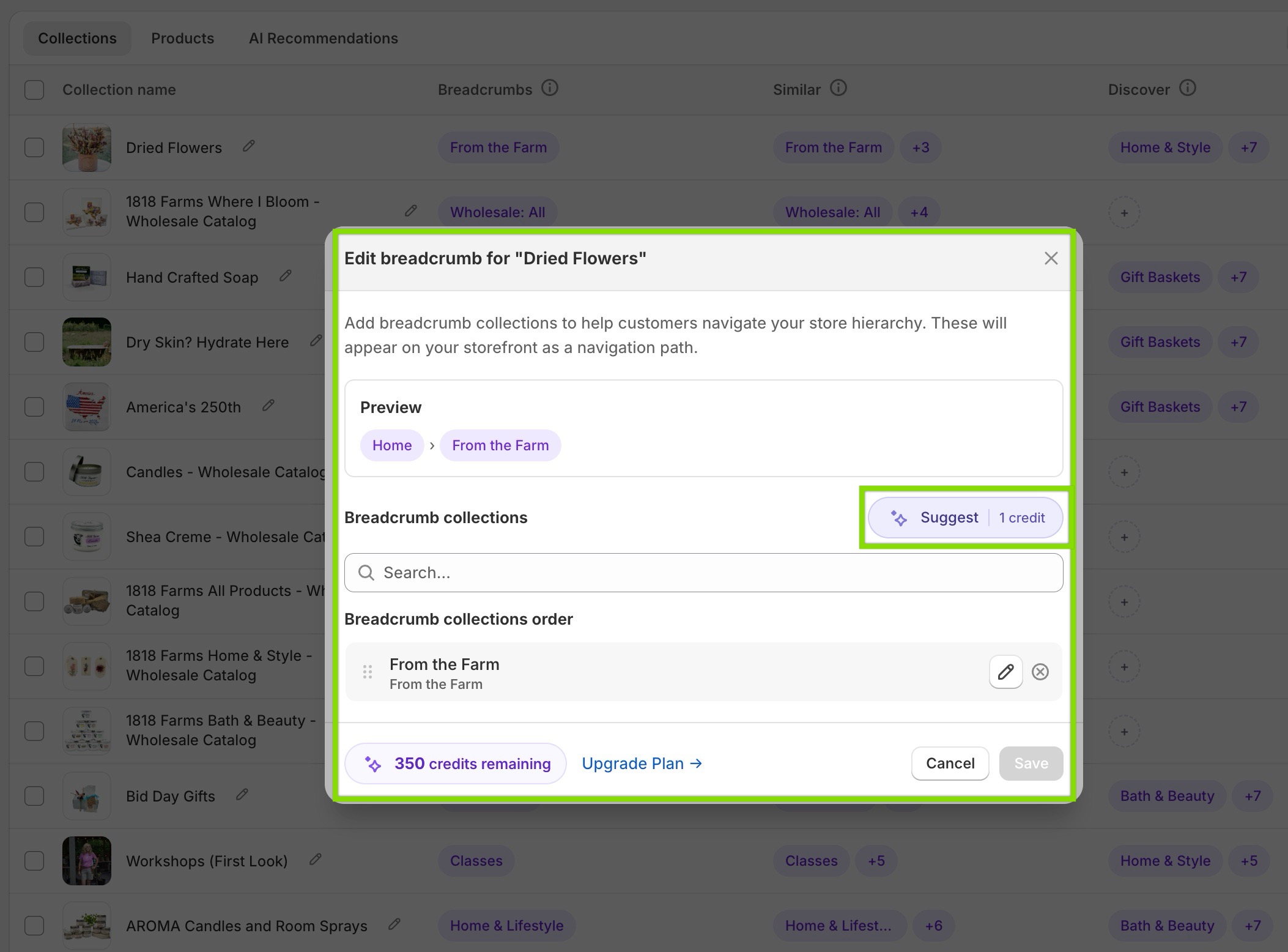
Risify’s AI Agent analyzes your collections based on their actual content, not just their titles, and suggests logical parent categories when you edit breadcrumb paths.
Each path you confirm generates valid BreadcrumbList schema automatically, giving search engines and AI tools the explicit catalog structure that Shopify’s flat collection system does not provide natively.
Related Collections
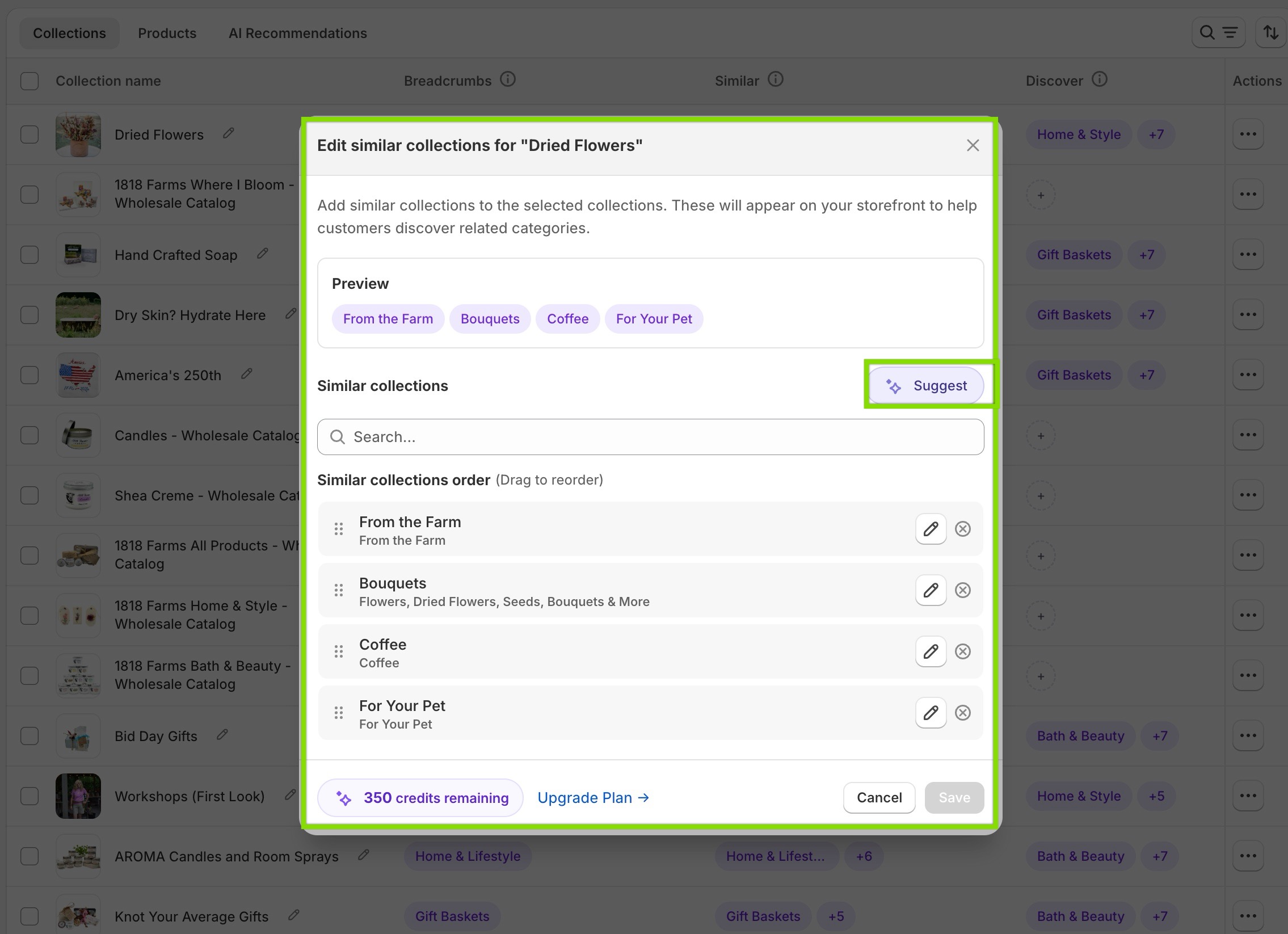
The agent also identifies semantically related collections for internal linking.
When you configure related collection links, it recommends connections that strengthen your internal linking structure and help shoppers move between relevant categories.
These suggestions replace the guesswork. You still make the final decisions, but you start from an informed recommendation rather than a blank field.
How It Fits Into Your Workflow
The entire process runs inside your Shopify admin. There is no external platform to log into, no content to copy between tools, and no formatting to adjust after generation.
Built Into Existing Screens
The AI Agent’s features surface where you already manage your store.
Meta tag generation appears on the Meta Tags page. FAQ generation appears on the FAQ page. Navigation suggestions appear in the Navigation settings.
You work within the same screens, with the AI available when you need it.
Always Under Your Control
Your Growth Profile evolves with your business. Edit any section from the dashboard and the agent’s output adjusts.
A seasonal product push, a new target audience, or a shift in brand voice takes a few minutes to update, not a full reconfiguration.
Every piece of generated content is reviewed before it goes live. The agent produces a starting point. You approve, edit, and publish.
 Structure your store for organic growth. Improved SEO & AI visibility.
Generate branded content in bulk
Set up your Growth Profile and start generating meta tags, FAQs, and navigation suggestions from inside your Shopify admin.Conclusion
The content your store needs for SEO and AI visibility is extensive: unique meta tags across every product and collection, structured FAQ content on the right pages, breadcrumb paths that communicate your real catalog hierarchy.
Doing this manually does not scale. Using generic AI tools produces content without brand context, product awareness, or proper formatting. Both approaches leave gaps that grow with your catalog.
Risify’s AI Agent closes that gap by learning your brand first and applying that understanding across every content type, directly inside your Shopify admin.
The result is content that sounds like your brand, meets SEO requirements, and reaches the pages where it belongs.