




Most Shopify stores that have FAQ content have the same invisible problem:
The questions and answers are there, the page looks fine to shoppers, but AI tools can’t read/understand any of it reliably.
FAQ content sitting on a page as unstructured text is fundamentally different from FAQ content marked up with proper schema.
This post covers what FAQPage schema is, what it actually does for your store’s visibility, how to check whether yours is working, and how to implement it correctly without any technical experience.
Key takeaways:
- FAQPage schema labels your Q&A content explicitly so search engines and AI tools can extract it accurately
- Most Shopify stores have FAQ content without valid schema, or schema that silently fails due to common implementation errors
- Collection pages need FAQ schema too, not just product pages
- You can check your schema fix it without touching code easily
What Is FAQPage Schema?
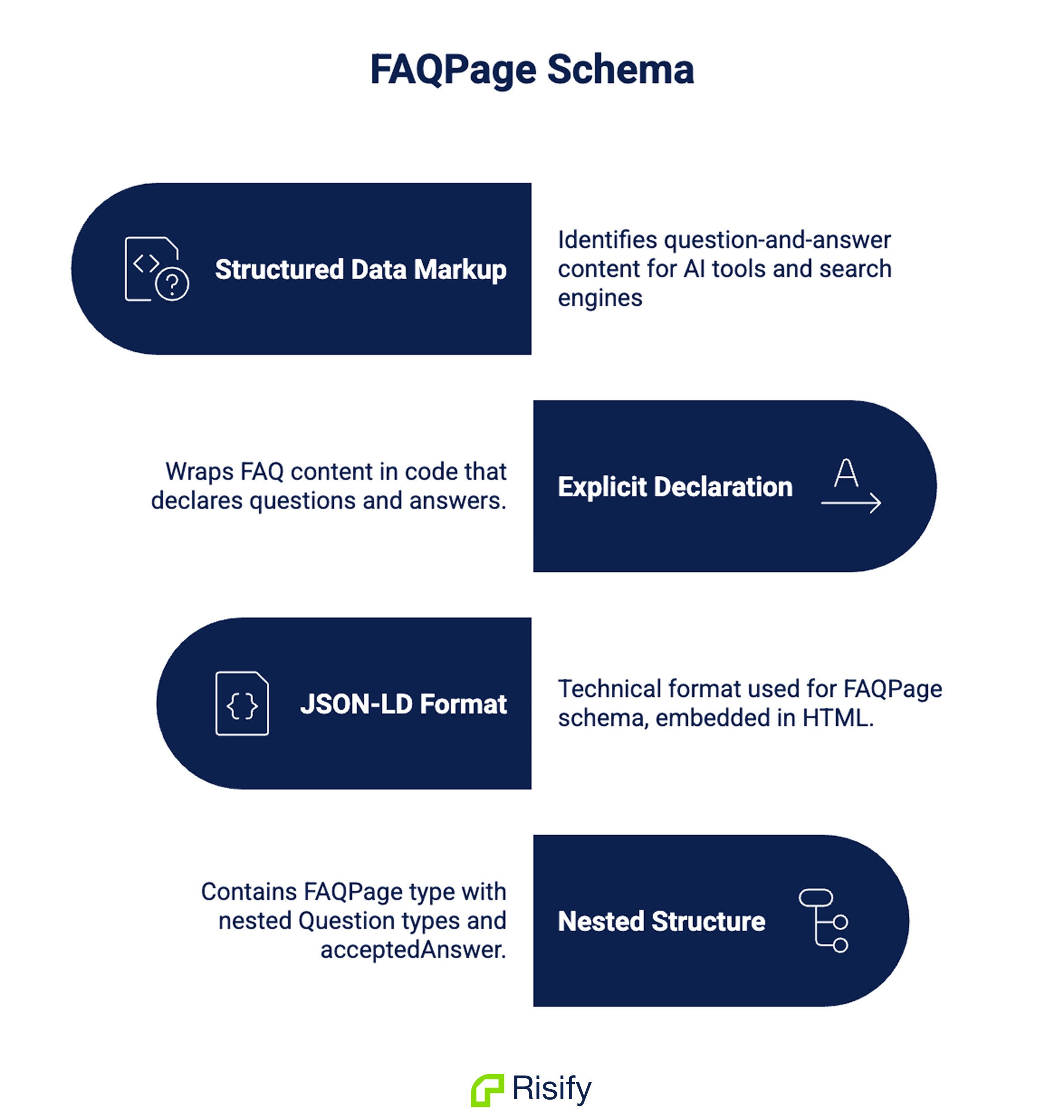
FAQPage schema is a specific type of structured data markup that identifies question-and-answer content on a page in a format that AI tools and search engines can understand.
In practice, it works by wrapping your FAQ content in a structured layer of code that explicitly declares:
This page contains FAQs, this is a question, and this is its corresponding answer.
Instead of a crawler or AI tool reading a block of text and inferring which parts are questions and which are answers, the markup states it directly.
The technical format used for FAQPage schema is JSON-LD: a block of structured code typically embedded in the page’s HTML.
It contains a FAQPage type declaration at the top level, with individual Question types nested inside it, each containing an acceptedAnswer type holding the answer text.
Here is an example of FAQ schema markup:
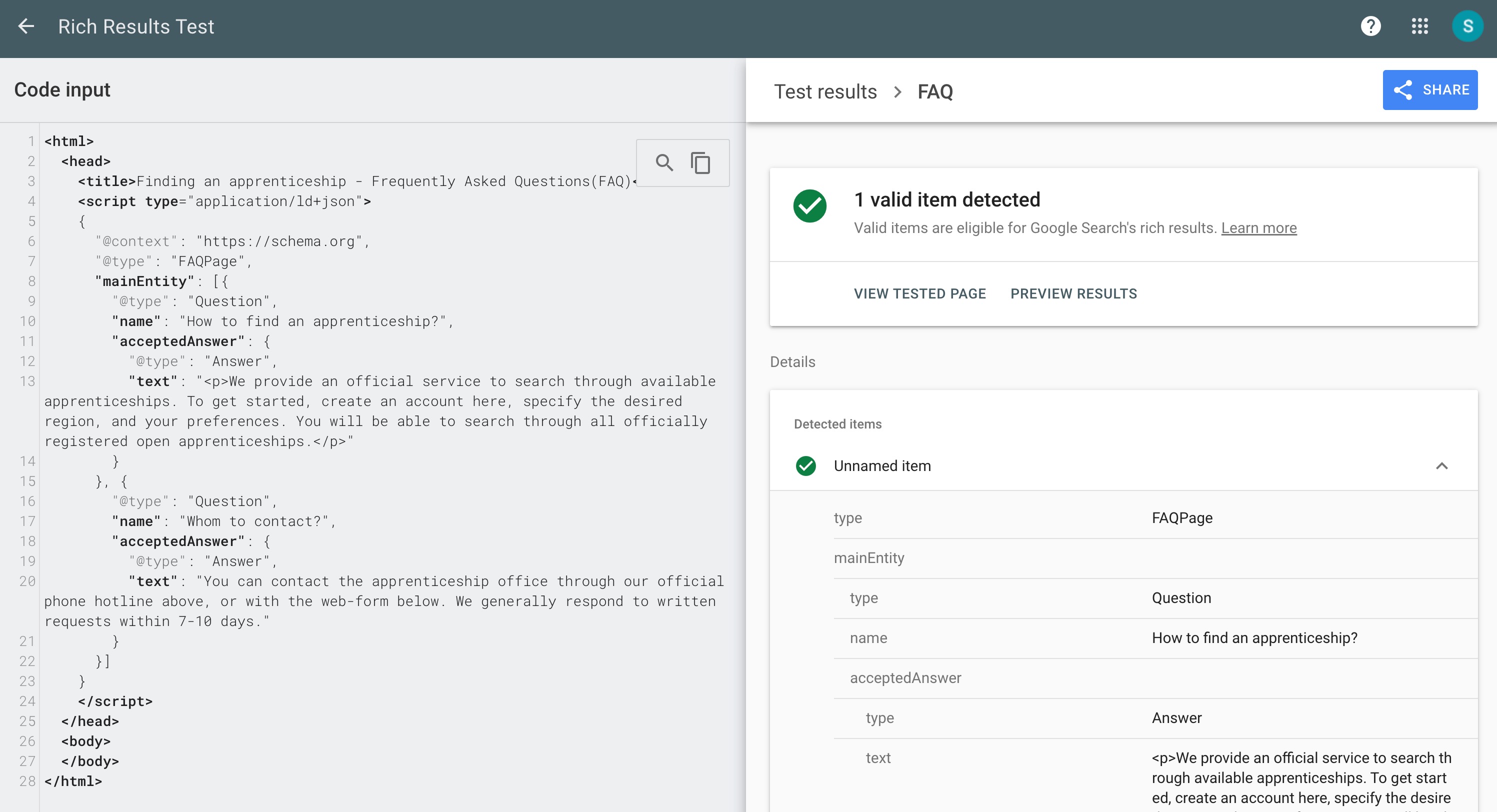
The hierarchy is strict: answers must be nested correctly inside their questions, and the type declarations must be exact.
A single missing declaration or nesting error invalidates the entire block silently. No error message, no warning, just markup that platforms ignore.
This is the most important thing to understand about schema in general: invalid markup doesn’t produce a visible failure.
Your page continues to function normally. Shoppers don’t notice anything. But search engines and AI tools discard the markup entirely and fall back to interpreting your unstructured page text, which is exactly the situation you should try to avoid.
There’s also a content requirement that trips up many implementations. The text in your schema must match the visible content on your page exactly.
If a shopper reads one version of an answer and the schema contains a different version, even a minor wording difference, platforms treat the markup as unreliable and discard it. Schema accuracy is as important as schema presence.
What FAQ Schema Does for Search and AI Visibility
Understanding what FAQ schema realistically delivers for a Shopify store means separating what it used to do from what it does now.
Search Engines
Before 2023, valid FAQ schema could trigger expandable dropdown questions directly in Google search results, giving your listing significantly more visual space than competitors.
That feature has been substantially restricted. It’s now limited to government sites, official brand pages for major companies, and health authority sources. For most ecommerce stores, those dropdowns no longer appear regardless of how well the schema is implemented.
Some guides still present FAQ rich results as the primary reason to implement FAQPage schema. For a Shopify store in 2026, that’s not the realistic outcome and it’s worth knowing upfront rather than discovering after implementation.
Search engines use structured data to understand what a page is about, not just which words it contains. A product page with FAQ schema answering “How long does delivery take?” is explicitly marked as containing shipping information.
Google doesn’t have to infer that from the surrounding text. This influences how the page is categorized for question-based queries, and clearly structured Q&A content has a stronger chance of appearing in People Also Ask results than the same information buried in paragraphs.
AI Tools
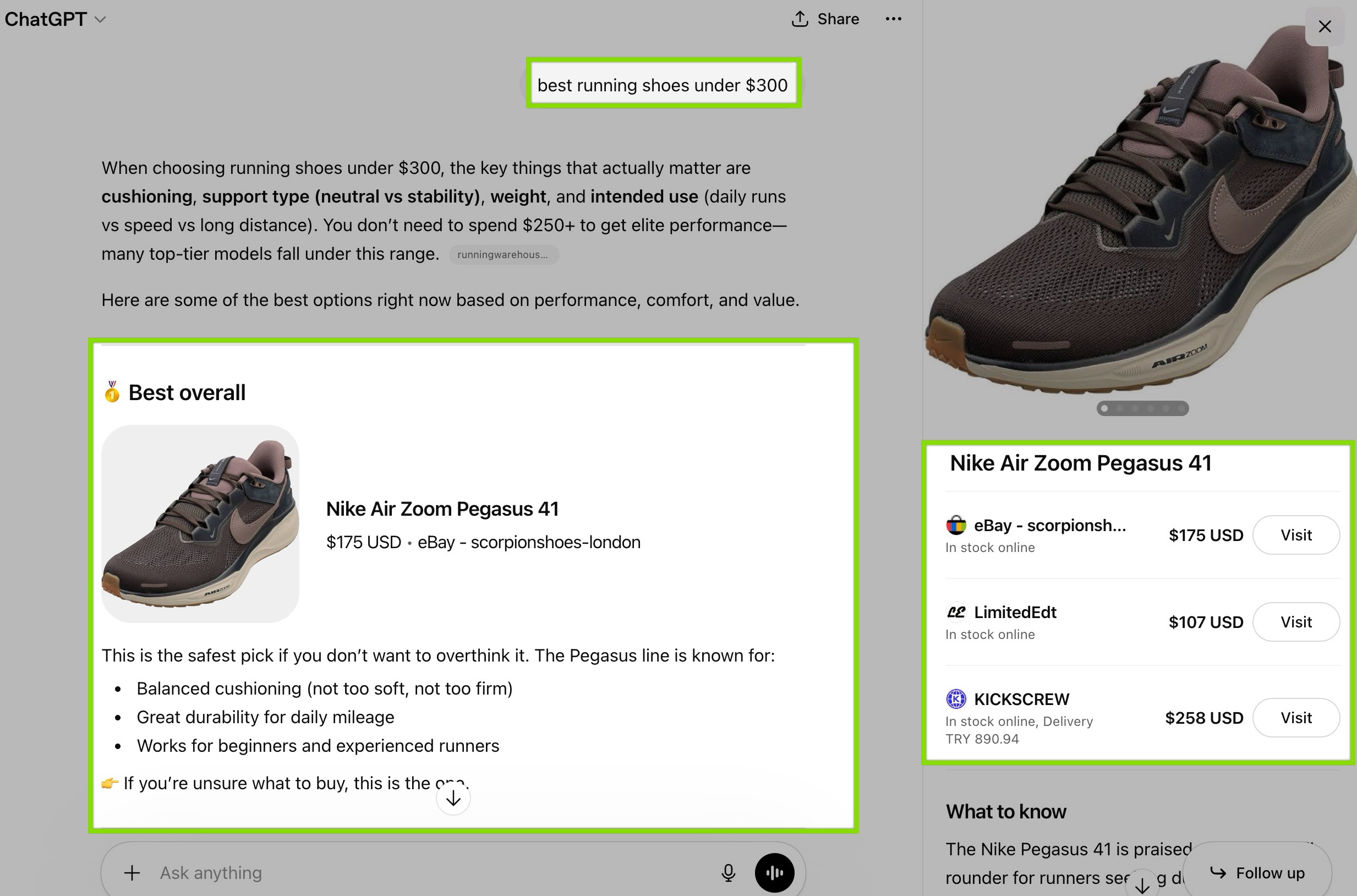
AI-powered search tools (ChatGPT, Perplexity, Gemini, and others) extract structured content when constructing answers to user queries.
When your FAQ pairs are explicitly labeled in schema, these systems can identify, extract, and cite your answers far more reliably than when they’re reading unstructured text.
The broader research on this is significant: both Google and Microsoft have publicly confirmed that structured data helps their AI systems process web content more accurately.
Check out for more information: How Structured Data Impacts AI Visibility
Where FAQ Schema Belongs in a Shopify Store
Most stores implement FAQ content & schema only on product pages. That’s the right starting point but it’s not the complete picture.
Product pages and collection pages attract fundamentally different types of queries, and the FAQ content that serves each page type is different.
Product Pages
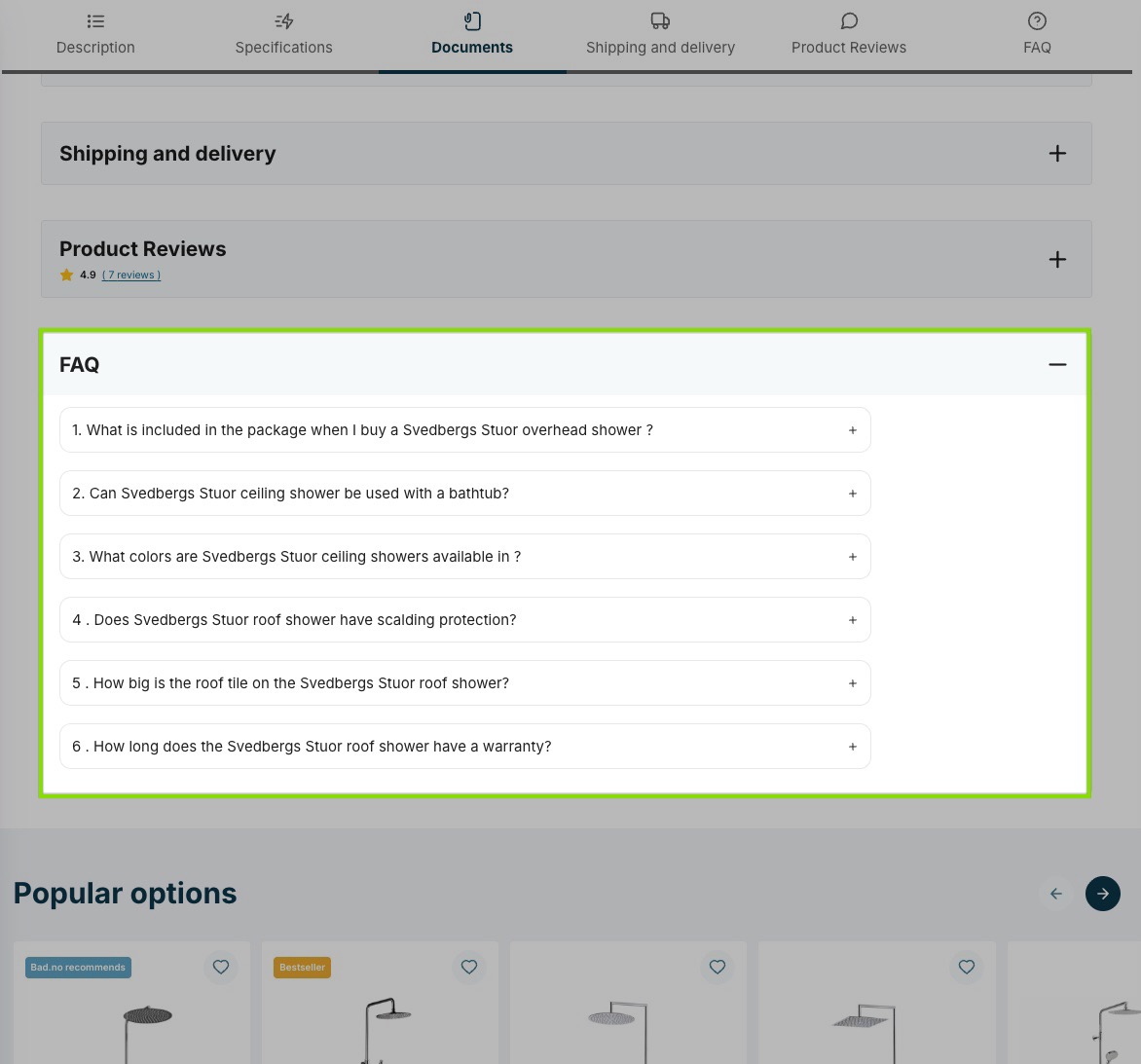
These pages rank for specific, purchase-intent searches: a particular product name, model number, or detailed attribute.
The visitor has already moved past category research. The questions they have are item-specific: dimensions, compatibility with their setup, warranty terms, available variants. FAQ schema on product pages should address these directly.
Collection Pages
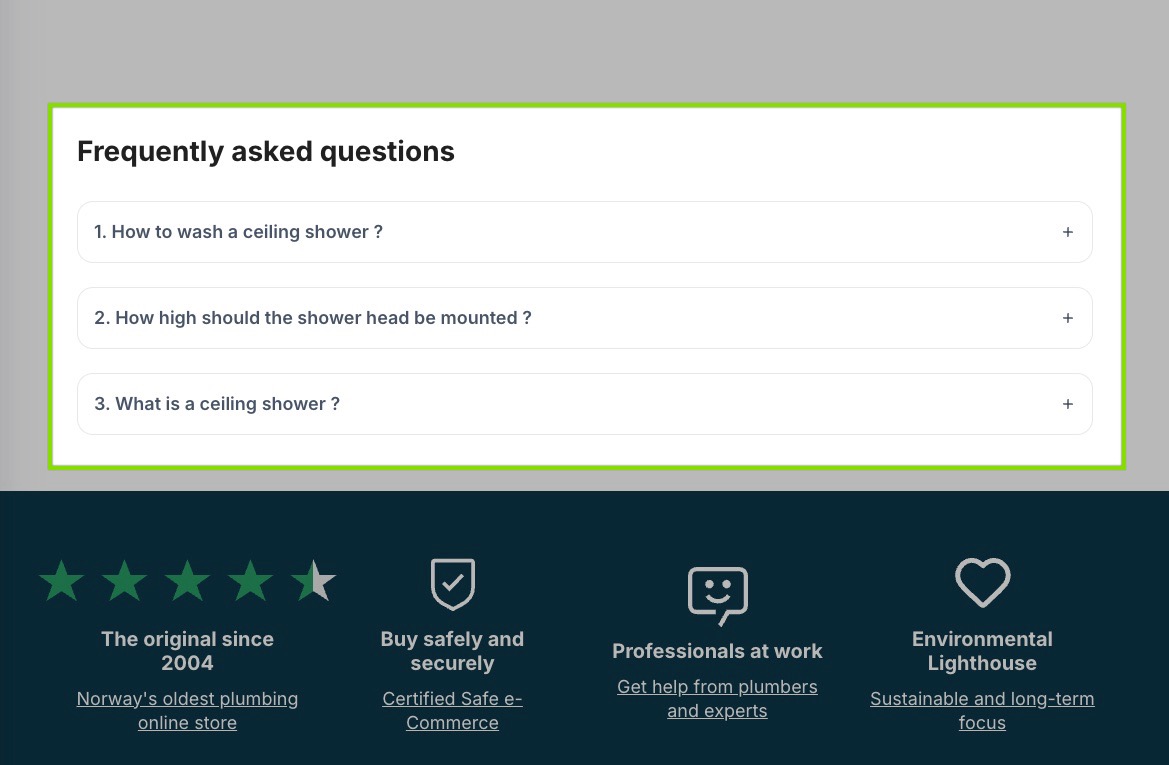
Collection pages rank for category-level, research-phase queries as the visitor is still exploring.
They have broader questions about the category: comparisons, general guidance, material explanations, typical lifespan.
These questions make no sense on a product page where the visitor has already narrowed their choice. They belong on the collection page where the visitor actually has them.
The mismatch problem is common: stores add comparison and guidance FAQs to product pages where users have already moved past that stage, while collection pages, where those questions actually arise, have no FAQ content at all.
The store ranked for the query, the visitor landed on the page, and the page had nothing to answer what they came to find out.
The principle for deciding where each FAQ belongs:
- If the question makes sense before a user has chosen a specific product (comparisons, materials, sizing, general guidance), it belongs on the collection page.
- If it only makes sense in the context of a specific item (dimensions, compatibility, care instructions), it belongs on the product page.
- Store-wide topics (shipping, returns, or delivery timelines) can appear on both.
How to Check If Your Shopify Store Has FAQ Schema
Before fixing anything, you need an accurate picture of what’s currently in place. Two tools give you this efficiently.
Google’s Rich Results Test
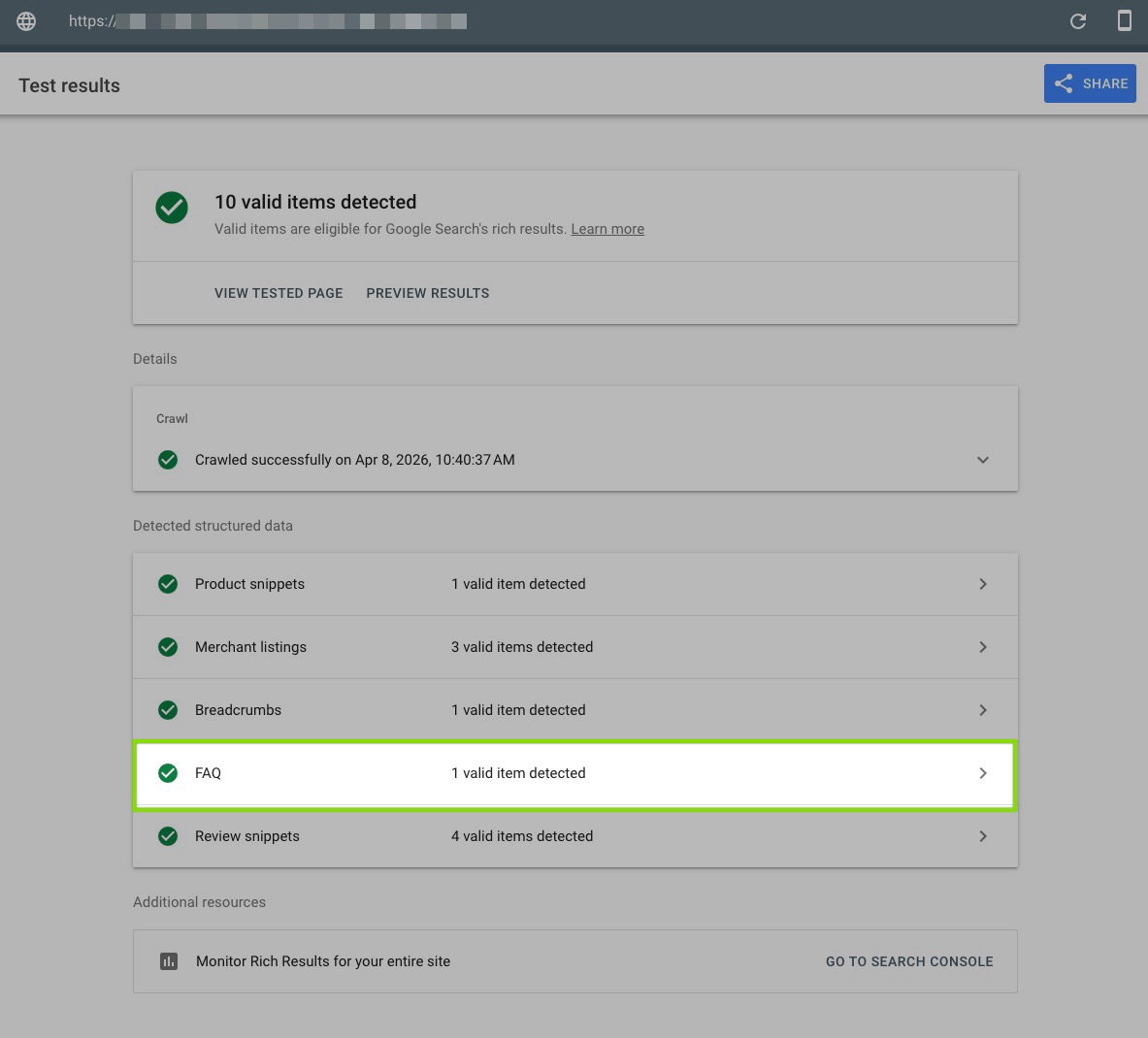
Go to Google’s Rich Results Test and paste any product or collection page URL. The tool crawls the page and returns a structured data report showing which schema types it found, whether they’re valid, and any errors or warnings.
For FAQPage schema specifically, look for: whether the FAQPage type was detected at all, whether Question and Answer types are correctly nested inside it, and whether any fields are flagged as missing or incorrect.
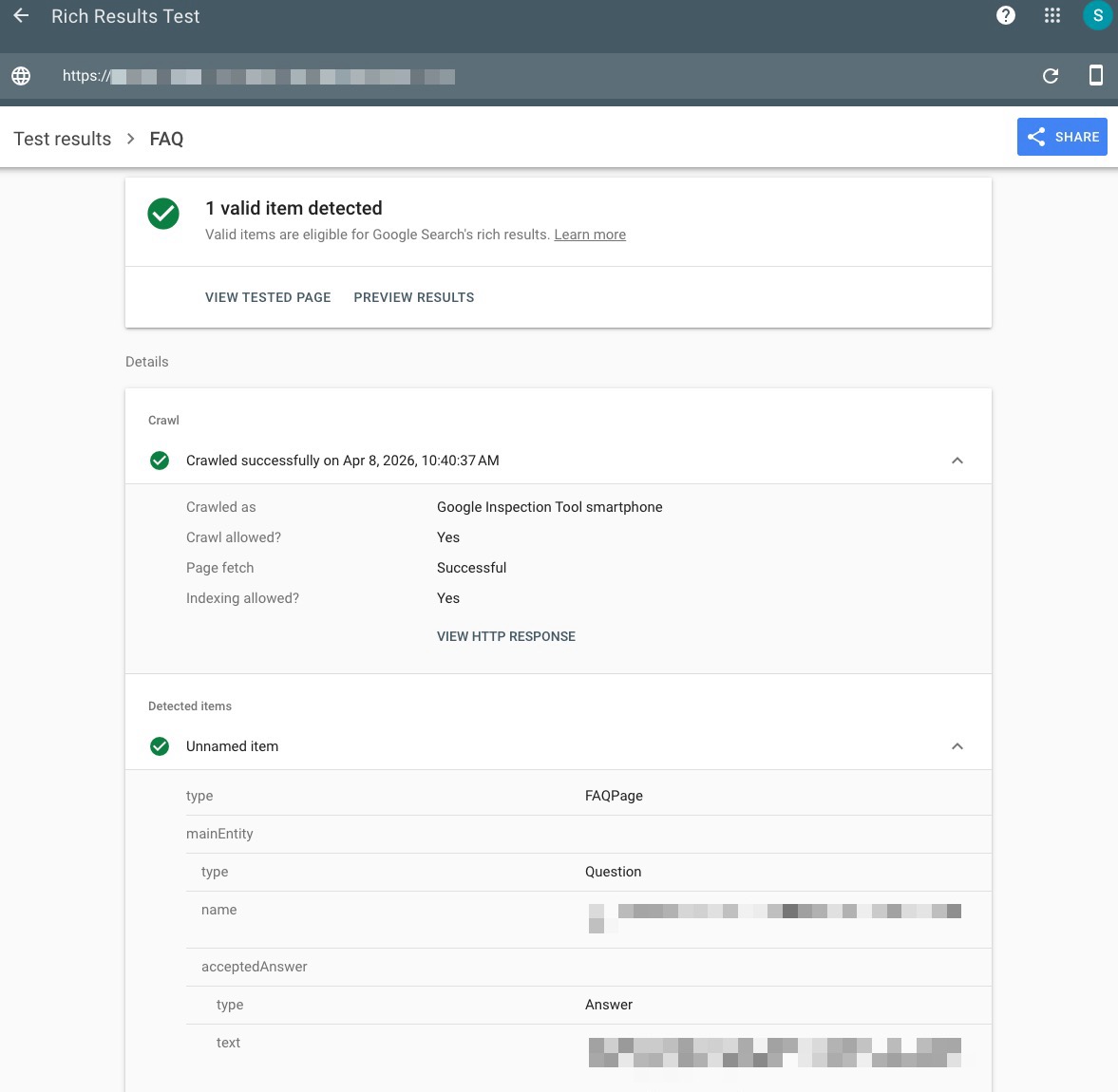
A clean result with no errors means the markup is technically valid. Errors mean the markup is being discarded.
Run this test on at least three to five pages: a product page, a collection page, and your homepage if it has FAQ content. Schema issues are often inconsistent across page types.
Risify’s Free Schema Checker
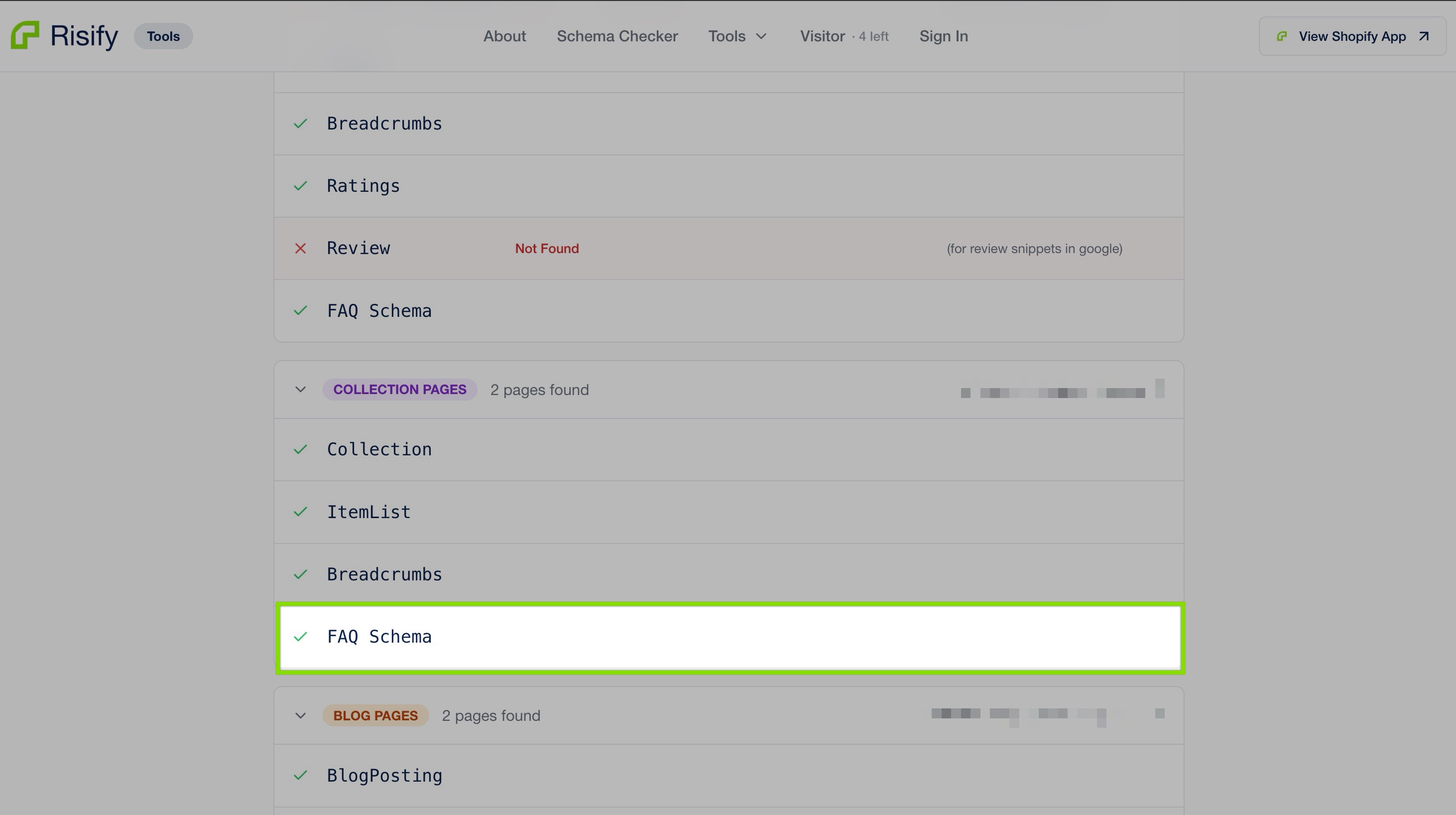
The Rich Results Test evaluates one page at a time and focuses on technical validity.
Risify’s Free Schema Checker goes further: paste your store URL and it analyzes pages simultaneously, returning a report across all schema types, not just FAQ, showing what’s present, what’s missing, what has recommended fields omitted, and where warnings exist.
This is the faster way to get a store-level picture rather than page-by-page spot checks. It surfaces gaps the Rich Results Test won’t catch because it only looks at one URL at a time.
What to Look for Specifically
Beyond whether schema is technically valid, check for three things:
- Content match: Does the FAQ content in the schema match exactly what’s visible on the page? Even minor wording differences cause platforms to discard the markup.
- Collection page coverage: Does FAQPage schema exist on collection pages as well as product pages, or only on products?
- Missing recommended fields: Are any schema types present but incomplete - technically valid but missing fields that reduce their usefulness to search engines and AI tools?
How to Add FAQ Schema to Your Shopify Store
Here is a detailed look at how you can generate FAQPage schema to your Shopify store:
The Manual Way
Manual FAQ schema implementation means writing JSON-LD code directly and embedding it in your theme files.
You declare the FAQPage type, nest each Question and Answer correctly, and ensure the text matches your visible page content exactly.
For a single page, this is manageable. For a store with hundreds of products and collections, it’s a significant ongoing maintenance commitment.
Every time an answer changes, the schema needs to be updated separately. This is where drift happens, and drift means discarded markup.
The Easy Way: Risify
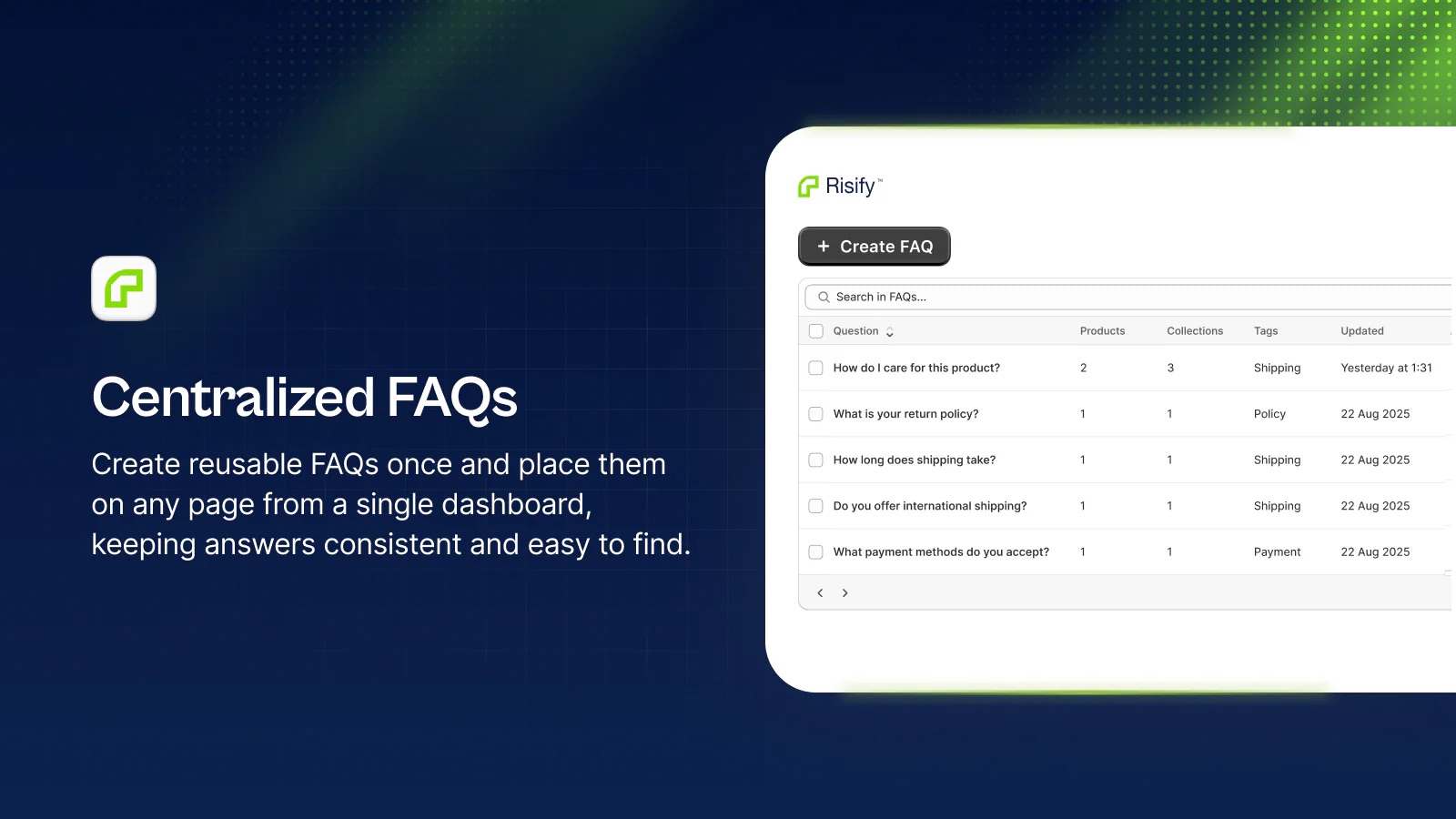
Risify removes the technical layer entirely. Here’s how the process works:
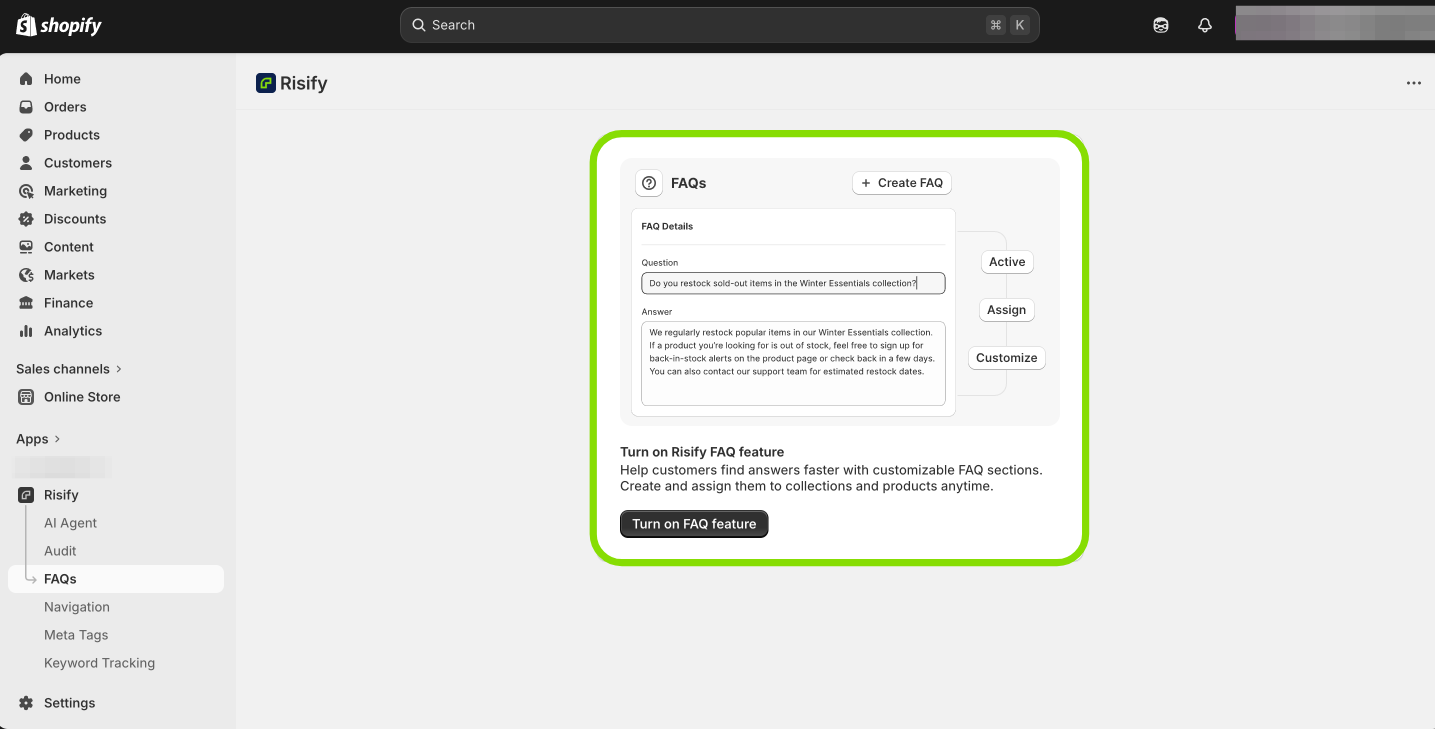
First, turn on Risify’s FAQ feature inside your Shopify Admin under Apps → Risify → FAQs. This activates the metafield structure that stores your FAQ data natively in Shopify, meaning your content persists even if you later uninstall the app.
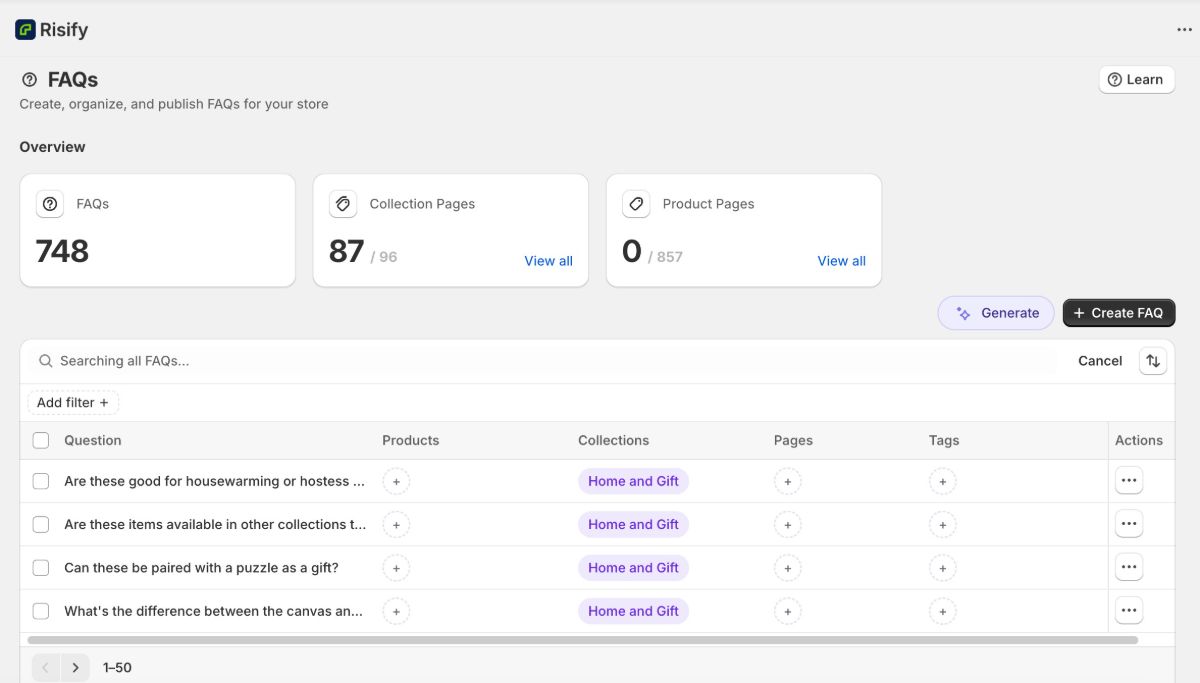
Second, create your FAQs in the central library. Write each question and answer once or let Risify’s AI agent analyze your products and generate relevant FAQ content. Then, you will see that each FAQ exists as an independent content block, ready to be assigned wherever it belongs.
Third, assign FAQs to the right pages. Each FAQ has an assignment panel with separate tabs for collections and products. Select which pages each FAQ should appear on: one page, fifty pages, or any combination.
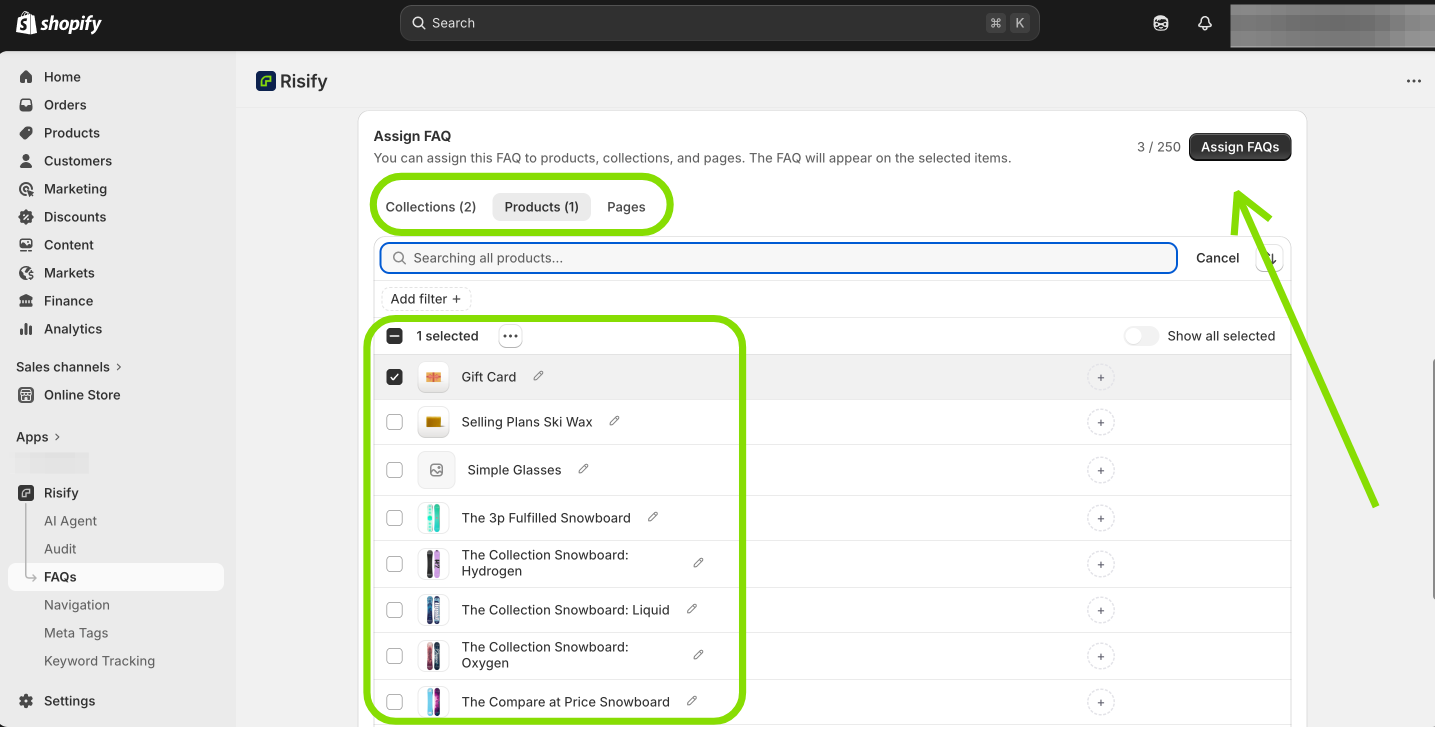
A category-level comparison FAQ gets assigned to the relevant collection. A product-specific question gets assigned to that product only.
When you assign an FAQ, Risify automatically generates a valid FAQPage schema for every page it’s assigned to.
You don’t write JSON-LD, you don’t manage the technical formatting, and there’s no risk of schema drifting out of sync with page content because both come from the same source.
For stores with large catalogs, Risify’s AI agent analyzes your products and generates relevant FAQ suggestions based on what’s actually on each page.
You review, edit, and publish in bulk rather than writing from scratch across hundreds of products.
Common FAQ Schema Mistakes to Avoid
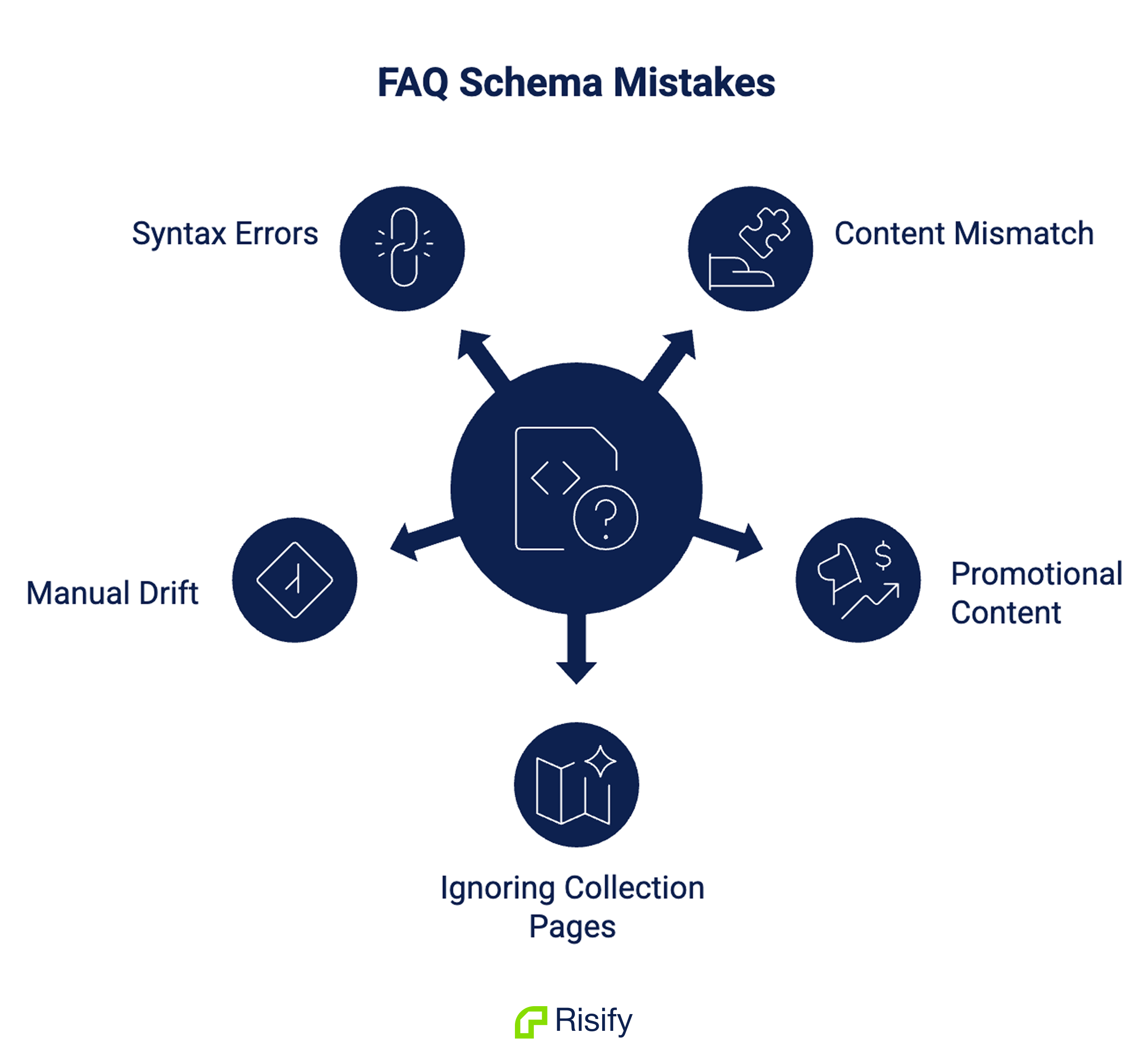
Even stores that have implemented FAQ schema often have silent problems. These are the most common mistakes you should avoid if you choose to create your FAQ schema manually:
- Schema content that doesn’t match the page. If the answer in your markup differs from the answer visible to shoppers platforms discard the markup. The two must be identical.
- Promotional FAQ content. Google’s content guidelines require FAQ content to be genuinely informational. Schema on FAQ content that reads as advertising or that doesn’t actually answer the stated question violates these guidelines and won’t be treated as valid.
- Ignoring collection pages. Applying FAQ schema only to product pages and leaving collection pages unstructured means missing the category-level queries where your store is most likely to have content that matches what users are asking AI tools.
- Manual schema that drifts after updates. Return policies change. Shipping windows change. Product specifications change. Manual schema implementations that aren’t updated alongside page content become inaccurate, and inaccurate schema gets discarded.
- Invalid nesting or syntax errors. A missing bracket, an incorrect type declaration, or an improperly nested Answer block silently invalidates the entire FAQPage markup. The page functions normally; the structured data does nothing.
 Complete your store's technical foundations with Risify
Add FAQ Schema to Your Shopify Store Easily
Manage all your FAQs in one place and generate automatic FAQ schema markup for improved structured data.Conclusion
FAQ content without valid schema is half the job.
Schema without accurate, well-placed content is the other half. Both need to be right and both need to stay in sync as your catalog grows, your policies change, and your store evolves.
The good news is that the technical barrier is lower than it appears. Checking your current schema takes minutes. Fixing it doesn’t require code if you use Risify. And once a centralized system is in place, the maintenance problem disappears because one edit in one place updates every page FAQ is assigned to.
Structure your FAQ content correctly, put it on the right pages, and the platforms your customers are using for search will be able to understand your store and products better.