




Most Shopify collection pages follow the same pattern: a title, a filter bar, a product grid, and a footer. When shoppers find what they need, that structure works. When they don’t, the page simply ends.
There is no suggestion pointing them to a related category. No link to a narrower or broader collection. No path forward. Just a grid that runs out and a back button.
For a store investing in organic traffic, paid ads, or AI-driven product discovery, that is a significant structural gap. The shopper arrived. The page ranked. But the experience gave them nowhere to go.
This post covers why that gap exists, what it costs, and how to fix it.
Key Takeaways:
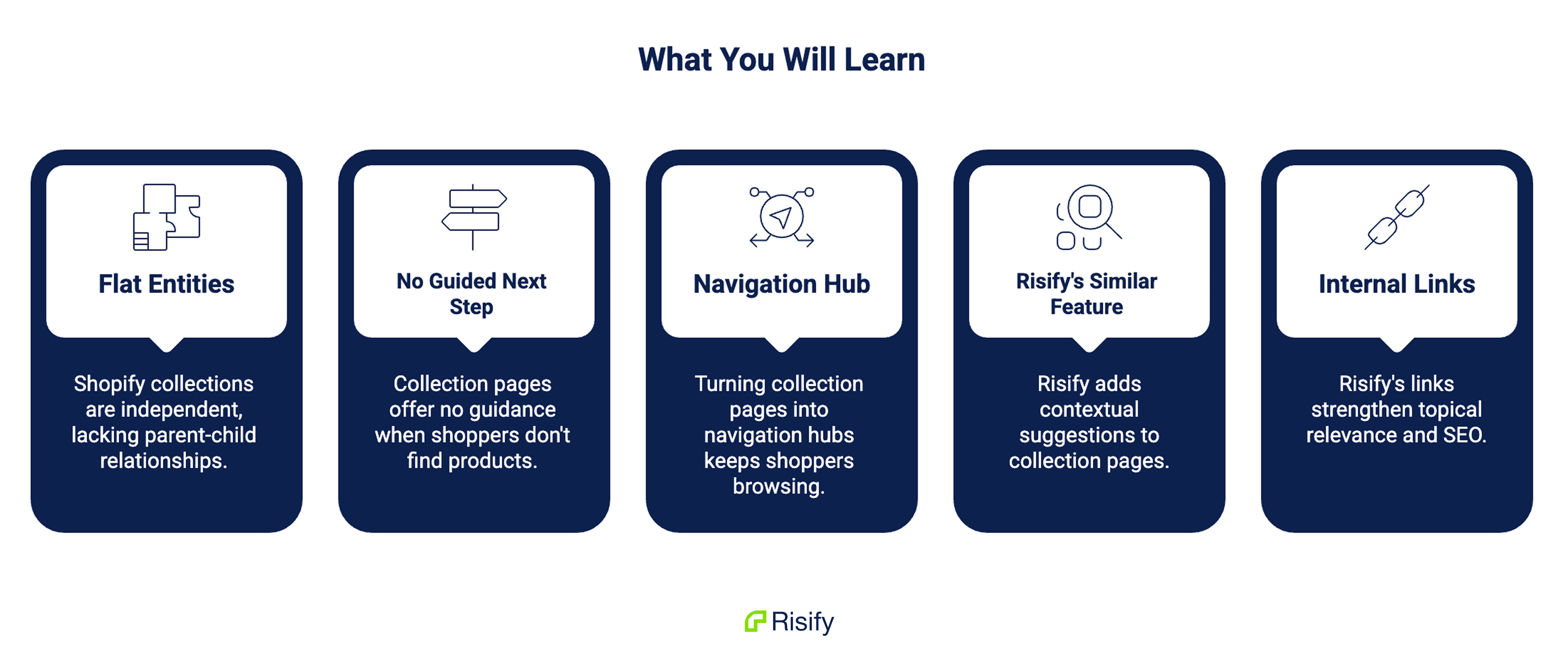
- Shopify stores collections as flat, independent entities with no native parent-child relationships, which means collection pages have no built-in way to show subcollections or related categories
- When shoppers reach the end of a product grid without finding what they need, most collection pages offer no guided next step
- Turning a collection page into a navigation hub keeps shoppers browsing and reduces exits at the grid
- Risify’s Similar feature adds a contextual suggestion row to collection pages, linking to related collections or products you define per collection
- The internal links Similar creates are real HTML links that strengthen topical relevance and help search engines and AI tools map your catalog structure
Exploring Default Collection Pages in Shopify
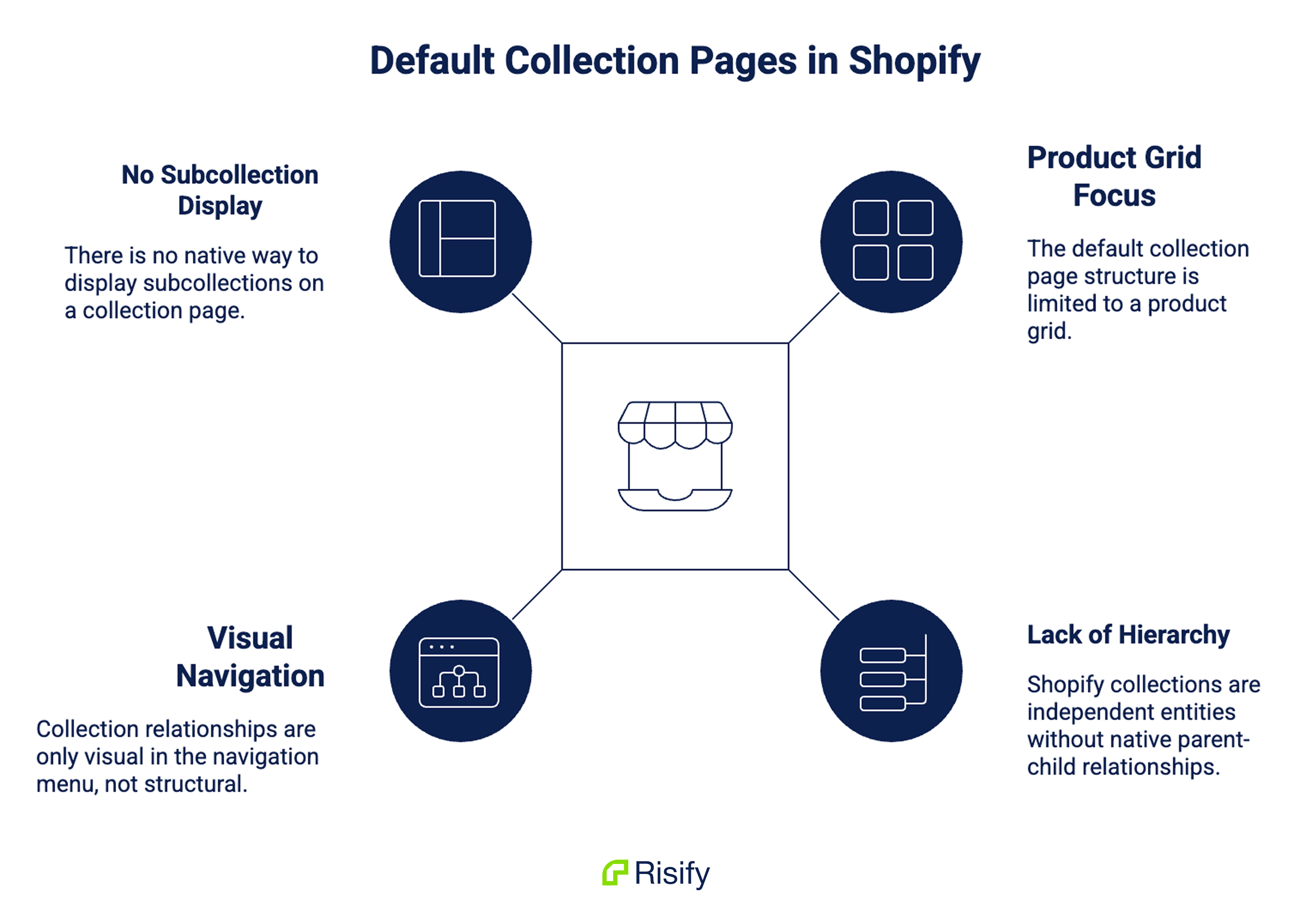
Shopify gives merchants a flexible foundation for building collections, but the default structure has one consistent limitation: it is built around the product grid and nothing else.
A collection page displays products. Filters help narrow them down. Pagination moves through them. But when the grid ends, the page ends with it.
Shopify stores collections as independent entities. There is no native parent-child field that says one collection belongs under another.
The hierarchy you create in your navigation menu is visual, not structural, which means the relationships between your collections are not automatically reflected on the pages themselves.
There is no native way to display subcollections on a collection page.
There is no built-in suggestion row pointing to related categories. There is no mechanism that says “if you didn’t find it here, try this instead.”
The result is a catalog that may be well-organized in your menu but feels flat and disconnected once a shopper lands on an individual collection page.
The Cost of No Next Step
Picture a common scenario.
A shopper finds your store through a Google search for a broad category, something like “acne solutions” or “trail running shoes.”
They land on your collection page, scroll through the products, and do not find exactly what they had in mind.
At that point, most collection pages offer two options: use the search bar or leave.
Neither of those is a guided experience.
The search bar requires the shopper to already know what to look for. Leaving means the session is over, the traffic investment is gone, and the shopper is now on a competitor’s page.
A better collection page gives users a next step. Related suggestions can point them to adjacent collections, narrower categories, broader categories, complementary products, or popular alternatives.
That difference between a dead end and a next step is often the difference between a bounce and a conversion.
What a Navigation Hub Looks Like Instead
The most useful collection pages do more than list products. They orient the shopper within the catalog and offer clear paths forward.
Narrowing Down Without Going Back to the Menu
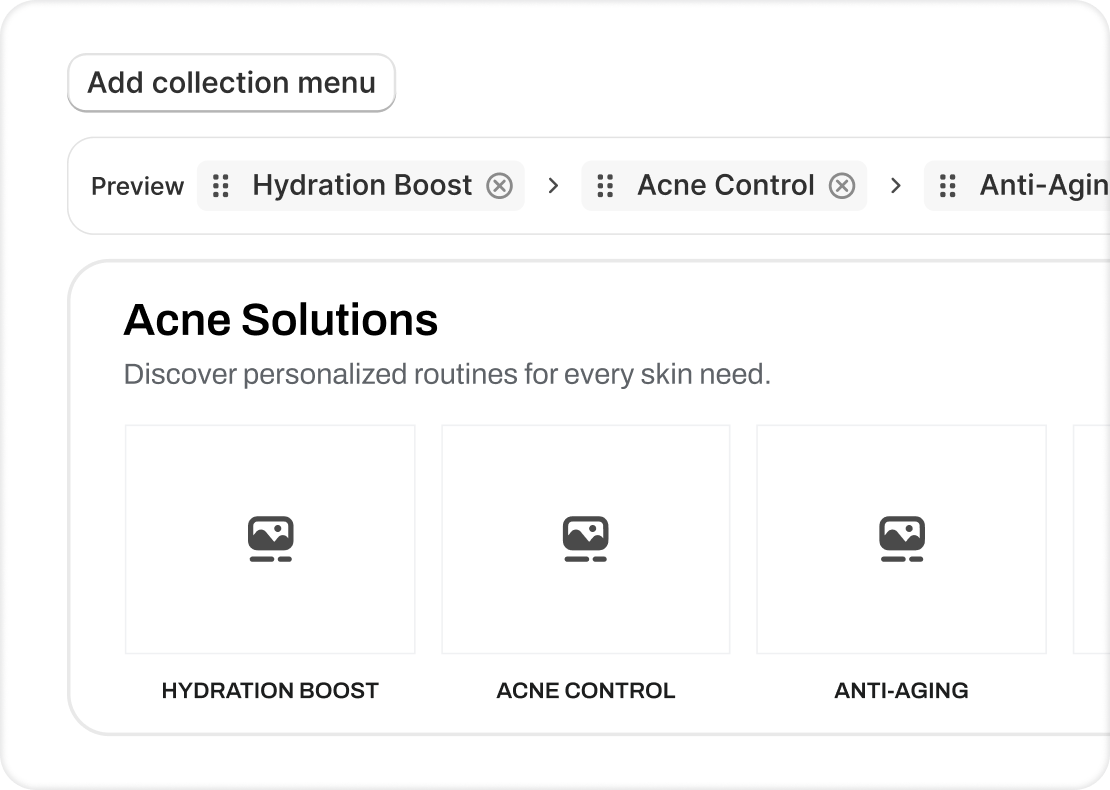
A top-level collection for “acne solutions” becomes more useful when it shows links to hydration boost, acne control, anti-aging, and etc. directly on the page. A shopper who landed broadly can immediately narrow down without returning to the main menu.
A mid-level collection for “Running Shoes” becomes more useful when it surfaces related categories like Trail Running, Road Running, or Minimalist Shoes alongside the product grid.
This changes the role of the collection page. It becomes a navigation hub, not just a product listing page. The shopper sees available paths immediately. They can narrow their focus without opening the main menu or decoding filters.
Why Large Catalogs Need This Most
This kind of structure is especially valuable for stores with large catalogs, where product grids alone can become difficult to browse and even harder to navigate without guidance.
The more products a store carries, the more important it becomes to give shoppers a structured way to move through the catalog rather than leaving them to scroll indefinitely.
How Risify’s Collection Menu Works
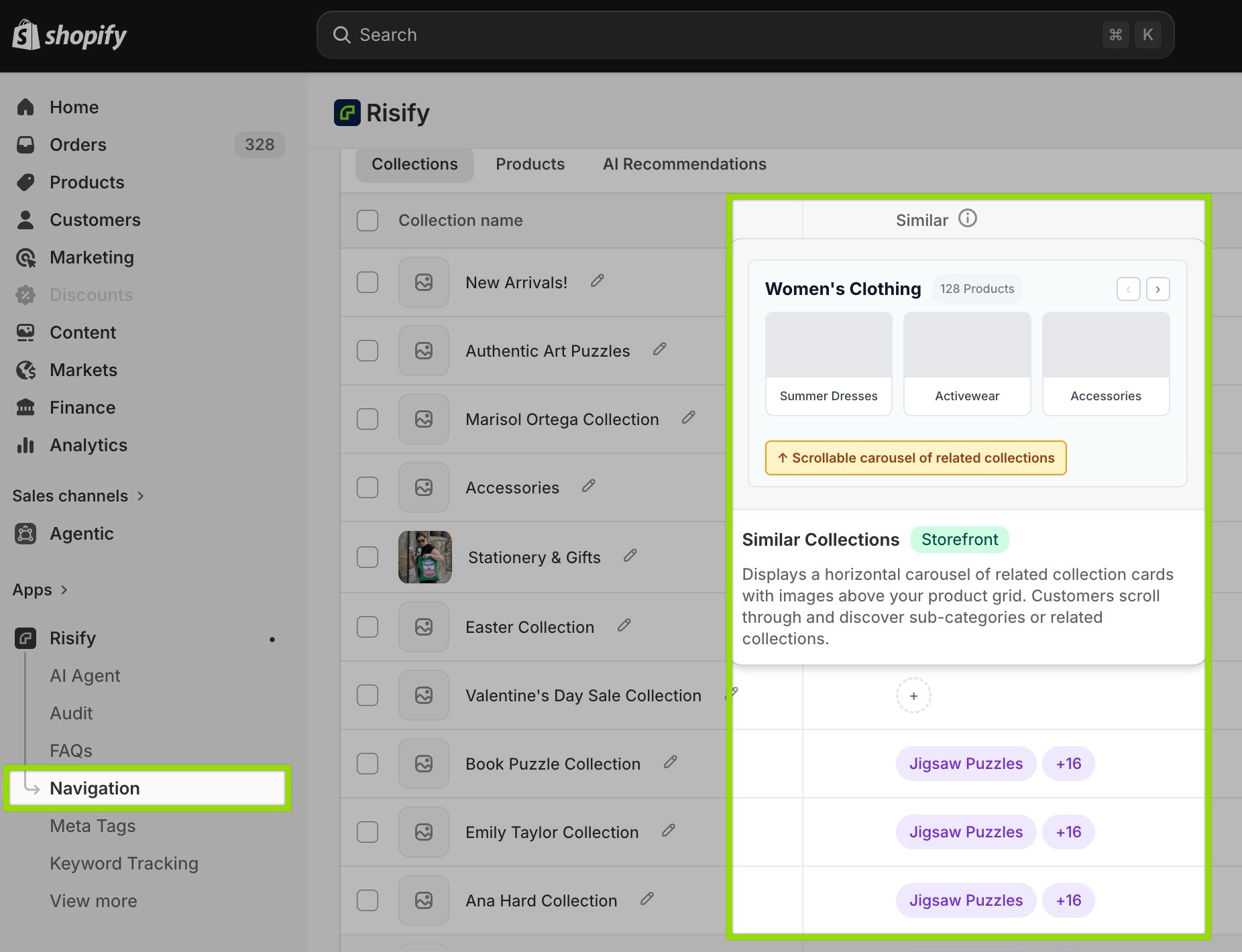
Risify’s Similar feature is built specifically to solve this problem.
It adds a visual suggestion row to your collection pages, displaying clickable tiles that link to related collections or products you define.
Each collection in your store can have its own set of suggestions, meaning the row is always contextually relevant to the page the shopper is on.
Easy Collection Setups
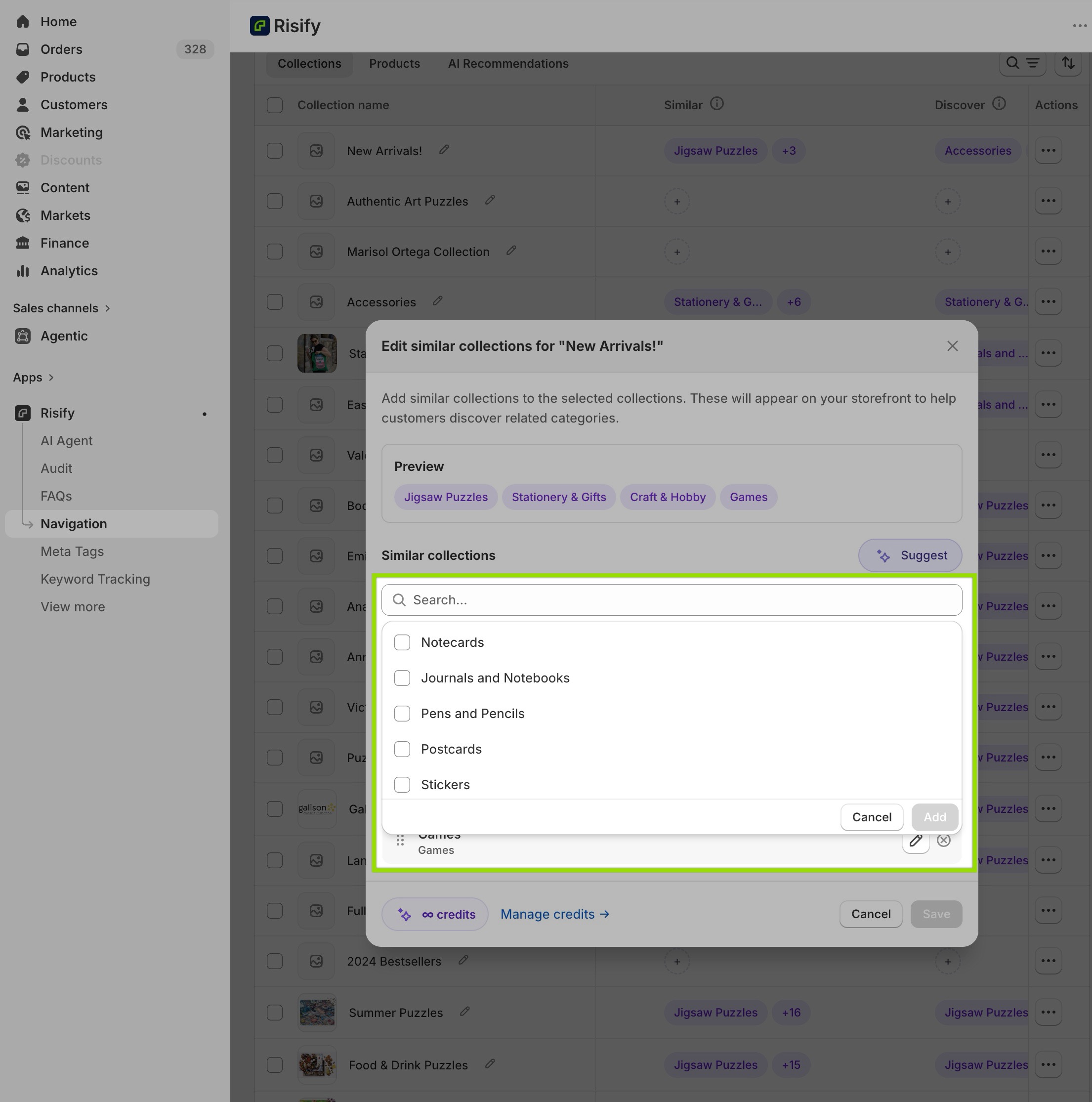
The setup is flexible. You can include collections you want to show along with the main one. Items can be reordered so the most relevant suggestions appear first.
Each collection gets its own defined set of suggestions, which means a top-level category can point to subcategories while a mid-level collection can point sideways to related categories or down to more specific ones.
The result is a structured navigation layer that sits on your collection pages and actively guides shoppers forward, rather than leaving them to figure out the next step on their own.
AI-Generated Suggestions for Large Stores
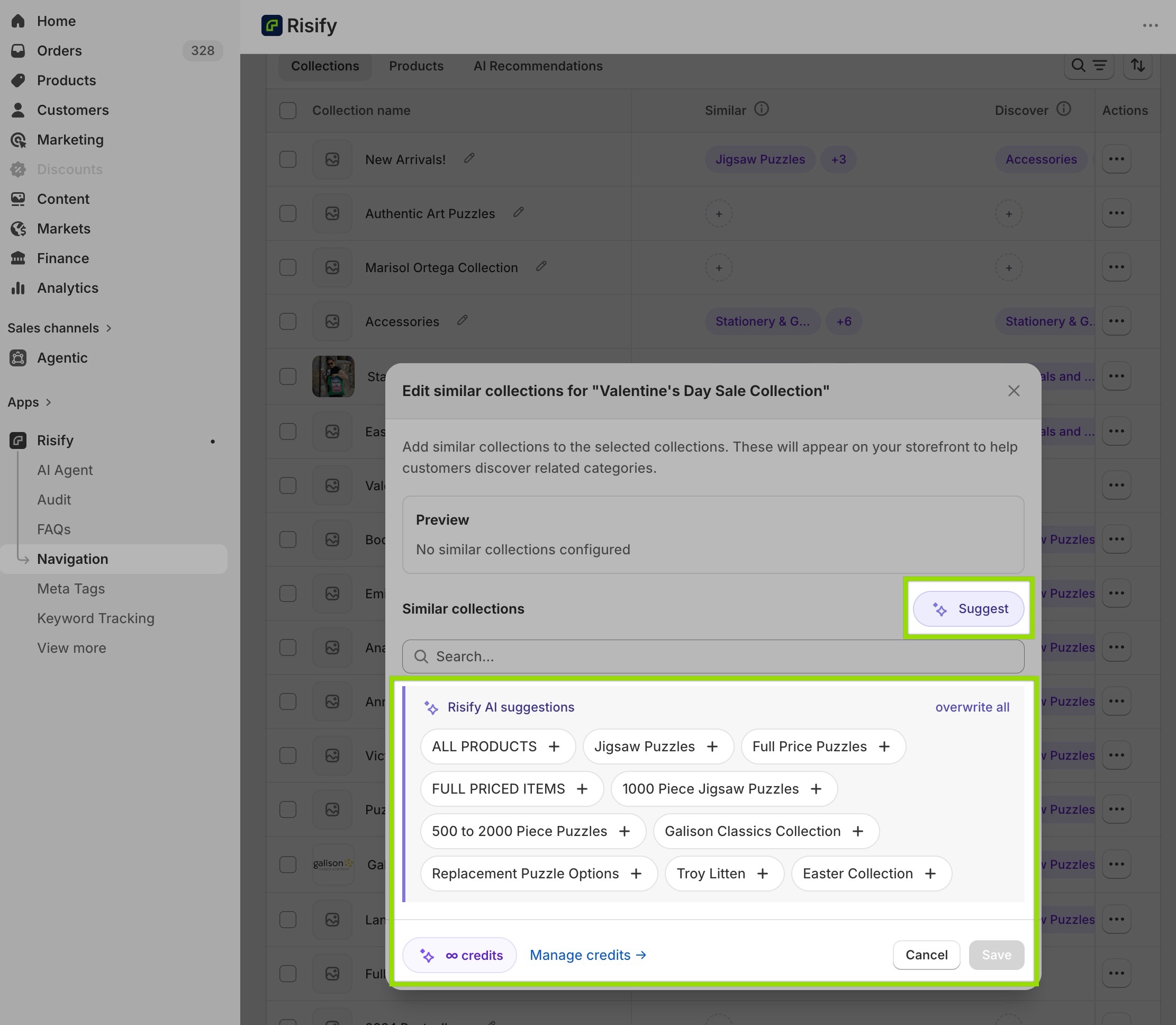
For stores with large catalogs, manually defining suggestions across every collection is a significant task.
Risify’s AI agent can create suggestions automatically based on what each collection actually contains, which removes a large portion of that manual work.
You review the suggestions before anything goes live, so the final decisions remain yours.
Explore more: Risify collection menus.
 Structure your store for organic growth. No technical knowledge required.
Turn your collection pages into browsing paths
Improve your SEO & AI visibility, and enhance customer engagement with related collections.Better Collection Pages for SEO and AI Visibility
Better navigation is the primary benefit of Similar, but the structural improvement it creates also has meaningful implications for how search engines and AI tools interpret your store.
Internal Links, Not Visual Decorations
Adding internal links between related collections creates topic clusters.
This tells search engines that these pages belong to the same topic group. It also helps authority flow from stronger parent collections to more specific subcollections.
The links created by Similar are real HTML links, not visual decorations. Search engines follow them, and they reinforce the category relationships that Shopify’s flat collection system does not communicate natively.
Helping AI Tools Map Your Catalog
For AI tools like ChatGPT, Gemini, and Perplexity, those relationships matter too.
If your catalog relationships are unclear, these systems have to infer where products belong. If the relationships are explicit, your store becomes easier to understand and represent accurately.
Learn more: How Structured Data Impacts AI Visibility
Improving navigation for shoppers and improving crawlability for machines are not separate goals here. The same change serves both.
Setting Up Better Collection Structures
Similar is managed inside the Navigation tab in Risify, alongside Breadcrumbs and Discover. The setup runs in two phases and requires no custom development or theme code editing.
Define Suggestions in Risify Admin
In the first phase, you define your suggestions inside the Risify admin.
For each collection, you select the related collections or products you want to appear in the suggestion row, set the order, and save. The AI generator is available here if you want suggestions created automatically.
Place and Style in the Theme Editor
In the second phase, you add the Similar section to your collection template through Shopify’s Theme Editor.
You place it where you want it on the page, most stores put it just below the hero banner so it is visible before the product grid, and configure the visual style: tile layout, image ratio, typography, colors, and spacing.
Once both phases are complete, the suggestion row is live across every collection where you defined it.
Learn more: How to create a collection menu with Risify
Conclusion
Collection pages are often the first place a shopper lands from organic search. They are also, in most default Shopify setups, the place where browsing most easily comes to a stop.
Fixing that does not require rebuilding your store or hiring a developer. It requires adding the navigation layer that Shopify does not include by default: contextual suggestions that give shoppers a clear path forward when the product grid does not deliver exactly what they came for.
When that layer is in place, collection pages stop being dead ends and start doing what they should. They guide shoppers deeper into the catalog, reduce exits at the grid, and create the internal structure that search engines and AI tools need to understand how your categories connect.