




Shopify collection pages struggle when Google can’t clearly understand their purpose, discover their place in the catalog, or identify them as the best result for a category query. The six checks below cover indexability, search intent, internal linking, competing collections, hierarchy, and category content, in diagnostic order. Rewriting the collection description may help, but content is only one part of the diagnosis, and often isn’t the first thing to fix.
Key takeaways
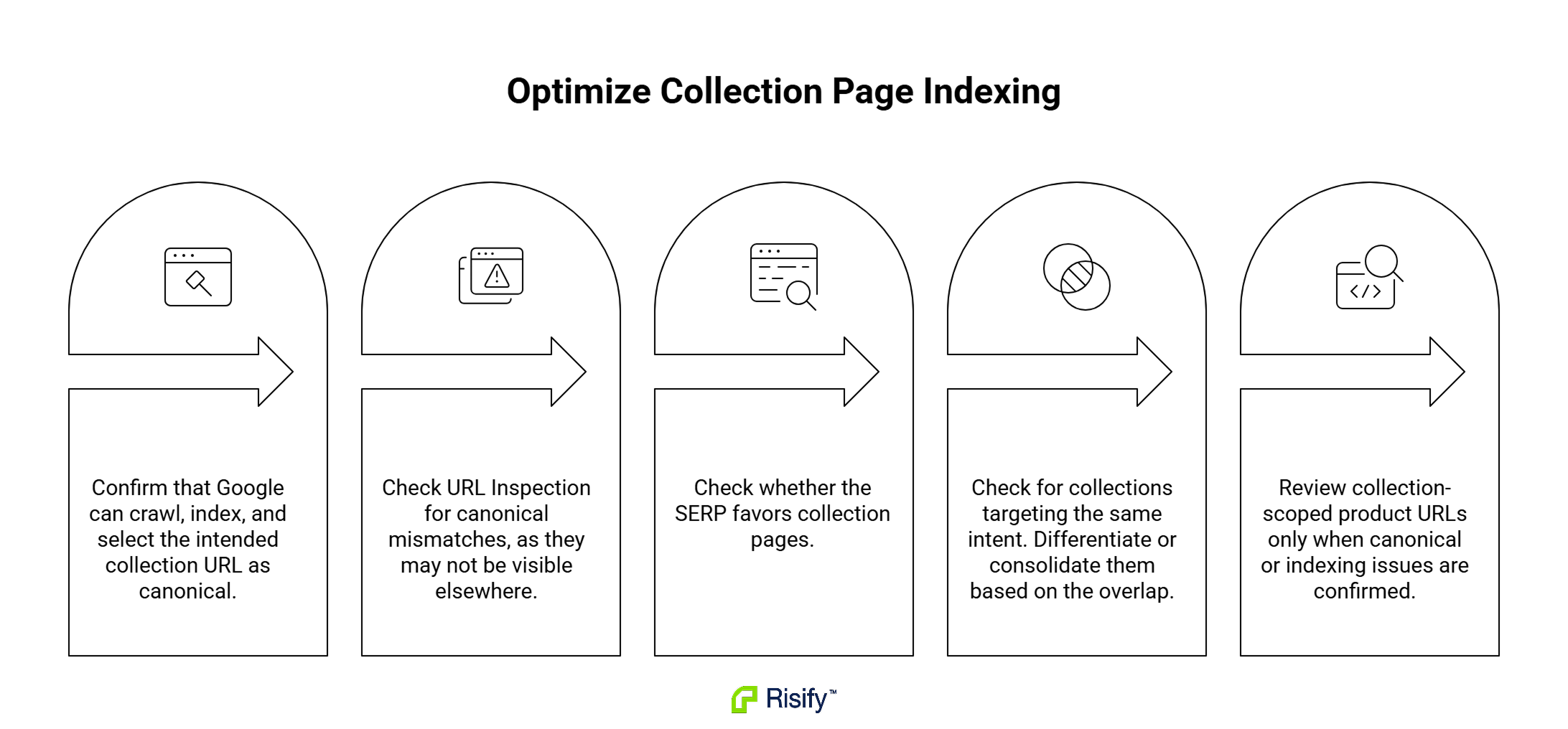
- Before evaluating why a collection isn’t ranking, confirm that Google can crawl it, index it, and recognize the intended URL as canonical.
- A canonical mismatch (the URL you want ranked isn’t the URL Google has selected as canonical) is one of the indexability issues that URL Inspection surfaces directly, and it’s easy to miss anywhere else.
- Google may consistently favor informational guides or individual product pages for some queries, and a collection page is unlikely to rank strongly against that unless the SERP also shows clear category-level intent.
- Two collection pages targeting substantially the same intent can split ranking signals, but the fix is not always consolidation, sometimes it’s differentiation.
- Collection-scoped product URLs (/collections/y/products/x) are worth checking, but they’re a URL consistency issue that only becomes a ranking problem if canonical or indexing evidence confirms it.
How Collection Pages Differ from Product Pages in Search
Product pages describe a defined item: a SKU, a price, availability, a purchase action. That specificity gives Google a clear entity to rank.
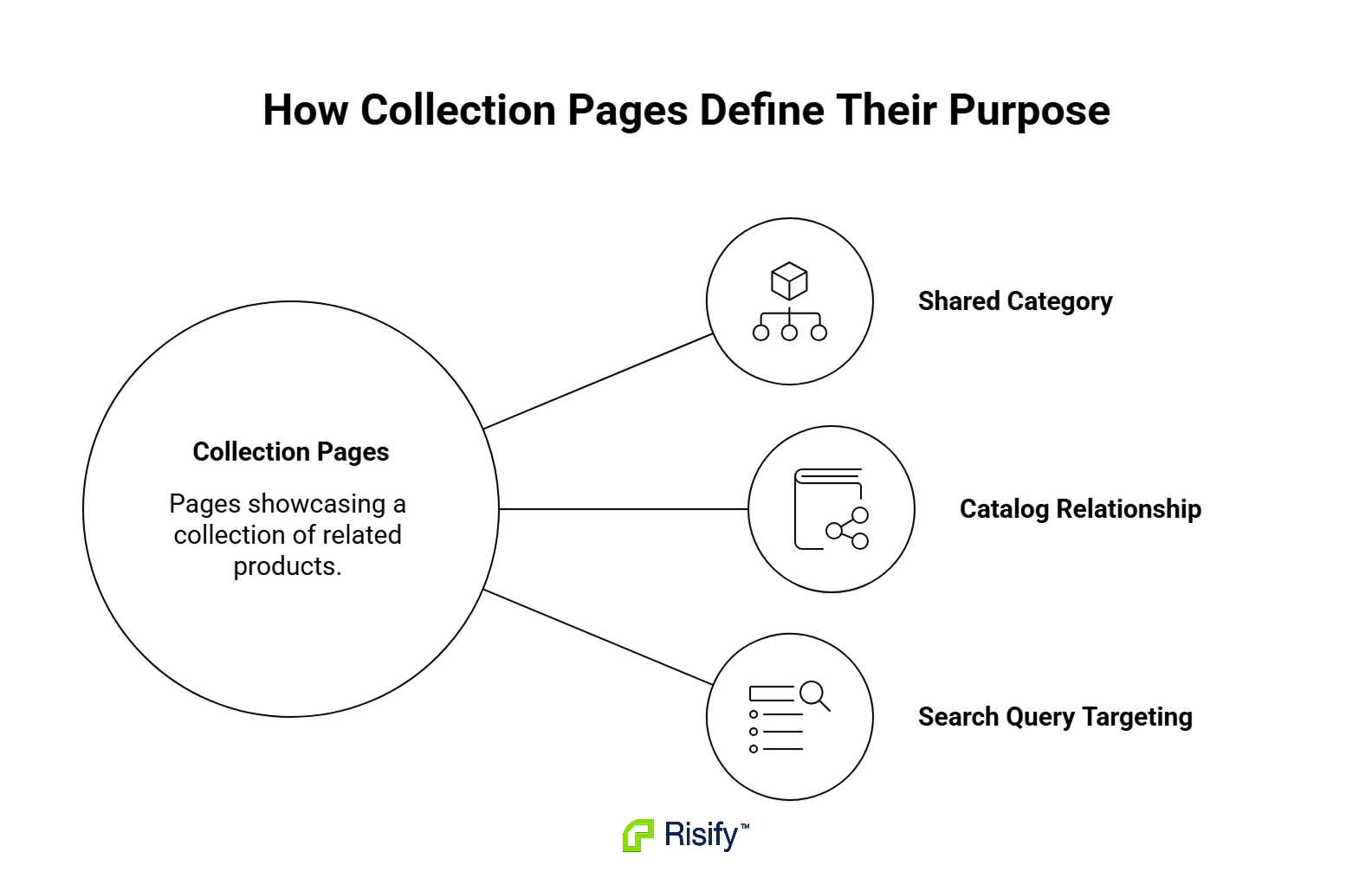
Collection pages don’t represent one defined SKU. Instead, they need to establish:
- The shared category represented by the products they contain.
- How that category relates to the rest of the catalog.
- Which search query the page should target.
Both page types rank, but they rank for different SERPs. Broad commercial queries (“running shoes,” “leather jackets,” “gold necklaces”) reward category-level pages. Specific model or product-name queries reward product pages.
Neither type is inherently harder to rank than the other, but the signals a collection page needs to send are less obvious than the signals a product page sends, and that’s where most Shopify stores fall down.
This piece walks through what’s broken on collection pages that don’t rank. For the prescriptive side (what to build), read Building Better Collection Pages in Shopify
Cause 1 - Google Is Not Indexing the Collection URL You Expect
A collection can’t rank if Google isn’t indexing it, or is indexing a different URL variant as the canonical. Content and internal links still support discovery and indexing, but technical eligibility should be confirmed first.
How do you check whether the collection URL is actually indexed?
Use URL Inspection in Search Console with the exact collection URL you want ranked. Three things to check in the report:
- Page indexing status: whether the URL is indexed and, if not, the reason Google provides.
- User-declared canonical: the canonical URL your page tells Google to use.
- Google-selected canonical: the canonical URL Google actually chose.
When the two canonicals disagree, Google has grouped the inspected URL with another URL and selected that other URL as the representative version. The inspected collection URL is therefore unlikely to appear independently in search results. Before forcing a change, verify whether Google’s selected canonical is genuinely wrong or whether it’s actually the cleaner or more complete version of the page.
How do noindex, robots.txt, and crawl restrictions affect collection URLs differently?
These get grouped together in most SEO writing, but they behave differently:
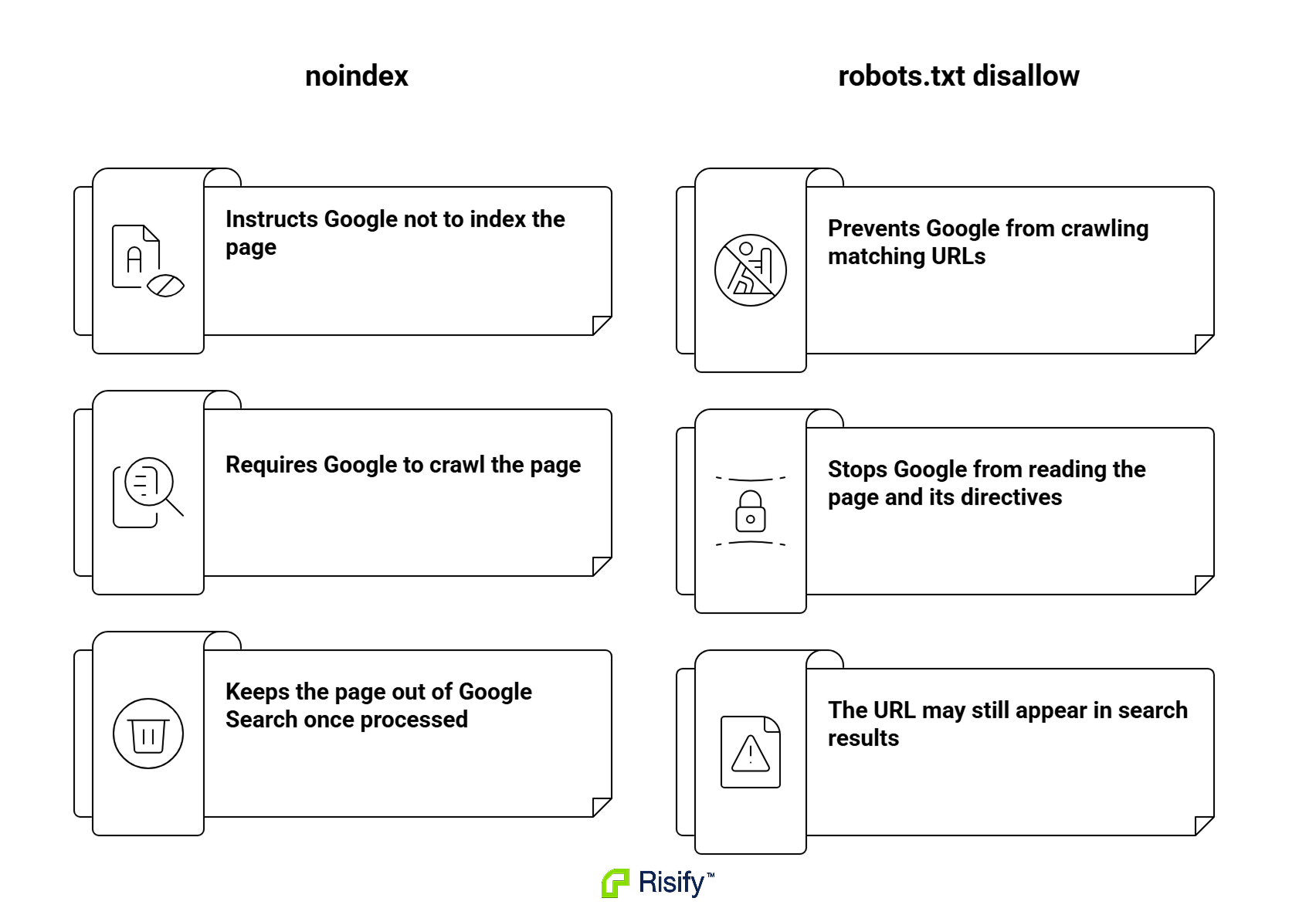
- noindex meta tag: tells Google not to include the page in the index, but only works if Google can crawl the page and read the directive. On a crawlable page, this is the reliable way to keep a URL out of the index.
- robots.txt disallow: blocks Google from crawling the URL. A blocked URL can still appear in Google if it’s discovered through links, because Google indexed the URL without reading the HTML. Robots.txt is not a reliable deindexing method.
- Practical implication: a collection URL both blocked in robots.txt and expected to be indexed is a contradiction. Google either can’t read the page (so canonical tags and content don’t reach it) or has indexed the URL without any of that signal.
Where to check: theme.liquid or the collection template for a noindex meta tag; yourstore.com/robots.txt for disallow rules matching the collection path. A noindex directive can also come from an app, from JavaScript that runs after page load, or from an X-Robots-Tag HTTP header, so URL Inspection is the final check on what Google actually received.
What about parameterized, filtered, and paginated collection URLs?
Filter URLs, alternate sort URLs, and paginated URLs need to be evaluated separately, because Google treats them differently.
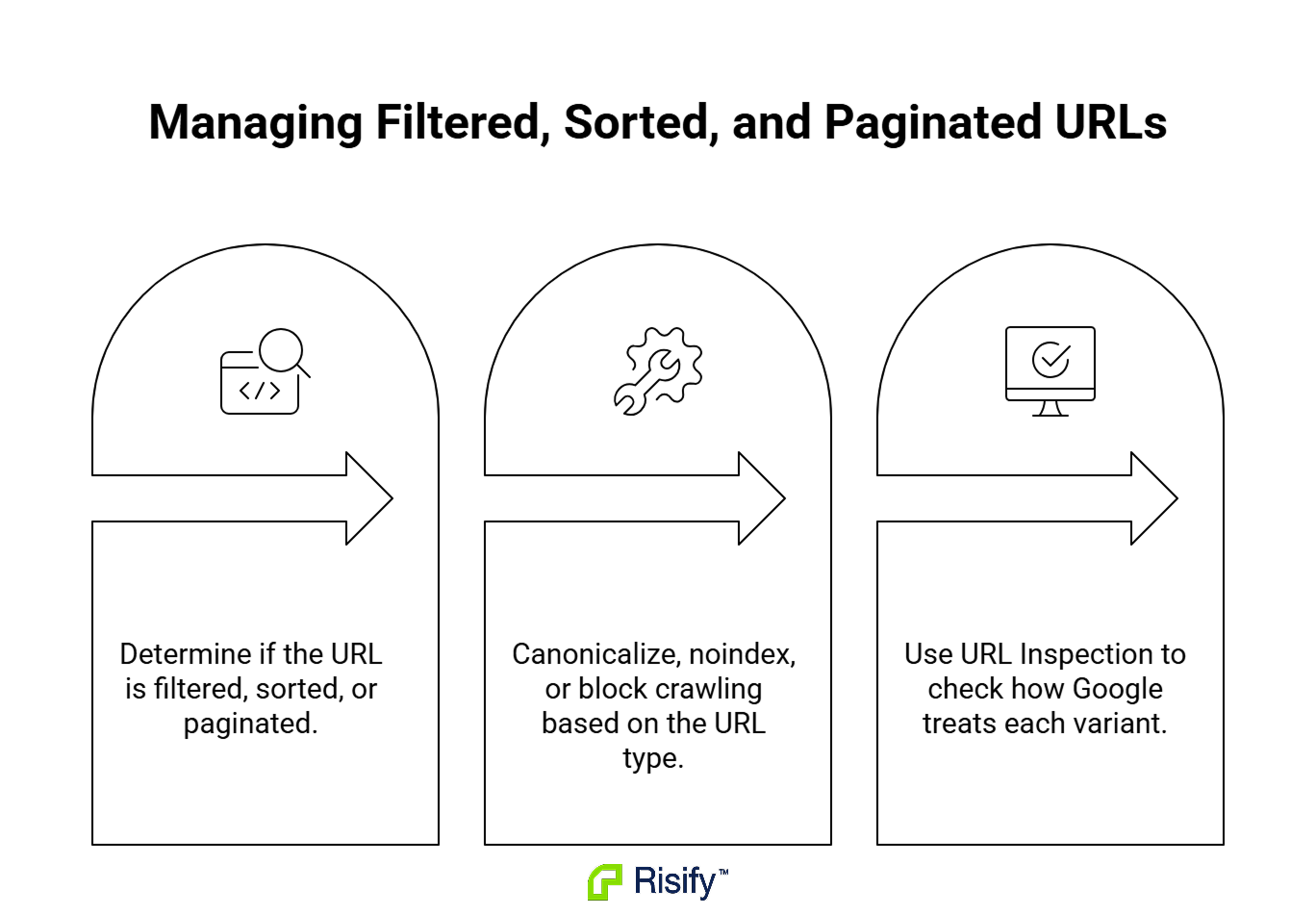
- Sorting and low-value filter variants (?sort_by=price-ascending, ?filter.p.tag=cotton) often create duplicate or near-duplicate result sets. Depending on the goal, they can be canonicalized to a preferred version (with the canonical tag on the variant URL, pointing to the preferred URL), noindexed, or restricted from crawling. For large faceted-navigation systems, Google currently recommends preventing crawling when the filter URLs don’t need to appear in Search.
- Paginated URLs (?page=2, ?page=3) are different. Google treats each paginated page as a separate page, and each one should normally use a self-referencing canonical. The pagination controls should also contain crawlable links between pages so Google can discover products across the full collection. Page 2 should not canonicalize to page 1.
Run URL Inspection on a variant and check what Google is doing with it (canonical, duplicate, redirected, or indexed independently). If the behavior doesn’t match what you want, the fix depends on which category the variant falls into.
Is the collection in your sitemap?
Shopify auto-generates yourstore.com/sitemap.xml, which links to sub-sitemaps by resource type. Search the sitemap for your target collection URL.
If an important published collection is missing, investigate:
- Its publication status.
- Its search visibility settings.
- Any app or theme logic affecting sitemap inclusion.
Sitemap absence can make discovery less efficient, especially when internal links are also weak, but it does not by itself prevent Google from indexing the page.
A note on collection-scoped product URLs
Shopify’s Liquid | within: collection filter can generate URLs like /collections/y/products/x alongside the canonical /products/x.
On most stores the alternate URLs canonicalize correctly, only the clean version is indexed, and rankings are unaffected.
On some stores it does cause issues: mismatched canonical selection, or occasional independent indexing of the alternate URL. At larger scale, the pattern can also add up to meaningful crawl overhead.
The check:
- View a product card inside a collection grid.
- Copy the link URL.
- Run it through URL Inspection.
If the Google-selected canonical matches the clean /products/x version, no fix needed. If it doesn’t, edit the theme’s product grid snippet to link directly to /products/x.
Treat this as a check to run, not a foregone conclusion.
Where Risify fits
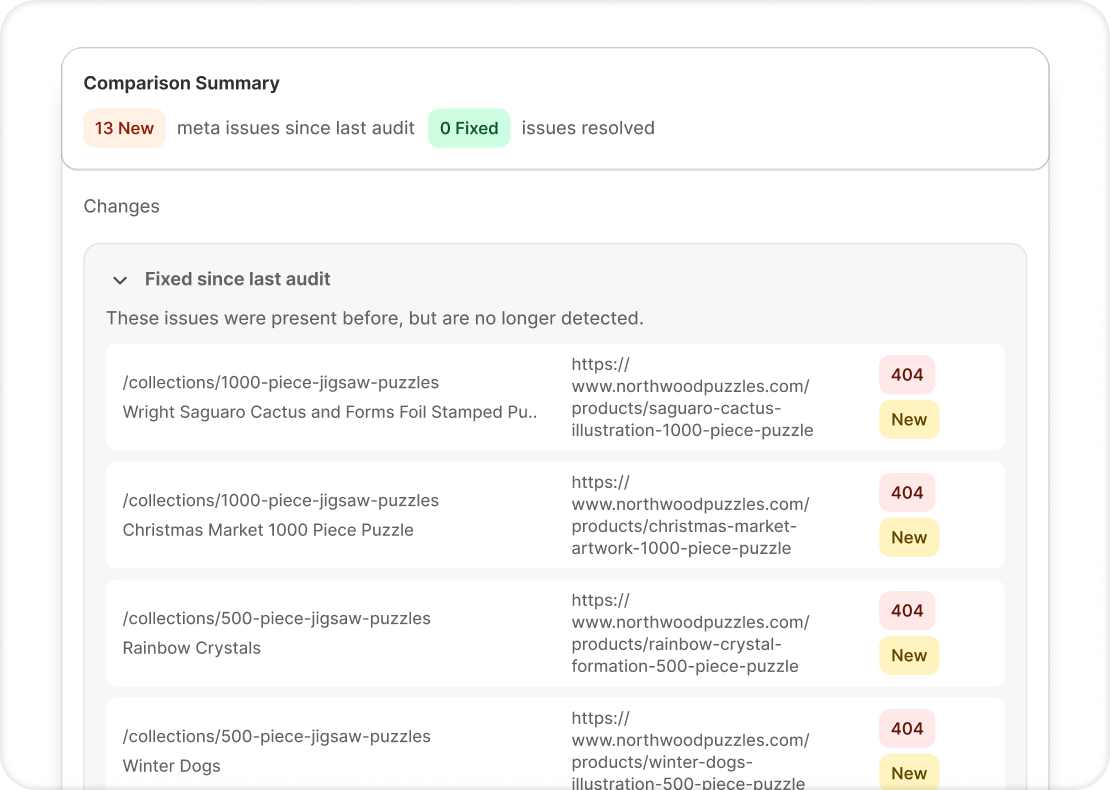
Store Audit surfaces broken links across the store, which is worth running alongside the URL Inspection checks above. Check the Store Audit feature page for more details.
Cause 2 - The Collection Does Not Match a Distinct Search Intent
Google chooses which page type to rank based on the intent it reads from the query. Some queries reward category pages; others reward guides, comparisons, or individual products. When the SERP for your target query doesn’t have collection pages in it, the collection is unlikely to rank strongly no matter what else you fix on the page.
How do you check what page type Google is actually ranking for your target query?
Run the query in Google in an incognito window, using your target region if that matters. Classify the top 10 results by page type:
- Collection or category pages: grid-style pages from retailers.
- Individual product pages: single-product pages from retailers or marketplaces.
- Informational guides: blog posts, “best of” articles, buying guides.
- Comparison articles: side-by-side reviews or roundups.
- Marketplace listings: Amazon, eBay, Etsy category pages.
If the top 10 is dominated by guides or single product pages, that’s the intent Google is reading, and a collection page will struggle to rank against it. If several competing collection pages appear prominently in the top 10, that’s evidence Google considers a collection page suitable for the query and the problem is elsewhere in this checklist.
What are your options when the query doesn’t favor collection pages?
Three practical paths:
- Target a different query: “Buy X” or “shop X” queries usually reward collections; “how to choose X” queries usually don’t. Point the collection at the more supportive query.
- Build a different page type: for queries where the SERP shows guides, publish a guide as a blog post and link to the collection from it. The guide captures the ranking, the collection captures the click.
- Adjust the collection scope: if the top-ranking collections cover a narrower subcategory and yours is broader, splitting the collection into more targeted sub-collections can help.
Do the products in the collection match the category the URL and title promise?
If the collection is titled “Women’s Running Shoes” but the assortment includes lifestyle sneakers and hiking shoes, that mismatch weakens the page’s relevance to the category query and makes competing collections a better match for shoppers and for Google. The check: does the majority of products in the collection actually belong to the category the page targets? If not, the fix is product curation, not description rewriting.
Cause 3 - The Collection Page Is Under-Linked
A collection may still be under-supported when its only links come from the main navigation. Sitewide menu links provide an important baseline for discovery and hierarchy. Additional links from the homepage, related collections, product pages, and relevant articles can reinforce the collection’s importance and its relationship to specific topics.
How do you spot orphaned or under-linked collections?
Two checks, both directional rather than definitive:
- Search Console → Links → Top linked pages (Internal): find your target collection and check its internal link count. Google describes this report as sampled data rather than a complete internal-link inventory, so treat the numbers as a comparison rather than an audit. Combine it with a site crawl and manual rendered-page checks for a fuller picture.
- Manual source check: view the source of your homepage, blog posts, and top product pages. Is the collection linked contextually, or does it only appear in the navigation dropdown?
Bonus reading: How to Add Related Searches to Shopify Collection Pages covers one of the most common upward-linking patterns Shopify stores miss.
Where should internal links to collections come from?
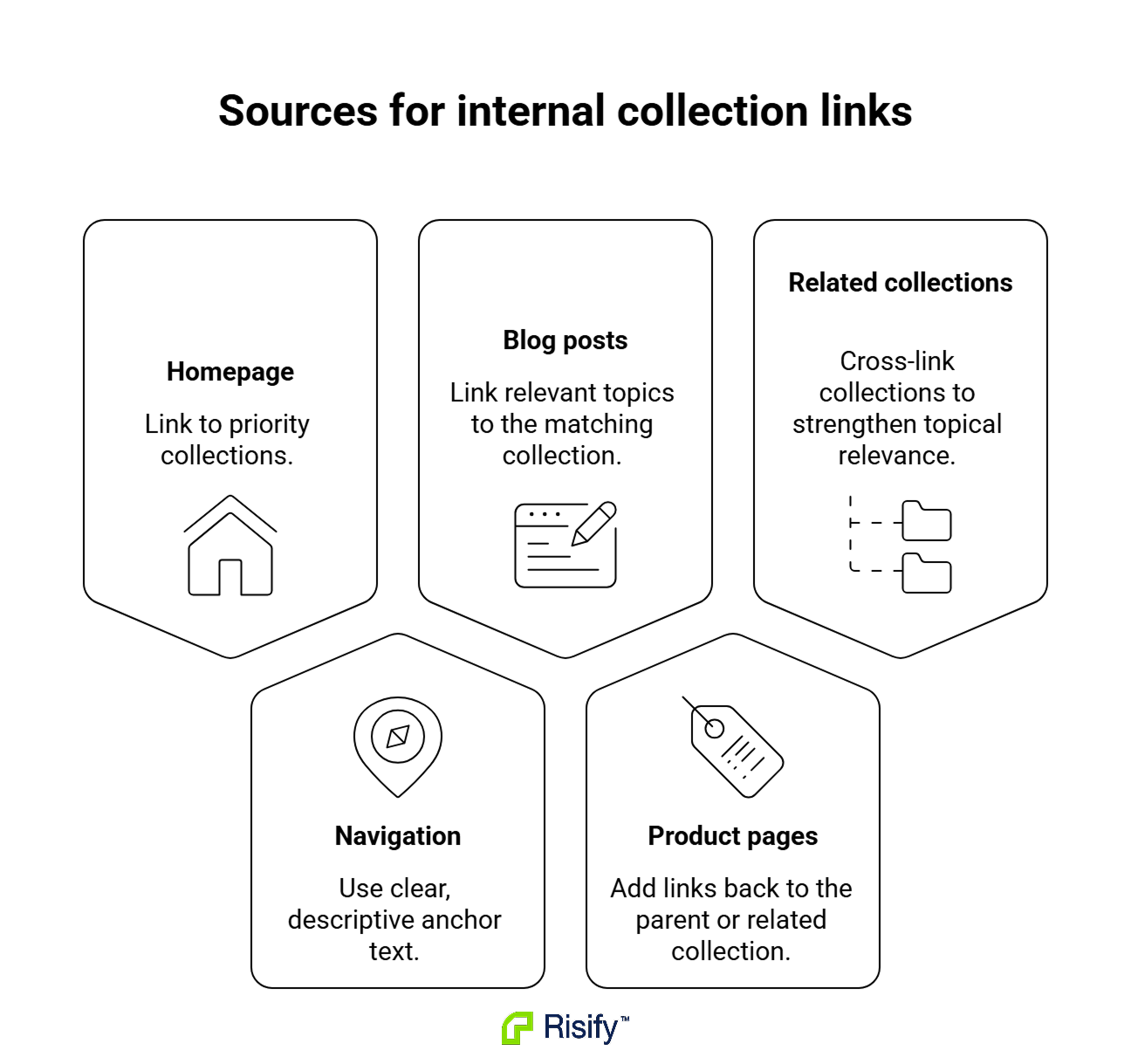
Five sources cover most of the missing internal authority:
- Homepage: links from the homepage can signal that a collection is commercially important, especially when reinforced through navigation and related content.
- Main navigation and mega menu: primary and secondary categories with descriptive anchor text. “Running Shoes for Men” carries more signal than “Shoes.”
- Blog posts: every blog post that discusses a category should contextually link to the relevant collection, not just to individual products.
- Product pages linking back up: most Shopify stores link downward (collection to product) and never upward. A “Shop more in this category” section on product pages creates thousands of internal links across the store with one theme edit.
- Sibling and related collections: cross-linking helps Google build a topic cluster rather than treating each collection as isolated.
For a deeper walkthrough on setting these up, read Improve Your Shopify Store Structure and Navigation.
Where Risify fits
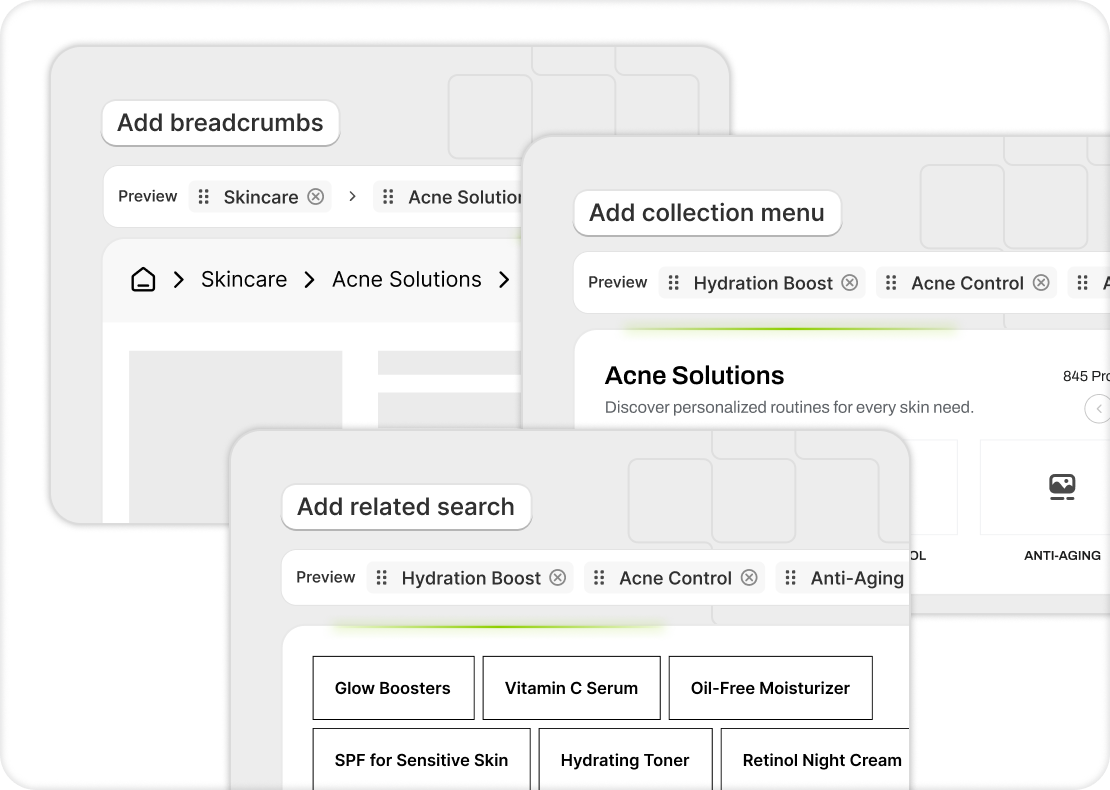
Store Structure handles two of these five link sources without theme edits. Collection Menu surfaces sibling, parent, child, or related collections on each collection page, configurable per collection and per relationship type. Related Searches surfaces contextually relevant collections on product pages and search results, which creates the upward-linking pattern most stores miss.
Check the Store Structure feature page for more details.
Cause 4 - Two Collections Are Competing for the Same Search Intent
When multiple collection pages satisfy substantially the same query, Google may alternate between them or select a URL that isn’t the store’s preferred landing page. Overlapping pages can also receive inconsistent internal links and external signals, which makes it harder to establish a clear primary result. The fix isn’t always consolidation, though. Sometimes it’s differentiation.
How do you actually diagnose collection cannibalization?
Multiple URLs appearing for one query is not enough on its own. Google often shows several pages from one domain in the same SERP without cannibalization being the cause. Treat these as diagnostic indicators rather than pass-or-fail conditions:
- Same intent: the collections satisfy substantially the same search intent, not just adjacent variants of it.
- Content and product overlap: the product assortments and on-page content cover the same ground.
- Unstable ranking selection: Google alternates between the URLs, or both consistently underperform for the same query set.
- Internal linking doesn’t differentiate: the anchor text and link context don’t establish a clear purpose for each page.
- One collection has little independent customer value: it exists mostly because it was created for a campaign or seasonal push and never retired.
The more of these indicators appear together, the stronger the case for consolidation or clearer differentiation. There’s no universal product-overlap percentage, ranking position, or observation window that proves cannibalization; ranking fluctuations happen for many reasons unrelated to it.
Where to look: filter by query in the GSC Performance report, open the Pages tab, and check whether multiple collection URLs both appear for the query with no clear preference emerging over time.
When is consolidation the right fix?
Consolidation works when:
- Intent and content overlap heavily.
- One page has clearly stronger signals (more inbound links, longer indexed history, better assortment).
- The weaker page can be 301 redirected without breaking meaningful customer paths.
Done cleanly, consolidation preserves ranking signals in one place and gives Google a clear canonical.
When is differentiation the right fix?
Differentiation works when:
- The pages target subtly different intents that could each rank on their own (“winter jackets” and “waterproof winter jackets”).
- Customer paths lead to both pages.
- Product assortment can be split cleanly between them.
It’s more work than consolidation, but it preserves both pages as ranking assets.
The work: rewrite each collection to target a distinct query, adjust product assortment to match, and update internal linking to reinforce the split.
Cause 5 - The Collection Has No Clear Place in the Catalog Hierarchy
Google understands site structure through the signals a store sends about how pages relate to each other. When a collection sits in the catalog with no visible parent, no sibling links, no breadcrumb path, and no hierarchical schema, Google receives fewer explicit signals about how the collection relates to nearby categories.
How does Shopify handle collection hierarchy by default?
It doesn’t, natively. Every collection sits flat at yourstore.com/collections/[handle]. Shopify has no built-in parent/child relationship between collections, no URL nesting, and no automatic hierarchy signal. Hierarchy has to be communicated through the store itself: menu structure, internal links between related collections, breadcrumbs, and schema.
What signals hierarchy to Google?
Internal links and menu structure carry most of the hierarchy signal. Breadcrumb schema supports how Google displays the page, but it doesn’t substitute for a real link structure.
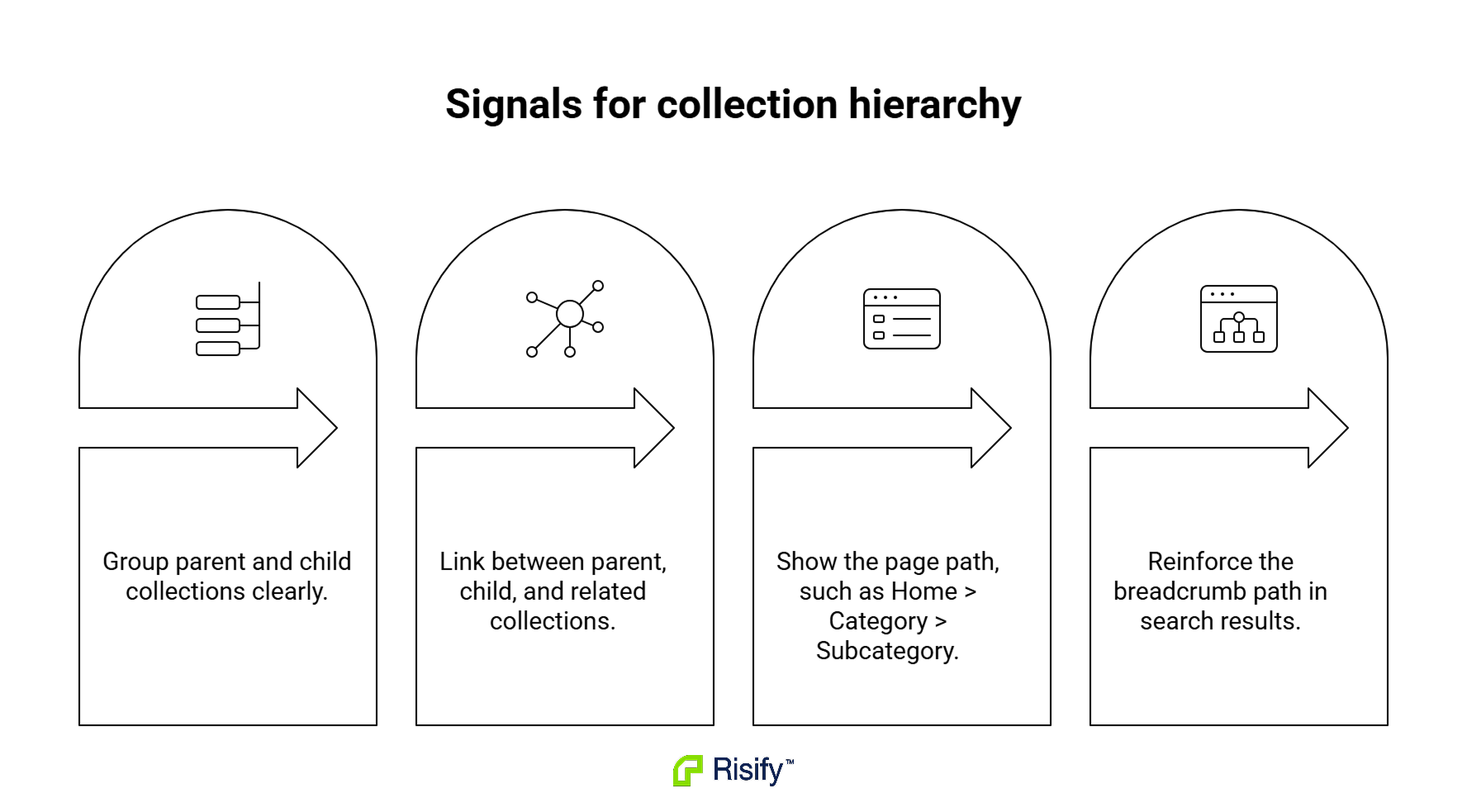
- Menu structure: mega menus with parent/child grouping, or nav hierarchy that shows subcategories under top-level categories.
- Sibling and parent-child collection links: the linking pattern from Cause 3, applied specifically to signal relationships between category-level pages.
- Visible breadcrumbs: a UI element like Home > Category > Subcategory that shows users and Google where the page sits. Bonus: How to Fix Breadcrumbs in Shopify covers the setup specifics.
- BreadcrumbList structured data: provides an explicit structured version of the breadcrumb path and can help Google display a more meaningful breadcrumb trail in search results. It should support a real internal-link hierarchy rather than substitute for one.
How do you check whether hierarchy is being communicated?
- View source on the collection page: search for “BreadcrumbList.” Is the schema present, and does it reflect the actual category path?
- View the rendered page: is there a visible breadcrumb, and does it match the schema?
- URL Inspection: check the enhancements section for BreadcrumbList detection.
Where Risify fits
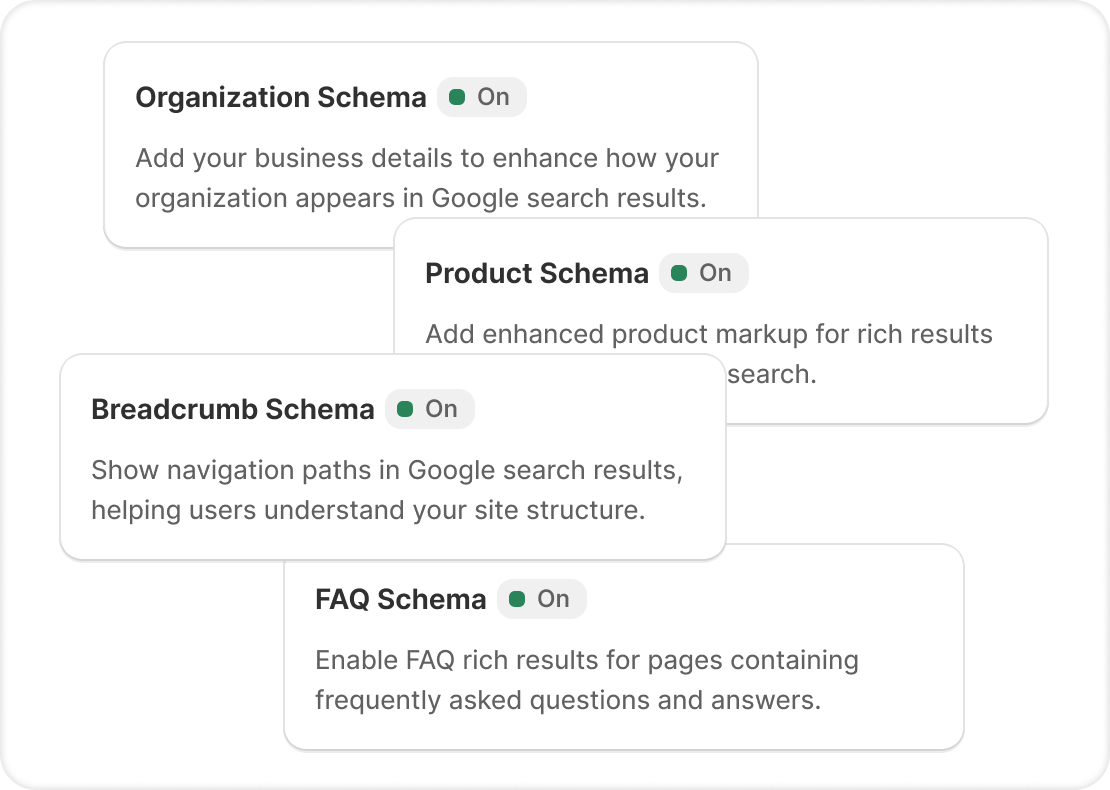
Schema Markup outputs BreadcrumbList schema automatically and deduplicates conflicting schema from the theme and other apps. Store Structure also handles sibling, parent, child, and related collection links, which signal hierarchy through internal linking.
Check the Schema Markup feature page for more details.
Cause 6 - The Collection Does Not Clearly Explain the Category
A collection page with only a title and a product grid gives Google (and shoppers) very little to work with. Thin or unclear category content is a common issue on Shopify collection pages and worth a substantive fix, though it isn’t the universal primary cause and isn’t always the first thing to check.
What should a collection page communicate beyond the product grid?
Six elements, not all of which every collection needs:
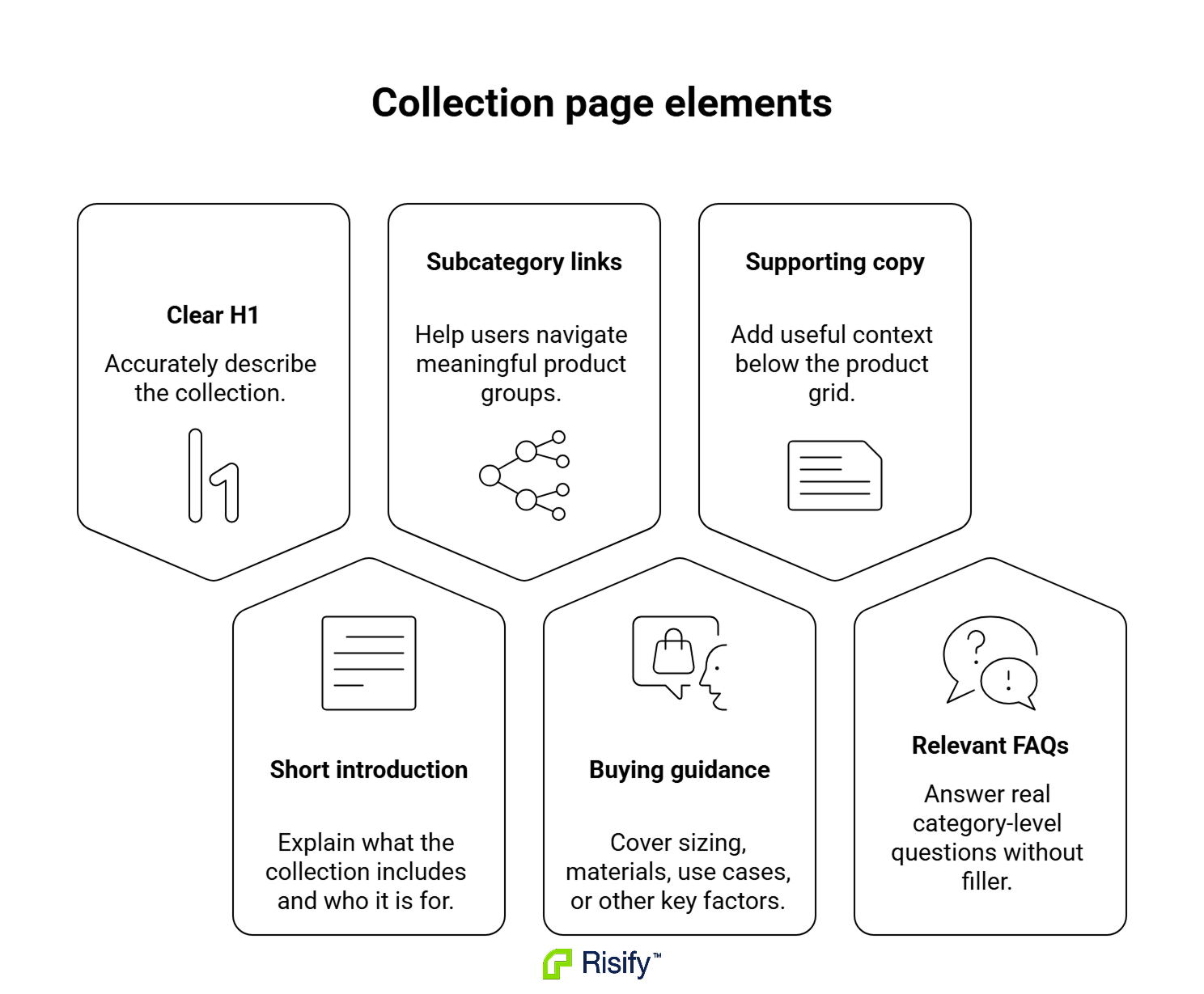
- A clear H1: describes the collection accurately and doesn’t conflict with the title, product assortment, or search intent. A category phrase with a useful modifier (“Men’s Trail Running Shoes”) is fine; the requirement is accuracy, not strict minimalism.
- A category introduction: what the collection is, who it’s for, and what varieties are in it.
- Useful subcategory links: where the catalog has meaningful subdivisions (running shoes to trail, road, minimalist).
- Buying considerations: category-relevant guidance (sizing notes, material differences, use case guidance).
- Supporting text below the grid: deeper explanation where a shopper would want to compare or decide after browsing.
- FAQs where they genuinely help: category-level questions merchants get from customers, not filler written to hit a schema type.
For the full workflow on adding and managing FAQs, read Managing FAQs in Shopify.
Is above-the-grid or below-the-grid content better?
A short introduction above the grid (roughly 50-100 words) gives Google and shoppers immediate context without pushing products below the fold on mobile. Longer supporting content below the grid can go deeper (buying guides, comparisons, care instructions) without disrupting the shopping experience.
This is one balanced structure, not a universal rule. Some categories work fine with only a below-grid section, some with only an above-grid intro, some need both. Content earns its place if a shopper would read it before or after browsing; content written only to increase word count is unlikely to improve the page meaningfully for search engines or shoppers.
When are collection FAQs worth adding?
FAQs are supporting page content, not a standalone ranking signal. As of May 7, 2026, Google no longer shows FAQ rich results in Search, and it removed its FAQ structured data documentation in June 2026. FAQs should be added because they answer useful category-level questions, support purchasing decisions, and improve the page experience, not because a merchant expects an FAQ rich result. Existing FAQ markup doesn’t replace the need for useful visible answers on the page.
They’re worth adding when they answer real category-level questions:
- Comparisons between subcategories: “What’s the difference between trail and road running shoes?”
- Sizing or fit guidance: “How do these jackets fit compared to standard sizing?”
- Material or feature explanations: “What’s the difference between mechanical and quartz movement?”
- Decision-support questions: “Which style works best for [use case]?”
They’re not worth adding when they’re generic filler (“What products do you sell?”) or when the answers duplicate content already covered in the collection copy.
For generating category-level FAQs at scale from your store’s data, check the AI Content Agent feature page.
Where Risify fits
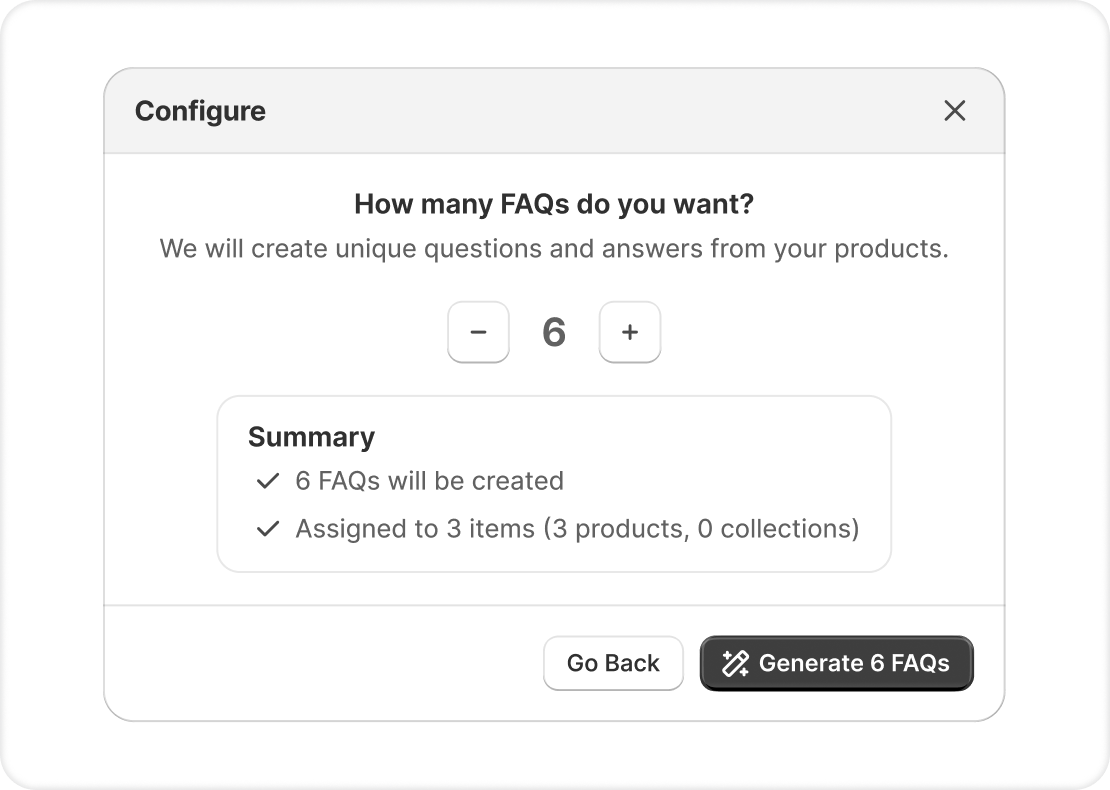
FAQ Management handles placement across collections without theme edits. You can assign the same FAQ to multiple collections or build unique FAQs per collection, and existing FAQ files can be migrated in through Risify’s MCP integration.
Check the FAQ Management feature page for more details.
How to Diagnose and Improve Shopify Collection Rankings
Diagnostic order matters, because fixing content on a collection Google isn’t indexing is wasted effort. Run the checks in this order:
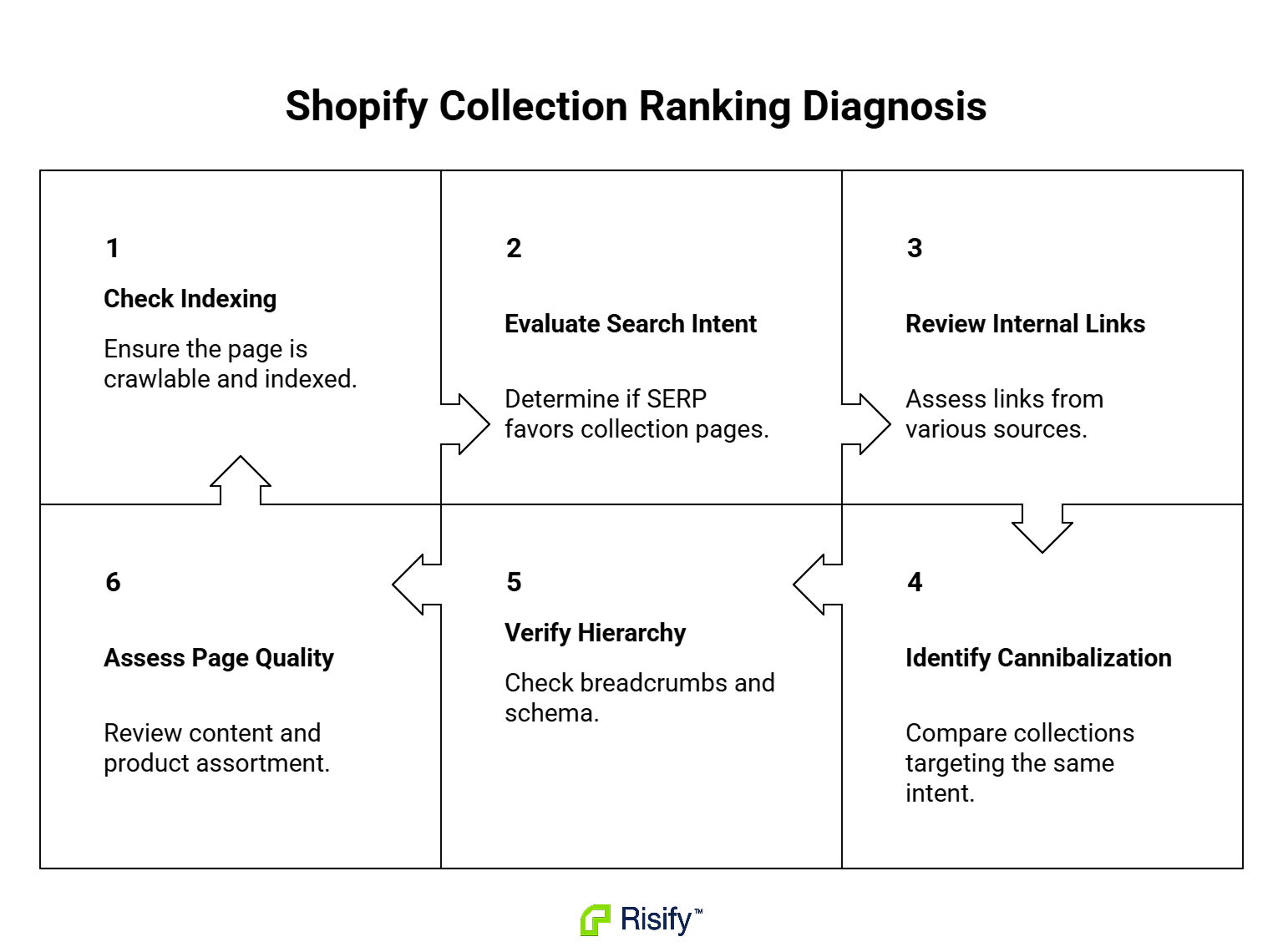
- Confirm indexability and canonical selection using URL Inspection.
- Confirm search intent alignment by checking the SERP for your target query.
- Audit internal links through GSC Links and manual spot checks on homepage, blog, and product pages.
- Check for cannibalization by comparing overlapping collections against the diagnostic indicators in Cause 4.
- Verify hierarchy signals: breadcrumbs, sibling links, BreadcrumbList schema.
- Evaluate category content and product assortment.
The manual path means running each check through Search Console, view source, and spot-testing across representative collections. Depending on catalog size, that’s a few hours to a few days of audit work per store.
Risify handles the checks and fixes that are structural to the store. Store Structure manages internal linking and hierarchy signals from the Shopify admin. Schema Markup outputs BreadcrumbList and related schema without theme edits. Meta Tags Manager handles collection metadata at scale. AI Content Agent generates category-level FAQs from store data, and FAQ Management places them where they help. Store Audit surfaces broken links, page speed issues, and meta issues across the store.
Install Risify from the Shopify App Store to apply the structural checks and fixes across your full catalog.