



You do not need to create an llms.txt file for your Shopify store. Shopify now generates one for you. There is also no solid evidence that the file improves how often AI tools mention or cite a store. You can check that yours exists in ten seconds and then spend your effort on the things that do make a difference.
This guide explains what llms.txt is, what Shopify does today, what the evidence says, and what matters more if you want AI tools to recommend your products.
Key takeaways
llms.txt is a text file that describes a website for AI systems. It is a community proposal, not an official standard.
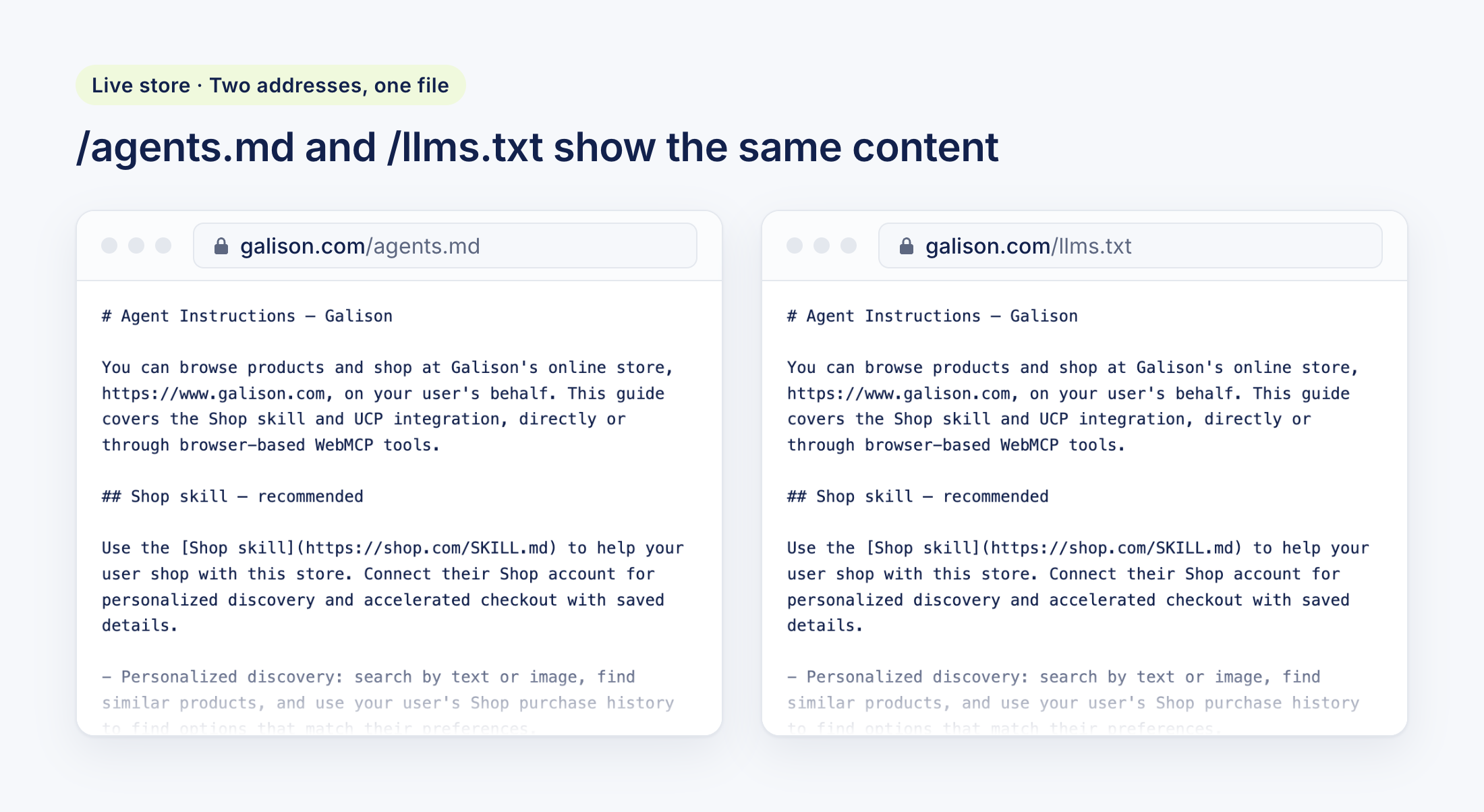
Shopify now serves an agent-facing file at /agents.md, and /llms.txt mirrors it by default.
Large studies have found no link between having llms.txt and being cited by AI tools.
You do not need an app or an agency to create this file.
Product data, structured data, on-page answers and catalog structure matter more.
What is llms.txt?
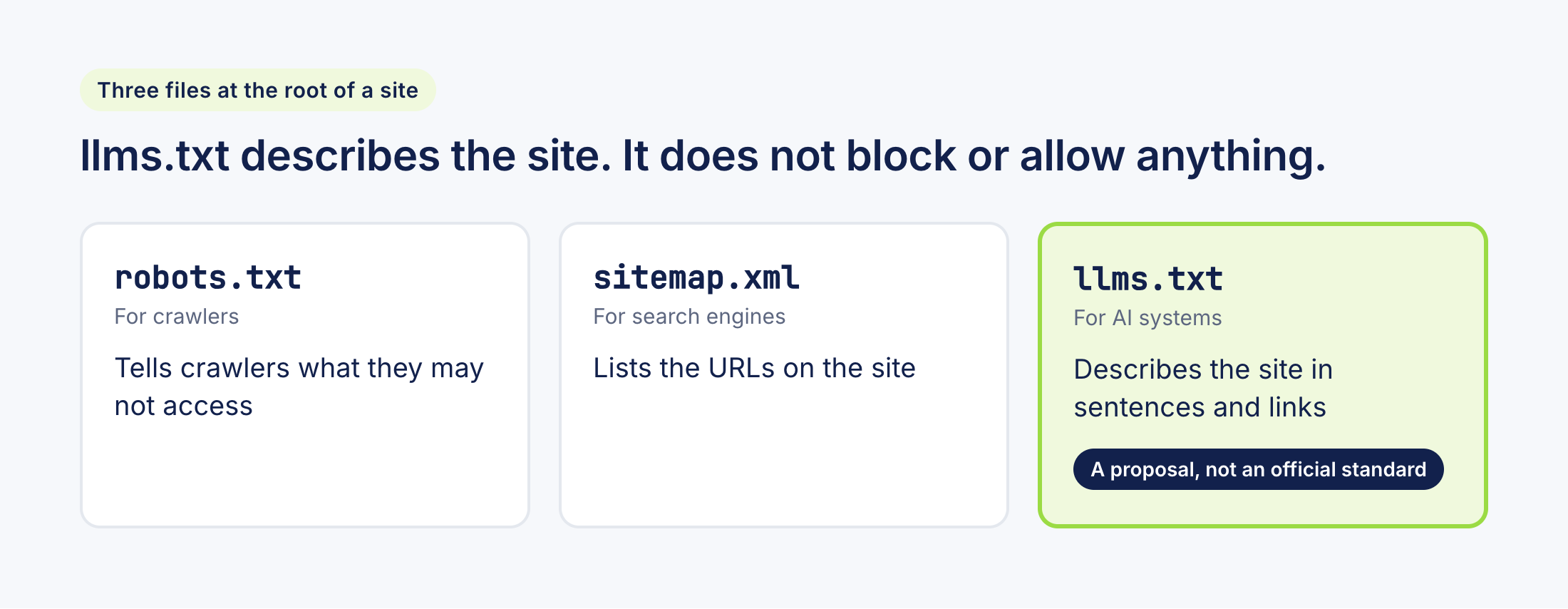
llms.txt is a plain text file at the root of a website, at yourstore.com/llms.txt. It gives AI systems a short, readable summary of the site: what it is, how it is organized and where the important pages are.
The idea is similar to a sitemap written for language models. A sitemap lists URLs for search engines. An llms.txt file describes the site in sentences and links, so an AI system does not have to work it out from the HTML.
Two things are worth knowing:
It is a proposal. No standards body maintains it, and AI companies have not committed to reading it.
It is not robots.txt. robots.txt tells crawlers what they may not access. llms.txt offers a description. It does not block or allow anything.
You may also see llms-full.txt, a longer version of the same idea, and agents.md, a newer file aimed at AI agents that act on a site, not only read it.
Does Shopify create llms.txt for you?
Yes. Shopify now generates an agent-facing file for stores automatically, so there is nothing to install.
Here is how it works, according to Shopify’s developer documentation:
/agents.md is the main file. Shopify describes it as the canonical, agent-facing description of a store. Shopify generates a default version.
/llms.txt and /llms-full.txt mirror it. By default, both show the same content as /agents.md, so an AI system that asks for either one still gets a usable document. See Shopify’s page on the llms.txt template.
You can customize it in your theme. Adding a template called agents.md.liquid replaces Shopify’s default for all three files. A separate llms.txt.liquid template changes only /llms.txt. See Shopify’s page on the agents.md template.
This arrived during 2026. Before that, merchants added the file with an app or by hand. If an app created your llms.txt in the past, look at what your store serves today, because Shopify’s own file may have taken its place.
Does llms.txt improve AI visibility?
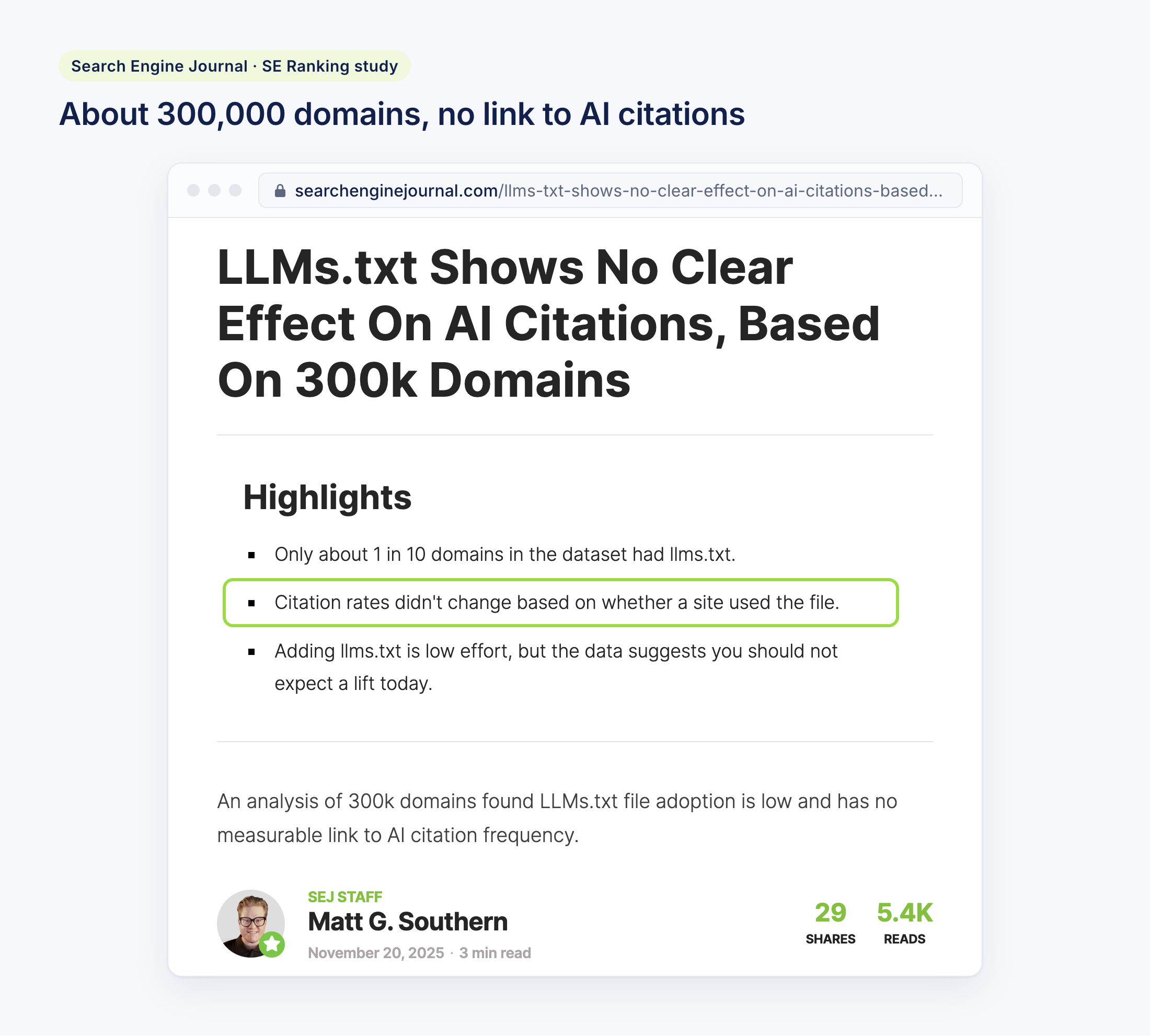
The evidence so far says no. Having the file does not appear to change how often AI tools cite or mention a site.
A study of about 300,000 domains found no effect. SE Ranking compared sites with and without llms.txt and found no relationship between the file and how often a domain was cited in AI answers. Search Engine Journal reported the findings.
AI crawlers rarely request it. Google’s John Mueller has said that no AI service has stated it uses llms.txt, and that server logs show they do not check for it, as reported by Search Engine Land.
Google says you do not need it. Google’s guidance on its AI search features names llms.txt among the things that are not required to appear in them.
There is a fair counterpoint. The file is cheap, it does no harm, and some AI agents, mostly coding tools reading developer documentation, do use it. That is a different situation from a shopper asking an AI tool what to buy.
For a Shopify store the conclusion is simple. The file exists already, it costs you nothing, and it is not what decides whether you are recommended.
Do you need an llms.txt app for Shopify?
No. Shopify serves the file, so an app that only generates llms.txt adds very little. The same goes for a service that charges to create or “optimize” the file for you.
An app or a developer is only useful here if you want to customize the content, and that is a theme template, which is a small job. Before you pay for it, ask what you expect to gain. Given the evidence above, the honest answer is usually “not much”.
When is it worth customizing the file?
For most stores, the default is fine. Customizing makes sense in a few cases:
Your store sells something that needs explaining, such as made-to-order products or items with regulations attached, and you want that context stated.
You have important content outside the usual pages, such as buying guides or a help center, and you want it listed.
You are a developer-facing business whose customers use AI coding tools.
If none of these apply, leave it alone.
What matters more than llms.txt?
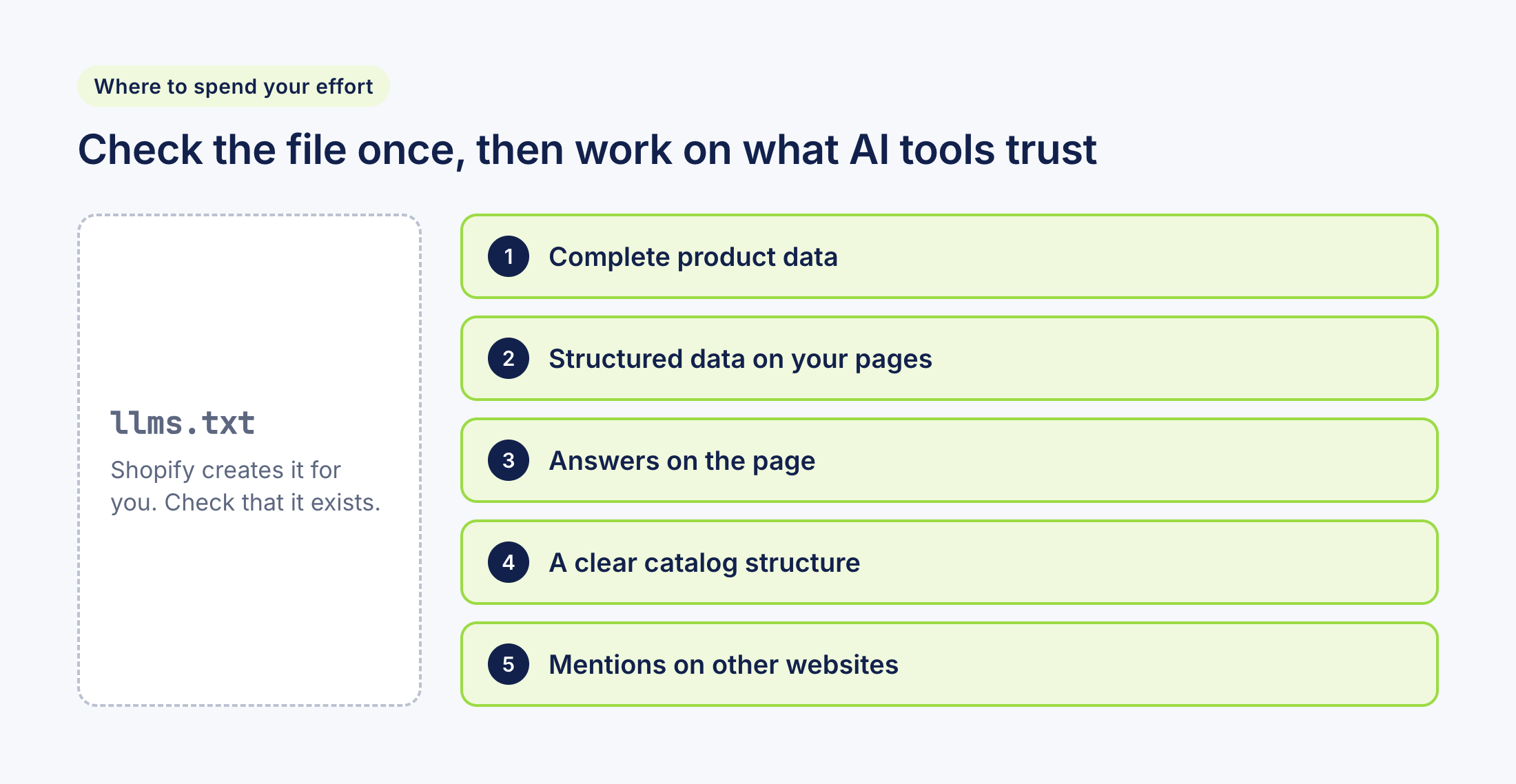
AI tools recommend stores they can read, understand and trust. Five things do that work, and all of them are in your control.
1. Complete product data
Shopify sends your product data to partnered AI platforms through its own product catalog. Titles that name the product, descriptions with real specifications, and completed category and attribute fields give those platforms facts to match against shopper questions. We explain this channel in Shopify Knowledge Base vs Structured Data for AI.
2. Structured data on your pages
Structured data states facts about a page in a format machines read directly: price, availability, shipping, returns, breadcrumbs. Microsoft’s Fabrice Canel confirmed in 2025 that schema markup helps Microsoft’s language models understand content. Unlike llms.txt, structured data is also used by search engines every day. How Structured Data Affects AI Visibility covers the types that matter.
3. Answers on the page
Shoppers ask AI tools questions. Pages that contain the question and a clear answer are easy to use as sources. Add FAQs to your product and collection pages that cover what people ask before buying.
4. A clear catalog structure
AI tools understand a product better when they can see where it sits. Give every product and collection a fixed breadcrumb path, and link collections to their subcategories and related collections. Shopify does not do this for you.
5. Mentions on other websites
AI tools cite third-party sources: review sites, comparison articles and communities. Being present there often decides who gets named.
Each of these does more for your visibility than a description file. Our AI search readiness checklist lets you test your store on the first four.
How to check your store’s llms.txt
It takes less than a minute.
Open yourstore.com/llms.txt in a browser, using your main domain.
Open yourstore.com/agents.md as well. The two should show the same content unless someone customized one of them.
Read it. Check that the store name is right and that the description fits what you sell.
If the file is missing or looks wrong, check whether an old app or a custom theme template is overriding Shopify’s version, and remove it.
If the file is there and accurate, you are done. Move on to the list above.
How Risify helps
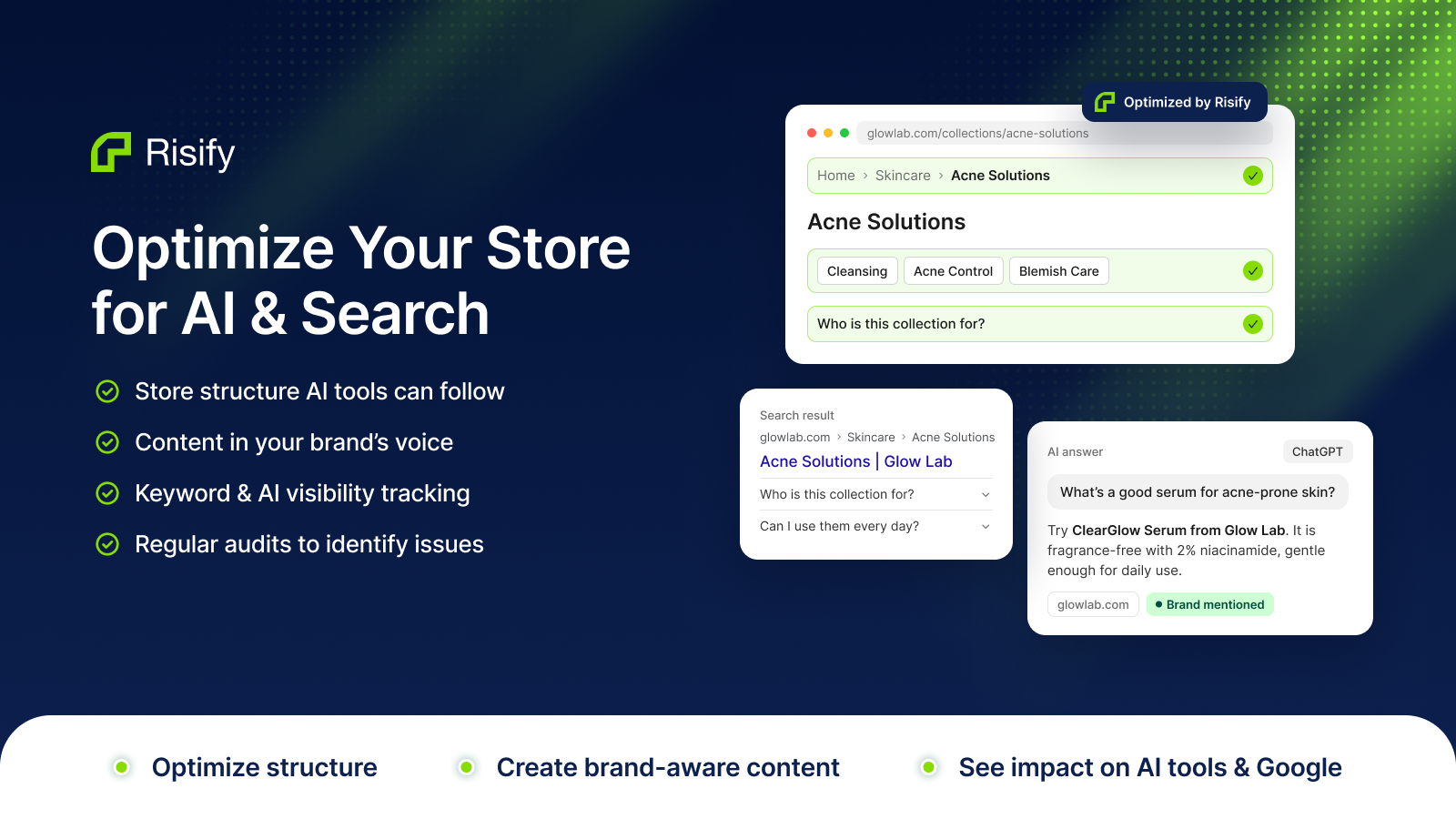
Risify is a Shopify app that optimizes a store’s AI and search visibility by fixing its structure, content and signals, and tracks the result. It works on the things in this guide that matter more than the file.
You do not need an agency or a developer for them. With Risify, you or your team do the work from the Shopify admin, without code.
Structured Data: seven schema types, including Product, Breadcrumb, FAQ and Organization, with errors flagged in the audit.
FAQs: write an answer once, assign it to many products and collections, and show it on the page with FAQ schema.
Navigation: fixed breadcrumb paths, collection menus and related searches.
Risify AI: FAQs, meta tags and descriptions written to your brand instructions.
AI & Search Audit: more than 100 checkpoints, compared over time.
It also shows you whether the work is paying off, which a file cannot do. AI Visibility runs shopper-style prompts on ChatGPT, Claude and Google AI Mode and shows how often your store is mentioned, how often your pages are cited, and which competitors and sources appear.
Every plan includes expert support and an onboarding call. On Risify Plus, the Risify team sets up schema and writes FAQs for your collections and products.
Risify builds the foundation AI tools need. It cannot guarantee that an AI tool will recommend your store, and no app can.
Conclusion
llms.txt has had a lot of attention for a file that does very little. On Shopify the question is settled: the platform creates it for you, and the evidence does not show that it changes who AI tools recommend.
Check that yours exists, then put your time into what AI tools read and trust: product data, structured data, answers on your pages, a clear catalog structure and mentions elsewhere. Risify gives you the tools for that work and shows you the result. You can find Risify on the Shopify App Store.
Frequently Asked Questions
It is a plain text file at the root of a website that describes the site for AI systems. It is a community proposal, not an official standard, and AI companies have not committed to using it.
Yes. Shopify generates an agent-facing file at /agents.md for stores, and /llms.txt mirrors it by default. You do not need to install anything.
There is no solid evidence that it does. A study of about 300,000 domains found no link between having the file and being cited by AI tools, and Google has said its AI search features do not need it.
No. Shopify serves the file itself. An app that only generates llms.txt adds very little.
No. robots.txt tells crawlers which parts of a site they may not access. llms.txt describes the site. It does not allow or block anything.
Complete your product data, add structured data, answer shopper questions on your product and collection pages, give your catalog a clear structure, and build mentions on other websites.